AI Front Office. The AI front desk that answers, books, sells and supports.
Your AI sets up everything, just by talking.
TRY IT FREE NOWNo credit card · Ready in 2 minutesReady to buy? See plans & pricing ›
7 days free · per company, never per seat · nothing to install
Easy setup
Answers & books
Sells
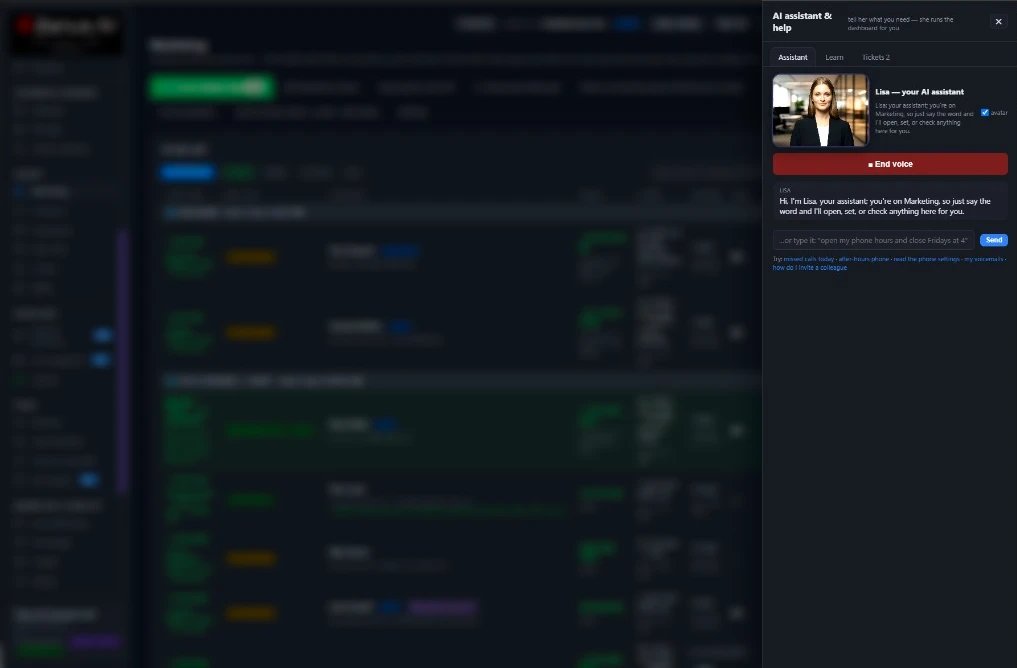
You talk. Lisa sets it up.
You“Set up my business from my website.”
Lisa“Done. Want me to walk you through it?”
Any setting, in any module · applied only on your yes
Zanus AI Front Office is the AI front desk for your business: it answers your phone, website chat, e-mail and web forms as your company, day and night, in 40 languages. Then it books, quotes and follows up, and hands the rest to your people.
Start with the one thing you need. Add more anytime by asking Lisa.
Included in every Front Office › · See it for your business ›
What it does
One AI front office for every customer contact
What a person at your front desk does with customers, done by one AI on every channel, with your team a click away.
Answers every call
AI Phone picks up on the first ring, day and night, with a voice for each department, replies from your knowledge and transfers to a person with the caller's name and reason.
Talks with your website visitors
AI Webchat answers by text or by voice in the visitor's language, and turns the conversation into a booking, a quote or a new lead.
Reads and answers your e-mail
AI E-mail reads each customer mail, finds who sent it, sorts it to the right department and drafts or sends the answer from your knowledge.
Answers every form on the spot
AI Web Forms checks the details a visitor typed and answers the form the moment it arrives, in the visitor's own language.
Books, quotes and follows up
AI Booking fills your own book, AI Quoting prices requests from your list, and AI Follow-up keeps writing to every lead until the lead replies.
One story per customer
AI CRM writes every call, chat, mail and form onto the customer's record, so your team sees every interaction before answering.
Real screens
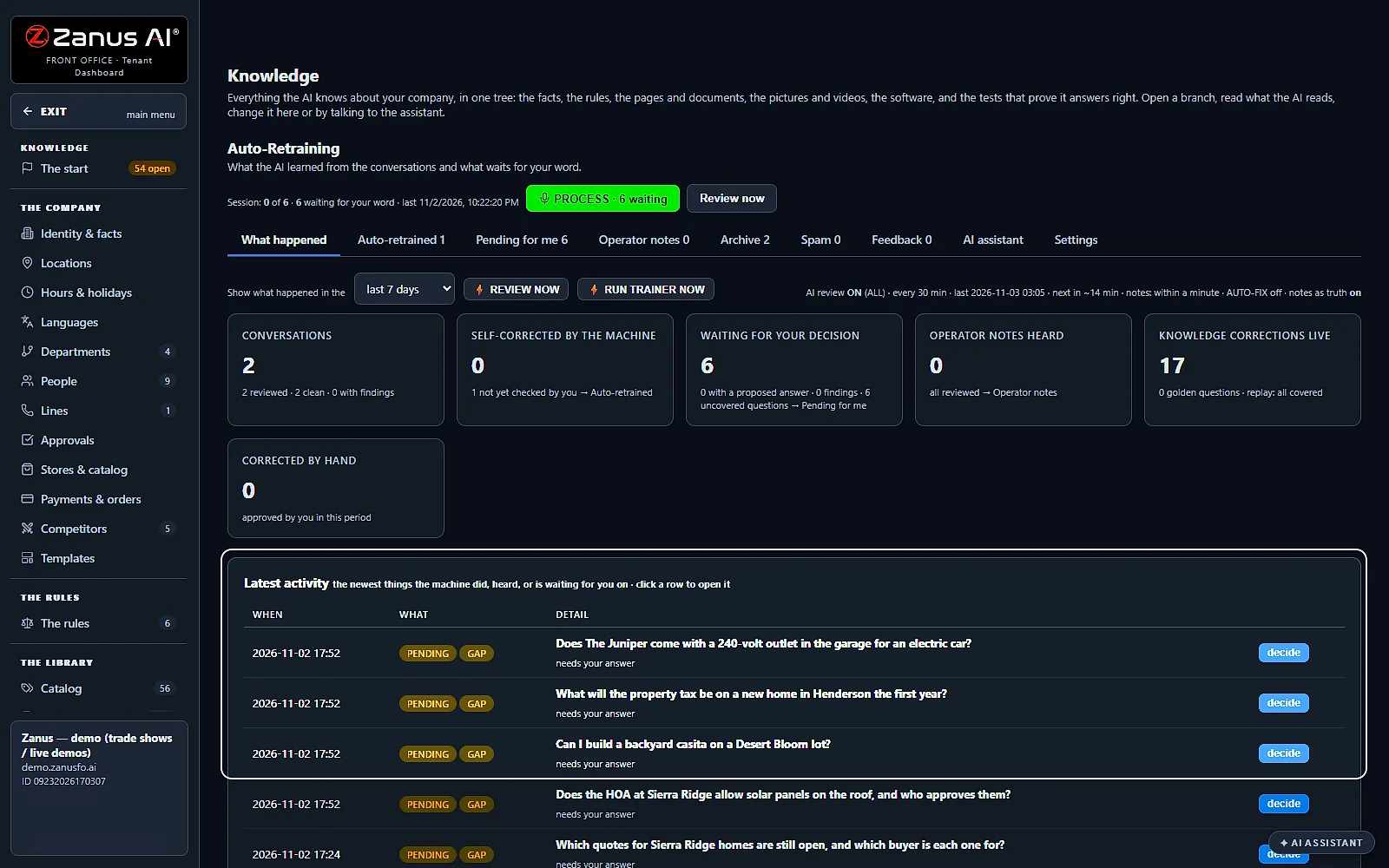
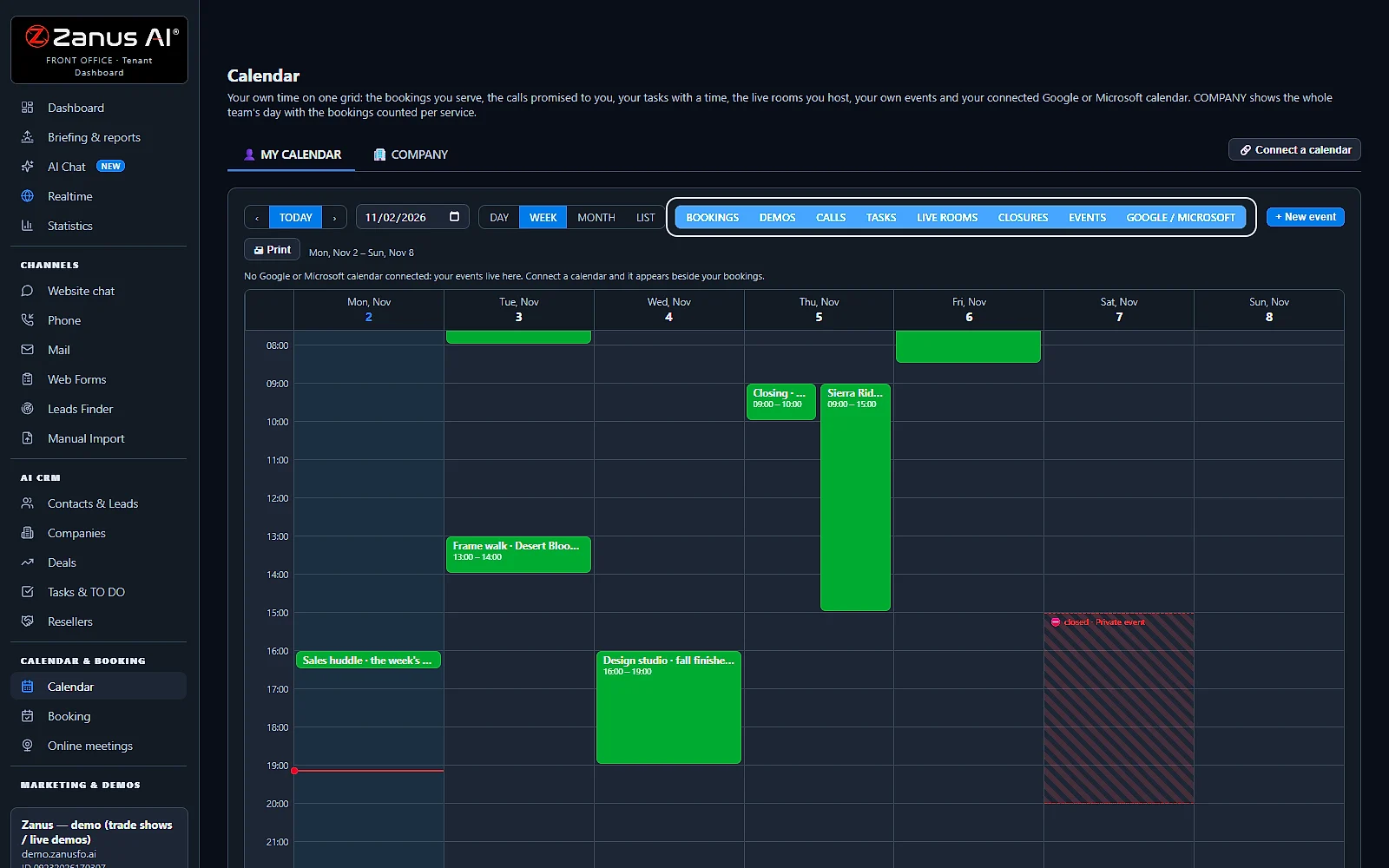
Real screens of the AI front desk at work
What your team sees every day, on real Zanus AI screens.
Every channel
AI customer service software for phone, chat, e-mail and forms
Front desk automation on every channel: one assistant answers from one knowledge base and keeps one story per customer.
One knowledge, every channel
Your website, documents, rules and catalog live in one AI knowledge base; the phone, the chat, the e-mail and the forms all answer from it, and only from it.
40 languages
Each customer is answered in their own language, on the phone, in the chat, by e-mail and on your forms.
After hours and business hours
The AI answers at night, at weekends and in the lunch rush alike; your opening hours decide when a call goes to a person and when it takes a message.
Your people step in anytime
Your staff work inside the Front Office as operators: they see each conversation in real time and step in whenever they want.
Hand-over
An AI front desk receptionist that knows when to call a person
Good call handling means knowing what not to answer alone.
Transfers with the reason
When a caller needs a person, the AI transfers the call and announces to your colleague who is calling and why.
Messages read back
Outside your hours it takes a message and reads the callback number back to the caller, so the call back goes to the right number.
No source, no answer
When your knowledge does not hold the answer, the AI tells the customer it has no source for it and offers a person.
Learns from every miss
The question it could not answer comes to you with a proposed answer; your yes teaches it to the phone, the chat and the e-mail at once.
Compare
AI front desk vs. a receptionist, an answering service or a chatbot
What a business weighs before it chooses who answers its customers.
| What you need | A receptionist | An answering service | A website chatbot | Zanus AI Front Office |
|---|---|---|---|---|
| Every call answered | In business hours, one call at a time | A message taken for you | No phone | Every call: on the first ring, day and night |
| Chat, e-mail and forms | Between calls, when there is time | Not covered | The chat only | All of them: answered from your own knowledge |
| Your customer's language | The ones your staff speak | Often one or two | Depends on the tool | 40 languages: on every channel |
| Bookings and quotes | Typed in by hand | Passed on as a message | A link to another tool | Booked and quoted: into your own book, priced from your list |
| The customer's story | In someone's memory | In a message log | In the chat history | One record per customer: every call, chat, mail and form on it |
| Cost as the team grows | A salary for each person | Billed by the call | Often per seat | Per company: never per seat |
For small business
AI customer service for small business, priced per company
AI agents for small business that answer, book and follow up: a full front desk, with no seat to count.
Start with one module
Begin with AI Phone, AI Webchat, AI E-mail or AI Web Forms, then add booking, quoting or follow-up by asking Lisa; every module shares one AI, one knowledge and one dashboard.
Per company, never per seat
Add colleagues without adding licenses: the whole team works in the same Front Office, each person with the role and the records they may see.
Try it free on your own business
Seven days on your own website and your own knowledge, with no credit card, so you see how it answers your customers before you decide.
Set up
Set up your AI front desk in 2 minutes
No project and no consultant: Lisa reads your website and sets up your business while you watch.
Give Lisa your website
Type your website address. Lisa reads your pages and builds the knowledge your front desk answers from: your services, your hours and your catalog.
Choose what it answers first
Your phone, your website chat, your e-mail or your forms: start with the one you need most and add the others anytime by asking Lisa.
Check it and say yes
Lisa shows each setting before and after; nothing changes until you say yes, and every change can be rolled back from the change log.
Go live and watch it work
Your AI front desk starts answering. You see every conversation on the dashboard and step in whenever you want.
The AI front office for your industry
The same Front Office, set up with the words, the questions and the jobs of your trade.
By industryAuto DealersAutomotive OEMsTelecom & Internet ProvidersConstructionHome ServicesProperty ManagementReal EstateConsumer BrandsDistributorsHigher EducationK-12 SchoolsTraining CentersOil, Gas & Energy ServicesUtilitiesBanks & Credit UnionsInsurance AgenciesInsurance CarriersMortgage & LendingWealth ManagementHealth PayersHealthcareHome & Senior CareMedTechPharma & BiotechAgricultureManufacturingMedia CompaniesSports & Live EventsAssociationsChurchesNonprofitsAccounting & Tax FirmsConsulting FirmsLaw FirmsMarketing AgenciesStaffing & RecruitingAerospace & AviationDefense ContractorsGovernment AgenciesHealth & Human ServicesLocal GovernmentPublic SafetyGrocery & Drug StoresRestaurantsRetail StoresE-commerceHardware & ElectronicsSoftware & SaaSHospitalityLogisticsPassenger TransportationTravel AgenciesSmall BusinessEnterprise Groups
By applicationCustomer ServiceAfter-Hours AnsweringTech SupportAppointment SchedulingInbound SalesQuote and Estimate DesksOrder DesksReception and SwitchboardMulti-site GroupsPublic Service LinesMultilingual CustomersRecruiting and AdmissionsReminder CallsCall Centers
Award-winning AI
Winner at CES 2026, ISE 2026 and TMCnet Enterprise AI Product of the Year.
REAL AI - the whole Front Office is AI, not old software with an AI button.
Awards & trade shows ›


Answers & books
AI Phone
Your AI receptionist picks up each call at the first ring, at any hour, and speaks the caller's language.
Forward the number you already have and AI Phone starts answering, with no porting. It understands callers in their own words, answers from the knowledge you approved, books visits and takes messages. Every call is written down with a transcript and a summary, and a person is brought in only when you want one.
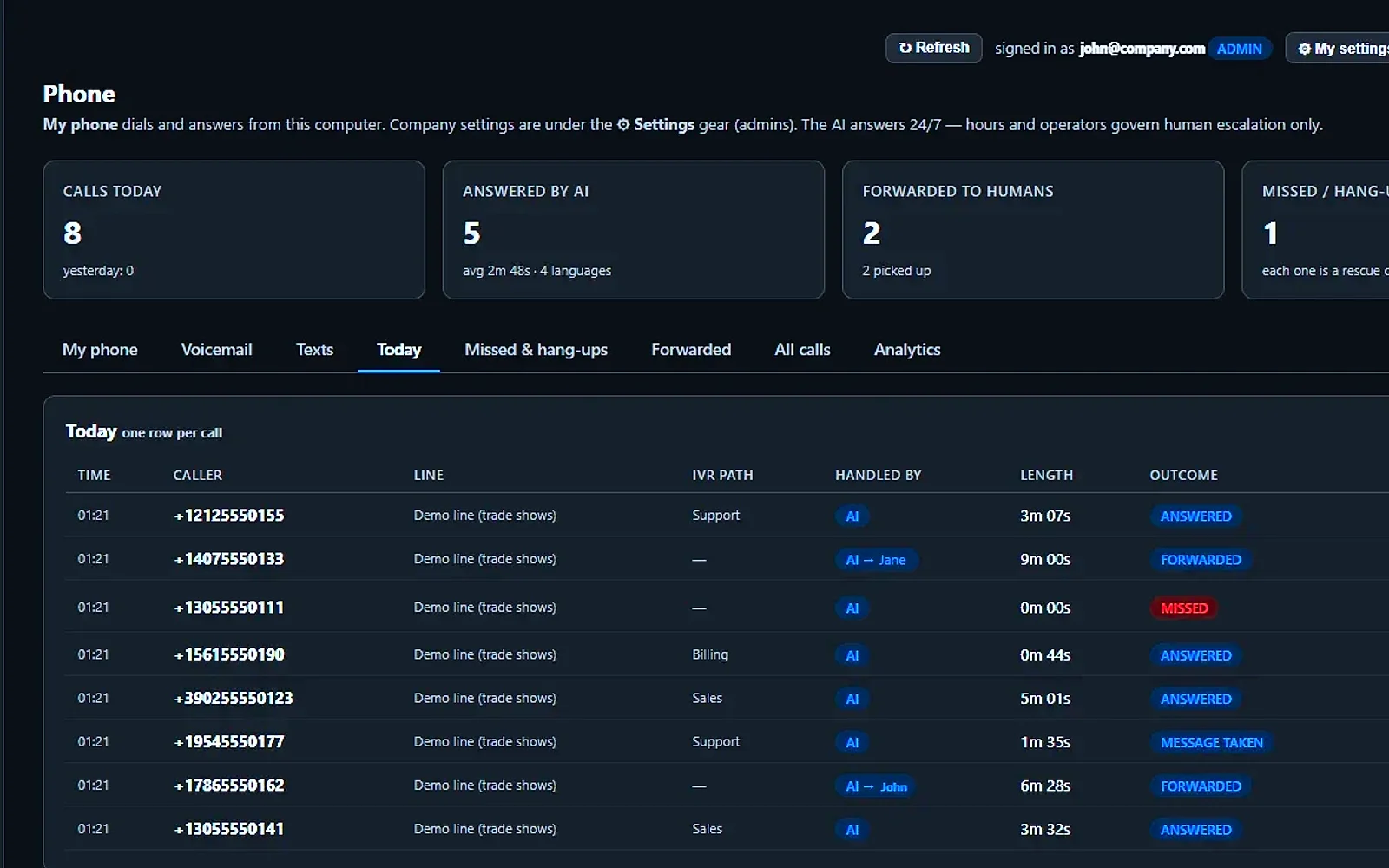
Today: every call of the day
The AI answers on the first ring, day and night, in the caller’s language. Each row shows who called, who handled it, how long it took and how it ended.
You talk. Lisa sets it up.
You“Greet callers with our name and today’s offer.”
Lisa“New greeting with your name and today’s offer. Apply?”
Any setting, in any module · applied only on your yes
What’s included
- Keep your number: forward your existing line to your Front Office line and the AI answers immediately, no porting needed. Port the number in when you decide; we handle it with the carrier
- A local number in your area, or your own number ported in
- Answers on the first ring, 24/7, 365; your business hours only decide when people are reachable
- Human-like voice: you choose the voice and the persona per function, greeting, sales, support, booking, callbacks
- Receptionist style, no phone menu: the caller just talks in any of 40 languages; the AI detects the language on the first sentence and switches the whole call
- Departments you define, sales, support, booking, billing, technical…, each with its own policy: AI first, operator first, or AI only; each with its own AI specialist when no human is free
- Directory of your operators with per-day working hours, languages, the nicknames callers use, vacations and temp-worker expiry
- Transfers announce the caller and the reason; your person accepts before the call is connected; the call is pulled back before a mobile voicemail can swallow it
- Language routing: a Spanish-speaking caller reaches your Spanish-speaking operator first
- Hold music with spoken updates; when a person is unavailable the AI says the honest line you wrote for that time of day
- Takes messages with the callback number read back and confirmed, delivered to that person's own inbox
- Books appointments live from your calendar during the call; captures the e-mail letter by letter; saves the lead
- Every fact from your approved knowledge, prices only from your catalog; with no source it says so and offers a person
- Robocalls and telemarketers get one polite goodbye and stay away from your team
- Off hours your way: full AI service, take-a-message only, or voicemail; holidays and special closures with the message you write
- Every call transcribed into the customer's record with a summary; call log with transcripts, exportable; the morning briefing reads it for you
What makes it different
A full call center on one number
Each department you run gets its own AI voice and name, all drawing on one knowledge base and handing callers to each other like coworkers.
Orders, quotes and payments on the call
With your store or catalog connected, it tells callers where an order is, changes an address before shipping, drafts a quote for your yes or resends a payment link.
Nights and holidays covered
After closing time, pick full AI service, message taking or voicemail; holidays play your own message, and a morning briefing sums up the night.
See all 23 functions
The receptionist (what the caller gets)
- Answer on first ring, caller's languageRecognises the caller's language from the first words, among 40, and answers like a native salesperson, as fast as in English.
- Knowledge-only answersAnswers only from your knowledge pages and price list; when nothing is known, Lisa says so and offers a person.
- Departments with a policy eachEach department chooses AI first, operator first or AI only, with its own AI specialist, voice and fallback.
- Announced transfers your team acceptsLisa announces caller and reason; the operator accepts the call; a mobile voicemail is caught and the call pulled back.
- Message taking with read-backThe callback number is read back digit by digit, and the message lands in the person's own inbox.
- Booking during the callOffers services and free slots from the live calendar, collects name, party size and phone, then confirms the booking.
- Quotes, tickets, returns inside callsFiles the caller's request as a quote, ticket or return, with context attached, when the company owns those items.
- Spoken hold, honest unavailability linesCallers on hold hear spoken updates, not silence; when nobody is free, Lisa says the honest line you wrote.
- Off hours, holidays, closuresChoose full AI, message only or voicemail after hours, plus a holiday calendar and closures with their own message.
- Robocall and telemarketer guardRobocalls and telemarketers get one polite goodbye instead of a transfer, and a junk-call guard protects your minutes.
- Caller identificationA known number opens the contact's record, so Lisa greets by name and knows the open quote, booking or ticket.
- Texting from the company's numberSends booking confirmations, codes and reminders from your number, only after carrier approval and only to numbers that agreed.
The operator's side (what the team gets)
- My phone: the computer phoneA browser phone on the company number: dial, hold, transfer, consult, mute, and ring this computer for my calls.
- AI ASSIST on callsPaid option: while the operator talks, Lisa listens and shows suggested answers on screen; she never speaks to the customer.
- The call deskPaid option: a queue of who to call and why, live transcripts, and two dictated lines become the next step.
- Emergency 911 with registered addressEach number carries a registered address for emergency calls, with a warning when none is registered.
- Install on the mobileThe browser phone installs as an app, with a full-screen ring and big Accept and Decline buttons.
- Operators directoryExtensions, mobiles, departments, languages, hours, nicknames, vacations and temp expiry; a test call proves each mobile works.
The registers and the analytics
- Today, Missed, Forwarded, All callsEvery call with duration, outcome, language, handler and department path; transcript and summary one click away; export.
- VoicemailThe voicemail register keeps every recording with its transcript.
- AnalyticsCalls by day, outcome, language and department, forward results per operator, and the AI's share.
- TextsShows the texting registration state, the Low-Volume or Standard size, the daily ceiling and the texts sent.
- SettingsGreeting, voices, departments and policies, hours and closures, numbers, ring times, hold music, junk-call guard and message policy.
Available on its own or inside a solution · See pricing › · Per company, never per seat.
Works withAI BookingAI Calls TeleprompterAI Calls TranscriptsAI QuotingAI TicketsAI Returns & WarrantyAI CRMLisa, your AI assistant
Answers & books
AI Booking
It books your customers by phone, chat, web form or booking page, straight into the open times of one book.
With AI appointment scheduling, the customer gets a time while still on the call or in the chat, and only truly free slots are offered. Every guest is verified before the booking counts. Confirmations and reminders go out by themselves, a guest who does not show is invited once to book again, and Lisa sets it all up with you by talking.
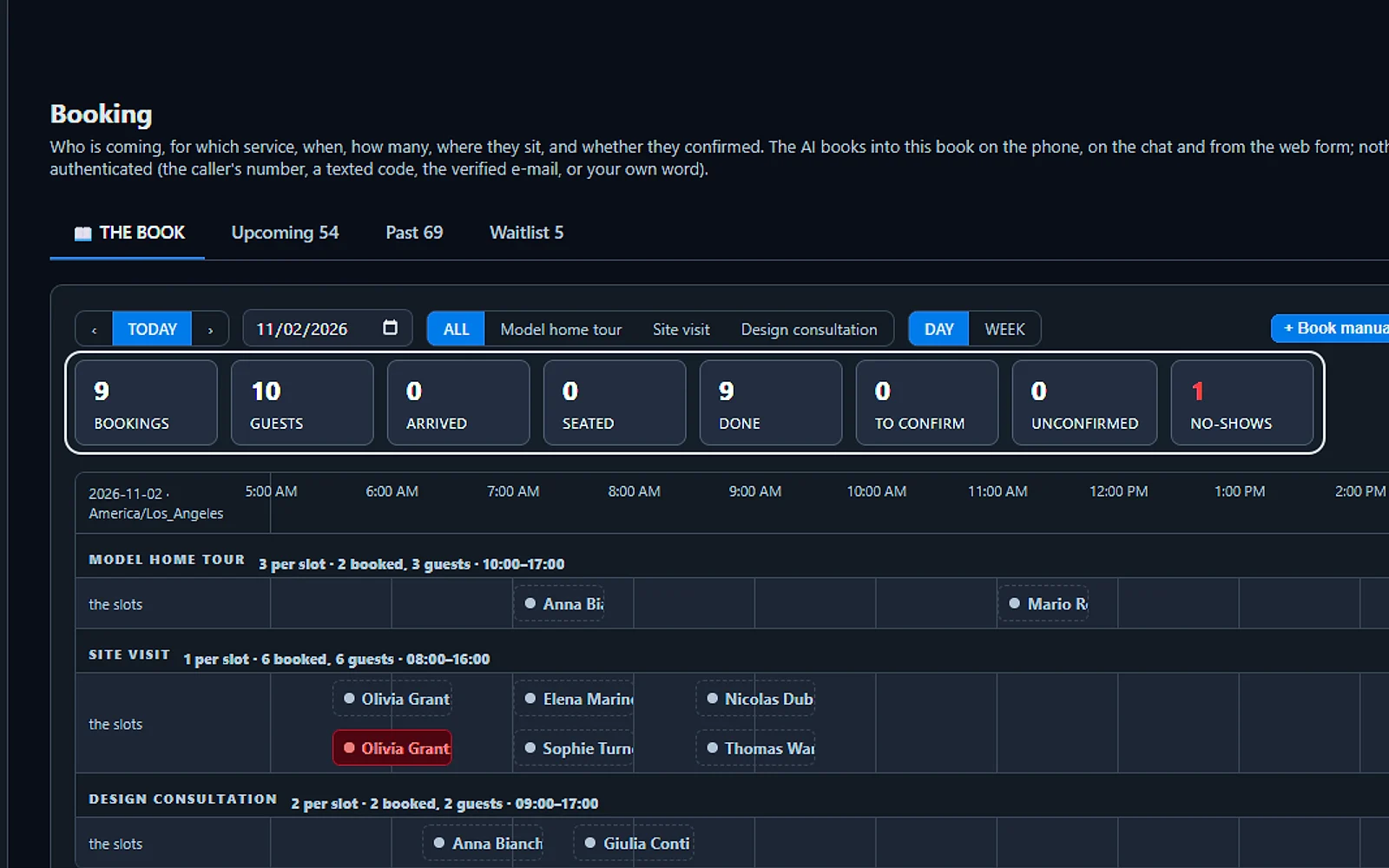
Your whole day in one book
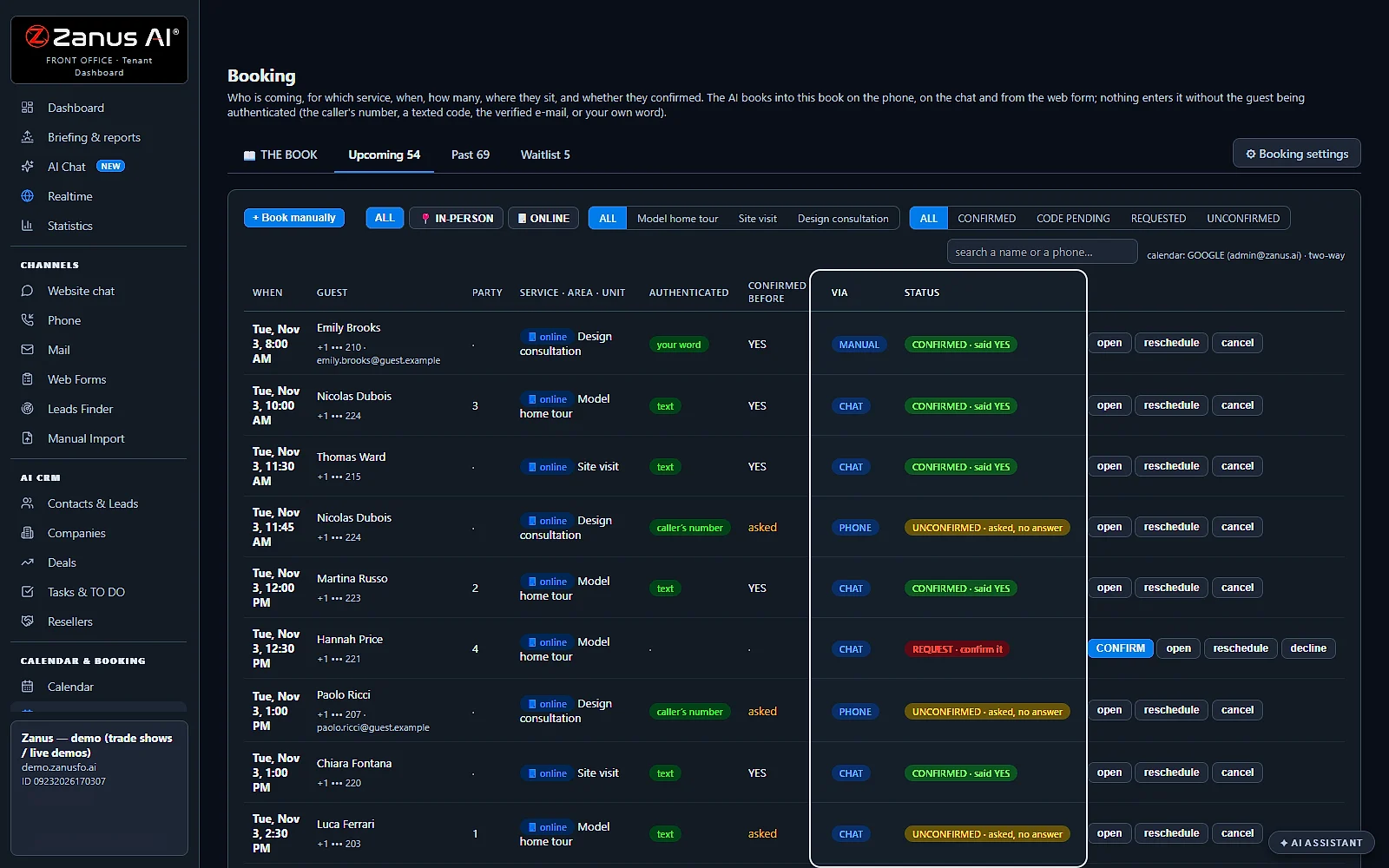
Every booking from the phone, the chat and your website lands in one book, with today's guests, arrivals and no-shows counted at the top.
You talk. Lisa sets it up.
You“Hold a booking 15 minutes while the guest sends the code.”
Lisa“Every service now holds the place 15 minutes for the code. Apply?”
Any setting, in any module · applied only on your yes
What’s included
- Booking inside the phone call, the chat, the e-mail and the form, plus a booking page
- By service and location: the AI offers the menu, then only the free slots of your live calendar
- Your own calendar connected; availability rules; buffers
- Confirmation and calendar invite e-mailed automatically; reminders; reschedule by reply
- Field visits with travel time; several providers with their own calendars
What makes it different
Rules for each service and place
Every service keeps its own hours, turn length, rest and notice, counted by bookings, seats or units, across all your locations and providers.
Full times go to a waitlist
When the time asked for is taken, the AI offers the waitlist, and a freed place goes by text to the next guest, who has ten minutes to claim it.
Your own calendar stays in step
Busy times from the work calendar you already use are never offered, and every booking shows up there as an event.
See the full AI Booking page ›
See all 20 functions
THE BOOK (the company's day)
- Timeline per unit, service, daySee tables, chairs, stations or rooms on a day or week timeline, filtered by service, refreshed every 20 seconds.
- The day's countersBookings, guests, arrived, seated, done, to confirm, unconfirmed and no-shows at a glance.
- The stages of a bookingBooked, confirmed, arrived, seated, done or no-show; a booking still awaiting its code shows a yellow frame.
- The block's cardSeat the guest, move the table, add notes like allergies or birthdays, text or call the guest, or cancel.
- Book manually and print the bookStaff can book at the desk, where their word confirms the guest, and print the day's book.
- Upcoming, Past, Waitlist registersLists of upcoming and past bookings, plus a waitlist that texts a freed slot to the first in line.
The service editor (per service)
- Hours and arrivals every N minutesSet hours, arrival intervals, visit length by party size, counting by bookings, seats or units, party limits and areas.
- What to collectChoose what to ask: name, party size, phone, e-mail, notes, plus the price, deposit and cancellation rules to tell.
- Authentication per serviceGuests confirm by their own number, a texted four-digit code, a short confirmation call or an e-mail link; pending until confirmed.
- Reminder, pacing and the usualReminders by text or call, a cap on arrivals per slot, and a returning guest's habits remembered.
- Hours and closuresWeekly hours, closures with a reason, and holidays.
- Presets for 53 marketsReady setups for 53 markets like restaurants, dentists, salons and home builders, with demo scenes to explore.
The booking voice (what the guest gets)
- Booking on the phoneLisa offers free slots, takes party and name, confirms by caller number or code; reply 1 confirms, 2 cancels.
- Chat and booking pageThe same booking flow with a four-digit code to the mobile, after asking consent to text in words.
- Reschedule, cancel, look up bookingGuests reschedule, cancel or look up their booking by reply, by phone or by chat.
- Texts from the company's numberTexts go out only after US carrier approval; until then, a short call confirms instead.
CALENDAR (the people's time)
- MY CALENDAREach person's day of bookings, tasks and meetings, with their own calendar beside it.
- COMPANY calendarEveryone's day in one view, by person.
- Connect your calendarConnect your own calendar straight from the calendar page.
Lisa and the booking
- AI ASSISTANT drawer on BookingLisa recaps the day, sets hours or reminders by talking, and books, moves or cancels, applying changes only on yes.
Add it to any contact channel — AI Phone, AI Webchat, AI E-mail or AI Web Forms — or get it inside a solution · See pricing › · Per company, never per seat.
Works withAI PhoneAI WebchatAI E-mailAI Web FormsLisa, your AI assistant
Answers & books
AI Webchat
It greets each visitor on any page of your site and answers by text or voice, in their own language.
Paste one line of code and this AI chatbot for website visitors sits on every page. It answers only from your pages, documents and approved replies, and admits it when it does not know. You watch sessions live and see what each one brought in, from a plain answer to a lead, a demo request or a quote request.
Her card on every page
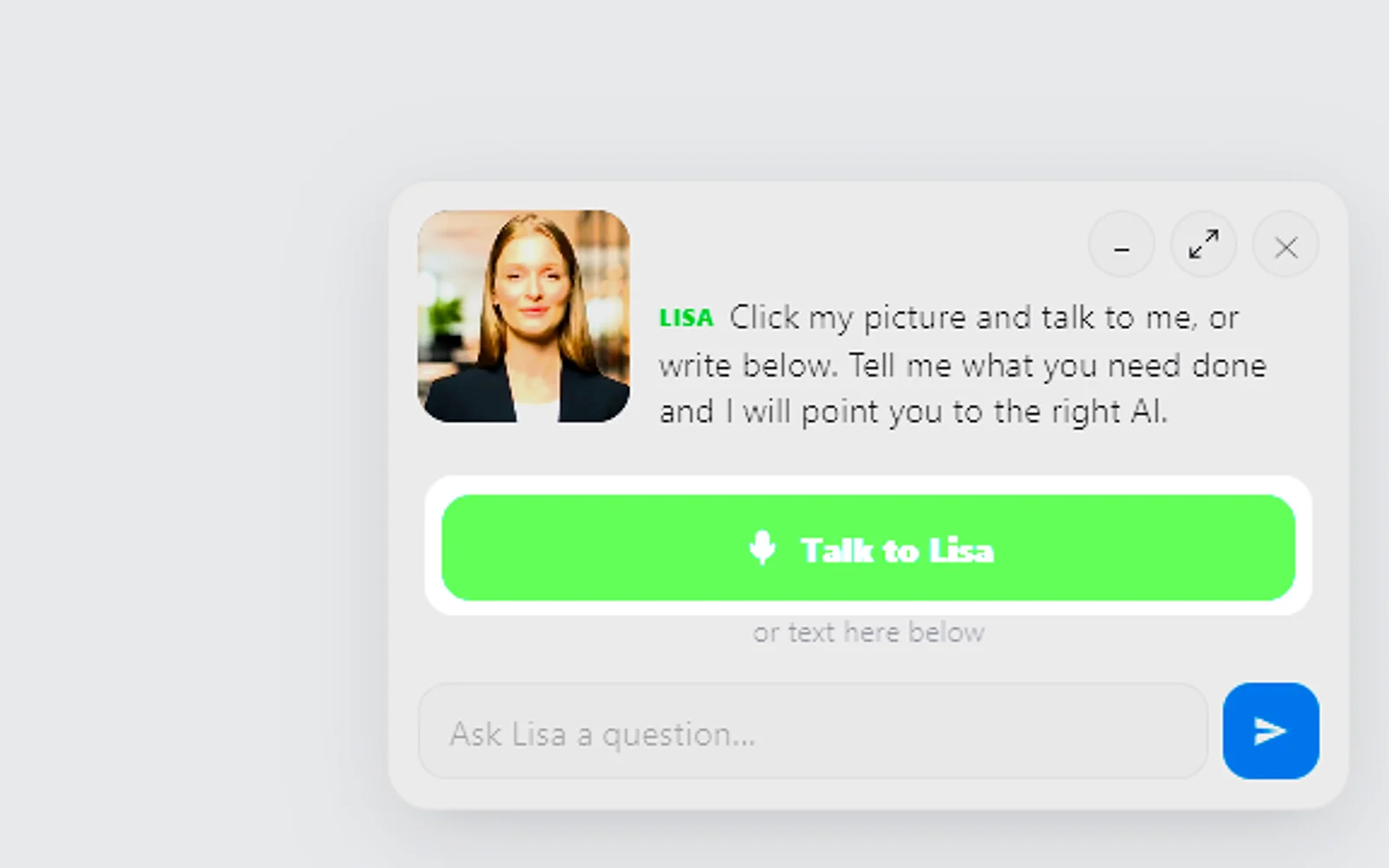
Visitors land on any page and her card is waiting in the corner. One tap starts a voice conversation, or they simply type a question.
You talk. Lisa sets it up.
You“On her card, say: Ask me about our spring offer.”
Lisa“Her card now opens with your spring offer line. Apply?”
Any setting, in any module · applied only on your yes
What’s included
- Text and voice in one widget on your site, the visitor types or talks; the AI answers in their language
- Knows the page the visitor is on and answers from your pages, files, prices and rules
- Shows pictures and product screens while it talks; opens the right page of your site and continues there
- Captures the lead with a verified e-mail; books appointments from your live calendar; offers your AI Demo
- Your people take over any chat live in one click, with the context, not a transcript to read
- Instant barge-in: the visitor interrupts and the AI stops; echo and background noise filtered
- Optional AI Avatar: the same assistant with a face that talks
- Every conversation on the customer's record; chat analytics per page and topic; sessions exportable
- Installs with one line on any website, whatever it is built with; the widget is yours to brand
What makes it different
Opens pages, shows pictures
She brings up the page that covers the topic she is talking about, and holds up the real picture when a visitor asks to see one.
Greets visitors in 40 languages
Write her greetings one time in your own language; visitors read and hear them in theirs, with a formal or familiar tone you choose.
A person when one is needed
Ask for a human and the whole chat goes to your team as mail or a ticket; watching live sessions is read only and never interrupts her.
See the full AI Webchat page ›
See all 18 functions
On the website (what the visitor gets)
- Text chatAnswers only from your knowledge; with no source it says "I do not have that" and offers a person.
- Voice in the same widgetVisitors talk through the microphone button; they can interrupt and Lisa stops, and her own echo does not cut her off.
- 40 languagesRecognises the visitor's language from the first sentence and speaks it, even though your knowledge is in English.
- Page awarenessLisa knows which page the visitor is reading and answers about it first.
- Page switching by voiceSay "show me the pricing" and the pricing page opens, with the conversation continuing there.
- Pictures and product screensShows pictures and product screens in the chat while she talks, from your Images and Videos libraries.
- The scripted greetingA greeting written for each page, a professional register, and a pair of gentle nudges.
- Lead capture with verified e-mailChecks the e-mail's syntax, domain and deliverability before anything is promised to it.
- Booking, quotes, tickets, returns, demosBooks from the live calendar and takes quote, ticket, return or demo requests when you own those items.
- Hand-over to the free trialOn zanusai.com, a request to start the trial takes the visitor to the trial page at once.
- The AI AvatarOptional: the same assistant with an animated, lip-synced face on the widget.
- Texting consent in the chatBefore any text to a mobile taken for a booking, Lisa asks for the visitor's agreement in words.
For the team (the dashboard's Website chat page)
- Live sessionsSee every conversation running now, with the visitor's page, language and last words.
- Take over liveA person joins any conversation in one click with the whole context, and Lisa steps back.
- Sessions and activityA register of every conversation with transcript, pages visited and outcome: lead, booking, quote, demo or hand-over.
- Watch listName the visitors or topics you want to be told about.
- Chat analytics and exportConversations by page, topic, language and outcome, with sessions exportable.
- SettingsWidget colours and position, greeting per page, voice, persona, formal or familiar address, languages, budget and install snippet.
Available on its own or inside a solution · See pricing › · Per company, never per seat.
Works withAI BookingAI AvatarAI DemoAI QuotingAI TicketsAI Returns & WarrantyAI CRM
Answers & books
AI E-mail
It reads each email your customers send, files it on the right desk and drafts the reply from your knowledge.
This AI email responder gives every department its own desk and keeps each message on its contact. Per department, you decide whether Lisa sends on her own or a person approves her draft first. Newsletters and bulk mail leave the desk by themselves, and Needs you holds only the mails that call for a human decision.
Only what needs you
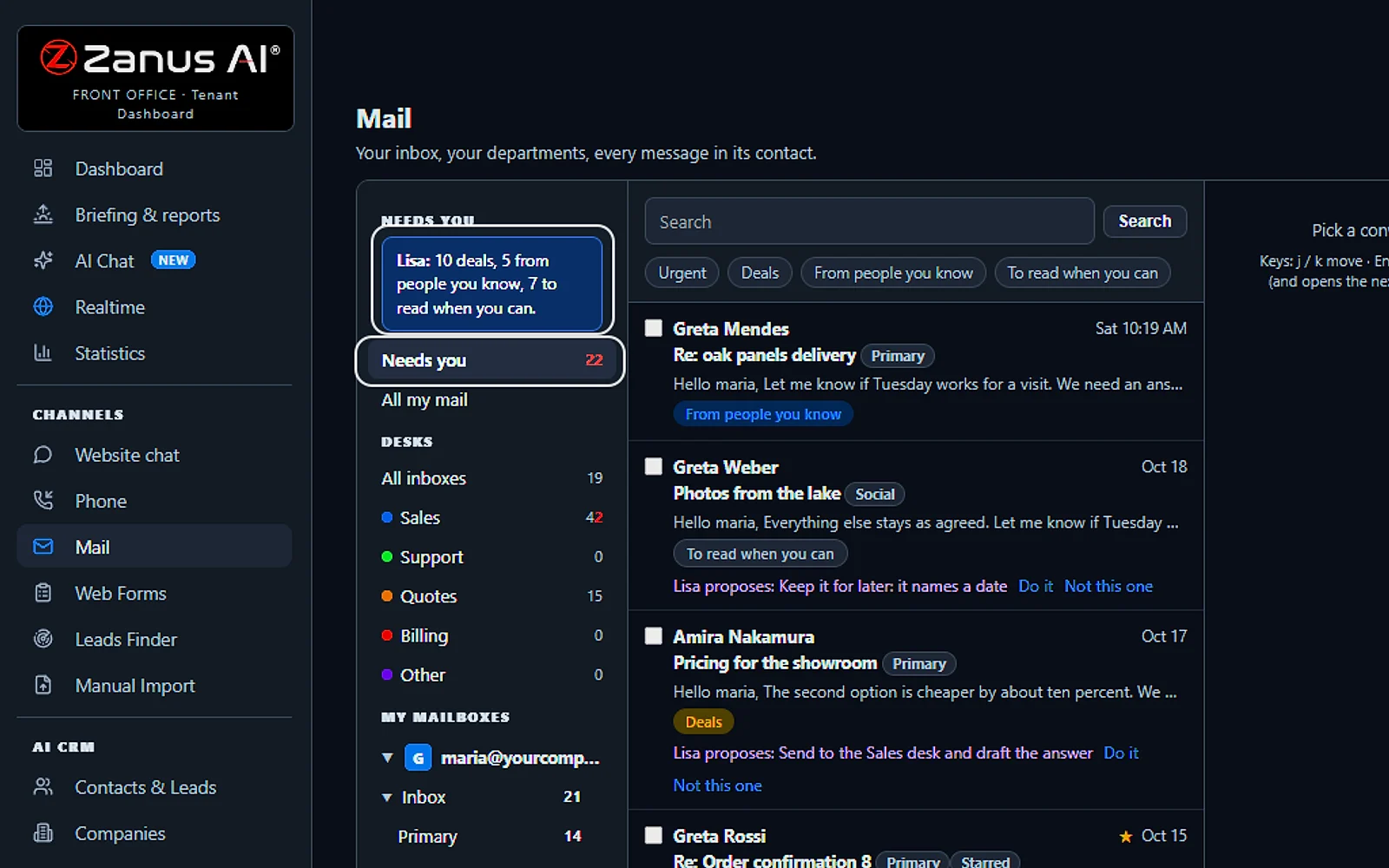
One list gathers the emails that need a person, across every department and mailbox, each with Lisa's suggestion and a Do it button beside it.
You talk. Lisa sets it up.
You“What's waiting for me today?”
Lisa“Ten deals, five from people you know, seven to read when you can.”
Any setting, in any module · applied only on your yes
What’s included
- Your own sending domain, set up and warmed for you; replies land in Front Office, not in a personal inbox
- Drafts and answers from your approved knowledge, in the customer's language; approve each one or let it send under rules you set
- Take over any thread and send from your own address; connect your own mailbox for personal mail
- Every thread on the customer's record; a reply stops any running follow-up and alerts the owner
- Templates written from your knowledge; deliverability report, bounces, complaints, engagement
- Attachments, quotes and confirmations sent from the same place; nothing typed twice
What makes it different
One inbox the whole team shares
Managers assign threads, overdue mail stands out against your response time, and a leaver's open threads pass to a colleague in one step.
Personal mailboxes join in
Each person connects a whole mailbox or forwards a copy, and Lisa reads only the folders you open to her.
Limits the AI never crosses
Cancelling an order or changing an address always goes to a person, and a thread that goes past your cap of AI replies is handed to your team.
See all 15 functions
The desk
- One inbox, department desksAll inboxes in one list, then a desk per department; each person reads only the desks assigned to him.
- MY INBOX, assigned to meTake Over moves a thread to you, and threads unanswered after 4 working hours are flagged.
- The readerThe whole thread with the customer's record beside it, including the open quote, booking or ticket, and attachments.
- The AI composerDrafts the answer from your knowledge in the customer's language; say "shorter" or "more formal" to change it.
- Approve or auto-send under rulesPer department, the AI answers allowed classes by itself, like an order status, and waits for a person on the rest.
- Night answersAfter hours the customer gets an acknowledgement with a promise; the team finds the thread in the morning.
- Keyboard deskWork the whole inbox from the keyboard: move, open, reply, take over, later, pin, send and open the next.
- Senders viewOne row per sender with its rule: keep, quarantine, unsubscribe, block, or always to a person.
- Cold storageThreads older than a year move to cold storage nightly, still readable and searchable.
- New mailWrite a new mail to anyone: a contact, a colleague, or an address nobody wrote to yet.
Lisa takes the desk (the voice mail)
- AI ASSISTANT takes the queueLisa goes through your queue aloud, recaps each mail, proposes the answer, reads it back and sends only on your yes.
The connectors and the identity
- The company's sending domainZanus sets up and warms your sending domain, with a Front Office address for every person.
- Forward a personal mailboxForward your own mailbox to Front Office: each customer mail opens a contact and drafts are written in your name.
- Your own mailbox connectedConnect your own mailbox through connected accounts, while personal mail stays personal.
- Templates and deliverability reportTemplates written from your knowledge, and a report per domain on bounces, complaints and engagement.
Available on its own or inside a solution · See pricing › · Per company, never per seat.
Works withLisa, your AI assistantAI Follow-upAI QuotingAI BookingAI TicketsAI Returns & Warranty
Answers & books
AI Web Forms
It replies to every form on your website within seconds, once the lead has cleared the checks you chose.
This is speed to lead with nobody watching the inbox: the reply goes out in the visitor's language with the next step you picked, a guide, a demo, a booking, a quote or a call back. A contact is created with the page they came from, the follow-up plan starts, and spam is dropped before it reaches you.
From form to follow-up
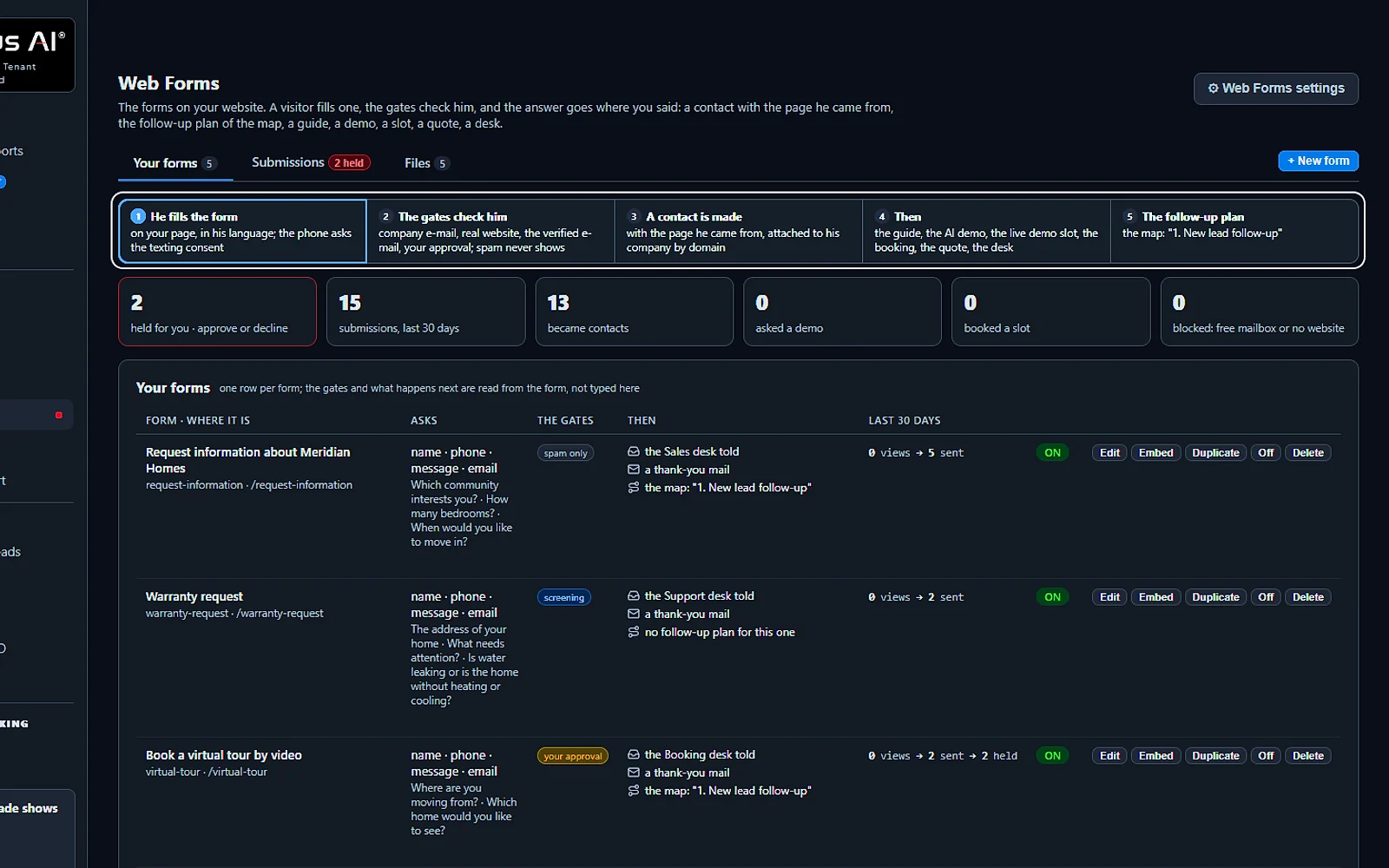
A visitor fills in your form, the lead is checked, a contact is created, your next step runs and the follow-up starts. The cards count the last 30 days.
You talk. Lisa sets it up.
You“What came in from the forms this month?”
Lisa“Fifteen submissions, thirteen new contacts, and two held for you.”
Any setting, in any module · applied only on your yes
What’s included
- Any form on your site, contact, quote, demo request, application, answered in seconds, not the next morning
- The lead qualified and scored from what they wrote; the first reply sent immediately in their language
- E-mail verified (syntax, domain, deliverability) before anything is promised to it
- Contact record created; the owner alerted; the next step proposed
- Forms translated into your customers' languages; embedded on any site
- Feeds every automation you add: booking, quoting, follow-up, the AI Demo
What makes it different
You choose the checks
Refuse free mailboxes, require a working website, confirm the email or wait for your yes; any red flag holds the lead for a person.
Intake with screening rules
Ask up to five questions of your own; an urgent answer alerts the desk at once, and a request you do not take is declined politely.
One line, any website
Show the form inline, as a popup, on exit or as a slim row with one pasted line, and the AI translates it into your visitors' languages.
See the full AI Web Forms page ›
See all 11 functions
Every function inside the module
- The form builderBuild forms with any field, including file upload and consent box, a thank-you text, a language and one embed line.
- The submissions registerEvery submission with its fields, the e-mail check, the score, the reply sent and the contact it opened.
- E-mail verification firstSyntax, domain and deliverability are checked first; a fake address gets no promise and the lead is marked.
- AI first reply, visitor's languageAnswers what can be answered from your knowledge and says what a person will do next.
- Qualification and scoreScores each lead from what they wrote, their company and domain; competitor domains go to review, never a sequence.
- Approval queueSubmissions from the forms you choose wait for a person to look before any reply goes out.
- TranslationThe form's labels and texts translated into every language your company serves.
- Files on the formAttachments the visitor sends land on the contact's record, and in the AI File Cabinet when owned.
- Texting consent boxOn forms taking a mobile number, the consent words the carriers ask for are shown and kept as evidence.
- What the submission startsA submission can start a booking, quote, follow-up sequence, demo link or ticket, depending on your items and settings.
- SettingsNotification address per form, auto-reply rule, default sequence and spam guard.
Available on its own or inside a solution · See pricing › · Per company, never per seat.
Works withAI BookingAI QuotingAI Follow-upAI DemoAI TicketsAI File Cabinet
Answers & books
AI Avatar
It puts a talking face on your website chat, her lips in step with her voice for every visitor.
This interactive AI avatar runs on top of AI Webchat. Visitors tap her picture and speak, cut in while she talks, or simply type. She replies in the visitor's language using only your own knowledge, and a question she cannot answer goes to your team rather than getting a guess.
A face in your chat
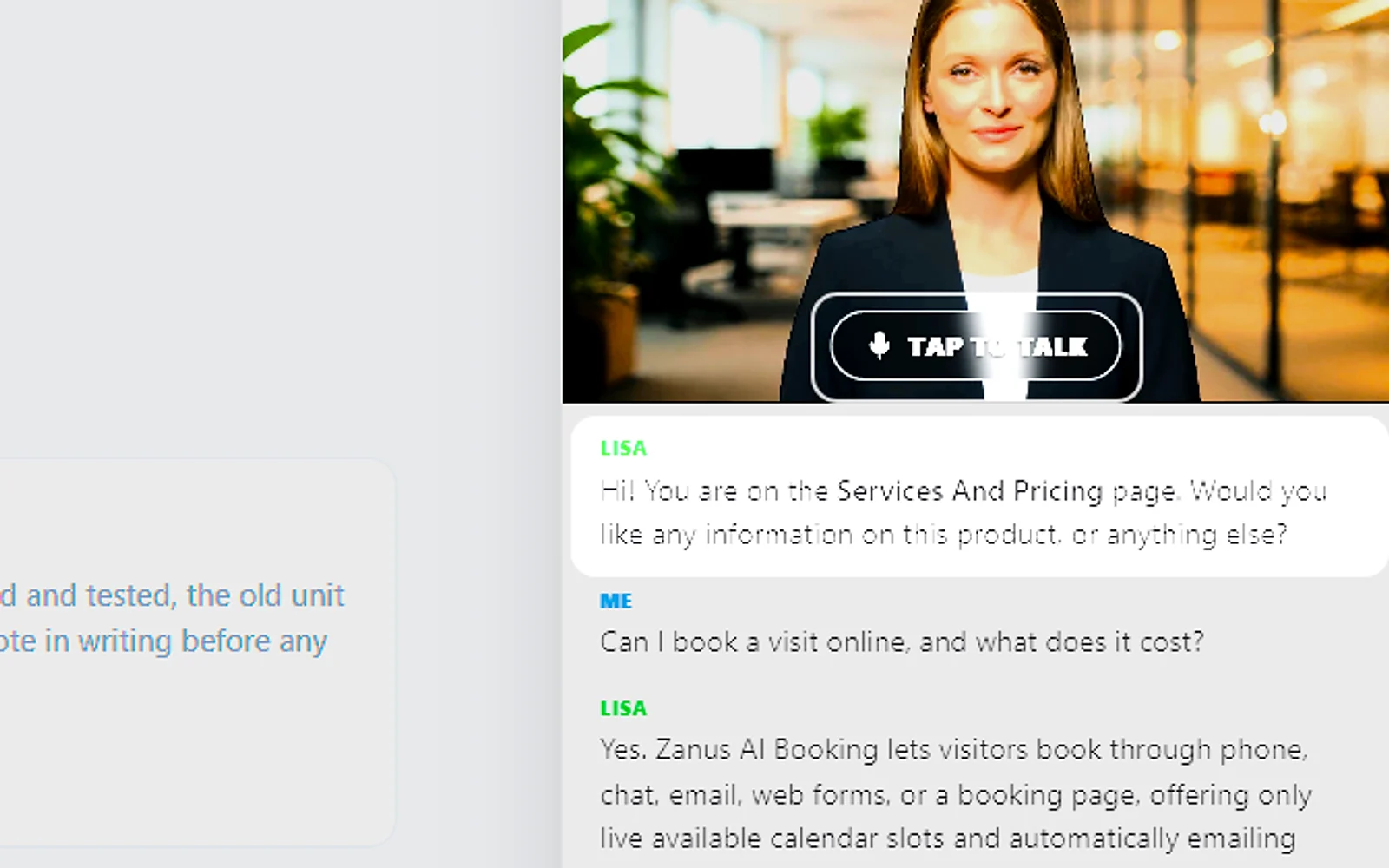
The chat opens with her face above the conversation. Tap to talk starts the voice, and her first line names the page the visitor is reading.
You talk. Lisa sets it up.
You“Put a softer office backdrop behind her.”
Lisa“Backdrop: a soft office, on every page. Apply?”
Any setting, in any module · applied only on your yes
What’s included
- A talking avatar in the chat widget, same knowledge, same voice, same record
- Presents your pages and pictures while it talks
- The face of your company on the site, in 40 languages
What makes it different
Proposals presented face to face
In an AI demo she walks your customer through their own proposal one page at a time, and takes questions whenever they come.
Each department, its own person
Give every department a face, a voice and a name, and that same person meets your customer on the phone, in the chat and in the mail signature.
Ten looks and thirteen voices
Pick a face and a woman's or a man's voice, tune the pace and tone, then preview the pair speaking before any visitor meets it.
See all 6 functions
Every function inside the module
- The interactive faceAn animated face that idles, listens and talks, lip-synced to the live voice; the head can move or stay still.
- Lisa's face on dashboard assistantThe same face appears at the head of the dashboard's AI ASSISTANT drawer.
- Pages and pictures beside faceThe avatar presents the page it opened, the picture it shows or the product screen.
- The budget per visitorCaps voice minutes per session and per day, plus the daily cap on the Protection page.
- The packThe avatar's look is a versioned pack; Zanus promotes new versions while your chosen look stays.
- SettingsIn Chat settings: avatar on or off, the head behaviour and the visitor budget.
Add it to AI Webchat or get it inside a solution · See pricing › · Per company, never per seat.
Works withAI WebchatLisa, your AI assistant
Sells
AI CRM
It turns every person who calls, writes, chats or fills a form into a contact, with no one typing.
As an AI CRM, it writes each customer's whole story onto one record: calls, mail, chats, forms, quotes and tasks. Deals open on the first sign of buying and move as the customer acts, and only a person marks one lost. Before you call, Brief me gives you one page on who they are and what to say next.
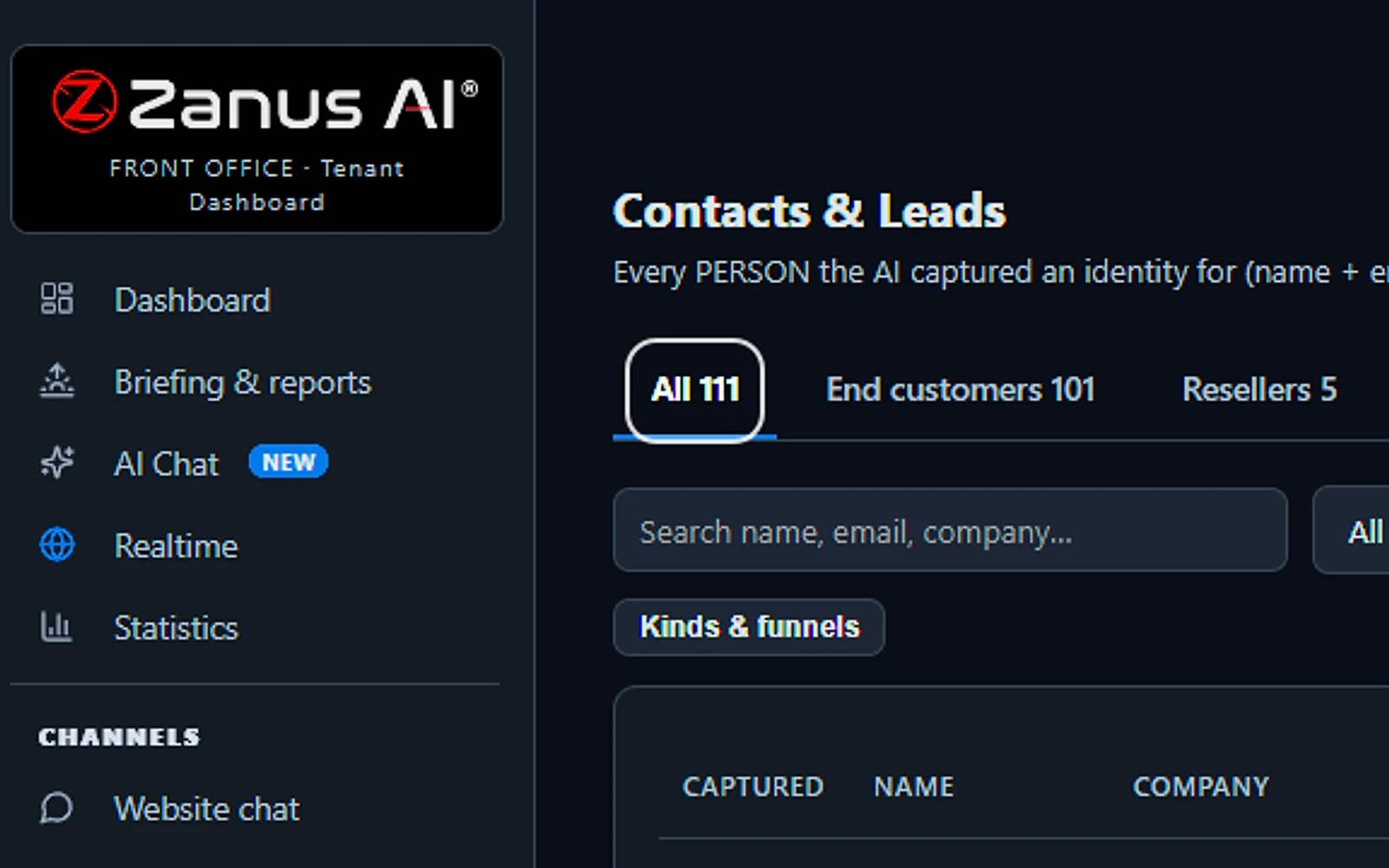
Every person, one list
Everyone who leaves a name with an email or a phone, on any channel, lands here with where they came from and their status. Imported leads wait in their own tab.
You talk. Lisa sets it up.
You“Show me who is ready to buy this week.”
Lisa“Sorted by READY TO BUY, strongest buying signals first. Open the first?”
Any setting, in any module · applied only on your yes
What’s included
- Every person and company qualified from the conversations, health score with its WHY, gauges, photo, LinkedIn; nothing typed by your staff
- Deals with stages, probability and expected close, created and moved by the events themselves: lead qualified → demo → quote → won
- Tasks and to-dos assigned to your people, from the AI or by hand, with reminders; calls, meetings and notes logged on the record
- Your own fields on contacts, companies and deals; saved views; tags and segments; record ownership
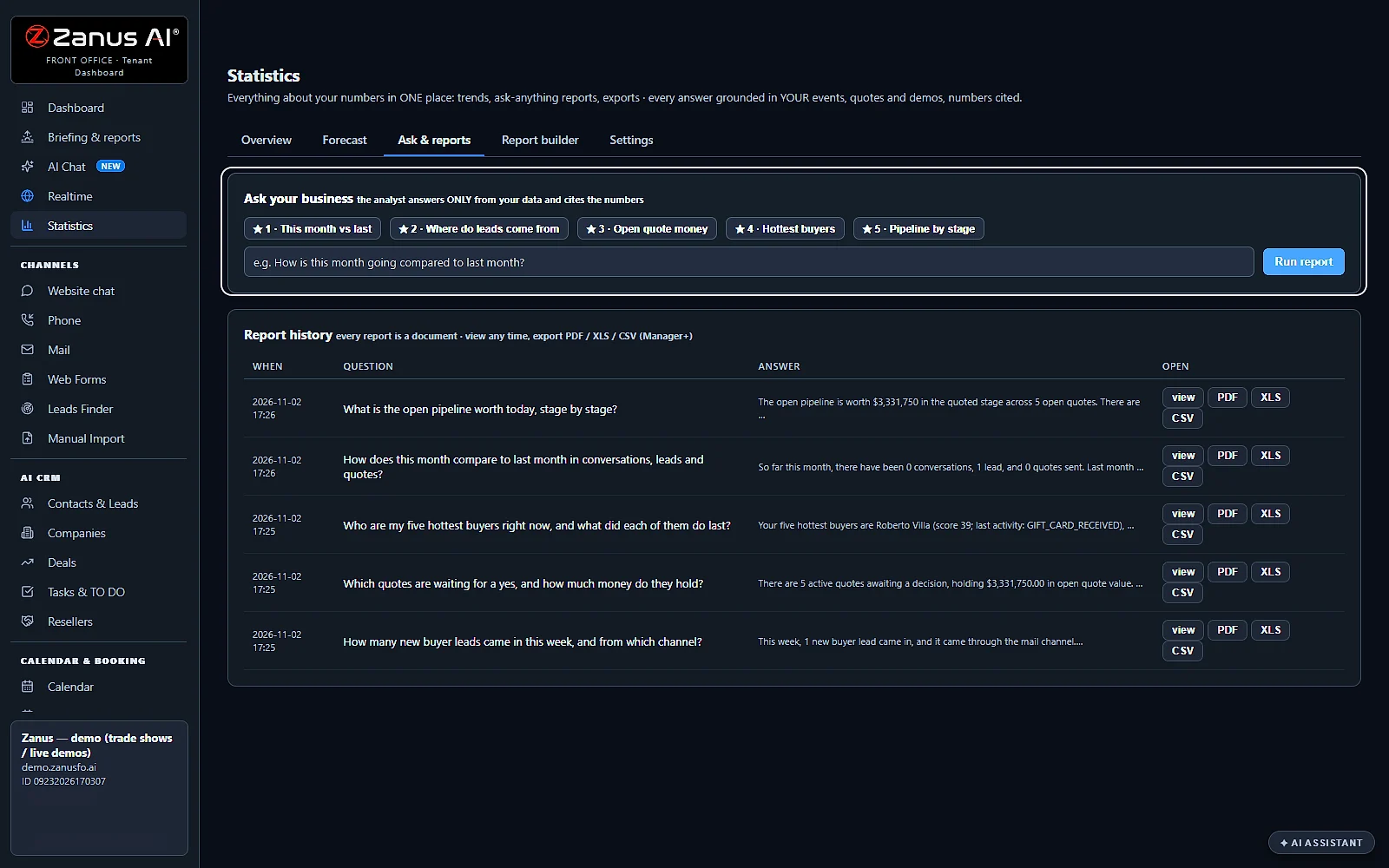
- Pipeline forecast weighted by probability; win / loss review; "ask your pipeline" in plain language
- Basic contacts and companies stay in every Front Office, this item adds the qualification, the pipeline and the forecast
What makes it different
Companies and buying roles mapped
People sharing a verified business domain become one company, and each person's role, such as economic buyer or champion, is read from what they asked.
A health score that explains itself
Every contact carries a score from 0 to 100 with the reason it moved, and READY TO BUY lists recent buying signals first.
Every mail written from the story
Every event on a contact, from a new lead to a reply, starts the plan you mapped, and each mail is written fresh and timed to their business hours.
See all 16 functions
Contacts & Leads
- The record and the storyOne record per contact with source, owner and status; every call, chat, mail, quote, booking and demo on one timeline with transcripts.
- Contact tabsAll, end customers, resellers, import review, a never-mailed blacklist, and companies grouped by verified domain as the buying committee.
- AI qualification and gaugesA health score with its reason, fit, intent and engagement gauges, plus photo, LinkedIn and company found by the AI.
- Auto-process non-competitorsImported leads are reviewed one by one; clean, non-competitor leads are imported and their follow-up started, the rest wait for a person.
- Search, sources, sort, mail viewSearch and sort by source, and a mail view: assigned to me, unassigned, overdue mail, other contacts.
- Add, edit, import, exportManagers add, edit and import contacts from CSV; export everything, with every export logged.
- Actions from the recordE-mail, call, send a quote or demo link, book, start a follow-up, open a ticket or return, if that module is owned.
- The two SettingsOne settings panel for custom fields, deal stages and tags; another for contact kinds, business types, reply switches and default follow-ups.
Companies
- One row per companyEach company with its people, deals, open quotes, domain, website and the research the AI made.
Deals
- Stages, probability, expected close, amountDeals are created and moved by events, from lead qualified to quote paid as won, or by hand, with the win/loss reason.
- ForecastA pipeline forecast weighted by each deal's probability, with win and loss review on the Statistics page.
Tasks & TO DO
- TasksCreated by the AI, like a promised callback or a quote to approve, or by hand; assigned, dated, prioritized, with e-mail reminders.
- Tabs and the operators' deskMine, Team, Unassigned and Done, plus the operators' desk: the same work queue shown on the Marketing page.
- My settingsE-mail alerts when a task is assigned or you are mentioned, and a morning briefing of your tasks and deals.
Custom fields, views, tags, owners
- Custom fields, views, tags, ownersYour own fields on contacts, companies and deals, searchable, in saved views, optionally given to the AI; tags, segments, owners.
Ask your pipeline
- Ask your pipelineAsk 'which deals close this month?' or 'who did we not call back?' and get plain answers from your records.
Add it to any contact channel — AI Phone, AI Webchat, AI E-mail or AI Web Forms — or get it inside a solution · See pricing › · Per company, never per seat.
Works withAI PhoneAI WebchatAI Web FormsAI DemoAI QuotingAI BookingAI Follow-upAI TicketsAI Returns & WarrantyAI Calls TranscriptsAI Marketing
Sells
AI Quoting
AI Quoting turns every request to buy into a quote that uses your own prices, then follows it to the delivery.
Calls, chats, e-mails, web forms, your store and purchase orders all land in one list. This quoting software for small business drafts each quote from your catalog, holds it for your yes and sends it in your look. Your customer accepts and pays on a page of their own, and the invoice gets its number once the money is in.
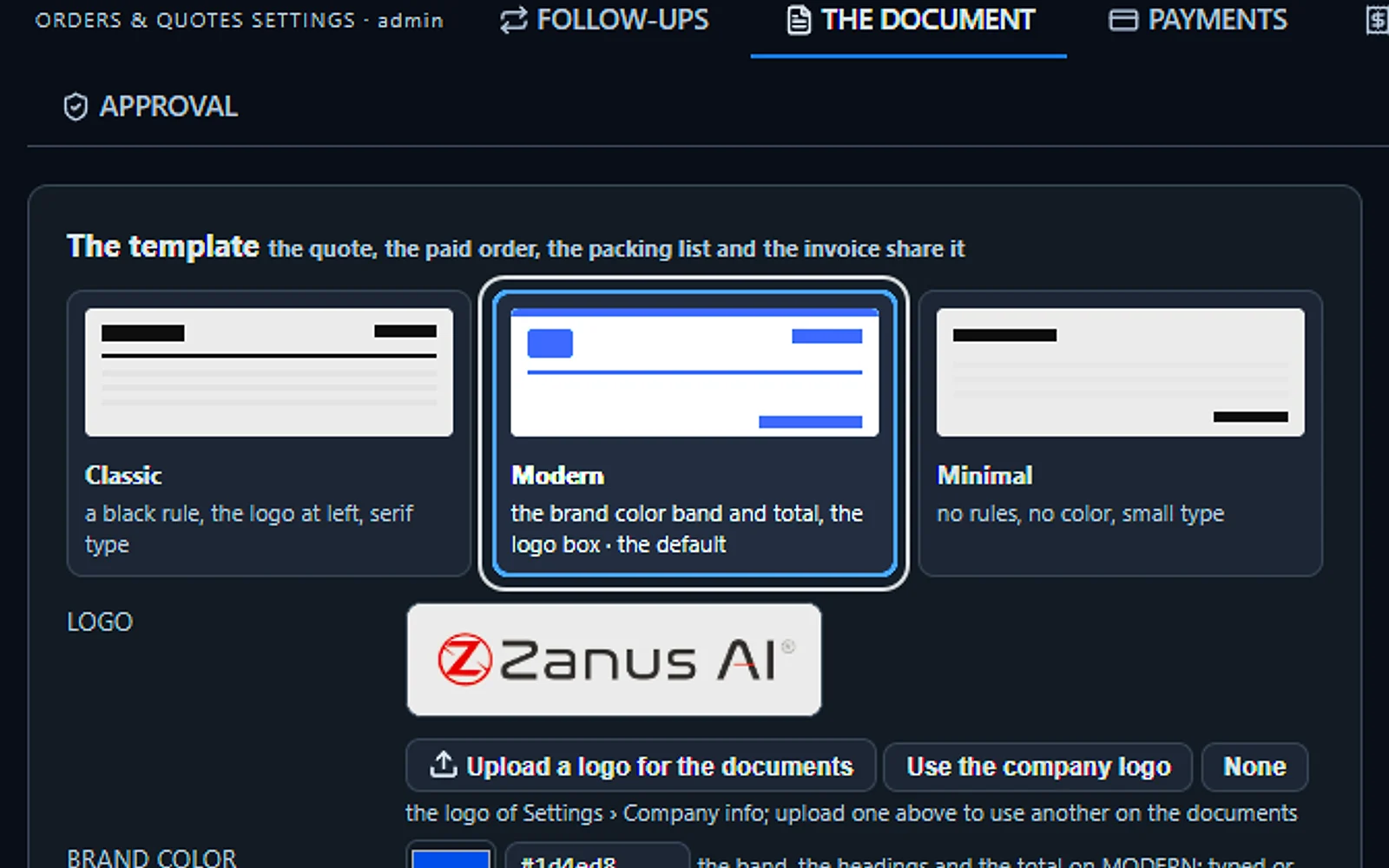
Your quote, your look
Choose Classic, Modern or Minimal for the quote, the paid order, the packing list and the invoice. Add your logo and brand color, with or without product pictures.
You talk. Lisa sets it up.
You“Use the Modern look with our blue on every document.”
Lisa“Modern look in your blue on every document. Apply?”
Any setting, in any module · applied only on your yes
What’s included
- Quotes from your own inventory, from the products of your Shopify stores, or typed by hand; prices read from the record, not calculated by the AI
- Requests to buy from the phone, the chat, e-mail, web forms, the demo or a purchase order, filed for your yes
- Your yes in one click, or automatic under a cap you set; price revisions always wait; every version kept
- Your own document on your letterhead, your terms, shipping and tax lines, a page the customer accepts on; or the store’s payable draft order
- Opened, accepted, paid, shipped and delivered on one record; the invoice numbered the moment it is paid; payments recorded by hand
- Follow-up from the send until the customer pays or declines; a reply pauses it and goes to your sales desk
What makes it different
Your list sets every price
Every price is read by code from your inventory or your store, so a quote drafted at 2 a.m. is as right as one typed at noon.
Purchase orders read for you
A purchase order sent as a file or plain text is matched line by line to your catalog and must pass five checks in code.
Follow-up until they pay
Reminders begin with the send, carry your salesperson’s name, speak the buyer’s language and end by themselves when the customer pays or declines.
See the full AI Quoting page ›
See all 13 functions
Every function inside the module
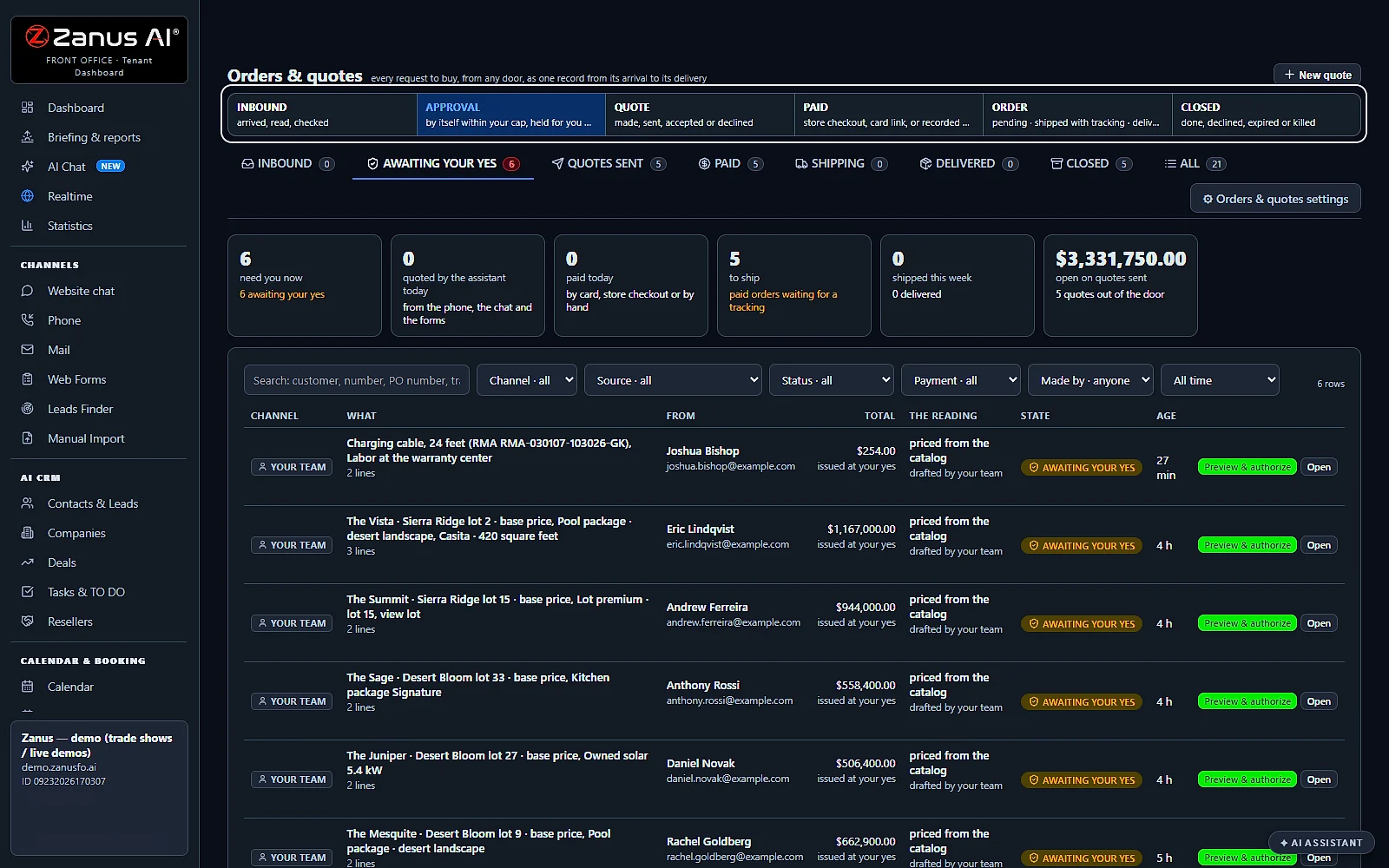
- One record, seven stagesInbound, Awaiting your yes, Quotes sent, Paid, Shipping, Delivered and Closed, each with its count; the row says where the request came from and who made the quote.
- The countersWhat needs you, what the assistant quoted today, what was paid today, what is waiting to ship, what shipped this week, and the open value of the quotes sent.
- Every doorThe AI quotes on the phone and in the chat from your inventory and the store products you choose; e-mails, web forms and purchase orders land on Inbound; your team files a quote by hand, from a call card, or by asking Lisa from a mail.
- AuthorizationPreview & authorize shows every line, the quantity, the unit price and the total; Yes sends it, Revise makes a new version that waits again, No ends it with nothing sent; auto-approve new quotes from your catalog up to a ceiling; price revisions always wait.
- Your documentClassic, Modern or Minimal, your logo and brand color, your number prefix, the validity, a shipping line and a tax line; your wording translated when the customer reads another language.
- The customer’s pageThe lines with their pictures, the total, the ways to pay, Accept with his name and the time as the record, and Ask for a change.
- Purchase ordersRead once from a mail or added by hand: the buyer, the PO number, the ship-to, the terms and every line matched; five checks in code; held with one question to your desk, or Proceed; automatic reading when you turn it on.
- The ways to be paidCard on the quote page through your own card account, a call to pay by card, a bank wire, a cheque, pay at pickup or financing, each in your words; deposits with their rule; approved accounts on net terms; record a payment by hand.
- Paid, shipped, deliveredThe invoice numbered from your series the moment it is paid, never reused; the paid order to billing and the packing list to shipping by mail and text; the tracking mailed to the customer; Mark delivered; the order closes by itself after the days you set.
- The follow-upDay 1, day 3, a call on day 4 when you turn it on, day 7; signed by your salesperson in the customer’s language; stops when he pays or declines; pause, resume, stop or call now on the row.
- The customer answersA change or a discount ask becomes a revision that waits for your yes, a question goes to your sales desk, a yes in words is pointed to Accept; answered in his language.
- Re-quoteAn expired quote is made again at today’s prices, through the same yes; a unique article shows reserved while its quote is valid.
- Talk to LisaAsk which quotes wait for your yes, what is held on Inbound or how much is owed; she authorizes on your word, records a wire, enters a tracking number and changes the validity with before and after.
Add it to any contact channel — AI Phone, AI Webchat, AI E-mail or AI Web Forms — or get it inside a solution · See pricing › · Per company, never per seat.
Works withAI PhoneAI WebchatAI E-mailAI Web FormsAI InventoryAI CRMAI Auto-CallLisa, your AI assistant
Sells
AI Proposal Studio
AI Proposal Studio reads what a customer asked for and writes the proposal from your own knowledge and rates.
This AI proposal software goes through the brief and every attached file page by page, lists each requirement with its priority and asks no more than three questions about the gaps. Code adds up every figure from your rate card and inventory, a manager approves, and only a person of your team sends it.
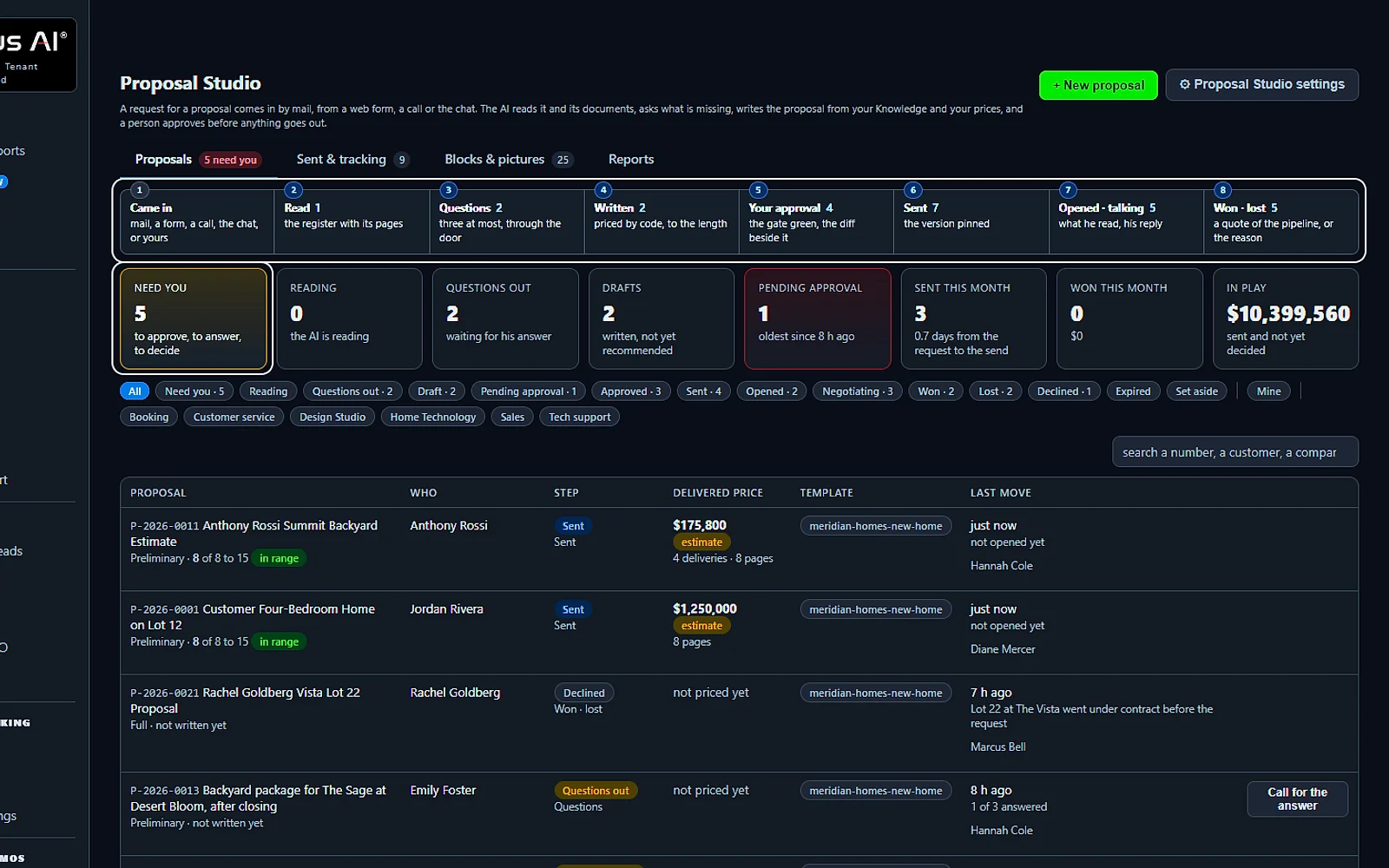
Every proposal, one list
Every request moves through eight steps, from came in to won or lost. Each row shows the step, the price, the length and the one thing to do next.
You talk. Lisa sets it up.
You“What is waiting for me?”
Lisa“Three need you: to approve, to answer or to decide. Open the first?”
Any setting, in any module · applied only on your yes
What’s included
- Proposals: every request on its eight steps, with the one next thing to do
- New proposal: from your own words or a mail thread, in five steps on one page
- A proposal open: the request, the register, the questions, the blocks, the price and the approval
- Sent & tracking: opens, last activity, validity, state and the next step
- Blocks & pictures: the blocks a proposal is made of, and pictures from your Images library
- Reports: requested, sent, opened, won, lost, why we lose and what the checker caught
- The customer’s page: accept with his options, ask a question, decline, download the PDF
- Proposal Studio settings: who writes, who asks, who approves, the length, the prices and the doors
What makes it different
Twenty checks before anyone approves
Code makes sure every requirement has an answer, every claim has its source and every total equals its lines before the approval opens.
Followed all the way to won or lost
You see how often the customer opened it, and on their own page they pick options, sign by name and accept; a win becomes a quote.
Formal requests answered point by point
The RFP answer mode turns a request for proposal into a register and marks each requirement as kept, an option, an allowance or not offered.
See the full AI Proposal Studio page ›
See all 15 functions
From the request to the draft
- The doorsMail, web forms, phone calls and proposals you file yourself; a repeat never opens a second proposal.
- The registerWhat he asked for, line by line, with the page of the brief, the priority and how it is covered.
- The questionsThree at most, sent to him or held for a person to ask, as each department is set.
- The modesReceipt only, Preliminary, Full and RFP answer, with the length per department and mode.
- The blocksFrom the cover to the acceptance, each read from Knowledge, built by code or written each time.
Priced, checked and approved
- The priceEvery line with its source, the options, the total and the margin, for your eyes only.
- The checkerEvery statement with its source; Confirm on the ones it could not place.
- The 20 checksTwenty checks by code before the approval, each named with its fix.
- The approvalA manager up to your threshold, an administrator above; reminders and escalation in the days you set.
- VersionsEdit by talking, write a new version or edit the text; Compare shows two side by side.
Sent and tracked
- The sendOnly by a person, back through the door the request came in.
- His pageAccept with his options and his full name, ask a question, decline, add a document.
- TrackingSent, opened, negotiating, won, lost and expired, with the next step on each row.
- ReportsBy period and department: why we lose, what customers read, what the checker caught.
- Talk to LisaWhat is waiting, open a proposal, revise it, approve it or set the threshold, each on your yes.
Available on its own or inside a solution · See pricing › · Per company, never per seat.
Works withAI E-mailAI PhoneAI Web FormsAI DemoAI QuotingAI Auto-CallAI Follow-up
Sells
AI Inventory
AI Inventory keeps everything you sell, rent or service in one list that the AI answers your customers from.
It is rental inventory software that knows each article’s rate, deposit, pictures and free dates. Callers, chat visitors, e-mails and web forms all get their answer from the record: what is available, what it costs and when it is back. The AI can hold a unit for a caller, draft a quote and put the rental on your calendar.
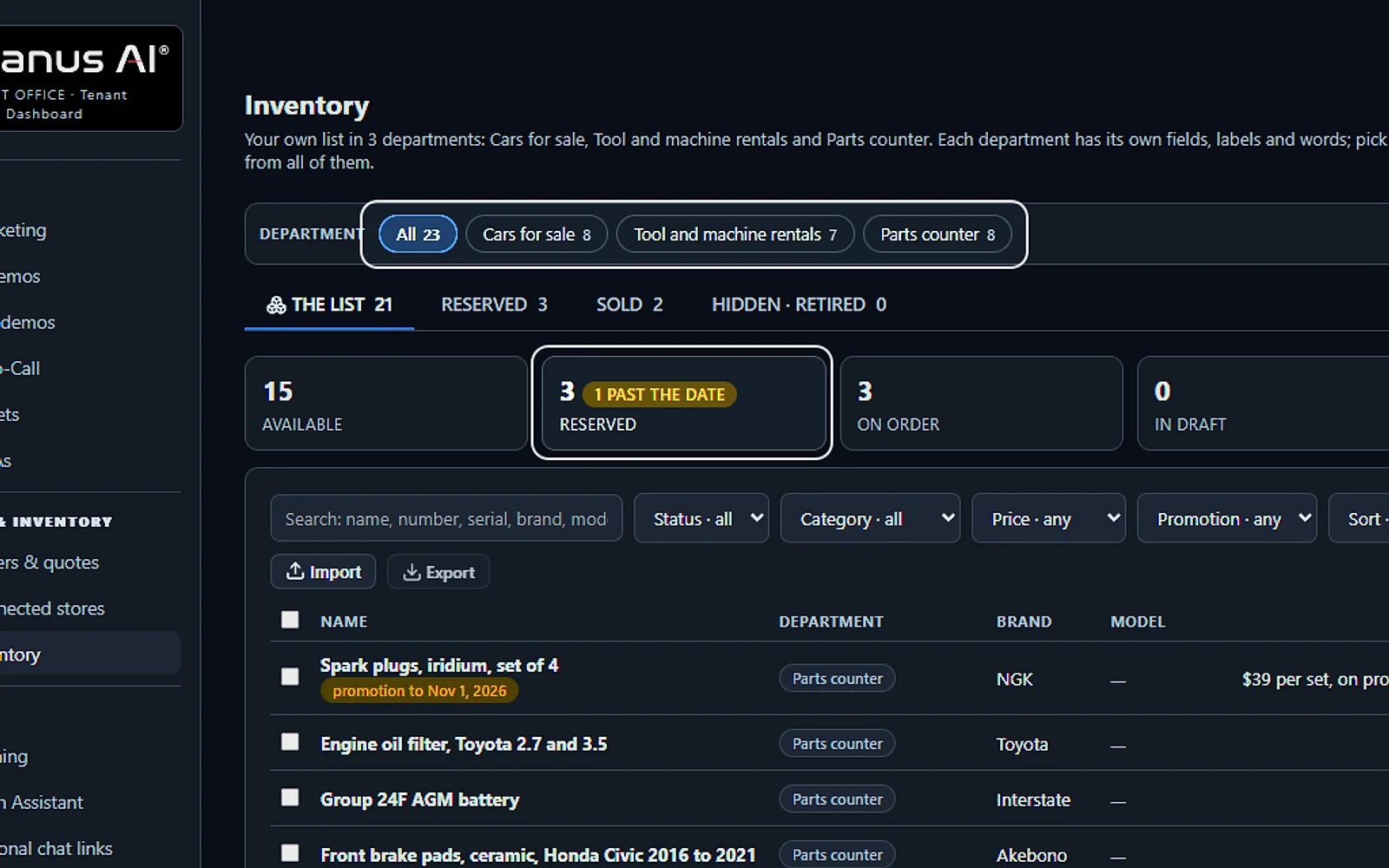
One inventory, every department
Cars for sale, tool and machine rentals and the parts counter in one inventory, each with its own fields. What is available, reserved or on order is counted on top.
You talk. Lisa sets it up.
You“Which reservations are past their date?”
Lisa“One reservation is past its date. Show it?”
Any setting, in any module · applied only on your yes
What’s included
- Your own articles of any kind: cars, bottles, homes, machines, rooms, lots, services; a profile for your business relabels the fields in your words
- Standard fields grouped by identity, price, availability, rental, shipping, measures and content, in your words, plus up to thirty of your own; statuses draft, available, reserved, sold, on order, retired, hidden
- Pictures read by the AI as they land; the article filed by voice: you describe it, Lisa fills the card and reads it back
- The phone, the chat and the widget answer what is in stock, the price and the details, and hold an article for the hours you allow
- A public page per article the AI can text or mail; a CSV import with a dry run; 5 GB of pictures and documents included
What makes it different
Fields in your trade’s own words
Choose among 196 kinds of business in 13 groups, rename any field, and decide which ones the AI says aloud and which stay quiet.
Filled in by talking to Lisa
Describe an article or drop its pictures, and Lisa fills in the card, asks only for the gaps and saves it when you agree.
A web page for every article
Each article can show up to forty pictures on its own public page, which the AI sends by text or e-mail during the conversation.
See the full AI Inventory page ›
See all 12 functions
Every function inside the module
- The listAvailable, reserved, on order and draft articles in one list, with Reserved, Sold and Hidden tabs; search by name, number, serial, brand or model; quick actions on a row or a selection: sold, reserved until, quantity, price, promotion, hide, retire, duplicate.
- DepartmentsA business with several lines keeps each one in its own department, up to twenty, with its own fields, labels and status words; ALL lists every article with its department on the row.
- Your businessPick your business from about 200 and tick what you do: sell, rent, service, list, auction or consign. The card, the counts and the words a customer hears follow; nothing is deleted, and you can save it as your own profile.
- Fields & labelsStandard fields grouped by identity, price, availability, rental, shipping, measures and content, relabeled for your business, each shown, hidden or required; up to thirty fields of your own.
- The article’s cardUp to forty pictures, the first one the cover; the AI reads each picture as it lands and drafts the description; the fields in your labels, what the assistant says on the phone, and the history.
- Selling and renting at the same timeEvery article is offered for sale, for rent, both, or as a service; the AI gives a sale-or-rent article both ways in one breath and asks the caller which one they want.
- RentalsCars, machines, homes or rooms rented by periods that do not overlap on one unit; quotes by the hour, day, night, week or month with the deposit on its own line; check-out and check-in records with the meter, the fuel and any damage. AI Booking counts them as units drawn from the inventory and books the free dates on the phone, in the chat and from your web forms, with the party size, the options you offer and the instructions.
- Shipping & rulesDelivery from local pickup to carriers, freight or your own trucks; flat, included or quoted shipping; the hours the AI may hold an article for a caller; how availability is told: available only, low numbers, or the count.
- Import & exportA spreadsheet or CSV with a mapping that remembers itself, four modes, and a dry run that shows what would change before anything is written; export in your own labels, one department at a time.
- Your Shopify stores beside itConnect one or more stores: their products are read in every hour, a product listed twice is marked with the one to quote, and the AI answers from them the same way it answers from your own list. For a customer it finds an order, e-mails the tracking or a copy of the order, or changes a shipping address once, each with its rule.
- The AI on every channelThe phone, the chat, the website widget, e-mail and your web forms find articles in your words across every department, say what is available, show the pictures, text or e-mail an article’s page, hold one for a caller and quote it; you decide which teams may quote.
- Lisa loads it with youSay an article and Lisa places the values, reads the card back and asks only for what is missing; “we also rent tools now” adds a department after your yes.
Add it to any contact channel — AI Phone, AI Webchat, AI E-mail or AI Web Forms — or get it inside a solution · See pricing › · Per company, never per seat.
Works withAI PhoneAI WebchatAI E-mailAI Web FormsAI QuotingAI BookingLisa, your AI assistant
Sells
AI Gift Cards
AI Gift Cards sells your own gift cards on every channel and lets your team redeem them on any phone.
This gift card program for small business sells your cards on your gift page, at the desk, by mail, and through Lisa in the chat and on the phone. Each card is e-mailed, texted or printed with its QR code, online payments land in your own payment account, and a purchased card never expires.
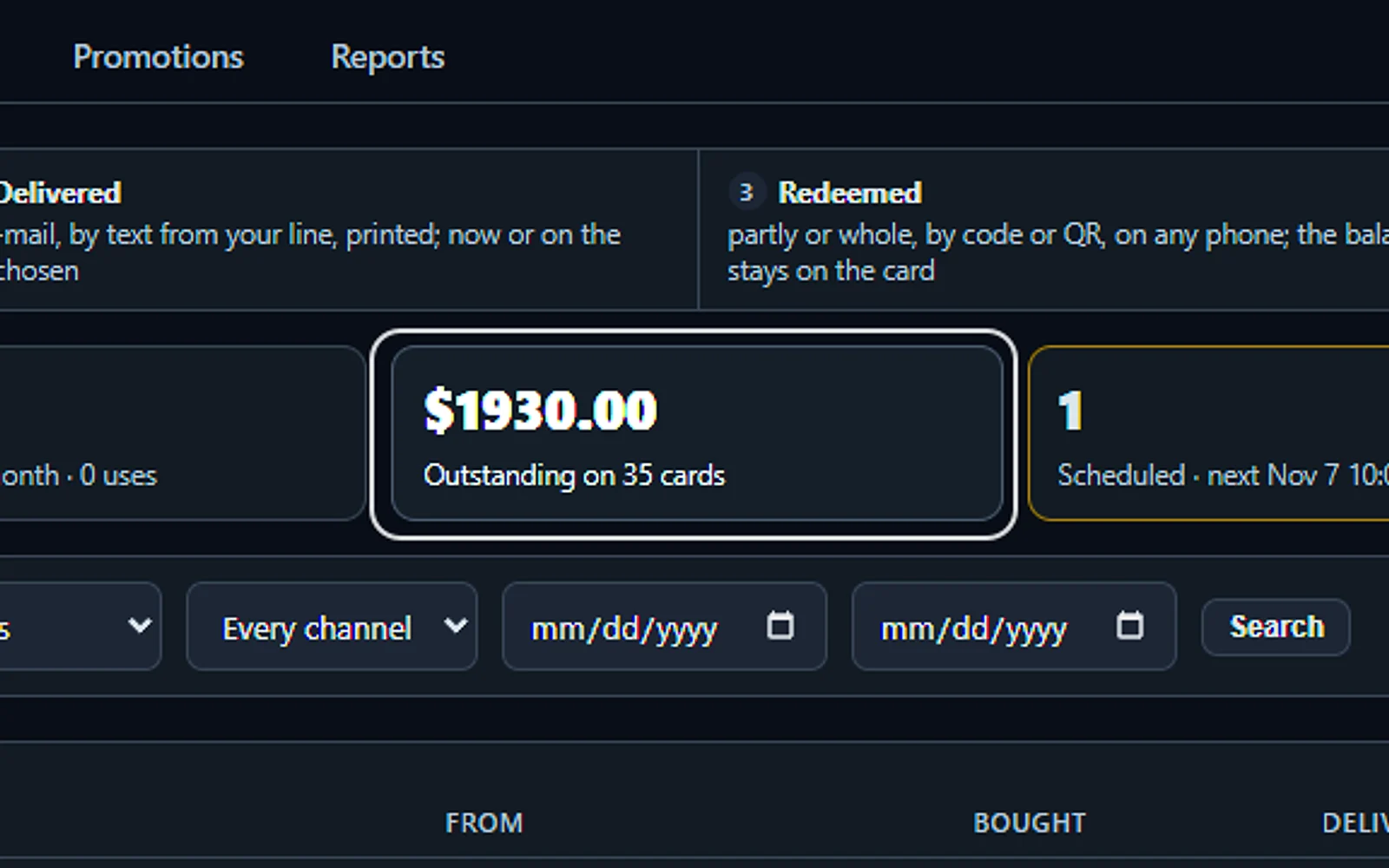
Every card, from sale to redemption
Every card is sold, delivered, redeemed and counted. See at a glance what sold this month, what was redeemed and what is still outstanding.
You talk. Lisa sets it up.
You“What is outstanding on our gift cards?”
Lisa“Thirty-five cards still carry a balance. Open the list?”
Any setting, in any module · applied only on your yes
What’s included
- Cards: every card sold, its balance, its status and the channel it came from
- Sell a card: preset amounts, any amount or an experience, by e-mail, text or print
- Redeem: on any phone, by QR code, code or name, part or whole, with Undo
- Printed stock: batches of up to 200 plastic cards, NFC chips written and locked
- Orders: company orders of ten cards or more, quoted and paid through your pipeline
- Promotions: bonus cards for the buyer and designs offered first on their dates
- Reports: the month, liability by quarter of issue, Stripe payouts, CSV for the accountant
- Gift card settings: amounts, designs, delivery, your state’s law, channels and fraud rules
What makes it different
Redeemed from the phone in your pocket
Scan the QR code, enter the code or find the holder’s name, use part or all of the balance, and undo a slip within ten minutes.
Company orders turned into a quote
A business ordering ten cards or more gets a quote in your pipeline, and after payment the codes arrive in one file or as a card for each person.
A ledger your accountant can trust
Every sale, use and refund is its own line, nothing is overwritten, and reports show the open liability by quarter of issue, with a CSV for your accountant.
See the full AI Gift Cards page ›
See all 14 functions
Selling and delivery
- AmountsPresets, any amount inside your bounds, and experience cards for a named service at its price.
- Who receives itA person, the buyer himself, or anonymous, printed and handed over; a message and a design.
- DeliveryE-mail, text from your company number or print on paper, now or on a day and hour.
- Who paysPaid at the register, or a payment link cancelled after 24 hours unpaid; a sale pressed twice is one card.
- The gift pageOn your Front Office address, with the company order form and the balance check.
Redeeming and printed cards
- RedeemScan, type the code or a name; an amount or the whole balance, the location, the booking or quote number.
- Undo and voidUndo within the window, ten minutes by default; after it a manager voids the use with a reason.
- Printed batchesUp to 200 cards, blank or with a fixed amount, as a PDF of the cards and a sheet of the codes.
- NFC chipsWritten and locked from an Android phone; a tap on any phone opens the card page.
Orders, promotions and reports
- Company ordersRequested, quote sent, codes sent; above your threshold a manager approves.
- PromotionsA bonus card for the buyer or a design offered first, on the channels and dates you pick.
- ReportsSold, redeemed, outstanding, refunded, the average card, delivery failures and the liability by quarter of issue.
- ProtectionDaily caps per buyer, holds on large cards, a chargeback freezes the card, alarms to the people you name.
- Talk to LisaSell a card by talking, read a balance, count the printed stock or change the presets, each on your yes.
Available on its own or inside a solution · See pricing › · Per company, never per seat.
Works withAI PhoneAI WebchatAI E-mailAI QuotingAI BookingAI CRM
Sells
AI Follow-up
AI Follow-up keeps in touch with every lead, demo and quote, and stops the moment the customer answers.
Each lead gets a funnel, a schedule of steps by day, and the AI writes every e-mail fresh from the customer’s story, in their own language. This automated lead follow-up goes out under the name of someone on your team, and a reply puts the customer on your team’s list with the reason.
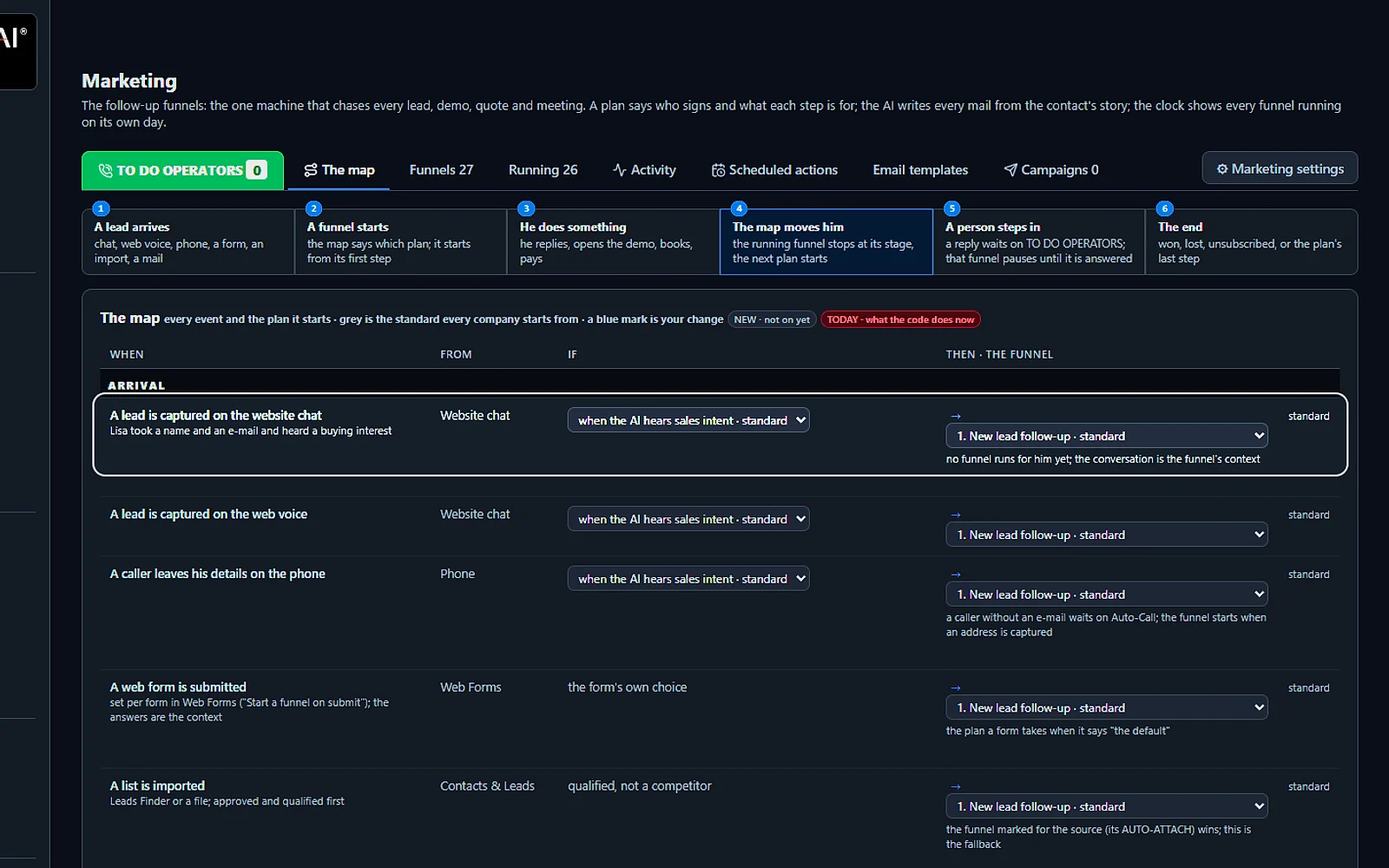
Every way in, its own plan
A chat, a web call, a phone message, a web form or an imported list: each one starts the right follow-up plan. A contact that looks like a competitor starts none.
You talk. Lisa sets it up.
You“A lead from the website chat starts the new lead plan.”
Lisa“Website chat leads with sales intent start 1. New lead follow-up. Apply?”
Any setting, in any module · applied only on your yes
What’s included
- Sequences after a lead, a demo, a quote, a booking, by stage
- Presets suggested from your knowledge; the AI writes and tunes the steps with you
- A reply stops the sequence and alerts the owner; consent rules respected
- Templates in the customer's language; every touch on the customer's record
- Deliverability report: bounces, complaints, engagement
What makes it different
Chases that start by themselves
A sent quote, a published demo or a list imported after a trade show starts its own follow-up, so nobody has to remember it.
A call list in their time zone
Your team sees who to call now, grouped by the customer’s local time, with the reason to call and every past e-mail and call.
Ladders for each kind of contact
Buyers, technical influencers, partners and unclear contacts each get their own series, and decision makers can hear from you by phone first.
See the full AI Follow-up page ›
See all 9 functions
Every function inside the module
- Automated follow-upsSee every sequence running now, per contact, with the step reached and the next date.
- Funnels and AI direction scriptsPresets for web lead, after demo, quote or booking, no-show and reactivation; the AI can write each step from the customer's story.
- Chase presets and stop rulesReady chases for demos, quotes and web leads, stopped by a reply, a payment, a booking or an unsubscribe.
- A reply stops the sequenceA reply ends the sequence and alerts the record's owner; AI Email can answer it in the customer's language if allowed.
- Scheduled actionsA calendar of every touch due: e-mails, calls when you own AI Auto-Call, and tasks.
- Automated eventsA qualified lead, a watched demo, an opened quote or a kept booking starts or stops the right sequence.
- E-mail templatesTemplates in the customer's language, with personal details filled in and the assigned person's signature.
- Deliverability reportBounces, complaints, unsubscribes, opens and clicks, plus the warm-up state of your sending domain.
- SettingsConsent rules, sending hours, a daily sending limit and the sequence each lead source starts by itself.
Add it to any contact channel — AI Phone, AI Webchat, AI E-mail or AI Web Forms — or get it inside a solution · See pricing › · Per company, never per seat.
Works withAI MarketingAI Auto-CallAI DemoAI QuotingAI Booking
Sells
AI Marketing
AI Marketing sends e-mail campaigns to the contacts you choose, written from what your business really offers.
Filter the contacts already in your Front Office by tag, deal stage, country or language, then send now or schedule it for later. This AI email marketing writes each campaign in every language your customers speak and shows you a preview of each version before a single message leaves.
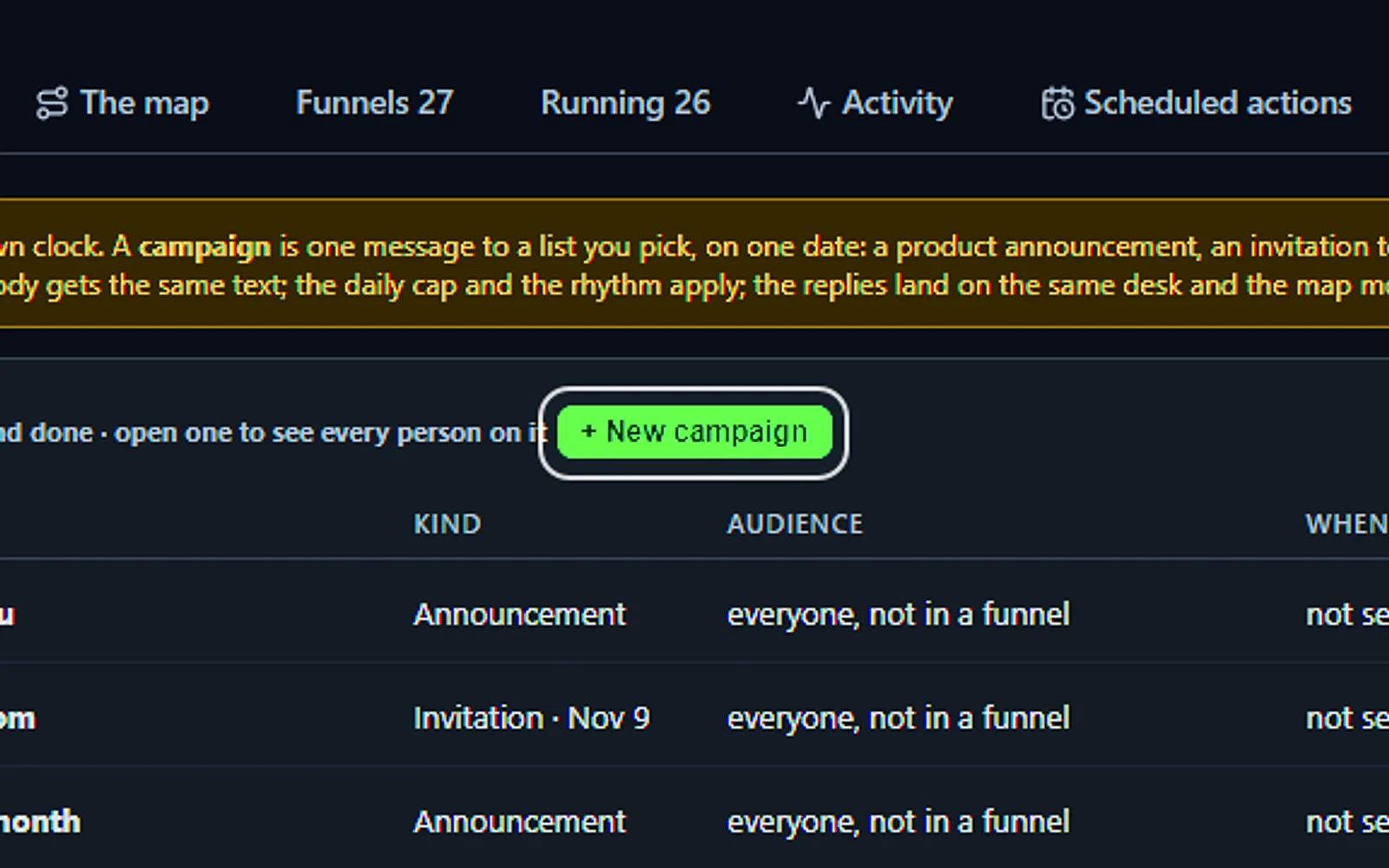
One campaign, a personal email each
Send an announcement, an invitation or a thank-you to the list you pick, on one date. The AI still writes each contact a personal email, within your daily limit.
You talk. Lisa sets it up.
You“Invite the interest list to the grand opening.”
Lisa“A campaign to the interest list, one mail written per contact. Apply?”
Any setting, in any module · applied only on your yes
What’s included
- Campaigns and events to segments of your contacts
- Templates written from your knowledge, in each customer's language; consent and frequency rules
- Replies handled by Front Office, a question gets an answer, an interest gets a follow-up
- Results on each customer's record; deliverability report
What makes it different
Replies answered or followed up
When a reader writes back with a question, the AI answers from your knowledge; when they show interest, a follow-up starts and your salesperson is alerted.
Consent and a pace that protects you
Only opted-in contacts are mailed, an unsubscribe is final, and sending is capped at 50 e-mails a day to start, with at least 90 seconds between sends.
Results on each customer’s record
Delivered, opened, clicked and replied sit beside each contact’s calls, chats and quotes, together with what happened next.
See the full AI Marketing page ›
See all 11 functions
Every function inside the module
- CampaignsMail a segment by tag, kind, source, country, language, deal stage or last contact, now or scheduled, paced under the daily limit.
- EventsA dated announcement like a show, webinar or launch, with invitation, reminder and thank-you mails and registrations tracked.
- E-mail templatesThe AI drafts templates from your knowledge in each language, with personal fields and signature; a person edits, versions kept.
- Consent and frequency rulesOnly opted-in contacts are mailed, with a limit on how often; an unsubscribe is honored at once and forever.
- Replies handled by Front OfficeCampaign replies go through AI Email: questions answered from your knowledge, interest routed to a follow-up and the salesperson alerted.
- Scheduled actionsEverything due by day: campaign sends, follow-up steps and automatic calls.
- Automated events and follow-upsThe follow-up part of the page, from AI Follow-up: events that start or stop sequences and the sequences running.
- Results on the recordDelivered, opened, clicked and replied for each contact, plus each campaign's totals.
- Deliverability reportBounces, complaints and engagement, plus the health of your sender domain.
- SettingsSender domain and name, the daily limit, sending hours per time zone, unsubscribe text and default follow-ups.
- Lisa on the Marketing pageLisa recaps scheduled sends and running sequences, writes a campaign when you ask, and changes a rule showing before and after.
Add it to AI E-mail or get it inside a solution · See pricing › · Per company, never per seat.
Sells
AI Auto-Call
AI Auto-Call phones your customers from your own number to confirm appointments, remind them and ask questions.
This is AI outbound calling: tell it who to call, why and when, and it talks with several people at once, each in their own language. The day before an appointment it hears yes, no or another day, updates the booking, and hands any change of date to your sales team.
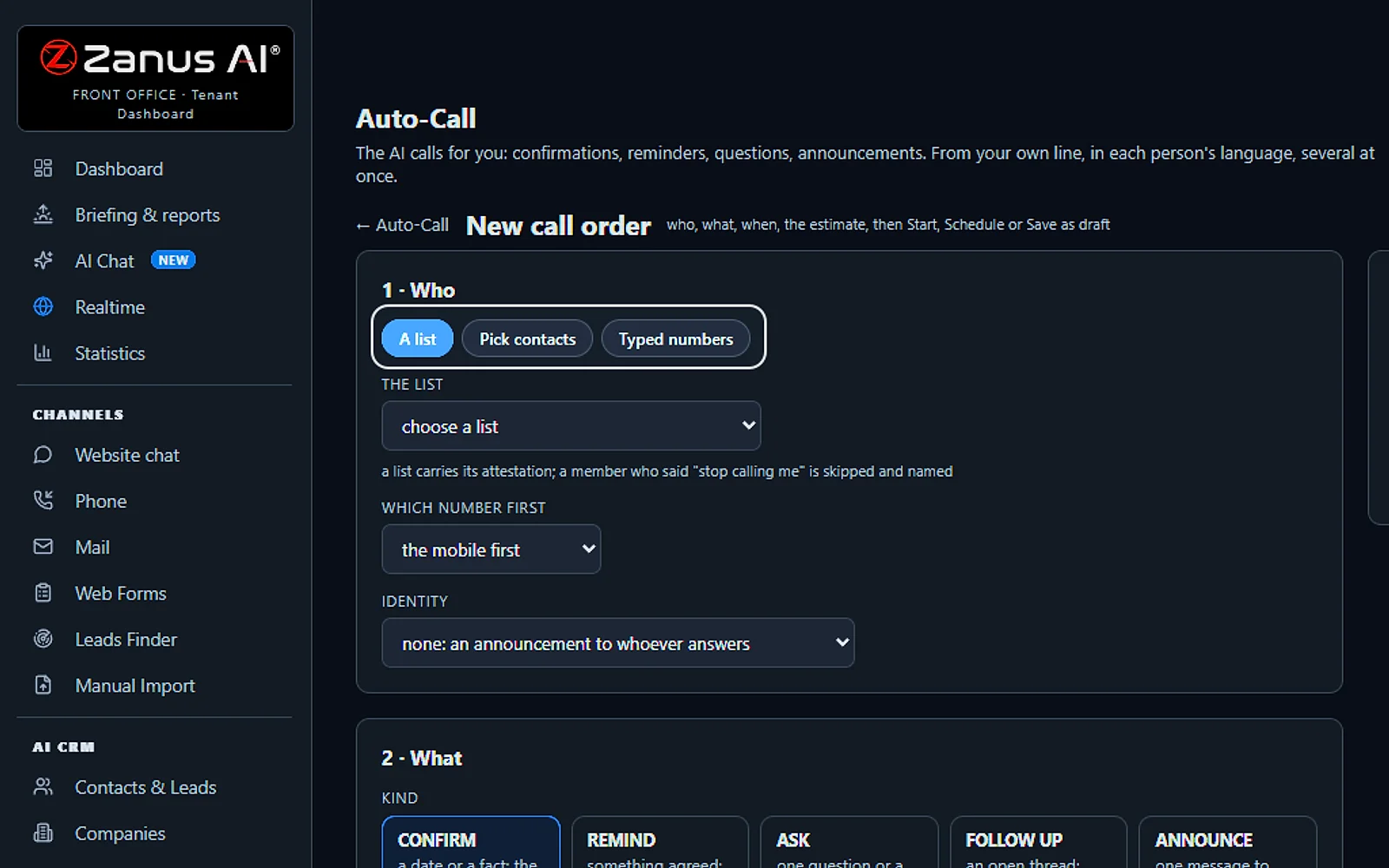
Call a list, contacts or numbers
Pick a saved list, choose contacts or type numbers. Anyone who asked not to be called is skipped, and you choose which number rings first.
You talk. Lisa sets it up.
You“Call the interest list, mobile number first.”
Lisa“The interest list, mobile first; anyone who said stop calling me is skipped.”
Any setting, in any module · applied only on your yes
What’s included
- Outbound calls by the AI: confirm, remind, ask, follow up and announce, several people at once
- Consent rules and each person’s local calling hours; retries, and a voicemail message or a message with a text to confirm
- Every answer by person on the order and on the customer’s story; a change of date transferred to your team
What makes it different
Consent guards on every order
Only numbers people gave your company are dialed, a request to stop is final, and calls stay inside each person’s local hours.
Your other modules place calls too
Booking, web forms, marketing plans and online meetings can each order a call on their own switch, and the answer comes back where it was asked.
Every answer, person by person
One row per person shows what they said in their own words with the transcript, and the same result lands on their contact story.
See the full AI Auto-Call page ›
See all 10 functions
Every function inside the module
- TodayWhat is running and scheduled, how many were reached and confirmed, who needs you, the month’s totals and Done today.
- OrdersEvery order with its kind, title, state and counts; open one for a row per person with the attempts, the answer in their words and the transcript; Call the rest now, Pause, Cancel the rest and Export.
- ListsYour saved lists of people to call, each with the attestation of who gave you the numbers; anyone who said “stop calling me” is skipped and named.
- 1 · WhoA saved list, your contacts filtered, or numbers you type with your word that the people gave them to you; which number first; whether the AI checks it is speaking to the right person.
- 2 · WhatThe kind, the title, the purpose in one sentence, the facts the AI may say, up to six questions with their allowed answers, who speaks and the department.
- 3 · WhenStart now or schedule; the hours in each person’s local time; the deadline; the retries; the voicemail rule; the calls at a time.
- The estimateHow many calls and who cannot be called and why, before Start; Save as draft keeps the order for later.
- Placed by your modulesBooking, Web Forms, Marketing plans, Online meetings, Mail and AI demos can place their own calls, each on its own switch.
- Talk to LisaPlace an order, ask how the calls went or pause one by talking; an order goes only after she tells you the count and you say yes.
- SettingsThe master switch, the line, who speaks, what is said at the start, the hours and days, calls at a time, retries, the voicemail rule and the longest call.
Add it to AI Phone or get it inside a solution · See pricing › · Per company, never per seat.
Works withAI PhoneAI BookingAI Web FormsAI MarketingAI Online MeetingsAI Demo
Sells
AI Demo
Gives each buyer who asks a demo of your product written for them and presented live by Lisa.
AI Demo is interactive demo software that turns a request from your form, chat, phone or mail into a demo about the product that buyer wants to see, built from your own knowledge. Lisa presents it in their language on a personal link, takes their questions as they come, and you see the minutes watched, the questions asked and any quote requested.
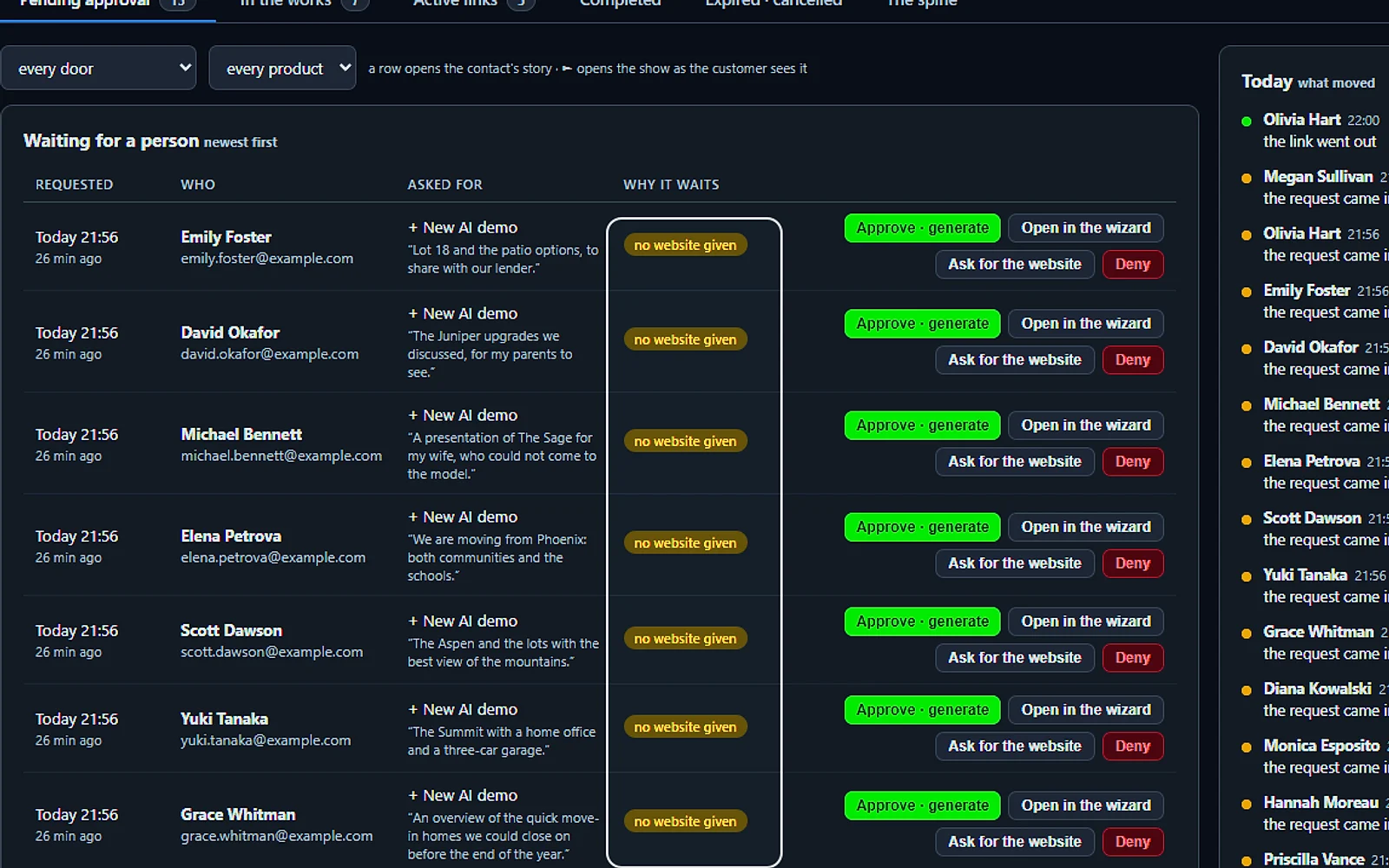
Requests that need a person
A request that misses something waits here with the reason, like no website given. Approve it, open it, ask for what is missing, or decline.
You talk. Lisa sets it up.
You“Ask everyone without a website for it.”
Lisa“A mail asking for the website goes to each of them. Send?”
Any setting, in any module · applied only on your yes
What’s included
- Built from your pages, pictures and videos in minutes, a scripted show the prospect can interrupt at any moment
- The prospect asks anything, live, in their language; the AI answers from your knowledge and jumps to the right scene
- Draws diagrams and shows pictures on request, and talks about the image that is actually on screen
- Access vetted before the link goes out (competitor check, verified e-mail); links live 7 days, reactivated on request
- From inside the demo: request a ready-to-buy quote, book a call with sales, leave a message
- Every question the demo could not answer is logged, your content backlog; a PDF hand-out the prospect keeps
What makes it different
Everything the buyer needs on one link
The proposal comes before the show, the recap after it, and a quote or a sales call is one click away on a link open 7 days.
Checked before any link goes out
Each request is screened for competitors on your own list, free mail addresses and websites that cannot be verified, and the doubtful ones wait for you.
Unanswered questions show what to add
A question Lisa cannot answer is logged, never guessed, and once you add the answer to your knowledge, the buyer who asked gets it by email.
See all 10 functions
The wizard and the proposal book
- Wizard writes the proposal bookFrom the contact's record and your knowledge, it builds scenes with pages, pictures, videos, diagrams and a spoken script, in their language.
- Publish and reactivatePublish sends the PDFs and a personal 7-day demo link that the AI presents live; reactivate it on request.
- Vetting before the linkBefore the link goes out, the domain and company are checked for competitors and the e-mail verified; doubtful requests wait for approval.
The demo the prospect sees
- Scripted show with barge-inLisa presents scene by scene; the prospect interrupts by voice anytime, she answers, then resumes or jumps to the matching scene.
- Pictures and diagrams on requestShows pictures and draws diagrams when asked, and talks about the image that is actually on screen.
- Actions from inside the demoThe prospect can request a ready-to-buy quote, book a call with sales, or leave a message without leaving the demo.
- The PDF hand-outA PDF generated from the proposal book that the prospect keeps.
The register and the backlog
- Every play recordedWho watched, when, how long, which scenes, the questions and interruptions, with the transcript on the contact's record.
- The gaps logEvery question the demo could not answer is listed, telling you which pages, pictures and videos to make next.
- Follow-up after the demoAn 'after a demo' follow-up sequence takes over for the prospect, through AI Follow-up.
Add it to any contact channel — AI Phone, AI Webchat, AI E-mail or AI Web Forms — or get it inside a solution · See pricing › · Per company, never per seat.
Works withAI QuotingAI BookingAI Follow-up
Sells
AI Live Meetings & Remote Service
Gives your team a branded video room to show the product live and help customers fix problems remotely.
With AI Live Meetings, your salespeople present in a video room carrying your brand, and the customer gets in from one link with nothing to install. It is live demo software with Lisa as the note taker: she writes the decisions and next steps for you to confirm, and the next follow-up mail is written from what was said.
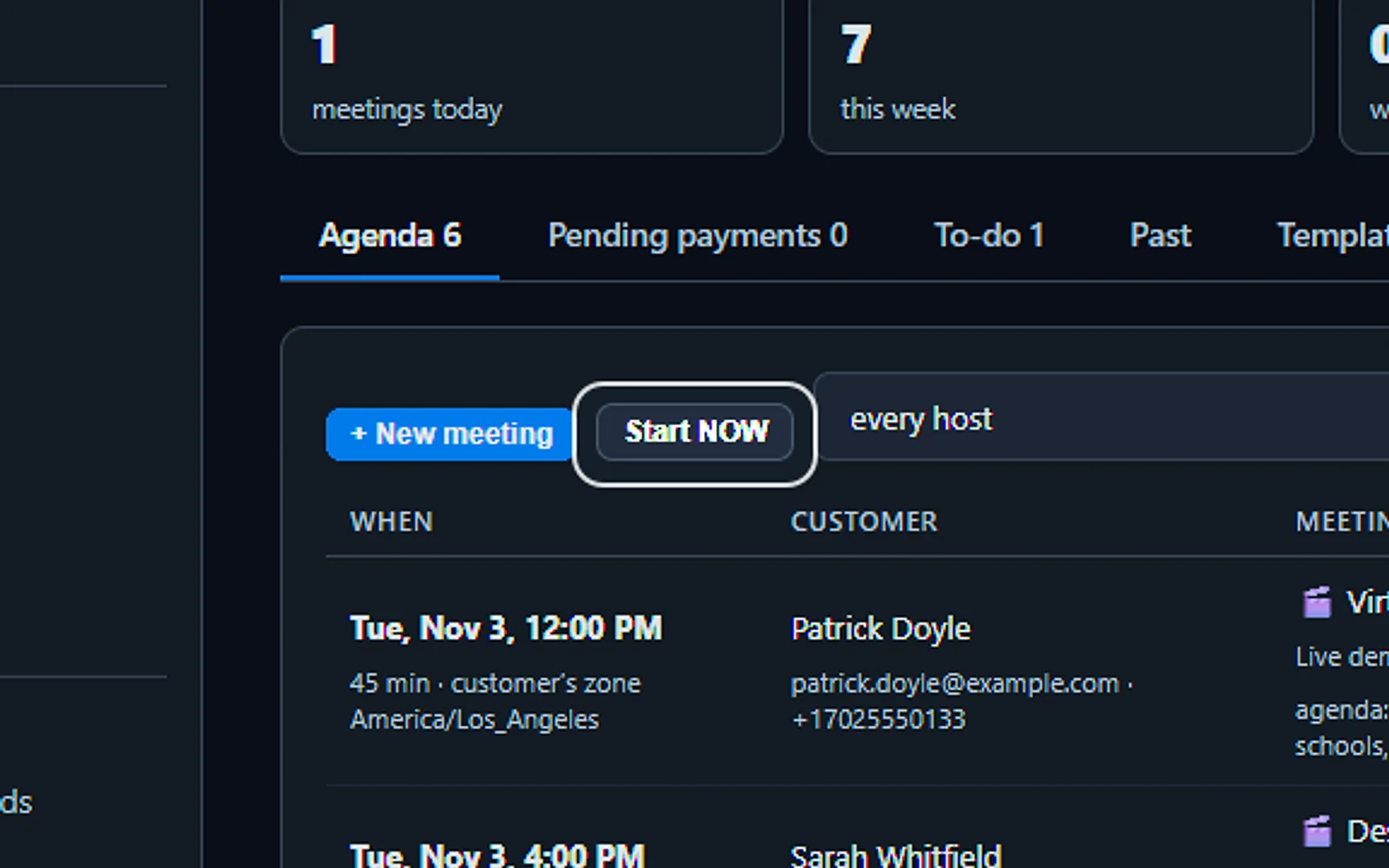
Every live demo, one agenda
Each live demo with the customer, the time on their clock, the host and whether they accepted. Enter the room, copy the link or reschedule from the row.
You talk. Lisa sets it up.
You“Schedule a live demo with Anna Thursday at 3.”
Lisa“Live demo with Anna, Thursday 3:00 PM, invitation and reminders set. Apply?”
Any setting, in any module · applied only on your yes
What’s included
- Live presentation to a visitor from the widget, your person or your avatar presents
- Pages and pictures shared while you talk; the visitor asks live
- Remote service sessions written to the record
What makes it different
Drive one tab, with permission
For support, the guest picks a single browser tab you may control, sees a red bar while you work in it and can stop you with one click.
Their phone becomes a second camera
A QR code brings the customer’s phone into the room, pointed at the machine, so your technician sees the fault without driving out.
Passwords stay off screen
One button hides your screen and mutes you while you type a password, and the guest sees a card in your own words instead.
See the full AI Live Meetings page ›
See all 8 functions
Every function inside the module
- Demo linksA personal link for each prospect, opened from the chat or sent by mail; the visitor joins without an account.
- The live sessionThe presenter shares your pages, pictures and videos while the visitor talks or chats; hand a question to Lisa, then continue.
- The avatar presentsWith AI Avatar, Lisa's face gives the scripted demo and a person joins when the visitor asks.
- Demo templatesReusable scene sequences of pages, pictures, videos and spoken text, per product or market.
- Remote serviceA technician guides a customer through diagnosis or settings; photos, transcript and summary go on the record and the ticket.
- Images and VideosThe libraries every demo draws from, captioned in 40 languages so Lisa knows what each image shows.
- The registerActive and completed sessions with duration, scenes shown, questions asked and the transcript.
- SettingsWho may present, how long links last, the recording rule, and the chat's 'ask for a live demo' button.
Add it to AI Webchat or get it inside a solution · See pricing › · Per company, never per seat.
Works withAI WebchatAI AvatarAI Tickets
Sells
AI Online Meetings
Runs your customer meetings in a video room of your own and gives you the notes as each one ends.
In AI Online Meetings, Lisa sits in on your meetings in your own video room and writes the AI meeting notes: the summary, the decisions, the promises and who does what next. You read them first or let them go out by themselves, and every next step lands as a task for the right colleague.
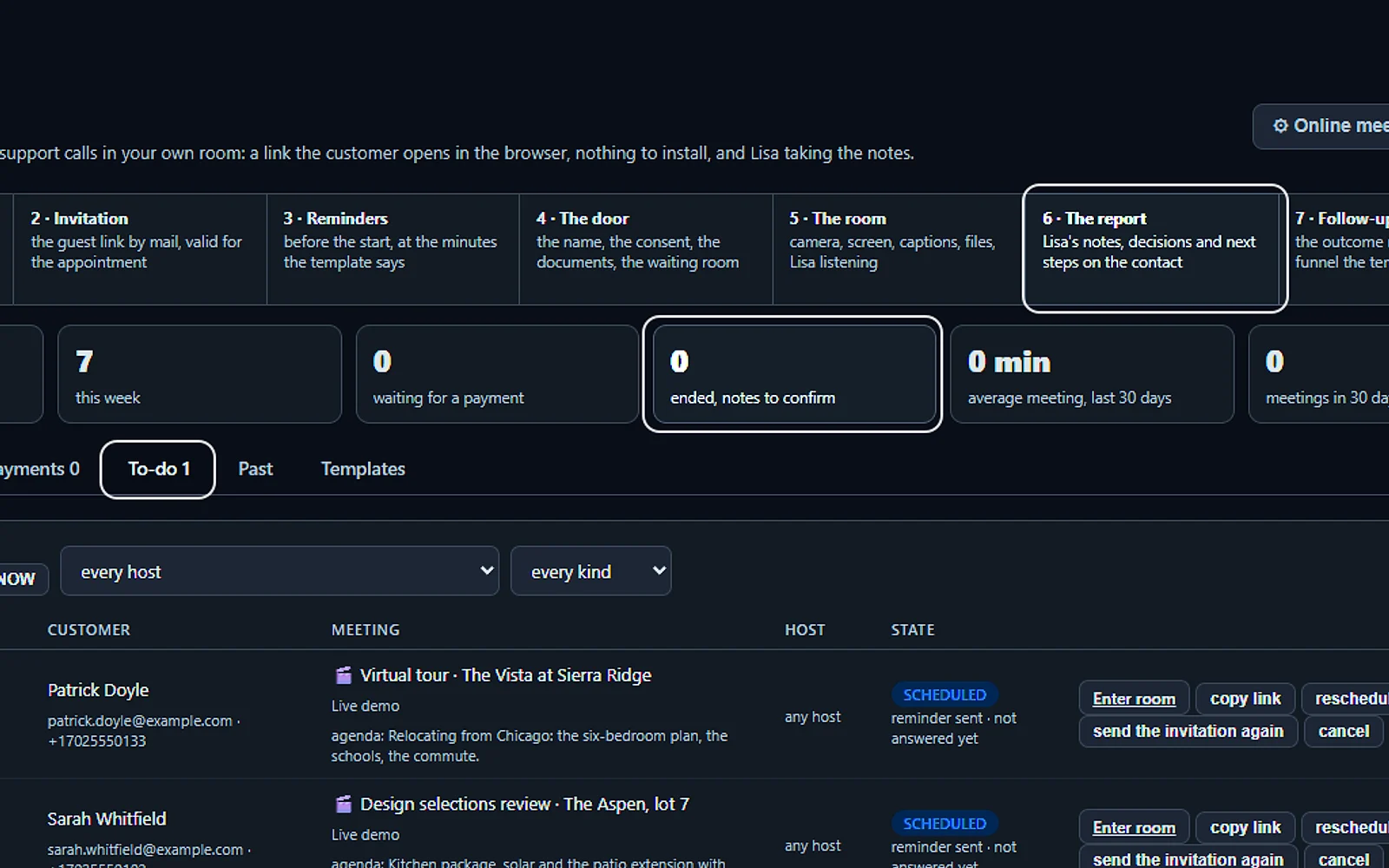
Every meeting, from booking to follow-up
Booked, invited, reminded, in the room, recorded, summarized and followed up, with the week's figures and the notes still waiting for your OK.
You talk. Lisa sets it up.
You“Read me the notes of my last meeting.”
Lisa“Here are the notes of your last meeting, the summary first. Read on?”
Any setting, in any module · applied only on your yes
What’s included
- Meetings booked by Front Office, up to 8 people
- Files shared; transcript and summary on the record
- Regulated mode: no recording, when your sector requires it
What makes it different
Six templates, ready to use
A live demo, a quick talk, a prepaid consultation, a medical visit, tech support or a class, each with its own length, entry rules and next step.
A regulated mode with nothing recorded
On a regulated session there is no recording and no note taking; for the rest, you set the days a recording is kept and every view is logged.
Booked by Lisa from any channel
Lisa books it from a call, a chat or a web form, and the invitation gives the customer the time on their own clock.
See the full AI Online Meetings page ›
See all 8 functions
Every function inside the module
- Booked like any serviceA meeting is a bookable service; Lisa books it by phone, chat or form and mails the link, calendar file and reminder.
- The roomUp to 8 people with camera, microphone, screen share, chat and shared files; guests join from the link with only their name.
- Live sessionsSee the meetings running now, who is in and since when; the host can join or end them.
- Transcript and summary on recordThe transcript is written live; the summary and action items go to the contact's story and are proposed as tasks.
- Regulated modeSet per service: nothing recorded or transcribed, and every participant sees a notice.
- The registerUpcoming and past meetings plus a waitlist of guests waiting for a freed slot, with durations and files.
- ProvidersThe people who take meetings, with their own hours and their own connected calendar, so a busy slot is never offered.
- SettingsSet the services, hours and closures, providers, recording rule, reminder and the join window.
Add it to any contact channel — AI Phone, AI Webchat, AI E-mail or AI Web Forms — or get it inside a solution · See pricing › · Per company, never per seat.
Works withAI PhoneAI WebchatAI Web Forms
Sells
AI Partner Portal
Signs up resellers and referral partners, vets each applicant and shows you the business every partner brings.
If others sell or refer your products, AI Partner Portal is the partner portal software that runs the program. An applicant answers your questions from one link, the AI looks the company up on the web and lays its findings beside the answers, and no one is in until you approve. Each approval states what the partner may do and when it ends.
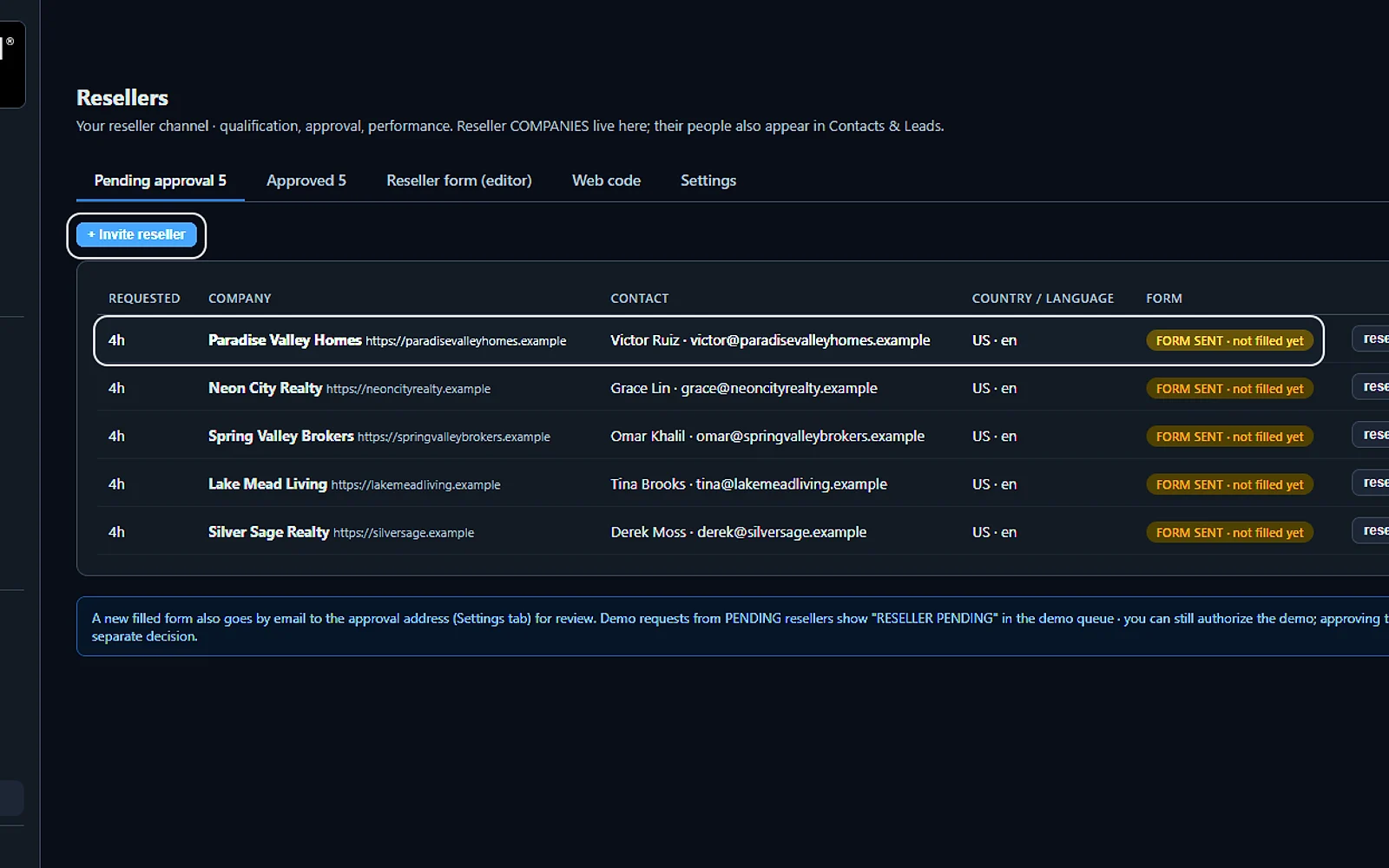
Every application, reviewed
Each company with its contact, country and language, and where its form stands. Review the answers, then approve or decline.
You talk. Lisa sets it up.
You“How many resellers wait for approval?”
Lisa“Here are the applications waiting, filled forms first. Open the first?”
Any setting, in any module · applied only on your yes
What’s included
- Partner and reseller application form on your site
- The AI researches the applicant, site, presence, fit, before you approve
- Referral attribution on every lead; a partner view of their own customers
What makes it different
Clear limits for every partner
Approve a company for demos, for store orders at a wholesale tier or for referrals only, then widen or narrow those rights later.
Approvals with an end date
Pick a validity of 6 months, 1 year or 2 years; when it runs out, the partner is suspended and informed until you reinstate them in one click.
Every referral and sale counted
Partners get credit for the leads they send, by link, by name or as their own customers, and you see the demos and sales each one brings.
See the full AI Partner Portal page ›
See all 7 functions
Every function inside the module
- The application formApplicants give company, website, country, markets and volume; e-mail verified; edit fields, languages and thank-you text, then paste the web code.
- The AI's researchThe AI reads the applicant's website, LinkedIn, directories and reviews, judges fit against your profile, runs a competitor check, writes a dossier.
- The queuePending, approved and refused; approve, refuse with a mailed reason or ask for more; approved partners get a welcome and portal access.
- Referral attributionEvery lead that names a partner, comes from their link or is their customer is credited to them in records and statistics.
- The partner's viewPartners see their own customers, status and open quotes, and nothing else of your records.
- Partner contactsPartners are a contact kind in Contacts & Leads, on the Resellers tab, with their own funnels and templates.
- SettingsSet the partner profile the AI judges against, the approval rule, the welcome mail and the portal's words.
Add it to any contact channel — AI Phone, AI Webchat, AI E-mail or AI Web Forms — or get it inside a solution · See pricing › · Per company, never per seat.
Supports
AI Tickets
Puts every request from calls, chats, emails and web forms in one list and answers what it can.
Each request becomes a ticket with the full conversation on it and the customer already identified, with their product and earlier tickets. This AI help desk replies from your knowledge base on its own when its score clears the bar you set, and below it the ticket waits for a person. You set a reply-time promise, and it keeps the clock.
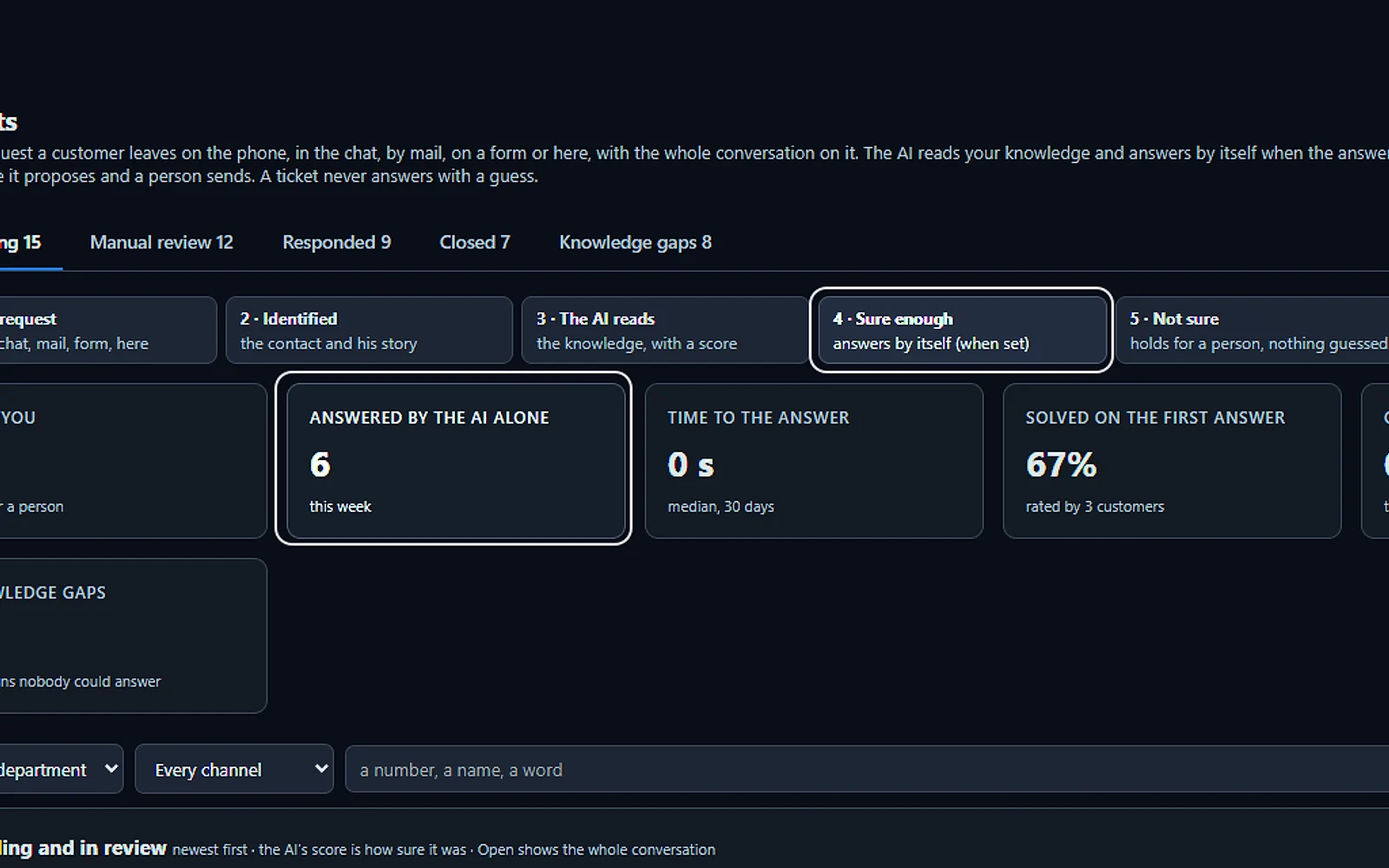
Every request, counted
What needs you, what the AI answered alone, how fast, what was solved on the first answer and what is overdue. Below, every pending ticket with its channel and priority.
You talk. Lisa sets it up.
You“What still needs a person today?”
Lisa“12 tickets need you; the AI answered 6 by itself. Open the first?”
Any setting, in any module · applied only on your yes
What’s included
- Opened from a phone call, a chat, an e-mail or a web form, with the whole conversation and the customer identified
- Nights and weekends: the customer gets a number and a promise, your team gets the ticket in the morning
- The AI answers from your knowledge when it is sure enough; otherwise it proposes the answer and a person sends it
- Pending, manual review, responded and closed; priority, who holds it, Merge and internal notes for your team
What makes it different
Your answers teach the AI
After a person replies, they choose whether the answer was for this customer only or belongs in the knowledge, and nothing is learned before review.
Simple tools for a small team
Set the priority, hand a ticket to a colleague, merge two tickets from the same person and leave internal notes the customer never sees.
Fixes tried before a ticket opens
For each department you write the questions to settle and the steps to try, and the AI walks callers and chat visitors through them first.
See the full AI Tickets page ›
See all 11 functions
Every function inside the module
- The statesPending, Manual review, Responded and Closed, each tab with its count; Knowledge gaps lists the questions nobody could answer.
- The countersWhat needs you, what the AI answered alone this week, the time to the answer, solved on the first answer, over the promise.
- The listFiltered by department, channel and a search by number, name or word; answered tickets add who answered, the rating, the dates and Export.
- IdentifiedThe contact and his company, his reference, the product he named, when he bought it, what he tried and his earlier tickets.
- The answerPropose writes it from the conversation and your instructions, typed or dictated; then Send, Send and close or Ask the customer more.
- Priority, holder, stateThree selectors on the open ticket; Merge joins a duplicate of the same person; an internal note stays inside.
- Back to the customerE-mail always, with the ticket number in the subject; the website chat while he is there, a text from your line, a call back when he asked.
- The knowledge growsAfter a person answers, the page asks “this customer only, or add to the knowledge?”; the second goes to review before it is learned.
- Before a ticketPer department, the questions to settle and the troubleshooting the customer must have tried before a ticket opens.
- SettingsWho answers per department, how sure the AI must be, the promise, who may answer, the signature with your logo, the channels back and the rating.
- Talk to LisaAsk how many tickets are pending or who holds the oldest, or have her read a ticket’s conversation; she may send an answer on your yes.
Add it to any contact channel — AI Phone, AI Webchat, AI E-mail or AI Web Forms — or get it inside a solution · See pricing › · Per company, never per seat.
Works withAI PhoneAI WebchatAI E-mailAI Web FormsAI Returns & Warranty
Supports
AI Returns & Warranty
Handles products sent back for repair or warranty work, from the first request to the parcel shipped back.
For a business that fixes and services its own products, AI Returns & Warranty is RMA software that tries the fix first: the AI sends the customer steps to try before anything ships. When the product has to come back, a person approves it, and the AI drafts every email after that, from the return instructions to the repair quote and the tracking.
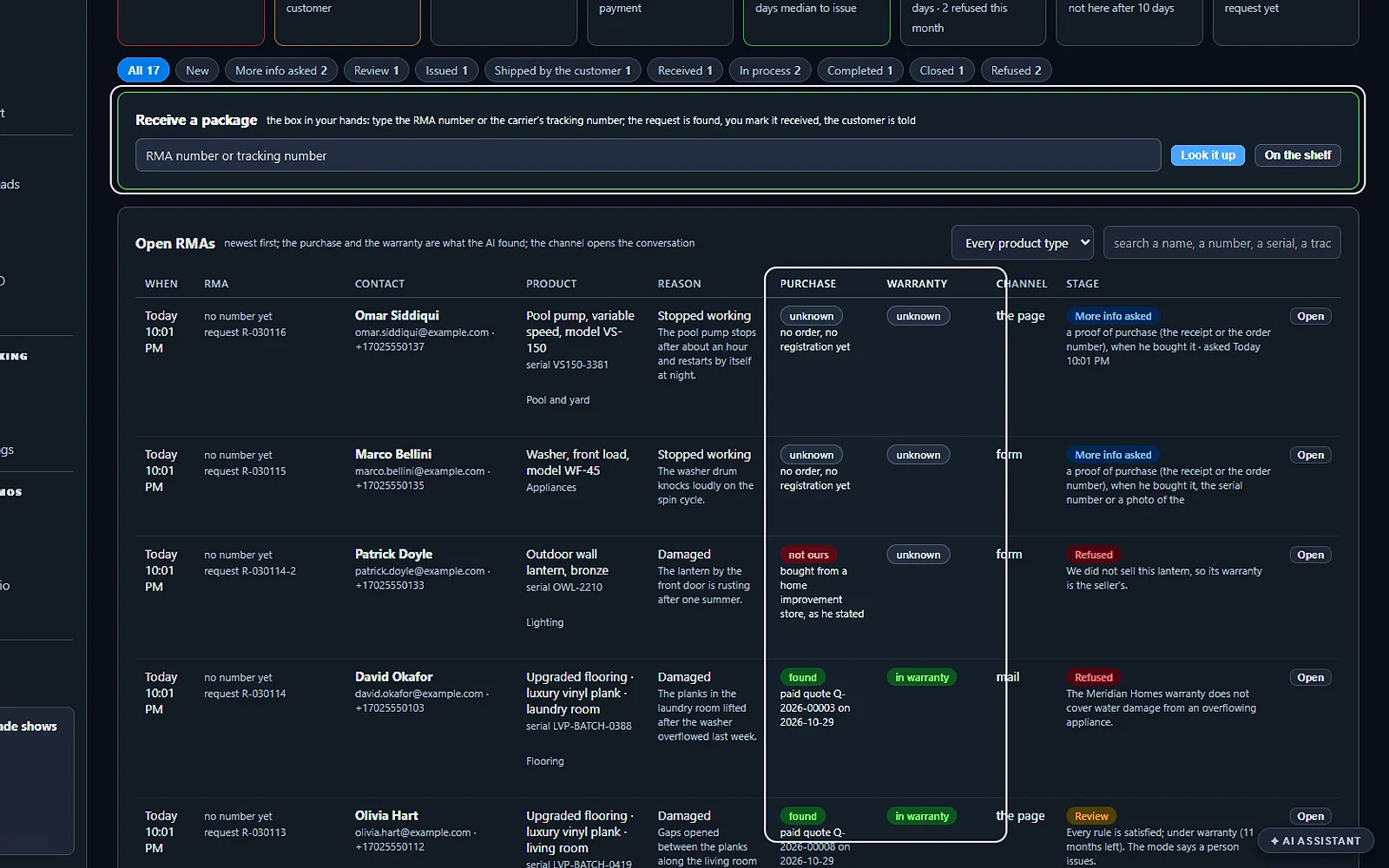
Every return, already looked up
Each request arrives with the product, the reason, and the purchase and warranty the AI found in your orders. A parcel in your hands is received by typing its tracking number.
You talk. Lisa sets it up.
You“Show me the returns still waiting for a decision.”
Lisa“Here they are, each with its purchase and warranty already looked up.”
Any setting, in any module · applied only on your yes
What’s included
- Troubleshooting first; a person approves, and the RMA number and the return address are e-mailed
- A pipeline you can see: pending, arriving, work in progress, awaiting payment, paid, closed with the tracking number
- Repair quotes e-mailed for approval; payment link; the tracking number sent as your person typed it
- The return address chosen by the type of product, with a default for the rest
What makes it different
The right return address for each product
Map each kind of product to its desk, the repair center or a supplier, with a default for the rest, and each new return gets its address filled in.
One road for free and paid repairs
A repair under warranty is quoted at 0; a paid one gets a payment link from your connected store, and the return turns green when the money lands.
Every stage visible at a glance
Each stage, from pending to paid and closed, shows its count, and Lisa can tell you which paid returns are still waiting to ship.
See the full AI Returns & Warranty page ›
See all 11 functions
Every function inside the module
- Open an RMAThe customer’s e-mail, name and company, what is returning, the type of product and the reported issue; it lands in Pending.
- From the AI channelsA return the AI accepts on the phone or in the chat lands in Pending too, after the troubleshooting.
- ApproveCheck the ship-to address and who signs, then Approve: the customer receives the RMA number, the address and what to put in the box.
- RejectReject sends no e-mail; you tell the customer yourself, in a ticket or by mail.
- ArrivedMark arrived and the return moves to work in progress.
- The repair quoteSay or write what you found and the price, 0 when the warranty covers it; the AI writes the quote e-mail for you to send.
- PaymentWith a connected store the quote carries a payment link and turns green when paid; Mark paid for a transfer or a card over the phone.
- Ship back and closeType the tracking number, choose who signs, send it and close the return.
- The stagesAll, Pending, Arriving, Work in progress, Awaiting payment, Paid, Closed and Rejected, each with its count.
- SettingsThe return address for each type of product, with a default for everything else.
- Talk to LisaAsk how many returns wait for approval or which are paid and not shipped yet, or have her open a customer’s return.
Add it to AI Tickets or get it inside a solution · See pricing › · Per company, never per seat.
Works withAI TicketsAI PhoneAI WebchatAI Quoting
Supports
AI Calls Transcripts
It writes down every call your team takes and files it with a short summary on the customer’s record.
This call transcription software covers the calls your people take, not only the ones the AI answers: at the computer, in the phone app or after the AI transfers a caller to a colleague. Each transcript shows the holds, transfers and messages taken next to the words, and you can mail yourself the recap while the caller is still on the line.
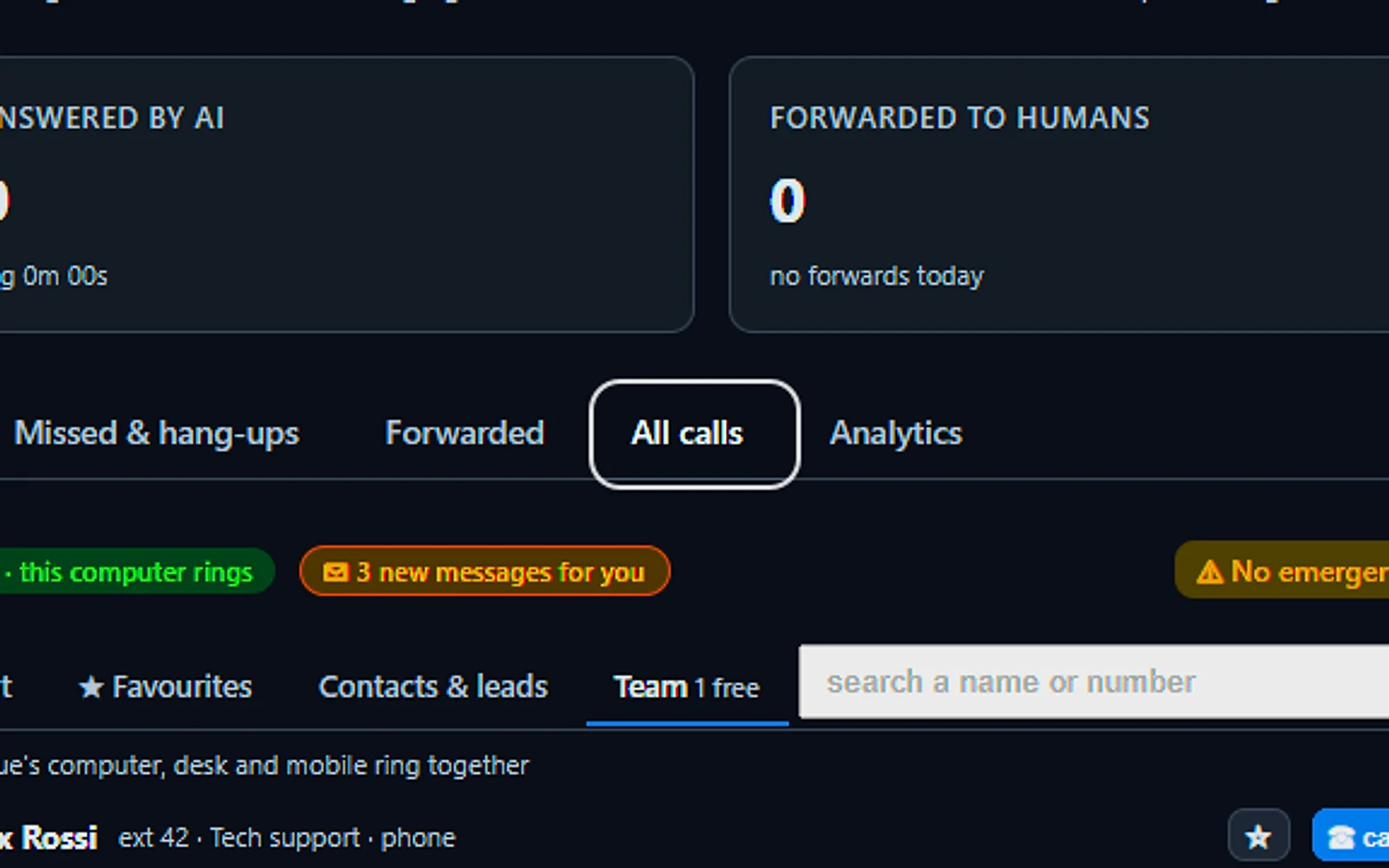
The desk your people call from
A dial pad, the phone book and live calls on your company lines. Every call taken here is written down with its summary and saved with its transcript.
You talk. Lisa sets it up.
You“Transcribe the calls my team takes on My phone.”
Lisa“Transcripts on for My phone, the phone app and transferred legs. Apply?”
Any setting, in any module · applied only on your yes
What’s included
- My phone: the calls taken on the computer, written as they happen
- The phone app: the calls taken on the iPhone, each device its own leg
- Transferred legs: every leg a person holds after the AI hands a call over
- Calls you place: calls from a computer phone, transcribed
- Summaries: each call written with its summary
- What happened: transfers, holds, rings and messages taken, in the transcript
- Send the recap: the facts and the transcript so far, to your own e-mail
- Routing: each department's mailbox receives its transcripts and messages
What makes it different
Messages saved even after a hang-up
When a caller hangs up mid-message, the message is still written from the call, with the callback number taken from the digits they spoke.
A one-page brief before you call back
One press of Brief me and Lisa reads the whole story of the contact, then tells you where things stand and what to say.
Sent to the right department
Transcripts and taken messages reach each department’s own mailbox, flagged calls go to an editor for review, and a supervisor can get a copy.
See the full AI Calls Transcripts page ›
See all 8 functions
What is written
- Every leg a person holdsMy phone, the phone app and every transferred leg, in one story.
- The AI's own callsAlways written on AI Phone, with nothing to buy.
- Calls you placeCalls from a computer phone are transcribed, with the announcement where required.
Where it goes
- The customer's storyEach call with its summary, beside the e-mails, chats and quotes.
- Department mailboxesTranscripts and taken messages to each department; flagged ones to the editor.
- All callsEvery call with transcript, recording and file in cabinet one click away.
Your rules
- RecordingOff as shipped; announced, transcribed and kept 1 to 1,095 days when on.
- Who reads whatOpening a transcript needs no special role; the list and the settings are for administrators.
Add it to AI Phone or get it inside a solution · See pricing › · Per company, never per seat.
Works withAI PhoneAI CRMAI Follow-upAI Proposal StudioAI TicketsAI Returns & WarrantyAI Calls Teleprompter
Supports
AI Calls Teleprompter
It shows the person on the phone the right answer while your customer is still talking.
Lisa follows the conversation and shows your person what your own knowledge says, with the source beside each tip, so nobody digs for an answer while the caller waits. This AI agent assist stays off the line, so the customer only ever hears your person, at the desk or in the phone app. Your person can also type Lisa a question mid-call.
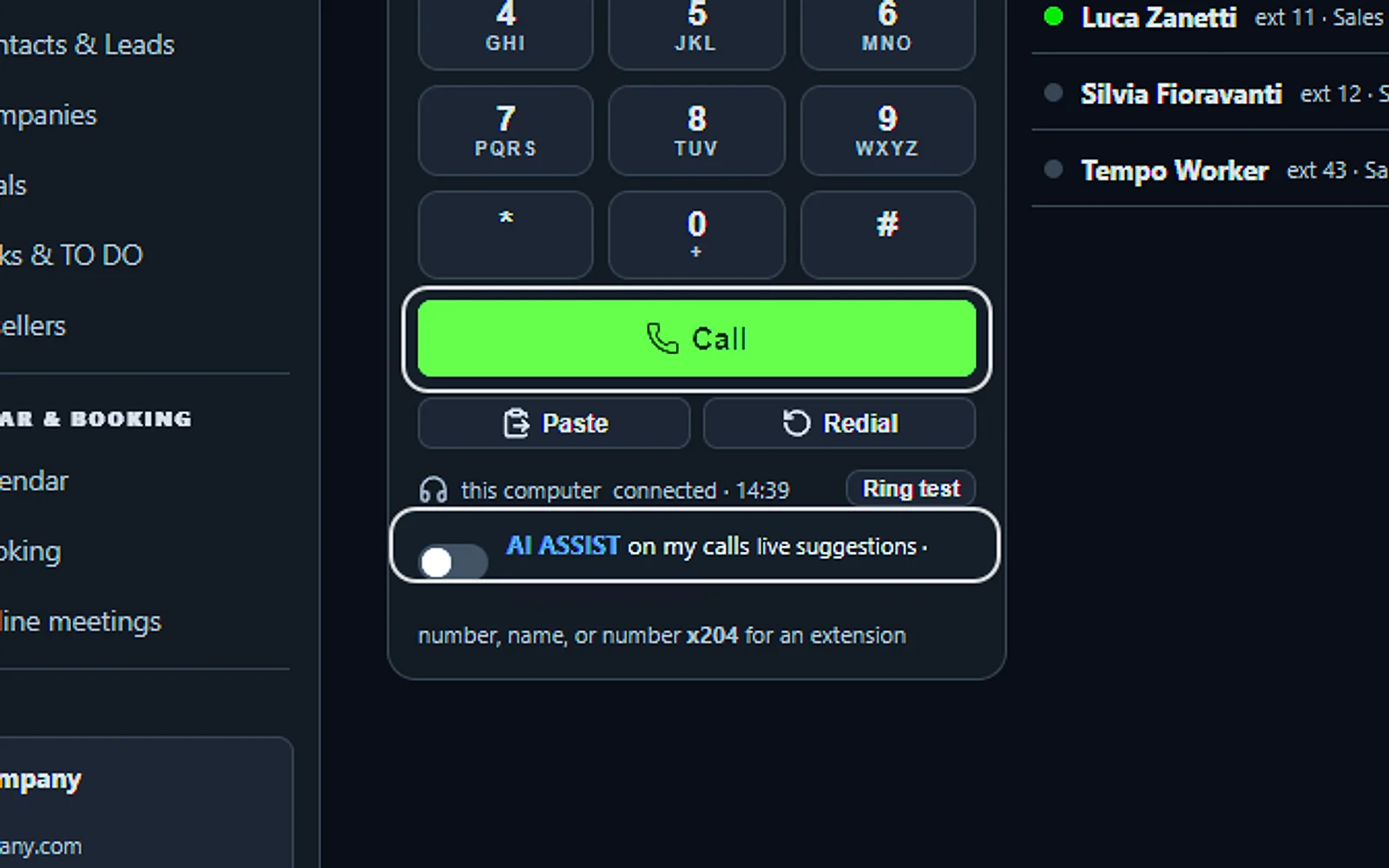
One switch for live help
Turn on AI Assist on my calls under the dial pad. During a call, one key opens the suggestions over the keypad.
You talk. Lisa sets it up.
You“Turn AI ASSIST on for my calls.”
Lisa“AI ASSIST on: live suggestions on your calls from now on. Apply?”
Any setting, in any module · applied only on your yes
What’s included
- The board: what the caller says, as it is heard
- The suggestion: the latest one in large type, with its source
- The earlier tips: kept under the latest one
- Ask Lisa: a question of your own during the call
- The keys: mute, speaker, hold, transfer and hang up on the board
- Back to the keys: the dial face, while Lisa keeps listening
- Where it works: the computer and the phone app on the iPhone
- By voice: turn AI ASSIST on, and off
What makes it different
One knowledge for AI and staff
The tips draw on the same facts, rules and documents your AI answers callers from, and each rule is tested green or red every night.
Turn it on mid-call
Tick one switch under the dial pad for all your calls, or tap AI ASSIST during a call you placed or one the AI handed over.
The caller’s words stay on screen
A name or a number said too fast stays written at the top, and earlier tips remain under the newest one for when the customer circles back.
See the full AI Calls Teleprompter page ›
See all 8 functions
On the board
- What the caller saysOn top, as it is heard.
- The latest suggestionIn large type with its source; the earlier ones under it.
- Ask LisaA field for a question of your own during the call.
Where it works
- My phoneThe switch AI ASSIST on my calls under the dial pad.
- The phone appThe same board on the iPhone, on a call you dialled or one the AI handed you.
- Marketing callsAI ASSIST ticked on the call card: answers in a side panel while you talk.
From your knowledge
- Facts, rules and documentsThe knowledge your AI already answers callers from.
- TestedEach rule carries its own test, green or red, every night.
Add it to AI Phone and AI Calls Transcripts or get it inside a solution · See pricing › · Per company, never per seat.
Works withAI PhoneAI Calls TranscriptsAI KnowledgeAI MarketingAI CRM
Helps your team
AI Team Assistant
It answers your team’s questions from your own documents and records, each answer with its source.
Your staff ask about a policy, a customer or a project file in plain words, and this AI knowledge assistant replies from your documents and records, citing each source and never the internet. If the answer was never written down, it tells you and notes the gap. Each person sees only what their level and drawers allow.
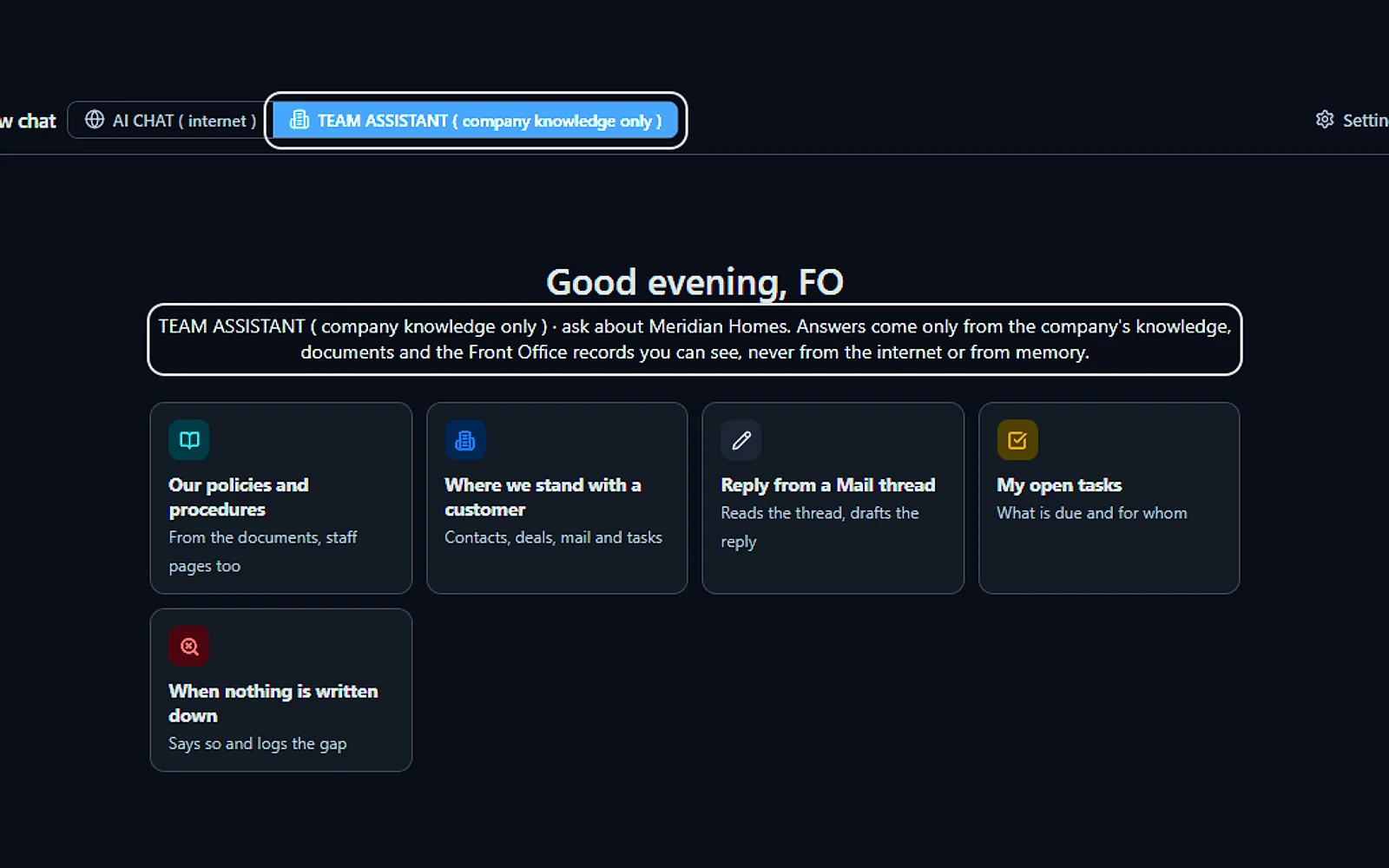
Your company's knowledge only
Answers come from your documents and the records you may see, never from the internet or from memory.
You talk. Lisa sets it up.
You“How do we handle a warranty request?”
Lisa“Here are the steps from your warranty procedure, each one cited.”
Any setting, in any module · applied only on your yes
What’s included
- An internal assistant for your staff, procedures, prices, policies
- Internal-only knowledge, kept out of everything customers see
- Answers with the source, so people learn where things are
What makes it different
Personal links for the field team
A technician or new hire without a login gets your manuals and staff-only pages on their phone, for good, until a set time or once.
Card and bank numbers never reach AI
Card, bank and identity numbers are taken out of each message before an AI sees it, while passwords and keys are turned away.
From an answer to a letter
Ask for the answer as a memo, a brief or a one-page report on your letterhead, written only from the sentences it cited.
See the full AI Team Assistant page ›
See all 14 functions
Team Assistant mode (the company's knowledge and records)
- Answers from the knowledgeAnswers from public and internal-only knowledge with the source beside each statement; internal knowledge stays out of customer answers.
- Answers from the recordsReads the person's own contacts, deals, tickets, bookings and File Cabinet files; a record they may not open is never read.
- Each person's own sessionsEvery person's conversations are kept and searchable, and the morning briefing comes on request.
- The calendar readAsk "what do I have today?" and it reads your own calendar.
AI Chat mode (the world, checked)
- Pages read liveAnswers from pages read live, a citation per fact, an independent checker marking each; prices and phone numbers show "checking" until confirmed.
- Result shapes drawn by codeAnswers come as cards: maps, places, weather, news, products, comparisons, market quotes, flights, trips, home shortlists and what's in stock nearby.
- Near me means near meLocal searches start from your office's town, with distances worked out.
- The follow-upsSay "shorter", "in English" or "again" to rewrite the last answer without a new search; chips suggest the next question.
- Verification panel and printed recapSee the evidence behind each answer and export it; print any answer as a recap on your letterhead, or save as PDF.
- Mic dictates, Lisa's voice recapsDictate the question by microphone; Lisa's voice reads a short recap of the answer and offers the rest.
- Text meSend a place, home or flight to your own mobile from the company's number.
- Drop and pasteDrop or paste a file or picture into the message box and it's read as part of the question.
Both modes
- Lisa acts on the screenFrom the AI ASSISTANT drawer Lisa can ask, read and recap the chat; she writes, the person posts.
- SettingsThe administrator sets allowed modes, sources, data protection rules and caps per person per day.
Available on its own or inside a solution · See pricing › · Per company, never per seat.
Works withAI File CabinetLisa, your AI assistant
Helps your team
AI Chat for your team
Ask it anything about the world outside your company and get an answer with every fact sourced and checked.
Your team asks in plain words, and this AI chat for business reads the web for them and sets each fact beside the page it came from. A second AI from another company and a code check test the figures, and a badge shows how much of the answer held up. Your company’s records stay out of it.
Ask anything, fact-checked
Search the web, find stock near you, confirm a phone number on two sources or verify a claim. It searches the web, never your company's records.
You talk. Lisa sets it up.
You“Find the closest store with this part in stock.”
Lisa“Here are the stores near you with the stock, the price and the hours.”
Any setting, in any module · applied only on your yes
What’s included
- Web answers: the web searched and read, every fact cited
- Fact checking: an independent AI and code check every answer
- Verify badges: verified, partly verified or not verifiable
- Legal card: the rules, your options and the next steps
- Weather: ten days, the alerts in effect and a map
- Near me: stores with the stock, the price and the hours
- Write it as: a letter, memo, brief or report from cited sentences
- Who can use what: AI Chat opened per level and department
- Data and privacy: card and bank numbers removed first
What makes it different
Law questions start with your state
Nothing is searched until you pick the state, then the reply quotes the state and city codes, with your options and the next steps.
Parts in stock near your office
Ask where to find a part or a supply today and get the nearby stores that hold it, their hours and price, plus phone numbers confirmed on two sources.
Private, and opened per level
Your administrator decides who may use web search, deep research and files; card and bank numbers are removed first, and Temporary chats are never kept.
See the full AI Chat for your team page ›
See all 10 functions
Answers
- CardsA company, a map and places, a comparison table, news, pictures, videos, flights and trips.
- Deep researchReads further when one search is not enough.
- A list read wholeEvery album, every model, page after page.
Checks
- SourcesEach page read, with its time and its official or not the law pill.
- ChecksEach fact located on its page, with the passage quoted.
- EvidenceThe record of an answer, kept for later.
Control
- Who can use whatAI Chat, web search, maps, deep research and files, per level and department.
- Data and privacyCard, bank and identity numbers removed; passwords and keys refused.
- TemporaryA chat that is never kept.
- Widgets and linksThe weather, the alerts and the legal card, on or off.
Available on its own or inside a solution · See pricing › · Per company, never per seat.
Works withAI Time MachineAI Knowledge
Helps your team
AI Knowledge
It holds everything your AI knows about your company, and every call, chat and email answers from it.
Your website, documents, rules and catalog sit in one tree, and this AI knowledge base is all your phone, chat and email answers draw on. A sentence it cannot back up is held back, and the question is kept for you to answer one time. You teach it by talking, and nothing goes live until you approve.
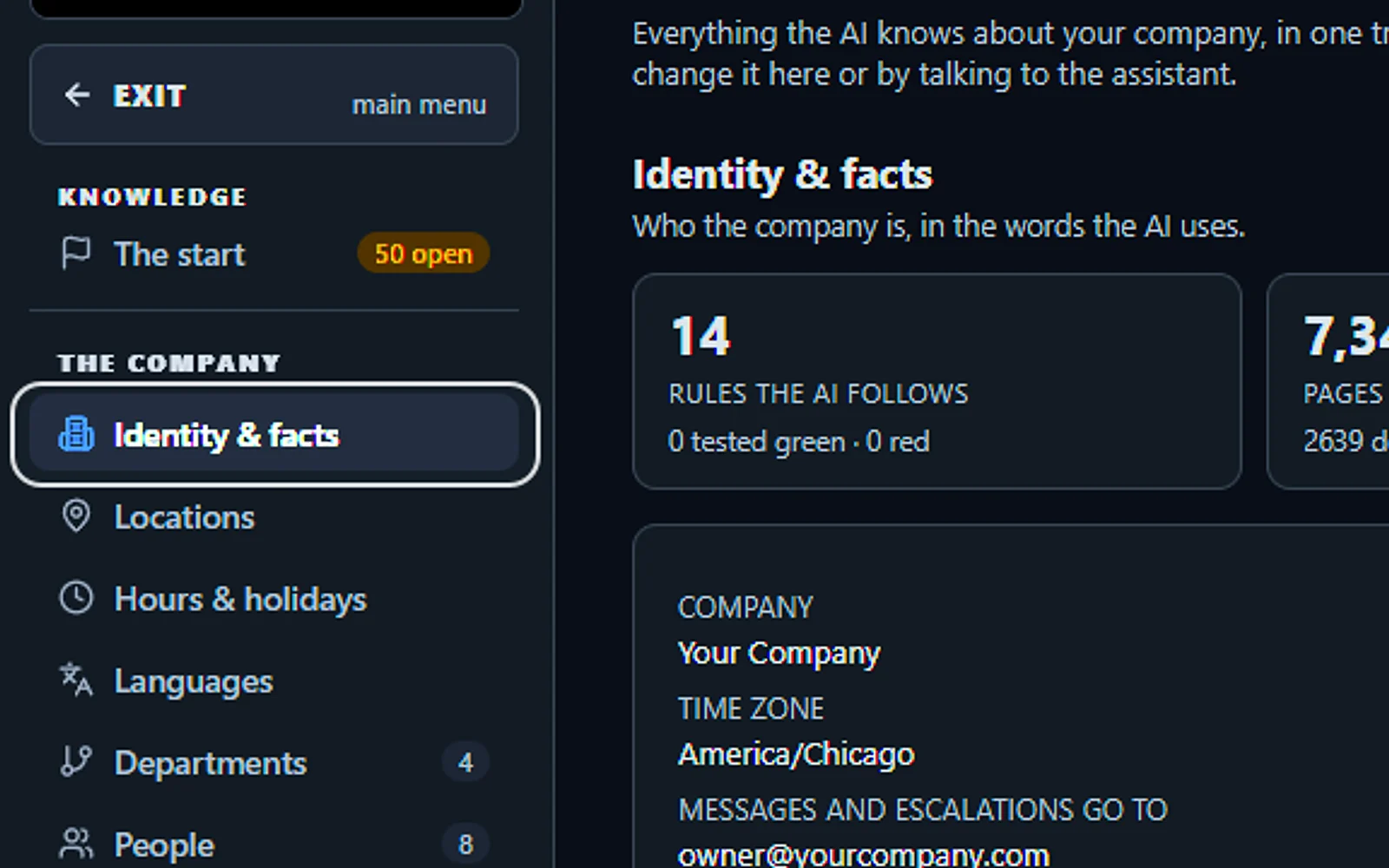
Everything your AI knows, in one place
Your company's identity and facts, the rules the AI follows, the pages it answers from, the pictures it can show and what waits for your review.
You talk. Lisa sets it up.
You“Show me what the AI knows about us.”
Lisa“Here is your tree: facts, rules, pages, pictures and software.”
Any setting, in any module · applied only on your yes
What’s included
- The start: the first questions, answered typed or by talking
- The company: identity, locations, hours, departments, people, catalog
- The rules: never, always, scripts, procedures, answers and must-ask
- The library: catalog, pages, documents, websites, pictures, videos, software
- Websites: your site read again every day, new pages added
- Auto-Retraining: every conversation reviewed for gaps and lessons
- Quality tests: rule tests, approved answers and picture sets every night
- The company file: export and import everything the AI knows
What makes it different
Every rule tested each night
Each rule asks its own test question overnight and turns green or red, and answers you approved are replayed daily so a fix never quietly slips.
Your website, read again daily
Pages you add to your site come in daily with their pictures and videos, pages you take down are retired, and your own written answers outrank them.
Learns from every conversation
Every 30 minutes the latest conversations are checked for gaps, clashes and lessons, and each fix it proposes waits for your yes.
See the full AI Knowledge page ›
See all 10 functions
Grounded answers
- Scoped retrievalSearched by meaning in your knowledge, for the department and channel of the question.
- Claim guardA sentence your knowledge does not support is held back and becomes a gap.
- Prices from the catalogRecited from the catalog's structured facts, never from memory.
Self-learning
- Q&A and gapsEvery unanswered question with its conversation, answered once for every channel.
- Harvest human answersYour team's answers in call notes, emails and funnel replies, proposed for your yes.
- Rule proposals from callsEvery night, one proposed change per marked call, at most 20 a day.
- Operator notesA correction said during a test conversation, heard within a minute.
The library
- ImagesPictures seen and tagged by the AI, shown after your OK.
- SoftwareFiles up to 2 GB, each handed out by its own rule through a link that expires.
- Premium dataMarkets and Law library, two premium sources under Knowledge.
Available on its own or inside a solution · See pricing › · Per company, never per seat.
Works withAI PhoneAI WebchatAI E-mailAI Chat for your teamAI File CabinetAI Team Training
Helps your team
AI Team Training
It turns the way you do a job into a lesson that your AI teaches every new hire.
This employee training software for small business lets you explain a procedure once, typed or spoken, as a book of chapters. Lisa then teaches it by voice and on screen, and the trainee can stop her to ask anything. A spoken test and a signed attestation close each book.
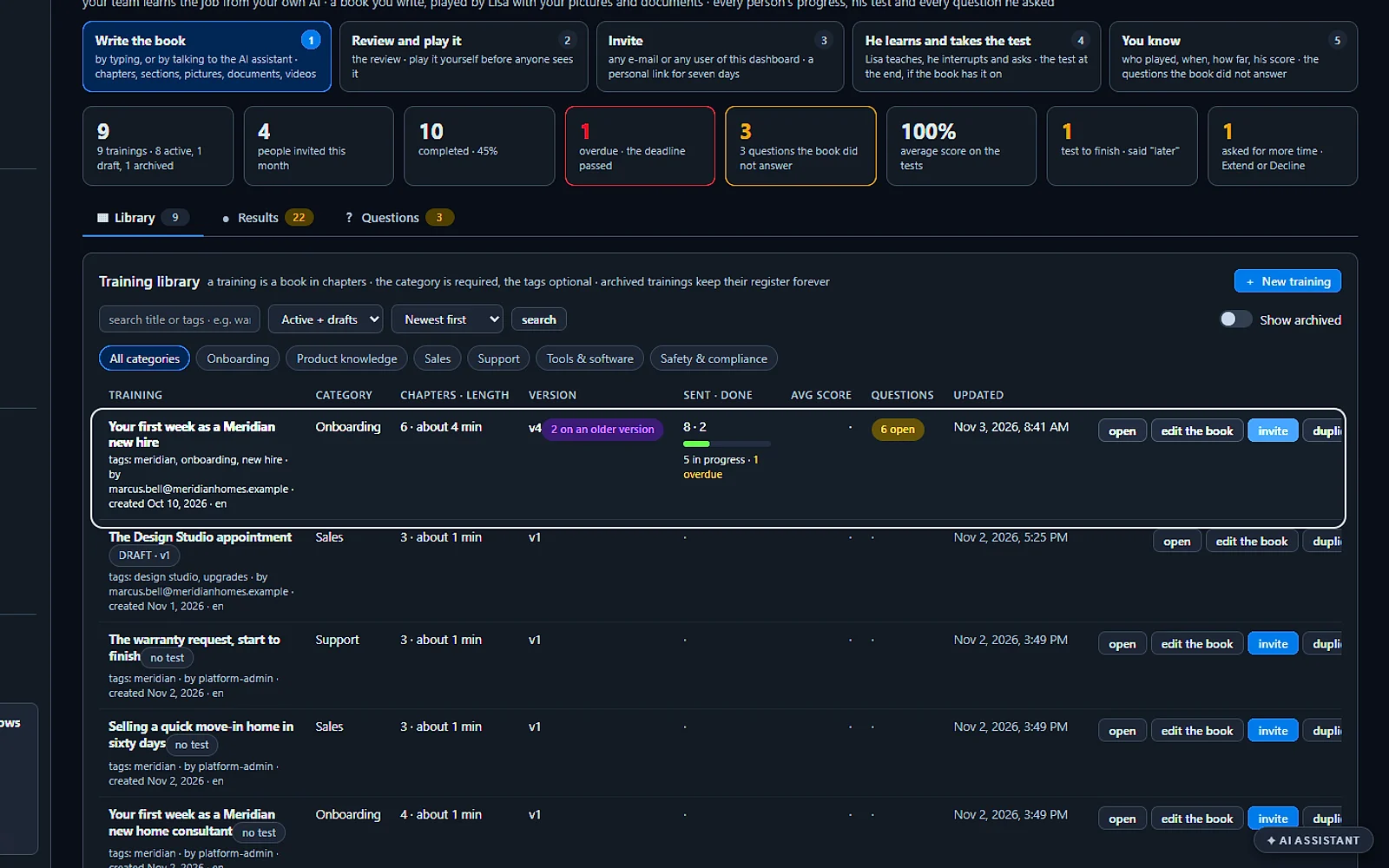
Every training, one library
Each training with its category, tags, length, and how many were sent and completed. Invite, edit, duplicate or archive from its row.
You talk. Lisa sets it up.
You“How many trainings do we have?”
Lisa“Five, from the warranty request to the new-hire onboarding.”
Any setting, in any module · applied only on your yes
What’s included
- Courses generated from your own material
- Quizzes and progress per person; transcripts and results exportable
- Updated when your knowledge changes
What makes it different
A register of who played what
See who played each book and which version, the questions they asked and how the test went, then export it all for the HR file.
Onboarding that invites itself
Pick the books every newcomer gets and each new dashboard user is invited automatically, on a seven-day link that opens on any device with no login.
Weak spots found before it goes out
Ask the assistant to review your book and it points out the thin sections, so you fix them before any new hire listens.
See the full AI Team Training page ›
See all 7 functions
Every function inside the module
- Course templates from the knowledgeCourses by department or product line are built from your knowledge as lessons with sources; the manager edits, reorders and approves.
- The spoken lessonLisa teaches by voice and text, answers the trainee's questions from your knowledge and gives the quiz; lessons can be read instead.
- AssignmentsAssign a course to a person with a due date; the invitation is mailed and reminders follow.
- Quizzes and progress per personTrack lessons done, scores, time spent, attempts and weak topics per person, with a manager's view per team.
- Transcripts and results exportableExport results per person or per course as CSV or PDF, with each session's transcript.
- Updated when the knowledge changesWhen source pages change the course is flagged, the lesson regenerates on approval, and those who passed are listed for a refresher.
- Search and settingsSearch templates and assignments; set the passing score, the reminder and who may build courses.
Available on its own or inside a solution · See pricing › · Per company, never per seat.
Helps your team
AI File Cabinet
It keeps every company document in drawers and files, read by AI and found again at the right page.
This document management system for small business is set out like a metal cabinet: a drawer per subject, a file per job, client or patient. Every document is read as it arrives, so a search lands on the exact page, or on the moment a recording says it. Nothing is erased without your click.
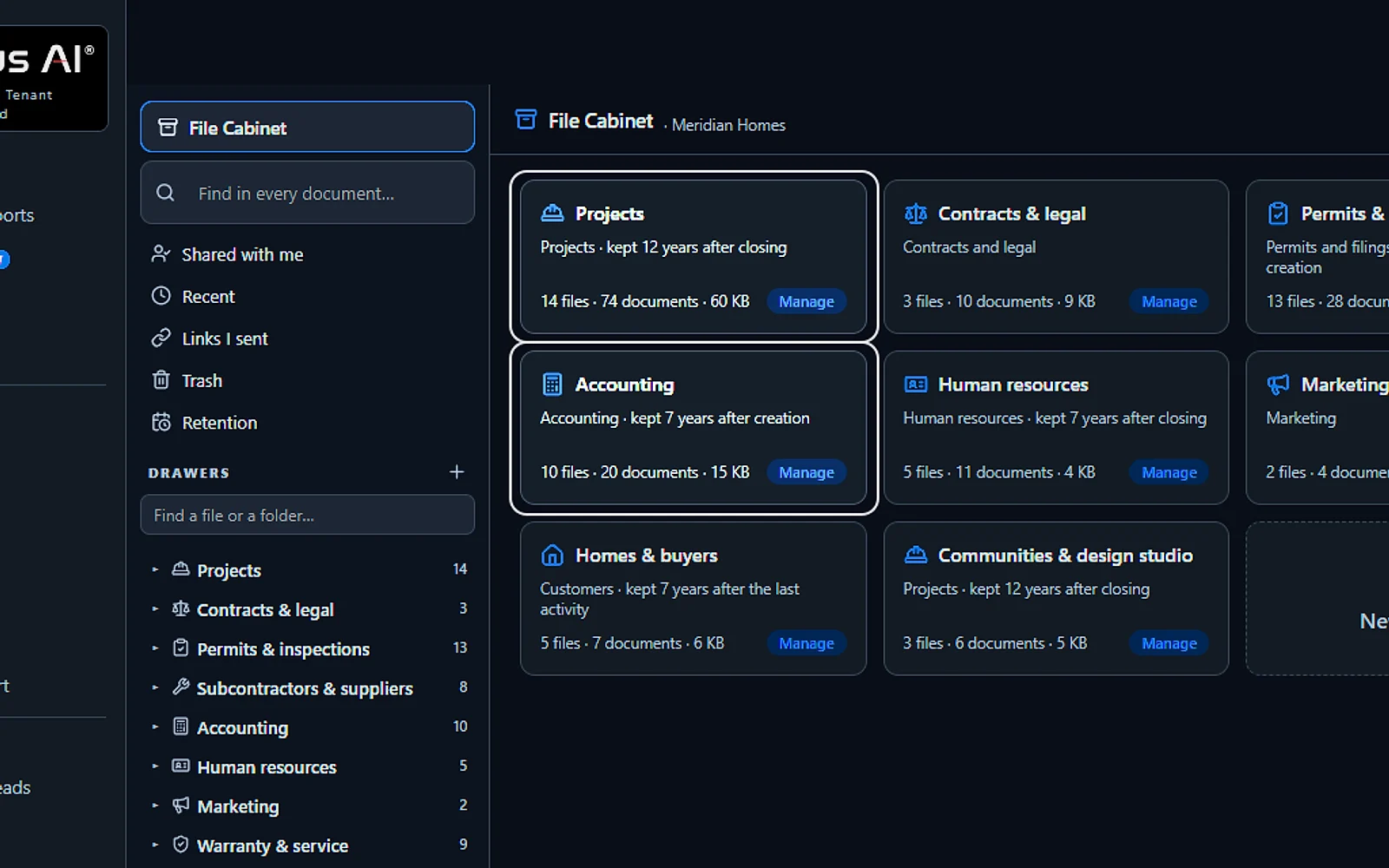
A drawer for every subject
Projects, contracts, permits, accounting, human resources: each drawer decides who may open it and how long its files are kept.
You talk. Lisa sets it up.
You“How long do we keep the Human resources files?”
Lisa“7 years after closing: the retention of that drawer.”
Any setting, in any module · applied only on your yes
What’s included
- Drawers per department with one right per person: read, add, edit, manage
- Files per project, customer or matter; documents of any kind with versions
- Every page read, every recording transcribed; ask in plain words and open the proof at its page or second
- 100 GB of archive included, more space when you need it
- Phone scan, e-mail-in, filing from Mail and Phone; imports from your cloud drives and ZIP files
What makes it different
Phone scans and an email per file
Scan paper with your phone camera, mail documents to the address each file has, or import a cloud drive after checking where every file goes.
Retention, holds and an audit trail
Choose 7, 10 or 12 years after closing for each drawer, or forever, put a hold on any file, and every open is logged.
Shared safely, taken out whole
Share a file by a link with a code, an expiry and a watermark, or take every document and version with you in one ZIP.
See the full AI File Cabinet page ›
See all 10 functions
Every function inside the module
- DrawersDepartment drawers set who sees what: one right per person (none, read, add, edit, manage), every read audited.
- FilesNamed folders per project, customer, person or matter, with fields, tags, templates, private files and legal hold.
- Documents of any kind with versionsPDFs, Office files, images, scans, recordings and e-mails, with version history and safe download links; programs are refused.
- Every page readText is extracted, scans are read with the cost shown first, recordings transcribed, all indexed by page and time.
- Ask in plain wordsAsk for "the contract's penalty clause" and get the answer with "Open at page 2" or "Play from 12:40", within your drawers.
- Capture roadsUpload any size, phone scan, e-mail-in, file from Mail, Phone, Quotes, Web Forms, or import from your cloud drives or a ZIP file.
- The Team Assistant's Files scopeThe Team Assistant answers from your cabinet too, but only within each person's rights.
- Publish to knowledgeA document joins Lisa's customer-facing knowledge only when someone publishes it, never automatically.
- Space and out as one ZIP100 GB included; when full, a bigger archive block is offered, prorated; take the whole cabinet out as one ZIP.
- SettingsSet drawers and rights, templates, the e-mail-in address, scan-reading and transcription switches with their costs, and retention.
Available on its own or inside a solution · See pricing › · Per company, never per seat.
Works withAI E-mailAI PhoneAI QuotingAI Web FormsAI Team Assistant
Helps your team
AI Time Machine
It lines up every dated moment of a matter, a patient or a project, so you can play the story through.
This case chronology software sits inside the assistant your team already asks. After an answer, one button spreads its mail, documents, calls and bookings into lanes, every document set at its own date rather than its filing day. Step through with the knob, read the recap each moment carries, written from the record itself, then print the story on your letterhead.
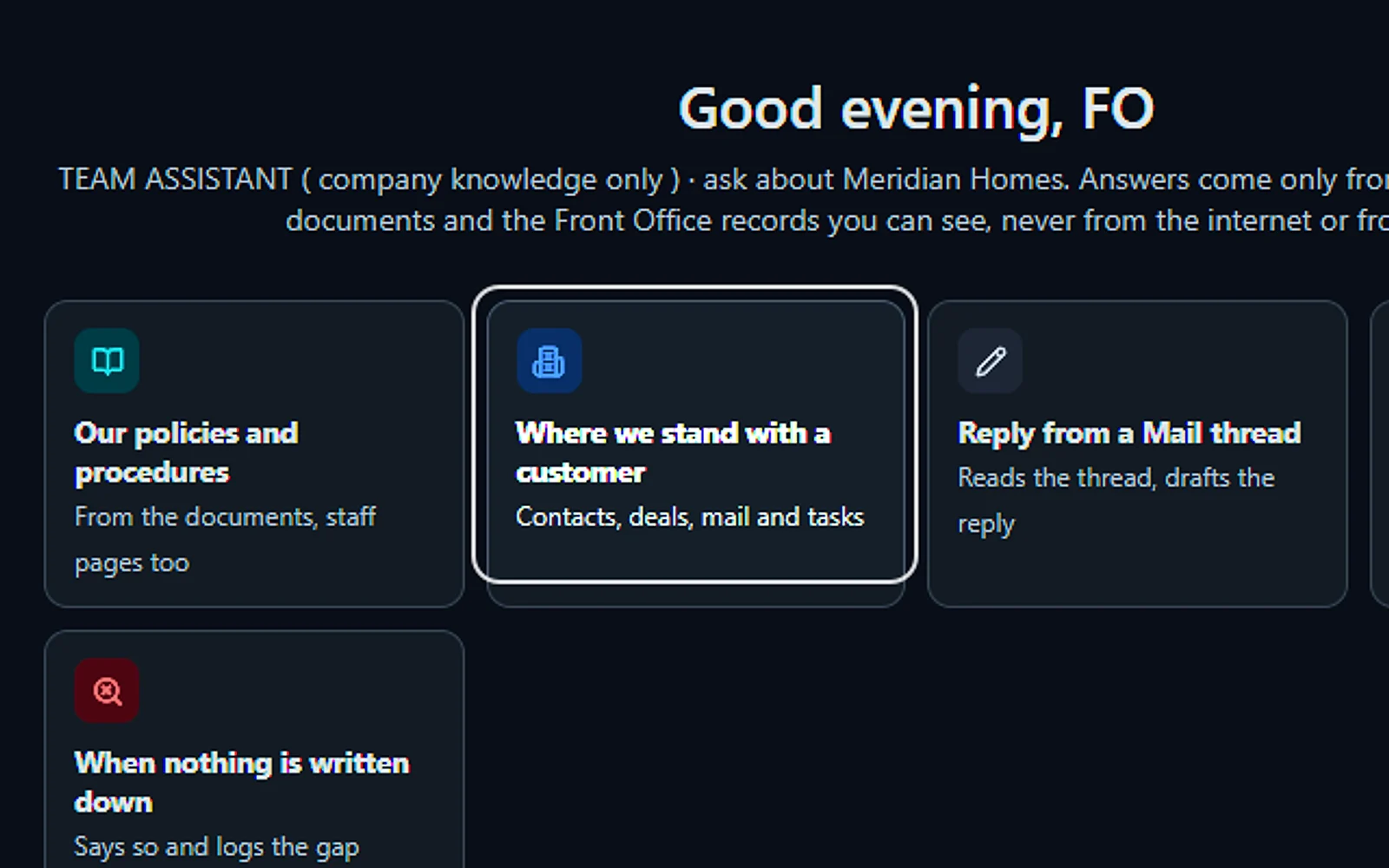
Ask, then see it on a timeline
The Team Assistant answers from your own records. Press Time Machine and every dated moment of the answer is laid out on a timeline.
You talk. Lisa sets it up.
You“Where do we stand on the Harbour Bridge job?”
Lisa“Here is the answer from your records, with every dated moment ready to play.”
Any setting, in any module · applied only on your yes
What’s included
- The TIME MACHINE button: the count of dated moments an answer gathered
- Lanes: mail, mailboxes, documents, calls and bookings, records, calendar, pictures
- The jog knob: first, previous, play, next, last, by moment, day, week or month
- The pane: the moment as it lives, the passage lit
- A recap per moment: built from the record itself
- Dates in the file: a document at the date written in it
- Refresh from the records: what came after, marked new
- Print the story: the chronology on your letterhead
What makes it different
Deadlines shown with their rule
A date is shown as a deadline only when its rule is cited; otherwise it stays a date in the file, never a deadline the AI computed.
A studies lane for each patient
Imaging studies get a lane of their own with the previous one a click away, and it lays out the record while a physician decides.
Steered by voice with Lisa
Ask Lisa to go back to March, explain what happened at a moment or print the chronology, and she moves the cursor for you.
See the full AI Time Machine page ›
See all 8 functions
The timeline
- LanesOne per kind of record, every moment a marker at its date.
- Range barZoom from the whole story to a single day.
- Moments listThe same moments as a list, in order.
The moment
- Open where it livesThe mail, the document or the record in its own place.
- Ask about this momentA question to the Team Assistant on that moment only.
- Recap from the recordWhat happened there, built from the record itself.
In AI Chat
- Dated lanesStatements, news, shows and videos an answer dates.
- A list's whole storyEvery dated row of a list answer, first to last.
Add it to AI Team Assistant or get it inside a solution · See pricing › · Per company, never per seat.
Works withAI File CabinetAI Chat for your teamAI E-mailAI Calls Transcripts
With every module you choose
Included in every Front Office
Start with one module and you get all of this.
Dashboard & briefing · AI Calendar · Contacts & companies · Statistics & live activity · Lisa · Your knowledge · 40 languages · Your people & roles · Protection · AI Chat · the internet · Usage & billing · Help & support
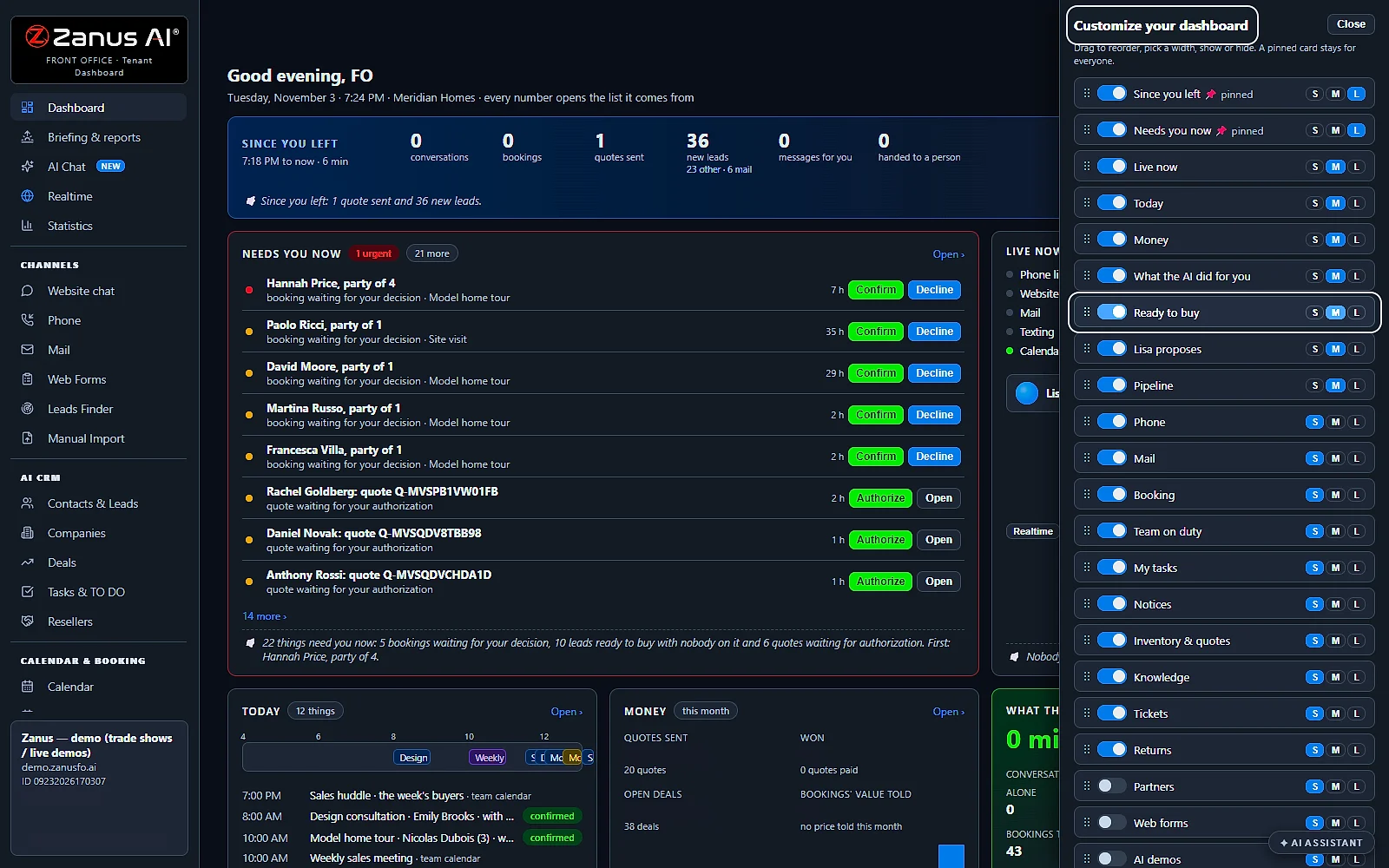
The whole business in one shot
What needs you now, what the AI did since you left and how the business is doing, on one page you arrange yourself. The briefing is written every morning and Lisa reads it to you.
You talk. Lisa sets it up.
You“Put Ready to buy near the top, and make it large.”
Lisa“Ready to buy moves up, at size L, on your dashboard. Apply?”
Any setting, in any module · applied only on your yes
Start with the one thing you need. Add more anytime by asking Lisa.
See it for your business ›
Questions & answers
AI front desk software: frequently asked questions
What is an AI front desk?
An AI front desk is software that does the customer side of a front desk job: it answers the phone, the website chat, e-mail and web forms, books appointments and takes messages. Zanus AI Front Office does it as your company, from your own knowledge, and writes every conversation onto the customer's record.
What does an AI front desk receptionist do?
It answers each call on the first ring, replies from your knowledge, books appointments and takes messages with the callback number read back. When a caller needs a person, it transfers the call and announces who is calling and why. Outside your opening hours it follows the rules you set.
Is an AI receptionist legit?
Yes, and you can check it before you buy. Zanus AI was a winner at CES 2026 and ISE 2026 and was named TMCnet Enterprise AI Product of the Year 2026. Call the number on this page and the AI answers, or try it free on your own business.
Is it an AI receptionist and chatbot in one?
Yes. The same AI answers the phone, the website chat, e-mail and web forms, works from one knowledge base and keeps one story per customer, so your team sees the mail, the chat and the call of each customer together on one record.
Will an AI front desk replace my receptionist?
It takes the routine work off your team rather than replacing the people who matter. The AI answers common questions, books and takes messages, then transfers the callers who need a person. Your staff work inside the Front Office as operators, with every conversation in front of them.
What is the best AI customer service software for a small business?
The one that answers every channel your customers use, from your own knowledge, and that you can set up yourself. Zanus AI Front Office covers the phone, the chat, e-mail and forms with one AI, is priced per company rather than per seat, and Lisa sets it up in 2 minutes.
What happens when the AI does not know the answer?
It tells the customer it has no source for that and offers a person. Depending on the hour, it transfers the call, takes a message with the callback number read back, or files the request for your team. The unanswered question then shows up as a proposed answer for you to approve.
Does the AI front desk answer after hours?
Yes, day and night, at weekends and on holidays. Your opening hours and closures decide what happens next: during business hours it can transfer to a person, and after hours it takes a message or files the request for the morning.
How much is an AI front desk?
The price is set per company, never per seat, so adding colleagues does not add licenses. You start with the one module you need, the pricing page lists each one, and a 7-day free trial on your own business needs no credit card.
Do I have to buy every module at once?
No. Start with the one thing you need, such as AI Phone or AI Webchat, and add more anytime by asking Lisa. Automations like AI Booking or AI Quoting need at least one contact channel, while the three team tools work on their own.
How do I change how the Front Office works?
You tell Lisa in your own words. She reads the current settings, shows the change as before and after, and applies it only after your yes. Every change is written to a change log, where it can be rolled back if you change your mind.
How long does it take to go live?
About 2 minutes. Give Lisa your website address: she reads it while you watch, builds your knowledge and sets up what you need first. Then you test it right away: call your trial number, or try the chat on a copy of your own website.
Give Lisa your website.
She sets up your business in 2 minutes.
Other software makes you learn it. Zanus AI learns your business.
Try it free on your own business — no credit card, per company, never per seat.
Ready to buy? See plans & pricing ›
Or call +1 (954) 736-3939 — the AI answers.