ZANUS FRONT OFFICE FOR PROPERTY MANAGEMENT & HOA
Next-generation AI for Property Management & HOA. Try it free on your own portfolio. No credit card.
Every resident answered. Every request filed. Your coordinators, finally off the phone. ZANUS AI Front Office for Property Management & HOA is the AI receptionist, request desk and follow-up desk for community association managers, HOA and condo boards, residential and commercial property managers and student housing. It answers residents, owners, boards and vendors on phone, website chat, email, portal forms and the after-hours line — trash day, assessments, pool hours, what the rules say — files maintenance requests with unit and access instructions, routes emergencies to on-call, books the clubhouse, works estoppel requests, sends notices and follows leasing inquiries until the tour is booked. Rulings, hearings and legal questions go to your manager and your board; the routine stops landing on the coordinator. Grounded only in each community’s approved information: no source, no claim.
Try it free 7 days on your own business · no credit card · per company, never per seat
REAL AI - the whole Front Office is AI, not old software with an AI button. Give it your website: it learns your company, works from your approved knowledge and gets better with every answer you approve.
Live on this site right now — the assistant in the corner is the product · Award-winning AI — CES · ISE · TMCnet
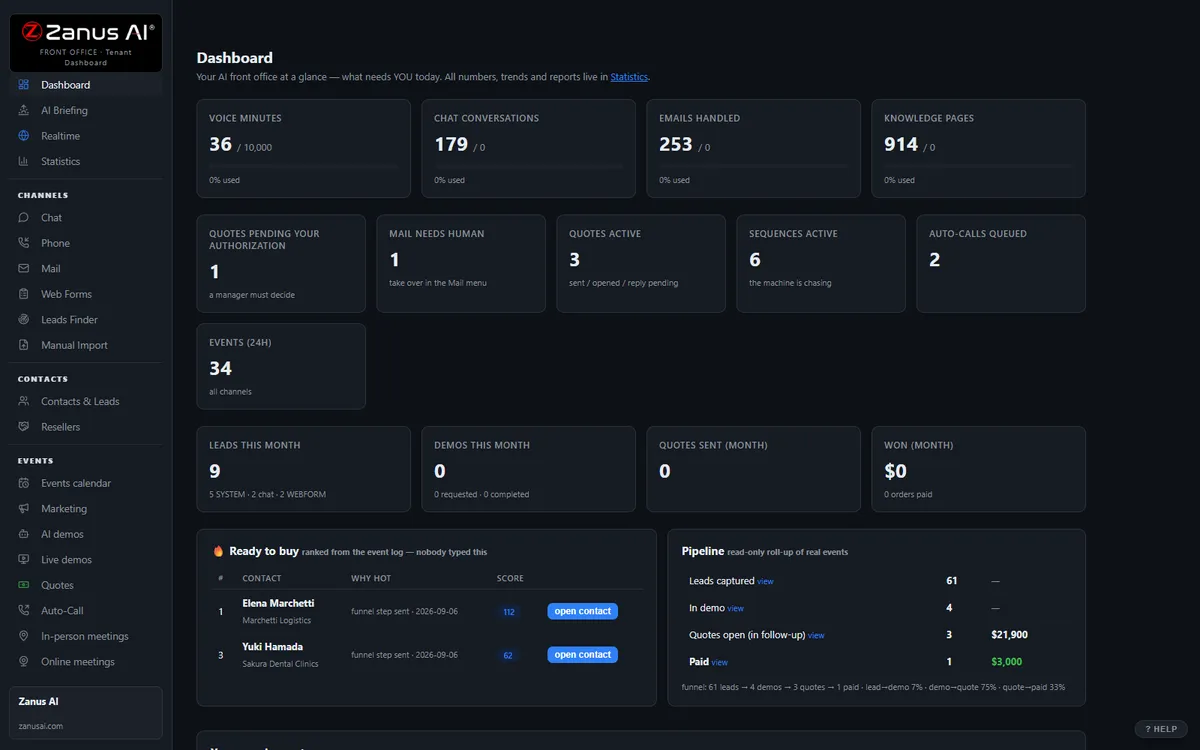
The real Front Office dashboard: today’s numbers, what needs a person, every menu on the left. In the trial it is yours, with your company in it.
FREE TRIAL · 7 DAYS · NO CREDIT CARD
Give us your website. Ten minutes later, your company answers the phone.
“Give us your website. Ten minutes later Zanus has built a private 7-day sandbox around your company: your knowledge, a phone line that answers as you, your website with Lisa on it, your dashboard with your data. Not old software with an AI button — the AI is the software.”
“No card. No setup fee. Per company, never per seat. You decide after you hear it answer as your company.” One trial per company: a working business website and an e-mail on its domain.
- 1Your website. Lisa reads it and proposes your departments and people; she asks only what the site does not say.
- 2Your sandbox, in ten minutes. A phone line in your area code that answers as you and transfers to your real phones, your website with Lisa on it, your dashboard with your data.
- 3Seven days on your business. Day 1 the first call; day 3 a mail “what your callers asked”; day 7 a report.
- 4Keep it or walk away. Buy any solution on any day and the sandbox becomes the account — same number, same knowledge, nothing redone. Walk away and nothing is charged.
How you start
Three steps, in the order you like. Most people skip straight to the second.
Two minutes. The AI presents the Front Office and answers your questions live — the demo is the product.
Your website, your phone line, your dashboard. No card, nothing to install. Start free
Any solution, on any day of the trial — the sandbox becomes your account. Per company, never per seat. See pricing →
Prefer to own your AI on your own premises? See AI Servers — a separate product. The Front Office above needs no server.
One AI Front Office. Every job your coordinators do today.
The same 31 menus, read through a community manager’s eyes. Each function below is a page of its own, in your vocabulary — enable what your plan includes, add more as the portfolio grows. No IT project, no seats to count. Comparing options? See the comparison →
Every morning, per community: overnight calls, work orders filed, emergencies handled by on-call, amenities booked — and which owner, board or title company needs a call today.
Learn more →
AI PhoneAnswers every resident call on your menu, in your voices, 24/7 — files the request, books the clubhouse, quotes the estoppel fee, routes the active leak to on-call with the story whispered in.
Learn more →
AI Chat & VoiceWebsite and portal chat that answers “when is trash day”, “how do I pay”, “is the pool open” from the community’s approved information — and files the work order in the conversation.
Learn more →
AI AvatarA lifelike face that welcomes residents and prospective residents on each community’s site, explains move-in and amenity rules, and hands over to the office in one tap.
Learn more →
Community ExplainersInteractive explainers: the move-in guide, how to submit an architectural request, what happens at the annual meeting, a leasing walkthrough — narrated by AI, any hour.
Learn more →
Leasing & Web FormsLeasing inquiries, contact forms, maintenance forms and board proposal requests worked in minutes — from form to booked tour or filed request, nothing left in an inbox.
Learn more →
Resident RecordsOne front-office record per unit: owner, tenant, household and every call, request, booking and notice in one timeline. Not your ledger — the conversation record.
Learn more →
AI E-mailThe info@ and maintenance@ inboxes answered from your approved information — estoppel requests, lender questionnaires, vendor emails filed or routed; anything legal or delinquent to a person.
Learn more →
Proposals & Fee QuotesManagement proposals to boards and owners from your real fee schedule and service tiers; estoppel, amenity and move-in fees quoted the same way — accepted with one click.
Learn more →
Notices & Follow-upAssessment and rent reminders, meeting notices, water-shutoff and storm-prep notices, renewal and proposal follow-up — per community, in each resident’s language, stopped when a person should call.
Learn more →
Amenities & BookingsClubhouse, pool, meeting rooms, the move-in elevator, vendor access windows, inspections and tours booked in the conversation — your rules and deposits applied, calendars synced.
Learn more →
Coordinator TrainingCoordinators and new community managers trained on each community’s governing documents, fee schedules and phone scripts — productive in days, with a staff-only assistant in the field.
Learn more →
Resident RequestsMaintenance requests, violations, architectural requests, complaints and document requests filed as tracked cases, routed by your rules, status updates sent — nights and weekends included.
Learn more →
Demand ForecastRequest volume by community and season, renewal and board-contract risk, proposal acceptance — from real conversations, always with the WHY.
Learn more →
Communities & VendorsCommunities, boards, owners, vendors, title companies and lenders mapped as organizations — who asks, who pays, which board is going quiet before the management contract renews.
Learn more →
Add AI to what you haveKeep your association and property-management software, portals and calendars — the AI works the front office and writes it back.
Learn more →
ProtectionDaily caps on every AI resource: a script hammering your request form costs a capped, known amount — residents see courtesy, never an error screen.
Learn more →
What happens to every inquiry — in your portfolio
A call at 9 PM about a leak, a chat about trash day, an email from a title company, a leasing form, a board president’s request for a proposal — owner, tenant, vendor or parent. Day or night, in any of 40 languages.
Assessments and how to pay, amenity hours, gate and fob process, pet and parking policy, what the rules say and where — from each community’s approved information only. No source, no claim.
Which community, which unit, owner or tenant, routine or emergency, which desk — maintenance, accounting, architectural committee, closings, leasing, manager — your routing rules applied in the conversation. Legal and ruling questions go to a person.
File the work order with unit, issue, access and photos, book the clubhouse or the tour, quote the estoppel fee, connect the on-call line with the context whispered in, call back the hang-up.
Status updates as the request moves, the assessment reminder before the due date, the meeting notice, the water-shutoff notice, the renewal offer, the proposal left unanswered — on schedule, until done.
Every touch on the unit’s front-office record, linked to owner, tenant and community. Every morning a briefing per community: what was handled overnight, who needs a person today.
AI-driven end to end. A person wherever your rules require it. Violations, fines, architectural approvals, applications, delinquencies, legal questions and anything outside the approved information wait for your manager or your board; the routine, the AI handles and reports.
One knowledge base feeds every channel
Websites, uploads, pages and articles, Q&A, battle cards, images and videos — you approve it once, and phone, chat, email, demos and quotes all answer from the same verified source. No source, no claim.
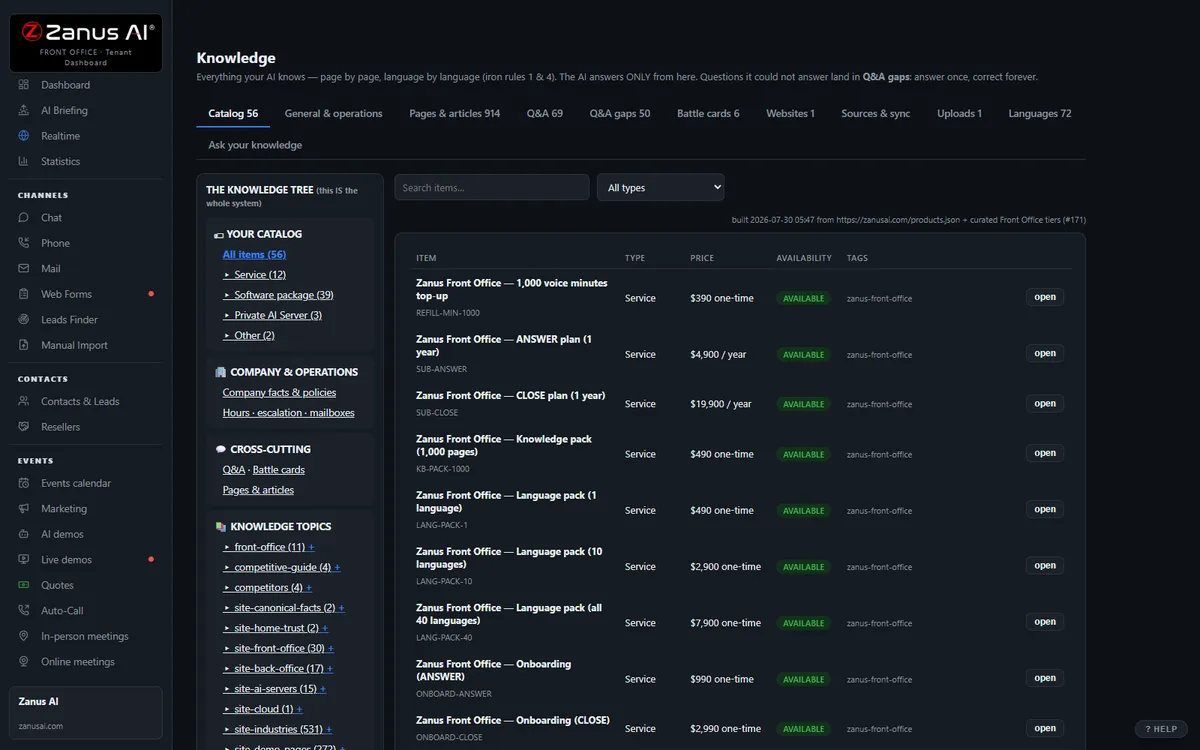
40 languages, one bill, a help drawer over every screen
Languages and website translation, billing with plans, top-ups and alerts, onboarding, users & security, and the help drawer that answers from the platform manual — the plumbing that comes with it.
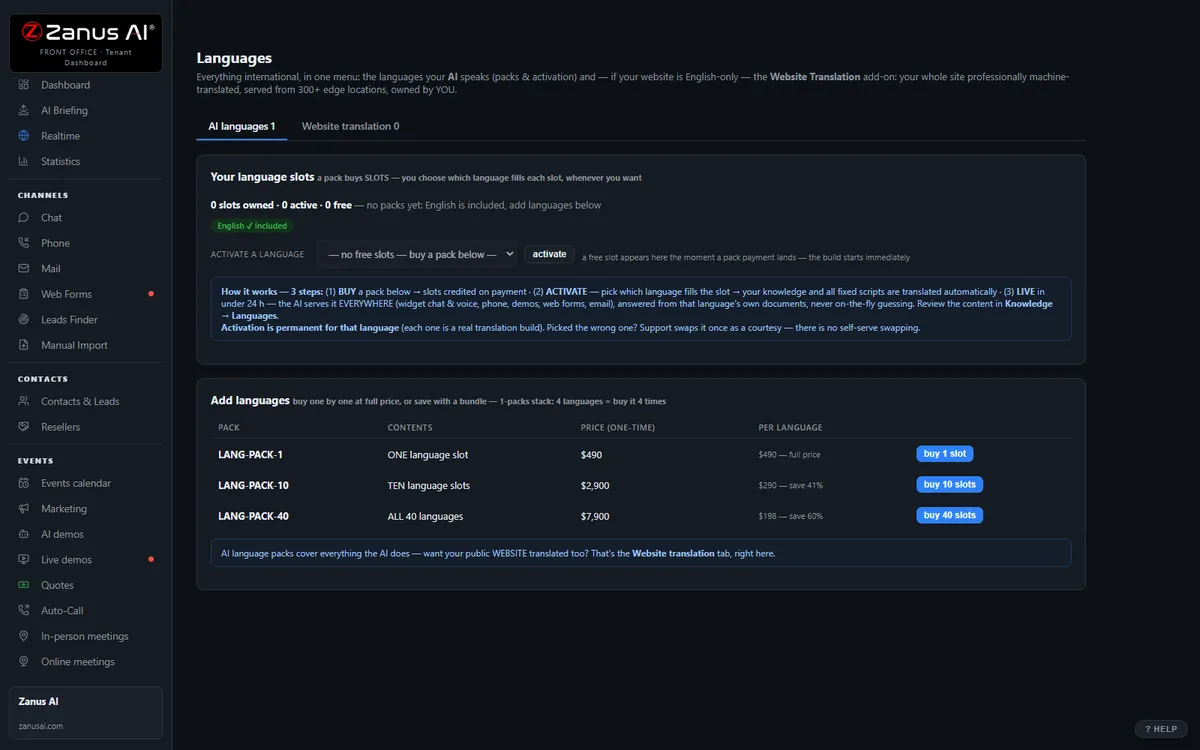
Private by architecture
Your Front Office runs in a private Cloudflare environment dedicated to your company — your own data-processing container, not a shared pool. Your knowledge stays yours: it never trains global models like GPT or Grok, and it is never shared.
- Private data-processing environment per company
- Grounded only in your knowledge
- Claim guard: no source, no claim
- Private environment option: an isolated environment with enterprise-grade security certifications, on request
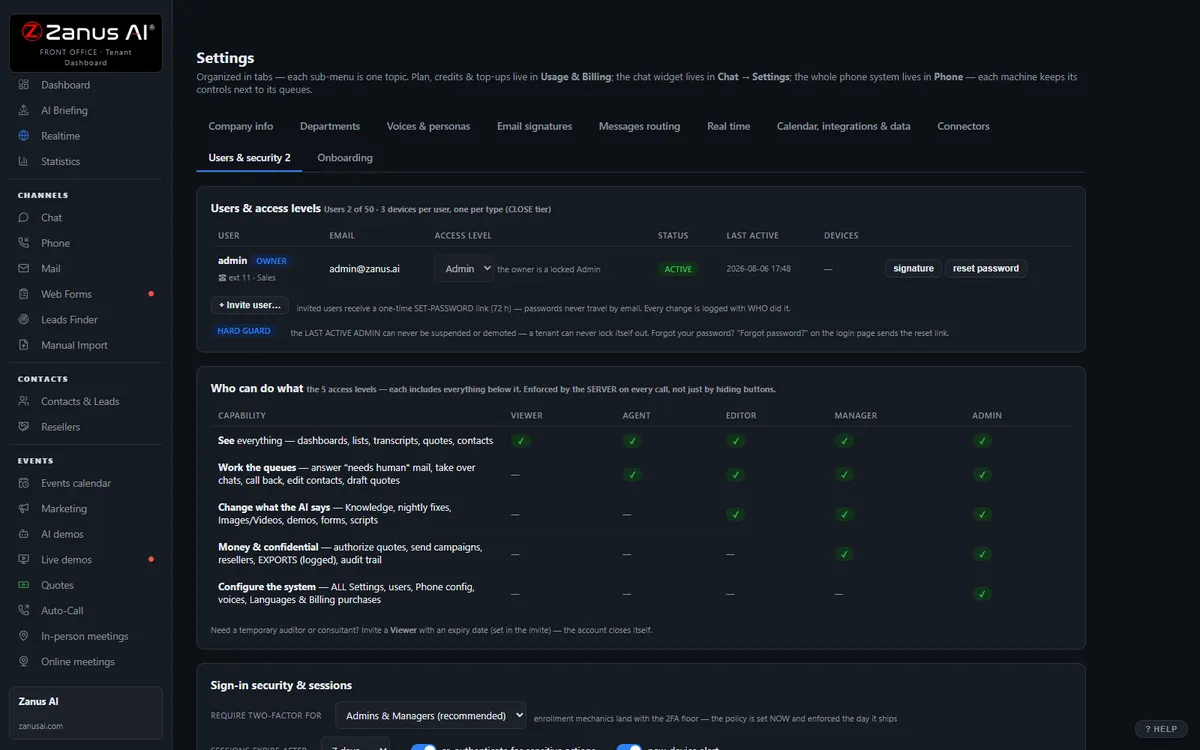
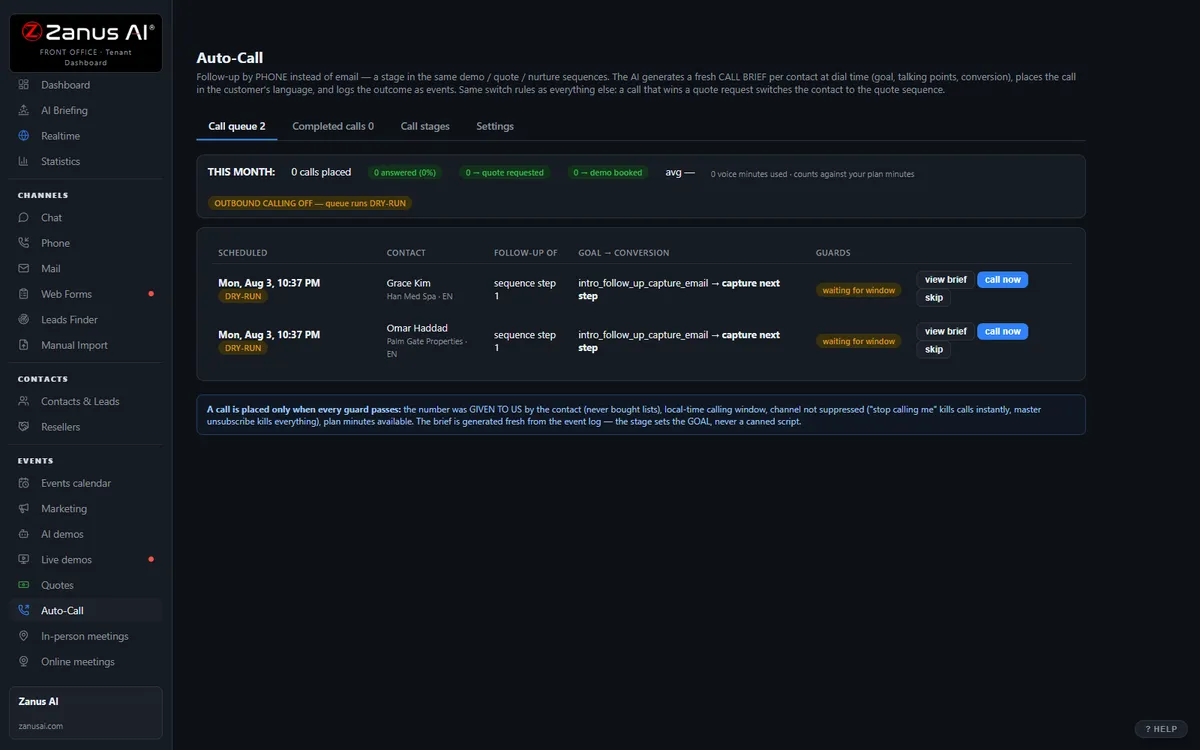
Auto-Call — the AI calls your residents
Not only answering. From an automated event (a due date, a ready order, tomorrow’s appointment), a scheduled funnel or a list, the AI calls your registered contacts and announces your message — or talks as an agent: answers the question, moves the appointment, confirms, collects the missing detail. Call window, attempts, voicemail policy and consent rules are yours; every call is transcribed.
- “Hi John, this is the Fort Lauderdale HOA reminding you that your policy is due — please log in and pay to avoid a service interruption.”
- “Hi Amanda, this is Bayview Property Management calling to schedule the maintenance visit for your unit. Would Tuesday morning or Wednesday afternoon suit you?”
Scheduled Auto-Call comes inside a solution — see pricing; calling back the hang-ups is part of AI Phone. How it works, in the Phone chapter ›
The same Front Office, by job
The jobs a portfolio names most often — each explained in full: what falls through the cracks today, a day with the AI on the job, every function seen from that job.
Questions, answered
Does the AI interpret our governing documents or decide violations?
No. It reads the approved rule as written — with its reference — and answers process questions: how to submit an architectural request, when the committee meets, how to dispute a notice. It does not say what a rule means for a specific owner, does not decide violations, fines, approvals or applications, and does not screen applicants. Those requests are filed complete and routed to the manager, committee or board contact your rules name, with the transcript attached. No source, no claim.
What happens to resident and owner information?
Your Front Office runs on a private data-processing environment dedicated to your company; information is separated per community, never trains public models and is never shared with another resident, a vendor or a realtor beyond what your approved process releases. Organizations whose contracts require an isolated environment with specific certifications ask for a private environment — available on request.
Does it replace our property-management or association software?
No. It sits in front of it: the AI answers, files, books and follows up, then writes work orders, contacts and bookings back through Connectors — native calendar sync, webhooks and API. Your ledger, assessments and lease records stay in the system you run today; the phone stops ringing at the coordinator’s desk.
Try it free on your own portfolio. 7 days. No credit card.
Give it your website. It learns your company. Then call it, chat with it, e-mail it — and decide. Nothing to install, nothing to cancel.
Sharing with a colleague? 📄 Get the PDF · ✉️ Email this page ·