ZANUS BACK OFFICE — QUOTES FROM SUPPLIERS, COMPARED
Send the request. Receive the quotes.
Read one comparison.
Buying anything means chasing suppliers, receiving quotes in five formats and building the comparison by hand. Here the RFQ goes out to your approved suppliers from the record, the quotes arrive through intake in whatever form they come, and the AI builds the comparison: line by line against your specification, terms checked against the supplier record, gaps and exclusions named. Purchasing reads one document and decides.
Hosted, private or on a unit you own · your rules, your approved sources · live in days, not months
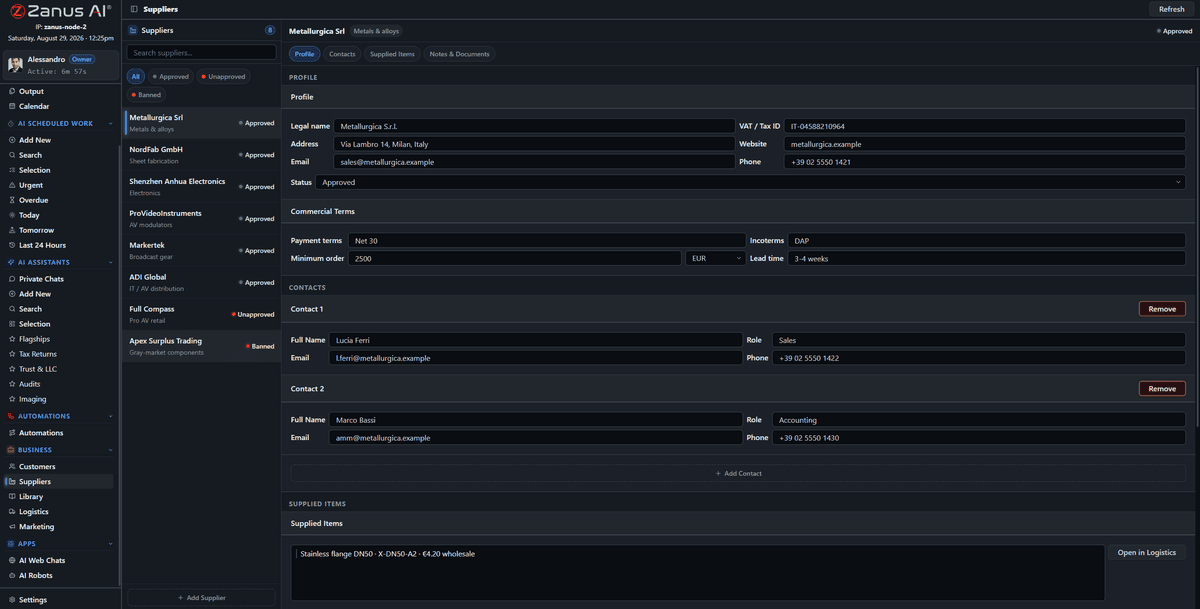
The RFQ starts from the supplier records: approved suppliers, their terms, their certificates — and the quotes they send come back to the same place.
What it does
Build the RFQ from your spec and send it from the record to the approved suppliers. Deadlines and reminders are set; the calendar tracks who answered.
PDF, spreadsheet, a table in an email, a photo of a form: intake reads them all and lines them up against your request.
Line by line, with unit prices, lead times, exclusions and non-compliances named, terms checked against what was agreed — and every number cited.
Inside Quotes from suppliers, compared — the real screens
Click a tab. Every picture is the working Back Office — the left menu is the whole product.
Three RFQs, same desk
A property manager asks three contractors for a roof repair and gets a comparison that flags one bid excluding disposal. A manufacturer asks five suppliers for a machined part and gets unit price, tooling, lead time and certification lined up against the drawing. A municipality asks for office supplies and gets the compliant bidders ranked, the non-compliant explained. One desk, one document each.
- Spec-driven line items
- Exclusions and non-compliance named
- Ranking with the reasons
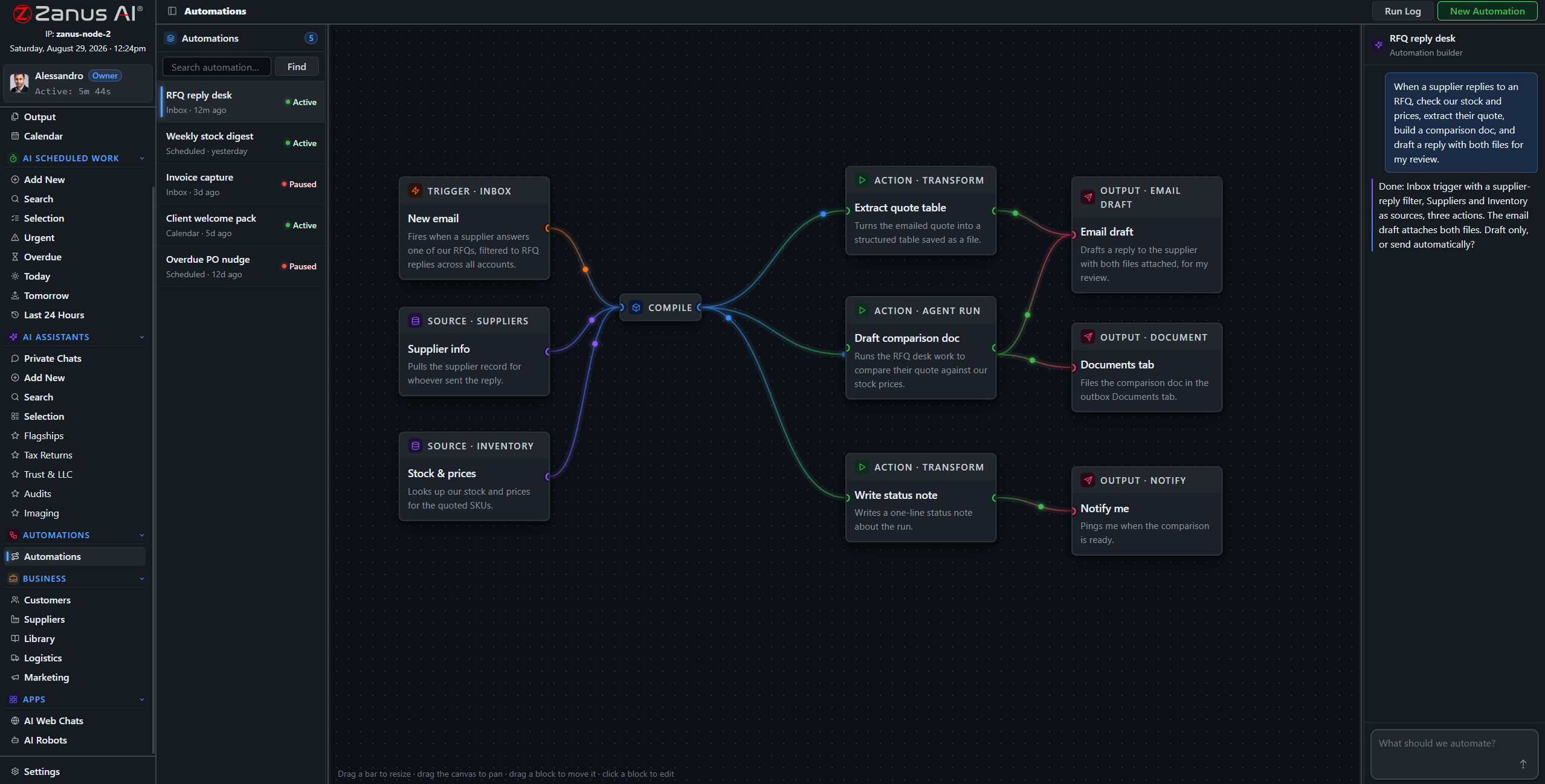
The RFQ desk is an automation: request out, quotes in, comparison built, decision requested.
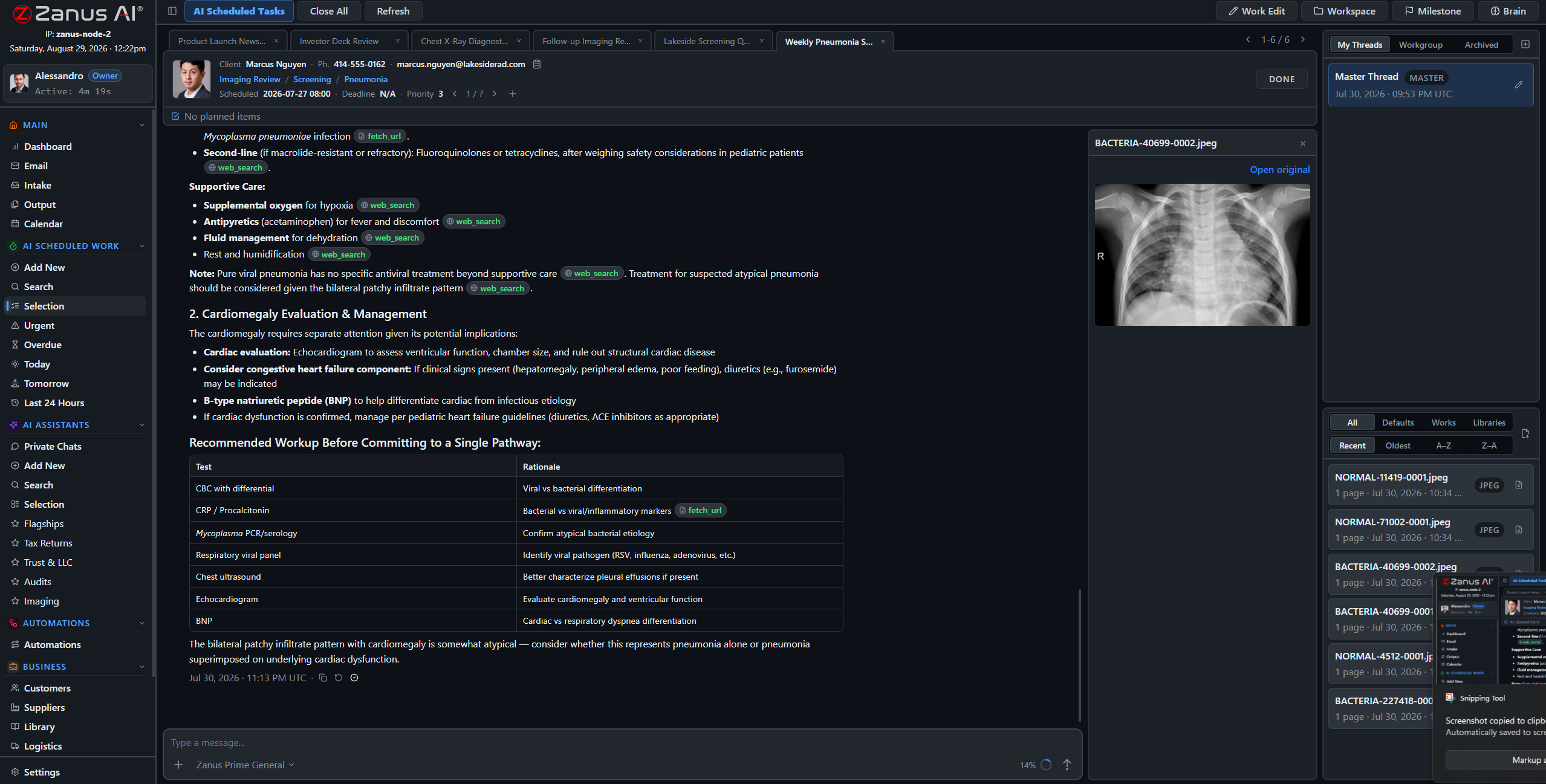
Every figure in the comparison points at the line in the quote it came from.
What the comparison checks
Each quote is read against the request: missing lines, changed quantities, alternative parts, delivery terms, validity dates. Each supplier is read against its record: approval status, agreed ceilings, certificates in date. The document says what it found and what it could not find, cites every figure, and proposes — the person awards.
- Terms checked against the supplier record
- Validity dates and lead times on the calendar
- Award recorded on the RFQ and the supplier
How it runs
The RFQ desk lives at the third stop of the loop: reasoning across several documents and your own terms to produce one decision-ready comparison.
In one working day two RFQs go out from records, four quotes arrive and are lined up, one comparison is awarded on Output and the purchase order follows — while the reminder to the supplier who has not answered is already sent.
What’s inside
The functions, named. Every one of them is on the demo.
- RFQ built from spec and sent from the supplier records
- Deadlines, reminders and response tracking
- Quote reading from PDF, spreadsheets, email tables and images
- Line-by-line comparison against the request
- Terms, ceilings and certificates checked against supplier records
- Exclusions, alternatives and non-compliance named
- Comparison document with citations on Output
- Award recorded; purchase order created in Logistics
Included from AI OPERATIONSThe comparison is drafted; the award is a person’s decision on Output.Plans →
Questions, answered
Does the AI choose the supplier?
It compares and proposes, with the reasons. A person awards, on Output. The award is recorded on the RFQ and on the supplier.
What if a quote is a photo of a handwritten form?
Intake reads images. If a figure is unreadable the comparison says so rather than guessing it.
Can we run this for services, not only goods?
Yes. The line items are whatever your request contains: hours, deliverables, phases, materials.
See it working on YOUR business — the demo IS the product.
← Previous: Customers & suppliers · Sharing with a colleague? 📄 Get the PDF · ✉️ Email this page ·