ZANUS BACK OFFICE — REPEATABLE WORK, AUTOMATED
Automation that can read.
Not if–then that breaks on the first exception.
Classic automation moves data between boxes and stops the moment reality does not match the rule. Here the middle of the flow is an AI that reads the document, understands the request and decides what your procedure says — then acts. Exceptions go to a human; routine work keeps moving. Built on a visual canvas anyone in the business can read.
Hosted, private or on a unit you own · your rules, your approved sources · live in days, not months
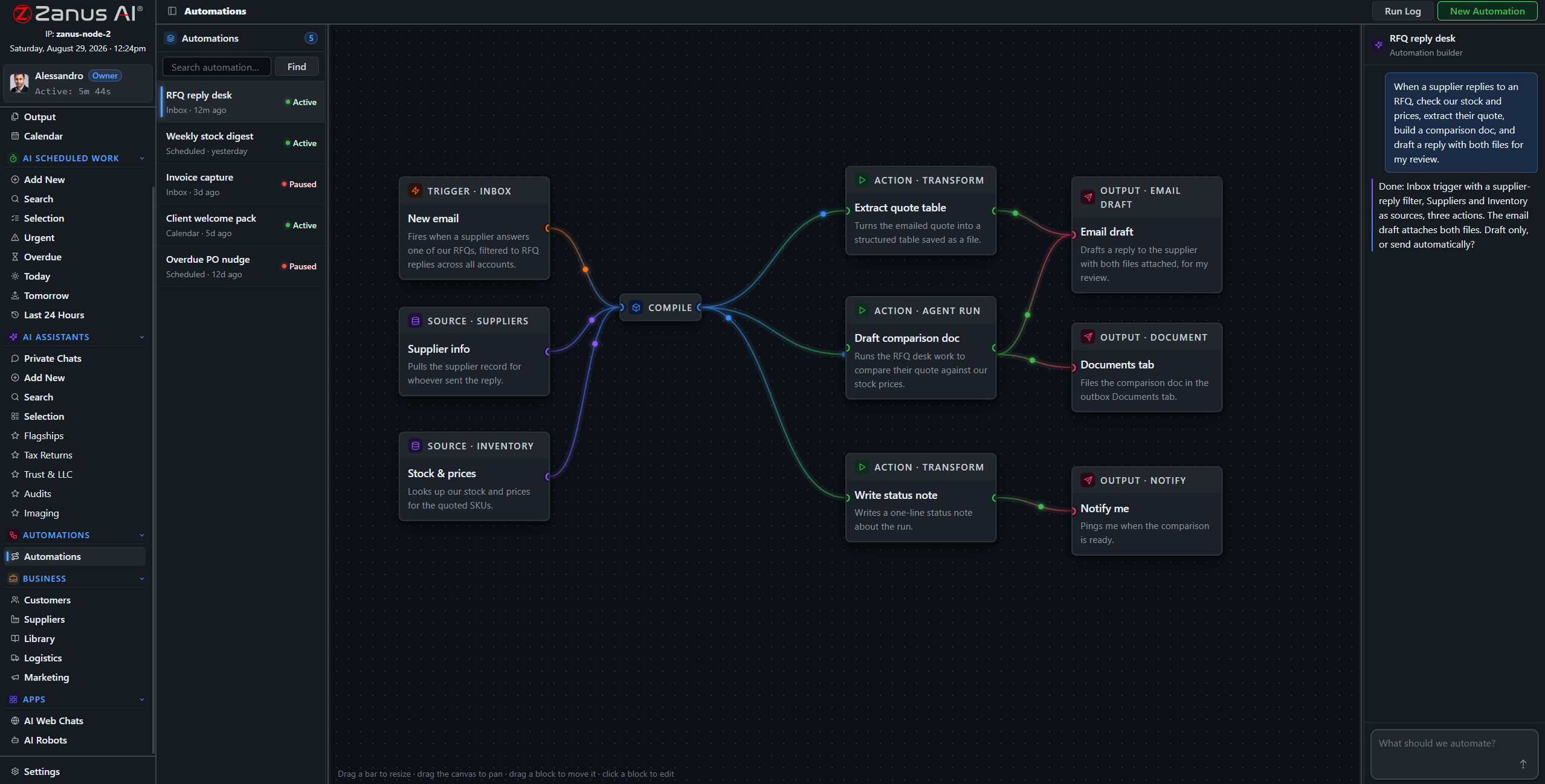
A complete automation: the trigger on the left, the sources it may use, the AI step in the middle, the actions on the right. Green means it ran.
What it does
A mail arrives, a file lands in intake, a date comes due, a record changes, a form is submitted, an API call comes in.
The step that reads the document, checks it against your sources and procedures, and decides the next action — with citations.
File it, draft the reply, update the record, create the task, order, notify, hand to a person. Results land on Output.
Inside Repeatable work, automated — the real screens
Click a tab. Every picture is the working Back Office — the left menu is the whole product.
The supplier email, end to end
A supplier emails a revised price list. The trigger fires. The AI step reads the list, compares it with the agreed terms in the supplier record, finds two items above the contract ceiling, drafts the objection citing the clause, updates the two purchase lines that are fine, and puts the objection on Output for purchasing. Purchasing reads a draft with the clause beside it — and clicks.
- Reads the document, not only the subject line
- Compares against your records and contracts
- Acts on the routine part, escalates the exception
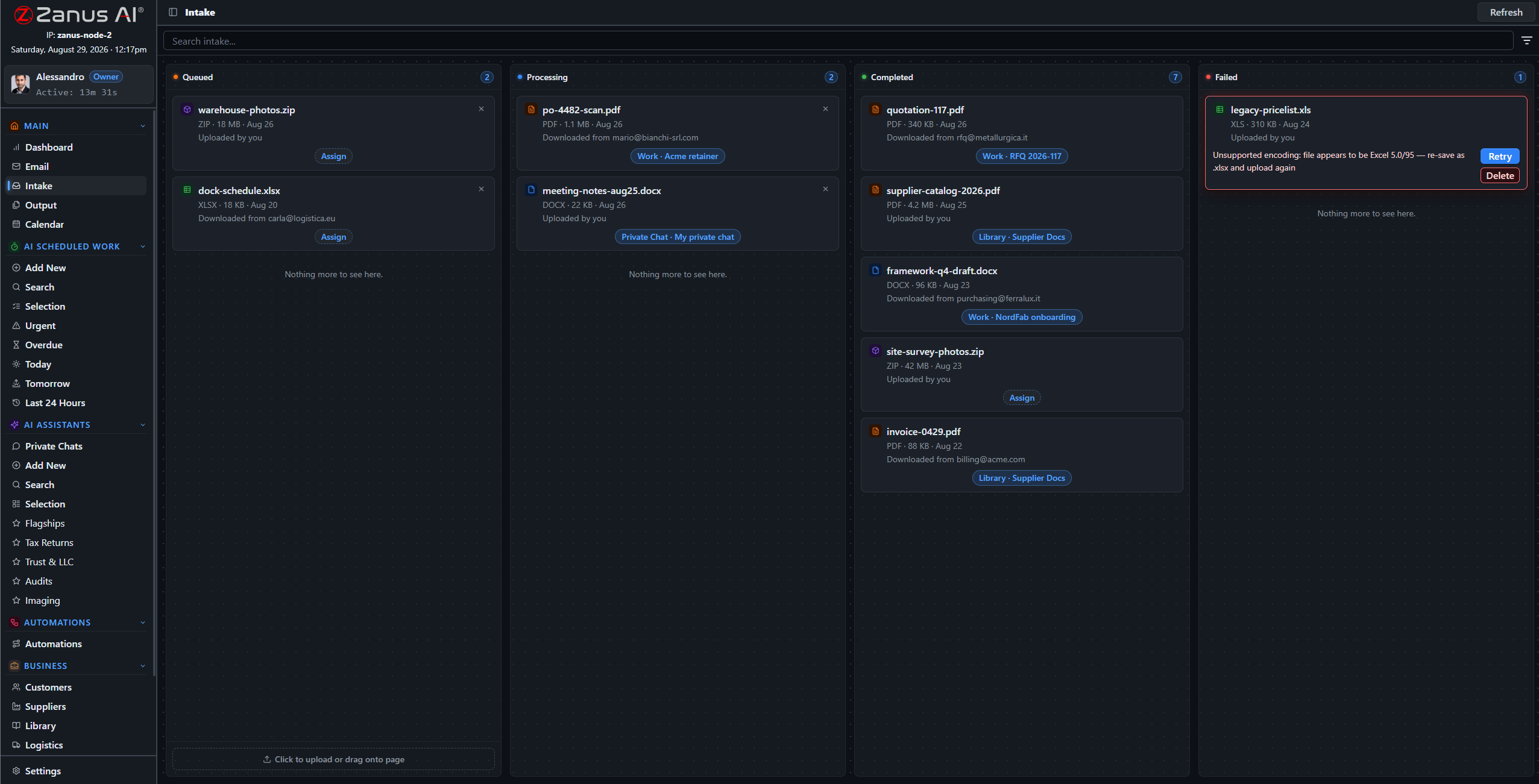
The automation starts where the work arrives: an email with an attachment enters intake and the flow takes it from there.
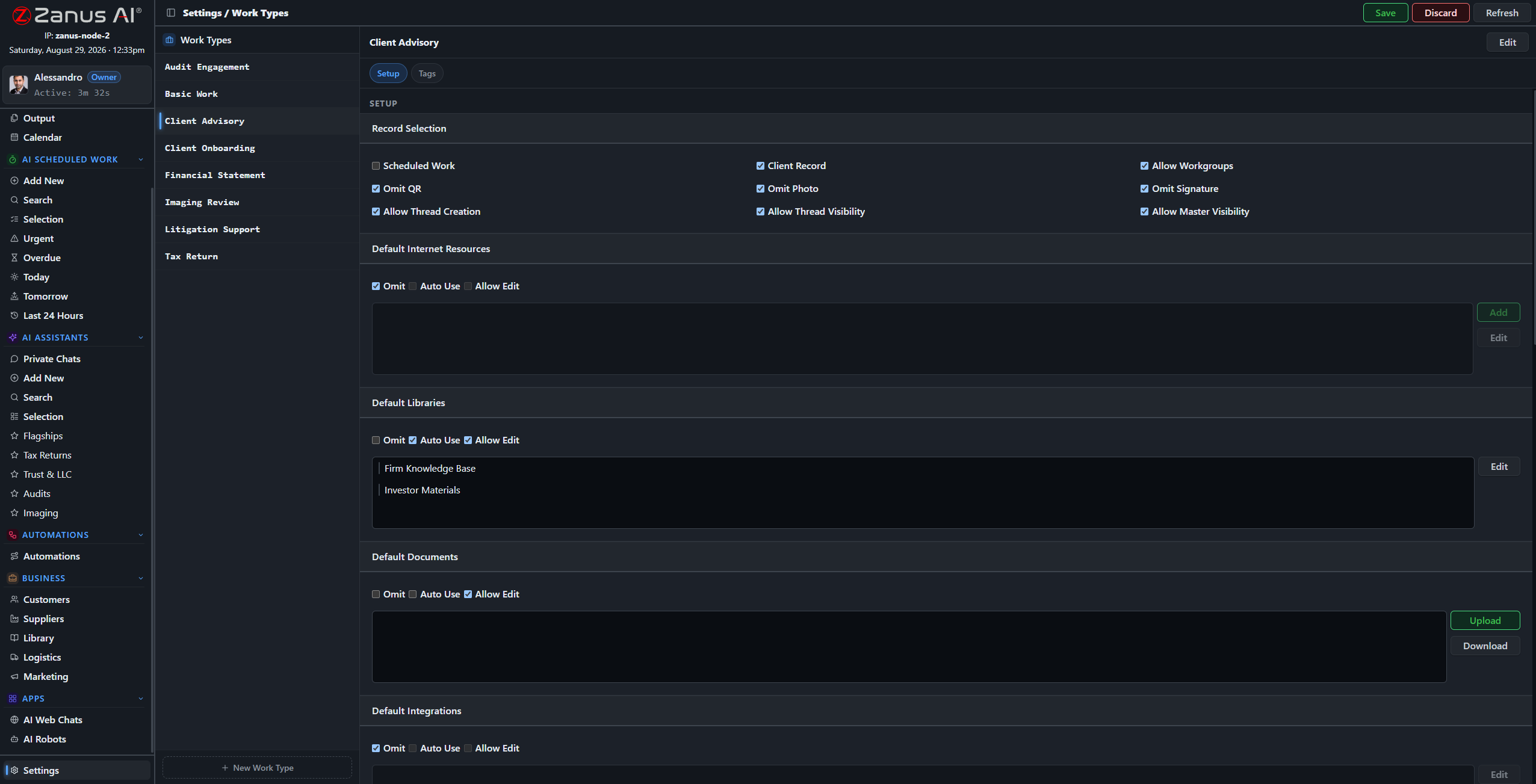
Work types are the vocabulary of your automations: the kinds of work your company does, named your way.
Owned by the business, not by a developer
The canvas uses your words: your work types, your client types, your libraries. The person who owns the process can read the flow and say “that is not how we do it”. Every run is logged with what it read, decided and did — and the AI step carries the same verifier as everything else.
- Visual, readable, in your vocabulary
- Every run logged with sources and decisions
- Our people build the first flows with you at launch
How it runs
Automations run the whole loop on their own for the routine cases and stop at the sixth stop — Act — whenever a person must decide.
In one working day the flows fire dozens of times: invoices matched, files routed, confirmations sent, records updated. The people see one list: the exceptions, each with what the AI found and what it proposes.
What’s inside
The functions, named. Every one of them is on the demo.
- Visual canvas: trigger, sources, AI step, actions
- Triggers from mail, intake, calendar, records, forms and API
- AI step with verification and citations
- Actions into records, documents, tasks, mail, Output and connected software
- Human-in-the-loop steps where your rules require them
- Run history with states, plain-word failures and retry
- Scheduled and event-driven flows
- Templates for common back-office flows, adapted at launch
Included from AI AUTOMATEExceptions go to a human; routine work keeps moving.Plans →
Questions, answered
Who builds the automations?
Our people build the first ones with you during the Done-for-You Launch; afterwards the canvas is yours. The people who own a process can read and adjust it.
What happens when something unexpected arrives?
The AI step recognises it does not fit the rule and hands it to the person you named, with what it found. The rest of the flow continues for the cases that do fit.
Can an automation send things out without us?
Only for the types you allow. Everything else stops on Output for a decision.
See it working on YOUR business — the demo IS the product.
← Previous: Give the AI a job · Sharing with a colleague? 📄 Get the PDF · ✉️ Email this page ·