ZANUS BACK OFFICE — GIVE THE AI A JOB
Give Zanus the objective.
Not every instruction.
A manager does not tell a good employee how to click. They say what they need, by when, in what form. Here you describe the work — compare these offers, prepare the monthly report, review these files against our checklist — pick the sources, choose once or on a schedule, and the AI does it, verifies it and delivers it. Like adding a manager who stays at the desk, day and night.
Hosted, private or on a unit you own · your rules, your approved sources · live in days, not months
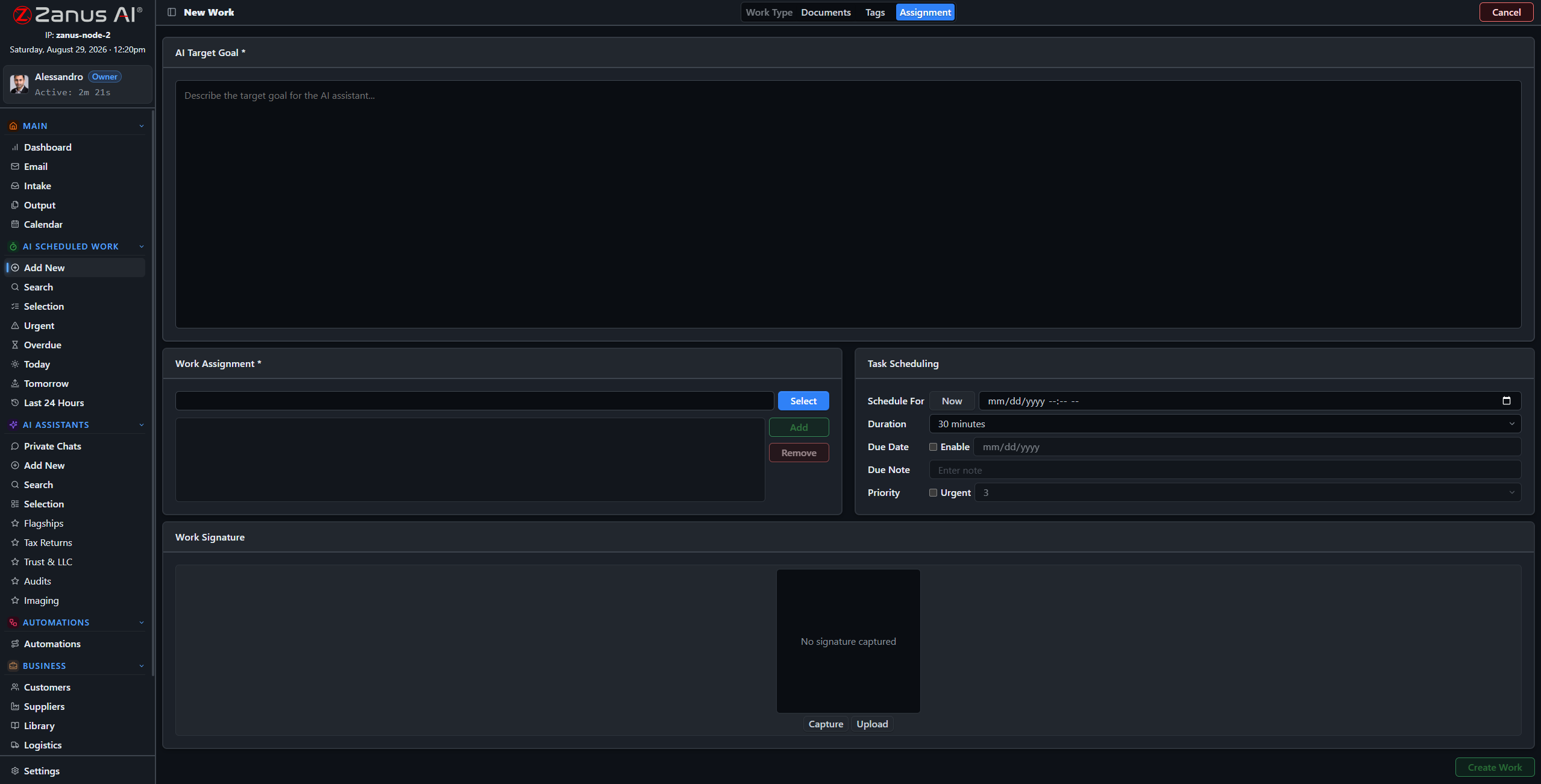
New AI work in four steps: what, from which sources, in what form, when. The rest is done and delivered.
What it does
Objective, sources, output format, schedule. A wizard, not a programming tool — anyone who can write a request can define the work.
Run it now, or put it on a schedule: the weekly report, the daily reconciliation, the monthly review. It runs unattended and reports.
The result is checked against the sources, cited, and placed on Output with its status — ready to approve, send or file.
Inside Give the AI a job — the real screens
Click a tab. Every picture is the working Back Office — the left menu is the whole product.
Three jobs, one wizard
A law practice asks for every deadline in a folder of new matters, listed with the source page. A manufacturer asks for the three supplier quotes compared line by line against the drawing. A distributor asks for the weekly stock-out report every Friday at 16:00, sent to the buyers. Each is a four-step definition; each result arrives verified.
- One-off analyses on any set of files
- Recurring reports and reviews
- Results as documents, tables or record updates
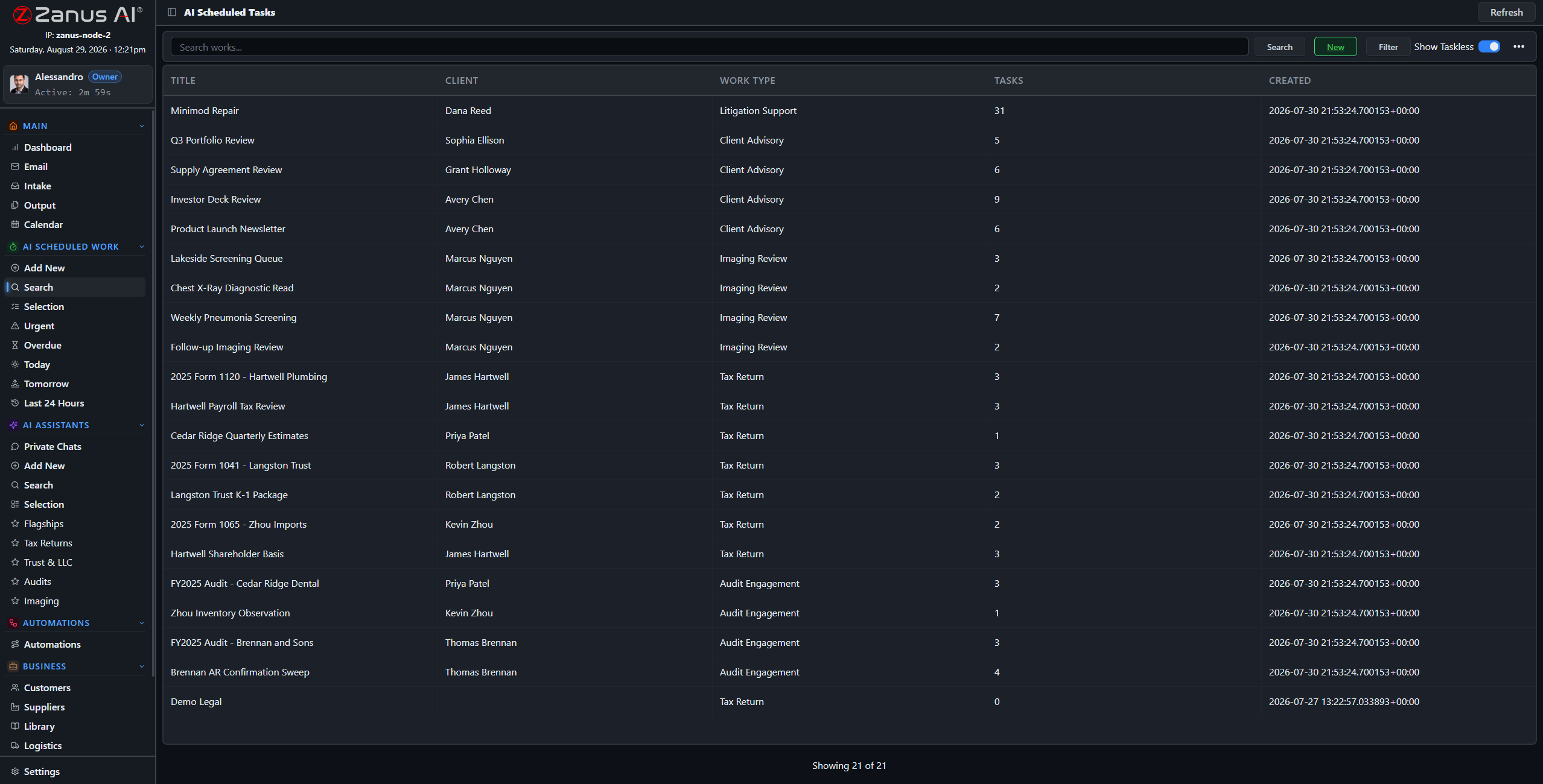
The works list on a normal day: scheduled reports, one-off analyses, reviews waiting on Output.
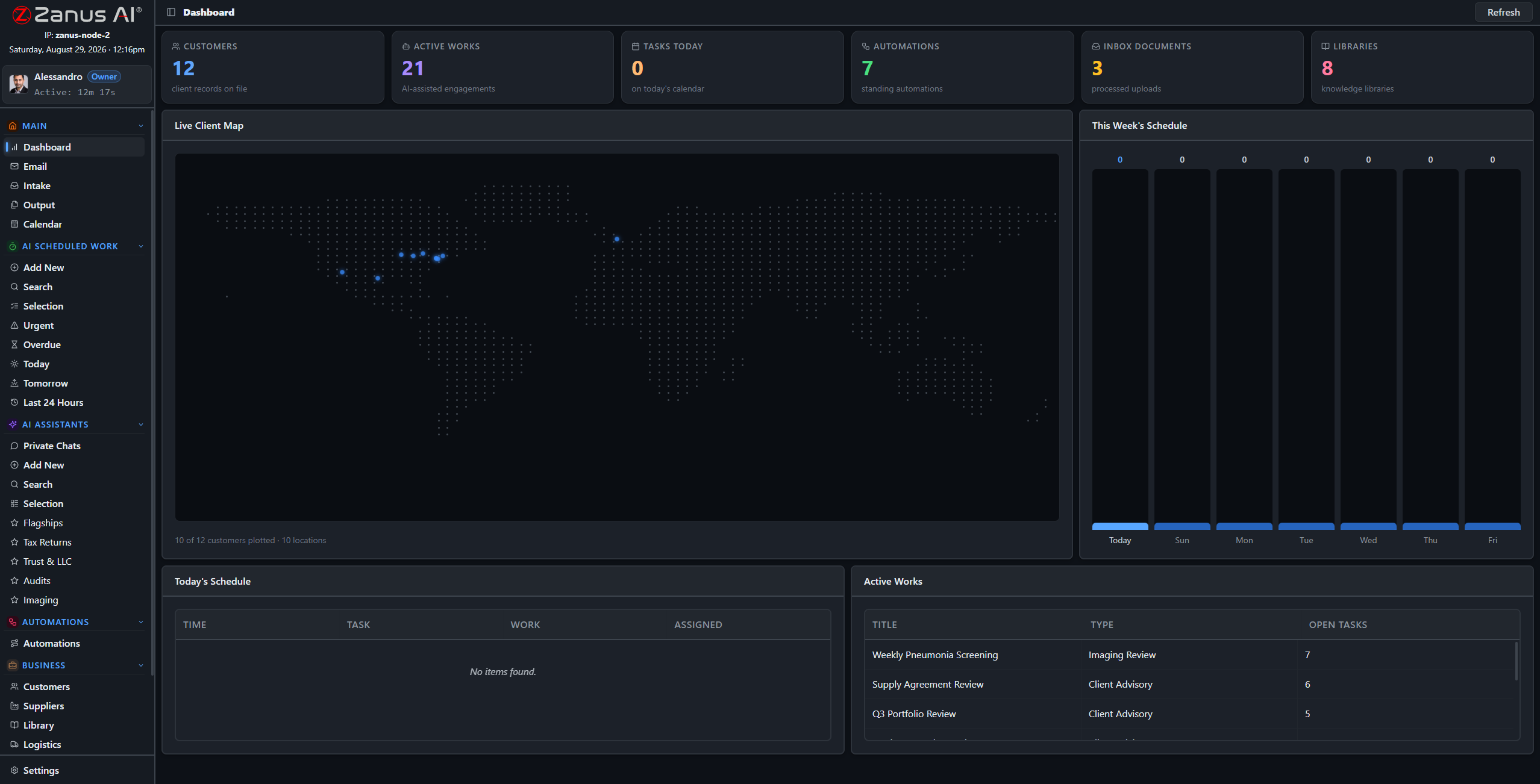
Finished work surfaces on the dashboard’s Act Now feed — the human part of the job is a decision, not the work.
A fleet of managers at the keyboard
Scheduled work is where the back office changes shape. The reports that used to consume Monday mornings run at dawn. The reviews that waited for a quiet week happen every week. The people who did them read the result, correct what needs correcting — and the AI remembers the correction next time.
- Runs nights and weekends; the results wait for the morning
- Corrections become memory for the next run
- Every run recorded, searchable and auditable
How it runs
AI work is the fourth stop of the loop: the actual work product, done to your templates, from your sources.
In one working day the scheduled jobs have run before anyone arrives; during the day people hand the AI the analyses they used to postpone; by evening every result is on Output with its sources, and the corrections made today are part of tomorrow’s run.
What’s inside
The functions, named. Every one of them is on the demo.
- Four-step wizard: objective, sources, format, schedule
- One-off and scheduled work
- Work sessions with result, citations and attached files
- Search and filter of all works by client, type, date, status
- Results to Output, to a record, to a library or by email
- Tasks and projects with AI and human steps side by side
- Corrections remembered for the next run
- Full run history in the audit log
Included from AI WORKEvery work result is verified and lands on Output; you decide what goes out.Plans →
Questions, answered
Do we need someone technical to set this up?
No. The wizard asks four questions in plain language. Our people configure the first jobs with you during the Done-for-You Launch.
What if the AI cannot finish the job?
It says what it could not find or decide, delivers the part it could, and routes the gap to the owner. Nothing is silently skipped.
How is this different from an automation?
AI work is a job you describe once and run or schedule. An automation is a flow that starts from an event — a mail, a file, a date — and can contain AI work as one of its steps.
See it working on YOUR business — the demo IS the product.
← Previous: Email & paperwork · Sharing with a colleague? 📄 Get the PDF · ✉️ Email this page ·