ZANUS BACK OFFICE — YOUR DOCUMENTS, PUT TO WORK
Twenty years of files.
Finally working for you.
Most companies own their knowledge and cannot use it: it sits in folders nobody opens. Put it in libraries and the AI reads every page, indexes it by meaning, cites it when it answers — and writes new documents in your templates from what it found. Audio and video are transcribed and become sources too.
Hosted, private or on a unit you own · your rules, your approved sources · live in days, not months
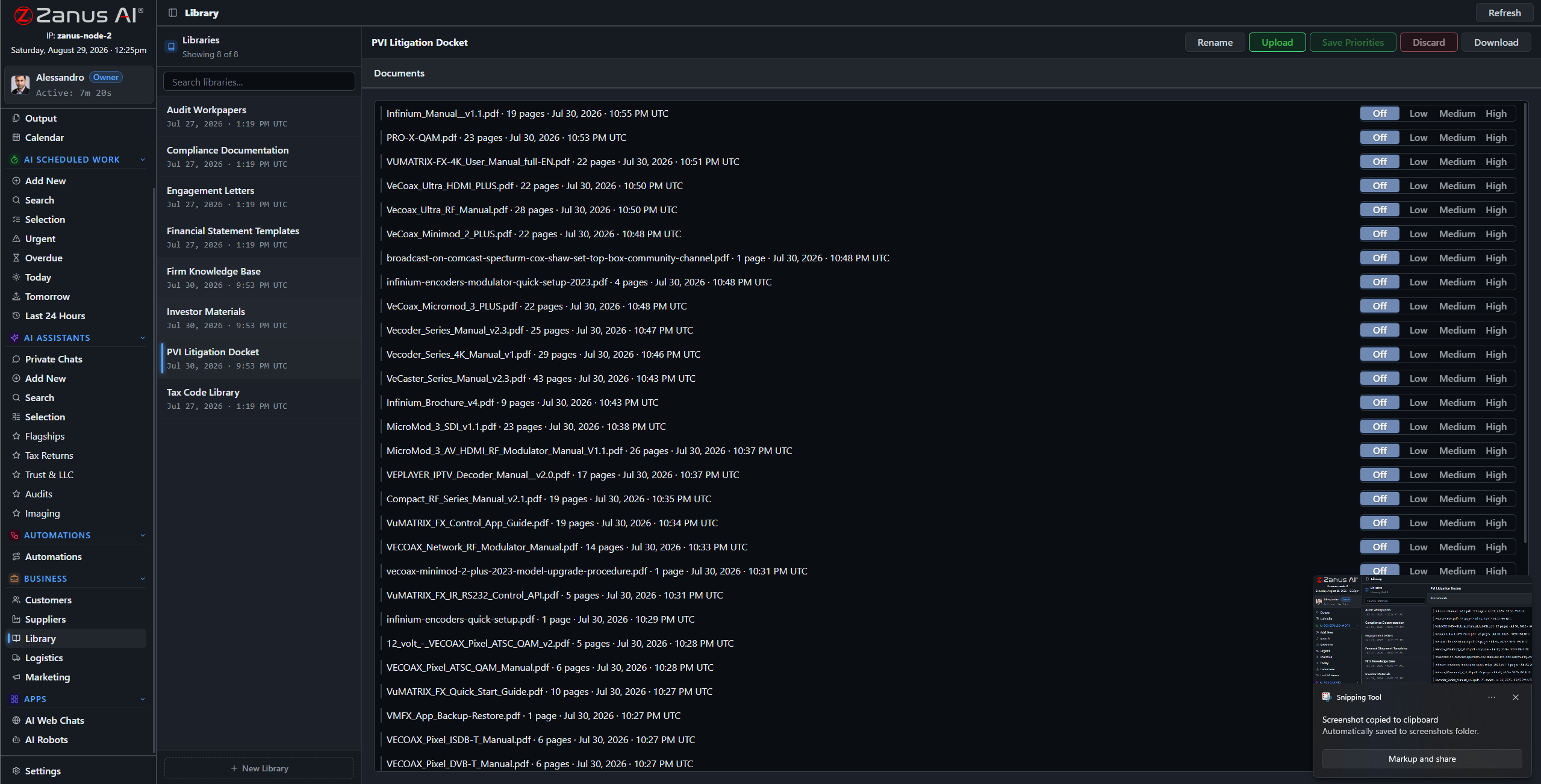
Libraries: the approved sources of the company. Each has a priority, an owner and the users allowed to read it.
What it does
Every document is read in full and indexed by meaning. When the AI uses it, the passage is cited — document, section, page.
Rank libraries so the newer policy beats the older one. Decide who reads what: a library, a domain, a record. Export is a separate right.
Reports, summaries, comparisons, letters in your templates — drafted from the sources and delivered to Output for a decision.
Inside Your documents, put to work — the real screens
Click a tab. Every picture is the working Back Office — the left menu is the whole product.
Every kind of file, one library
Contracts and their amendments. Procedures and the training video that explains them. Drawings, spec sheets and the supplier’s certificate. Meeting recordings. The AI reads PDFs and Office files, transcribes audio and video, reads images — and files each into the library you routed it to, ready to be cited.
- PDF, Word, Excel, PowerPoint, images, audio, video
- Routing rules from intake to library
- Versions kept; the current one wins by priority
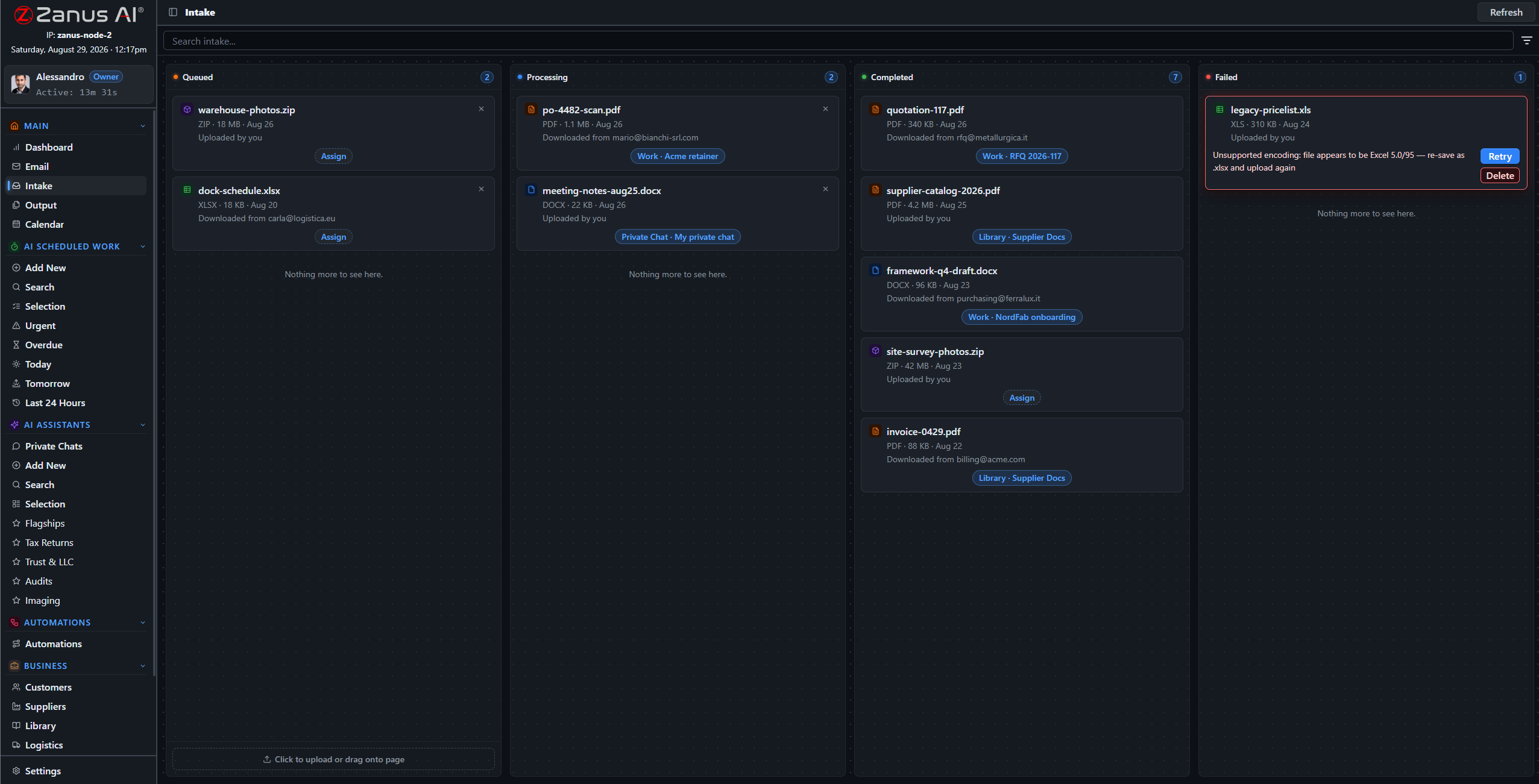
New files arrive by mail, upload or connector and are routed to the right library with handling instructions.
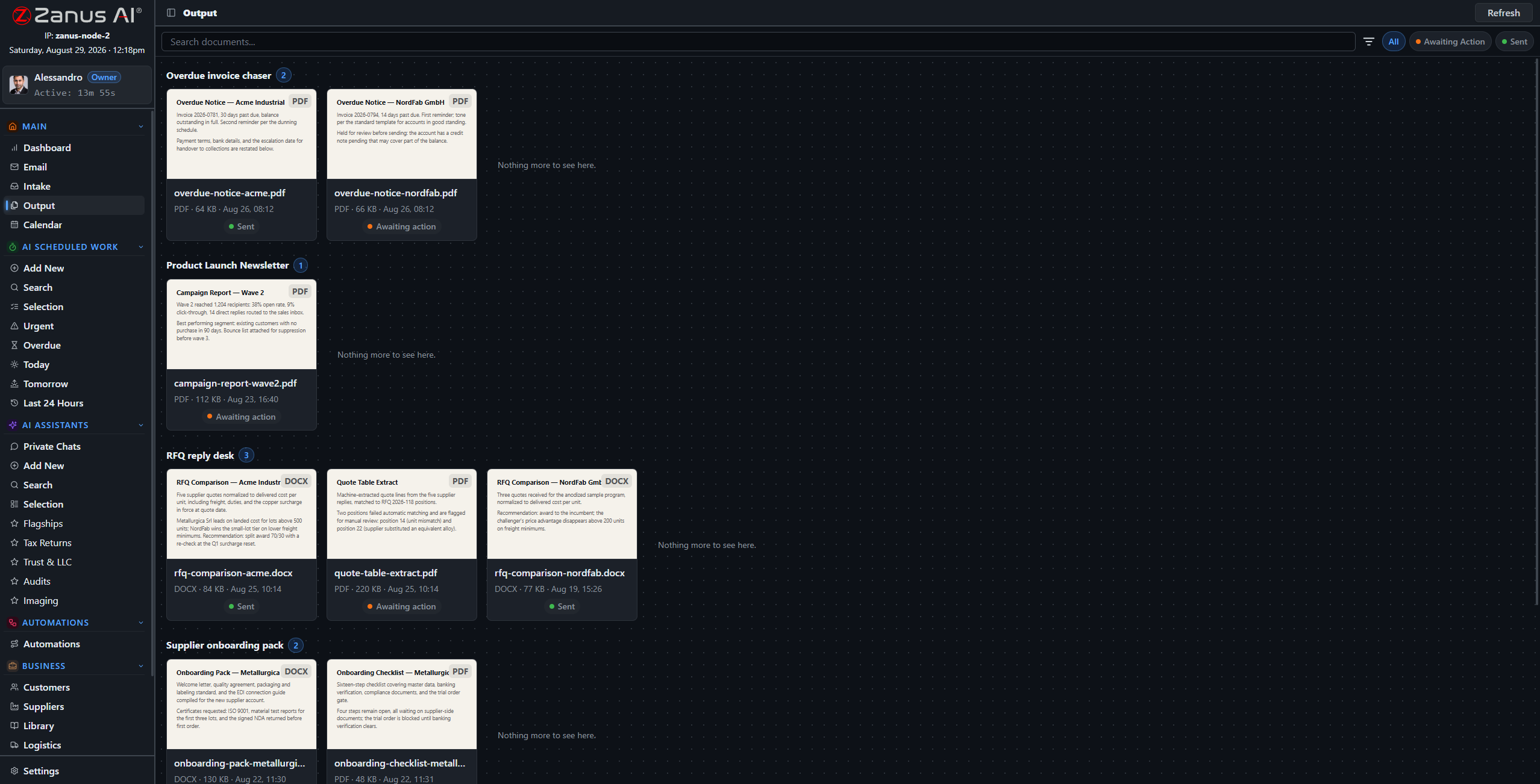
Generated documents land on Output as paper-style thumbnails: preview, approve, send or file.
From sources to a finished document
Ask for the monthly board summary, the comparison of two supplier offers, the answer to a tender question, the client letter about a contract change. The AI drafts it in your template, cites what it used, and places it on Output. Approve and it goes where you said — to a record, a library, a mailbox.
- Your templates: letterhead, structure, tone
- Sources listed inside the document
- Scheduled documents: the same report every Monday, unattended
How it runs
Documents feed the second stop of the loop: understanding what a request is about begins with what the company already knows.
In one working day the morning mail is routed into libraries, a colleague finds the clause that took an hour last year in twelve seconds, the weekly report drafts itself at 06:00 — and the new hire reads the procedure and its video in the same place.
What’s inside
The functions, named. Every one of them is on the demo.
- Libraries with priority, owner and access rights
- Full-text and by-meaning indexing of every page
- Audio and video transcription into searchable sources
- Image reading: photos, scans, drawings
- Section-level citations and one-click open
- Document generation in your templates
- Scheduled documents and reports
- Google Drive and Microsoft 365 connectors
- Snapshots and versions
- Export as a separate permission
Included from AI WORKLibraries carry priorities and permissions; the export right is a permission of its own.Plans →
Questions, answered
How much can we upload?
Libraries are sized for a company archive, not a sample. Your plan states the included volume; more is added from the app when you need it.
What happens with two versions of a procedure?
You rank the libraries and the AI follows the higher one, saying which it used. Older versions stay available and cited as such.
Can we keep documents out of the AI?
Yes. Only what you put in a library is a source, and each library has its readers. Anything else stays where it is.
See it working on YOUR business — the demo IS the product.
← Previous: Ask your company · Sharing with a colleague? 📄 Get the PDF · ✉️ Email this page ·