ZANUS BACK OFFICE — WHO SEES WHAT — EVERYTHING ON RECORD
Every user, every permission,
every action on record.
An AI that works inside the company must be governed like an employee with access to everything: who may see what, who may approve what, who may export, and a record of what was done. Here permissions are granular per domain and per type, the organisation is a tree of groups and roles, sensitive fields are visible only to who needs them — and every action, human or AI, is in a searchable audit log.
Hosted, private or on a unit you own · your rules, your approved sources · live in days, not months
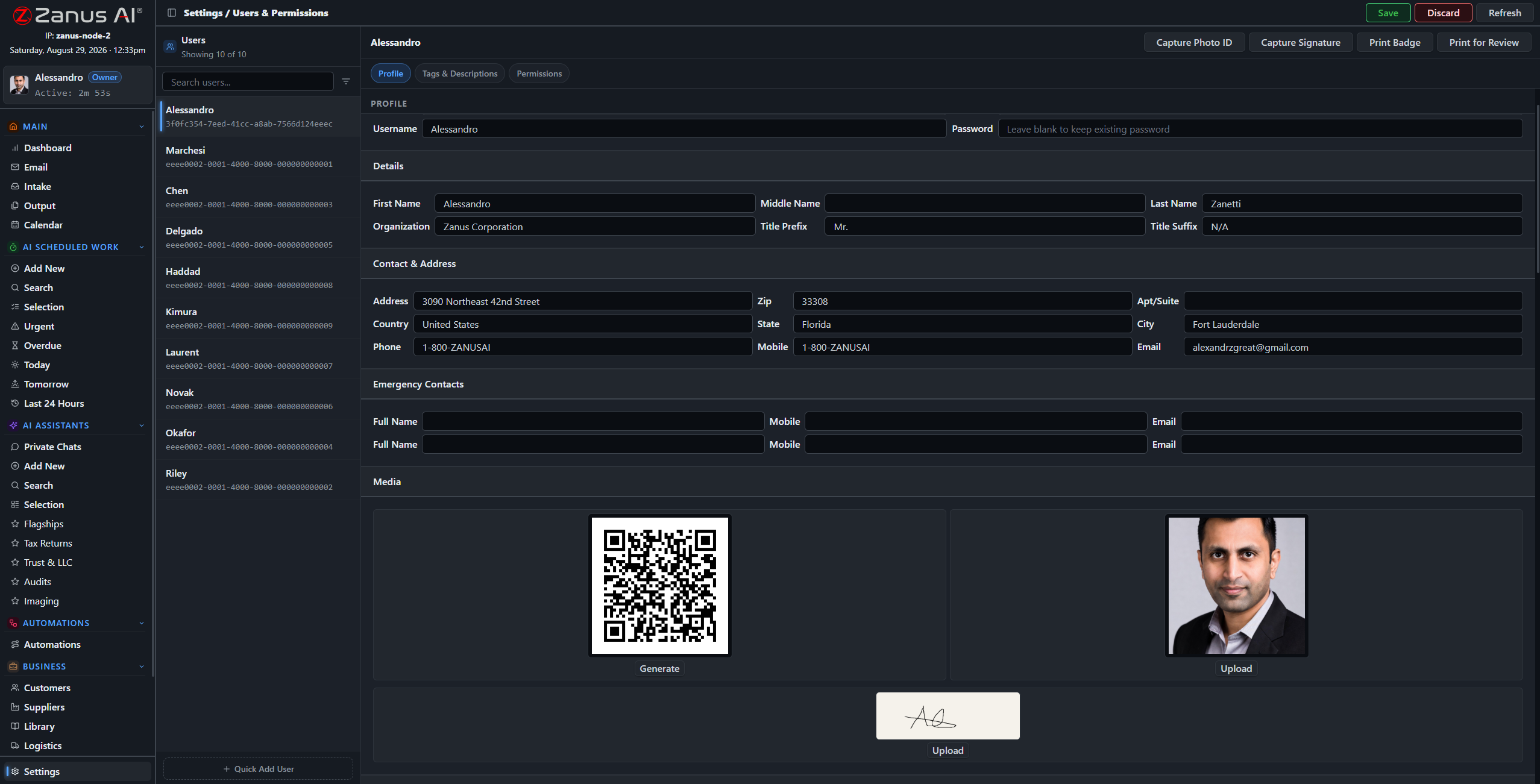
User administration: roles, permissions per domain, access hours, the export right as a separate switch.
What it does
A five-level tree of companies, groups and teams. User types with presets; per-domain, per-library, per-record-type rights. Only the Owner grants Admin.
Fields for health, finance or legal data exist only on the types that need them and are visible only to users with the permission. Export is a separate right.
Every question asked, document opened, result approved and action taken — by people and by the AI — in a searchable audit log.
Inside Who sees what — the real screens
Click a tab. Every picture is the working Back Office — the left menu is the whole product.
Governing the AI like a colleague
The AI works under the permissions of the user or the automation that asked. A purchasing assistant reads purchasing libraries; a clinic’s care fields are visible to clinical roles; an automation that files documents cannot export them. What the AI retrieved, built, cited and sent is in the log beside the human decisions — readable by your auditor.
- AI acts under the permissions of who asked
- Per-record disclosure view: who saw this
- Logs exportable for audit under the export right
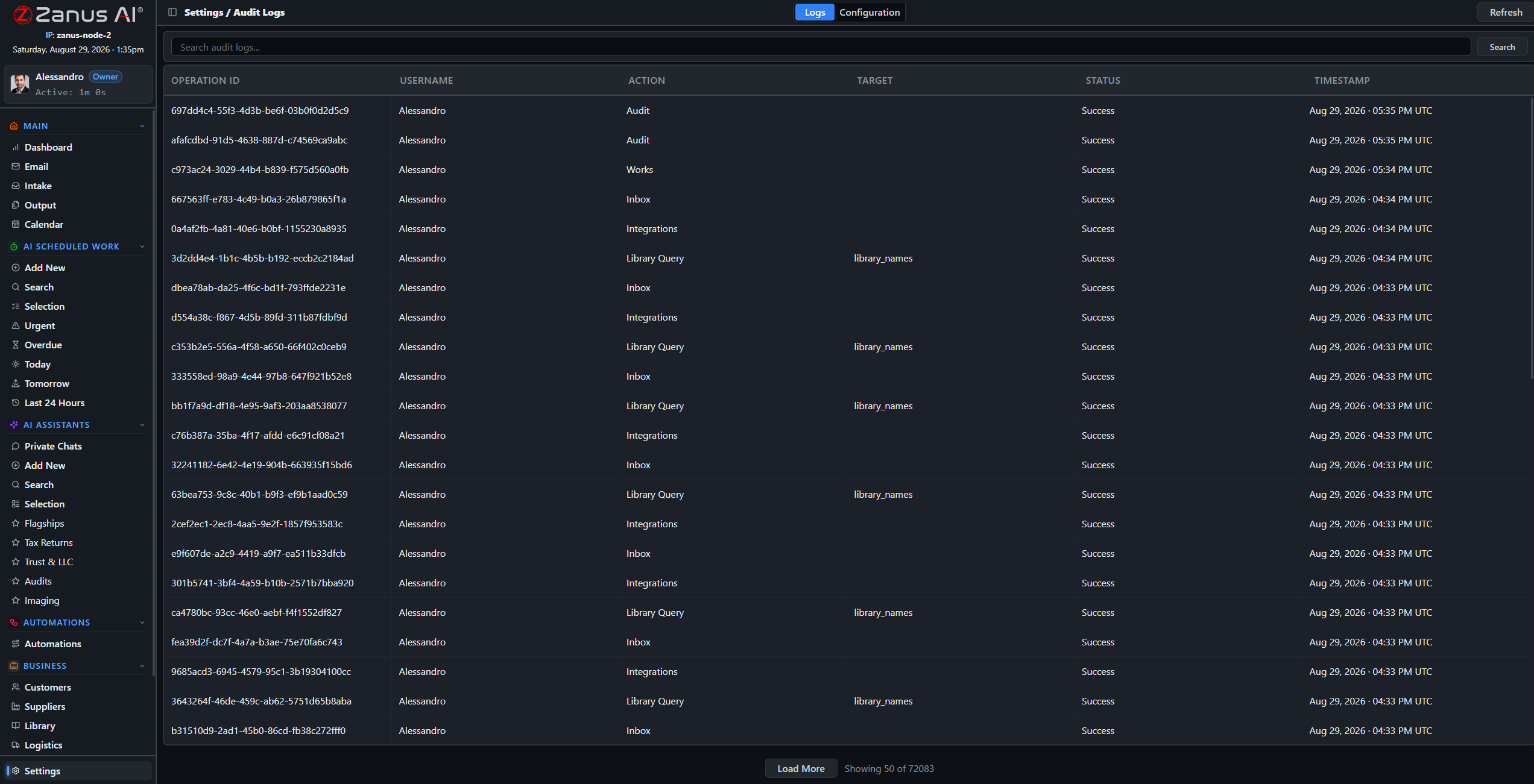
AI actions are logged with the same detail as human ones: what it read, what it cited, what it did.
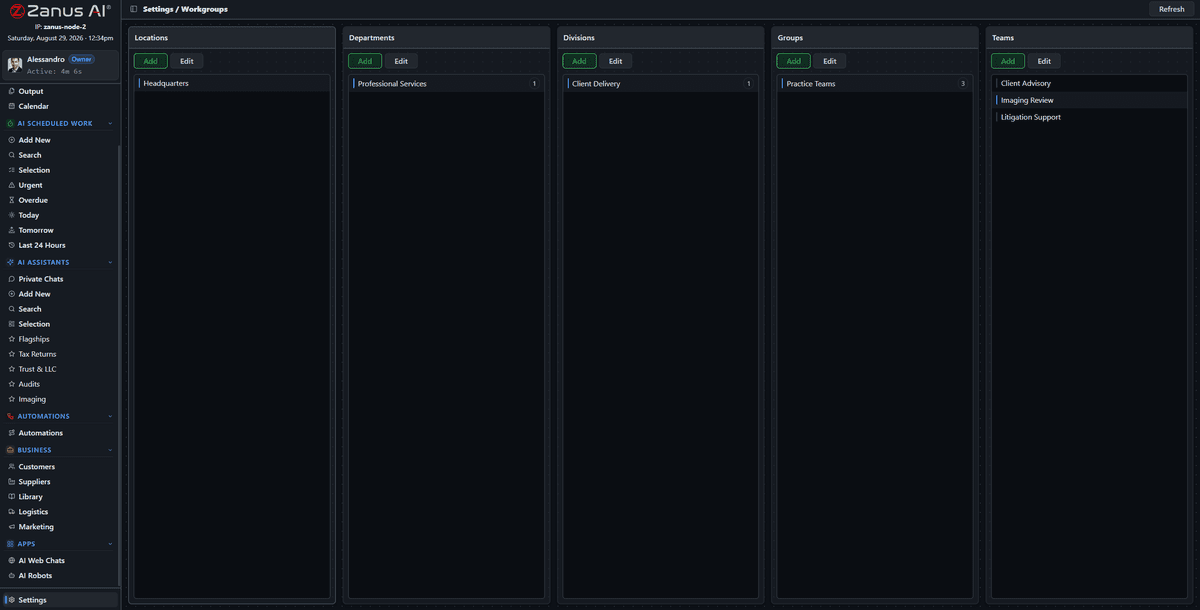
The structure is yours to shape; the platform underneath is maintained and updated by Zanus.
Platform kept by us, rules kept by you
Two-factor authentication, snapshots, signed updates, encrypted storage and isolated tenants are the platform’s job. The organisation tree, the user types, the access hours, the approval rights and the approved libraries are yours. Zanus maintains the platform; you maintain your rules and approved knowledge.
- 2FA, snapshots, signed updates
- Isolated tenant; private environment on AI PRIVATE
- Same governance on a unit you own
How it runs
Governance wraps the whole loop, and the audit log is its seventh stop: what was received, decided and done is remembered with who and when.
In one working day a new colleague gets rights and a learning path from one user type; a manager checks who opened a sensitive record; the auditor exports last quarter’s log — and the AI worked all day inside the same rules.
What’s inside
The functions, named. Every one of them is on the demo.
- Five-level organisation tree with inherited permissions
- User types with permission and onboarding presets
- Per-domain, per-library, per-record-type rights
- Access hours and device rules
- Sensitive fields per type, visible by permission
- Export as a separate right
- Only the Owner grants Admin
- Two-factor authentication
- Searchable audit log of human and AI actions
- Per-record disclosure view
- Snapshots, signed updates, encrypted storage
Included from AI WORKOnly the Owner grants Admin; the export right is separate; every action is in the audit log.Plans →
Questions, answered
Where is our data?
In your isolated tenant on Zanus infrastructure; on AI PRIVATE in a dedicated private environment; on a unit you own, inside your building. The governance is the same on all three.
Can we prove what the AI did?
Yes. Every retrieval, decision and action is logged with sources, user and time, and the log is exportable under the export right.
Do you offer specific certifications?
Specific certifications are available on request with AI PRIVATE and Enterprise. Tell us the framework and we answer within one business day.
See it working on YOUR business — the demo IS the product.
← Previous: New staff trained · Sharing with a colleague? 📄 Get the PDF · ✉️ Email this page ·