ZANUS BACK OFFICE — DEADLINES, PROJECTS & PLANNING
Deadlines that come from the documents.
Not from someone’s memory.
Most missed deadlines were written down somewhere — in a contract, an email, a filing rule — and did not reach a calendar. Here the calendar is fed by the company itself: the AI reads the renewal clause, the delivery date, the statutory term, and puts it on the week with an owner. Tasks link to the client and the work they belong to; projects show human and AI steps together; when something slips, the AI proposes the reschedule.
Hosted, private or on a unit you own · your rules, your approved sources · live in days, not months
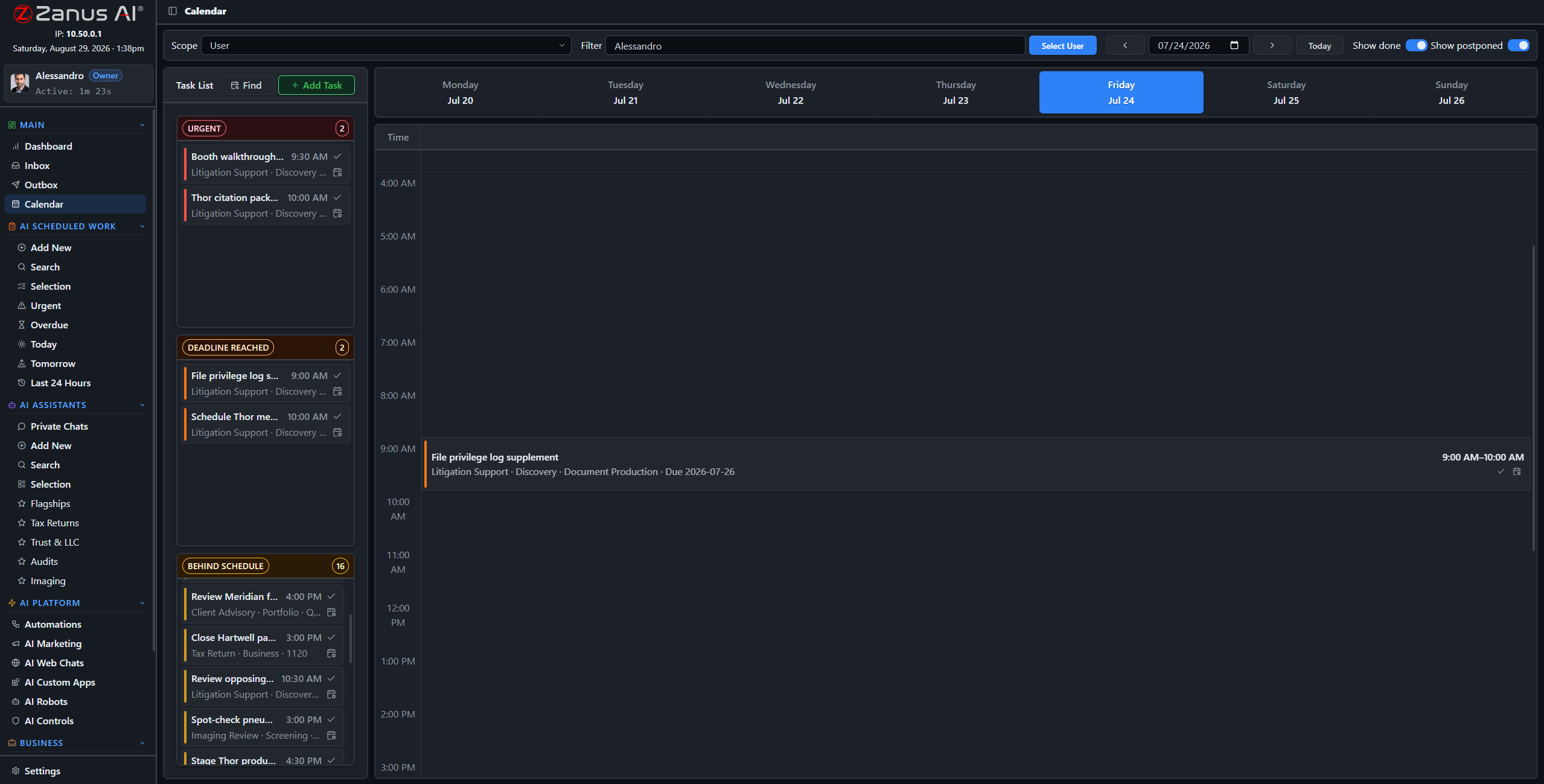
The week: deadlines, tasks and scheduled AI work, each linked to the client, supplier or project it belongs to.
What it does
Contract renewals, delivery dates, filing terms, warranty windows — read from the documents and mail, placed on the calendar with an owner.
Every task links to a record and to the work behind it. Open the task and the documents, the mail and the history are already there.
Milestones, goals and steps; some steps are people, some are AI work on a schedule. The plan shows both and reports progress.
Inside Deadlines, projects & planning — the real screens
Click a tab. Every picture is the working Back Office — the left menu is the whole product.
The calendar the company writes
A contract filed on Monday puts its renewal on the calendar eleven months out, assigned to the account owner, with a reminder rule. A supplier confirmation sets the delivery date and the inspection task that follows it. A regulatory library sets the recurring filings for the year. Nobody typed a date.
- Dates extracted from contracts, mail and rules
- Owner and reminder rule per kind of deadline
- Recurring obligations from your procedures
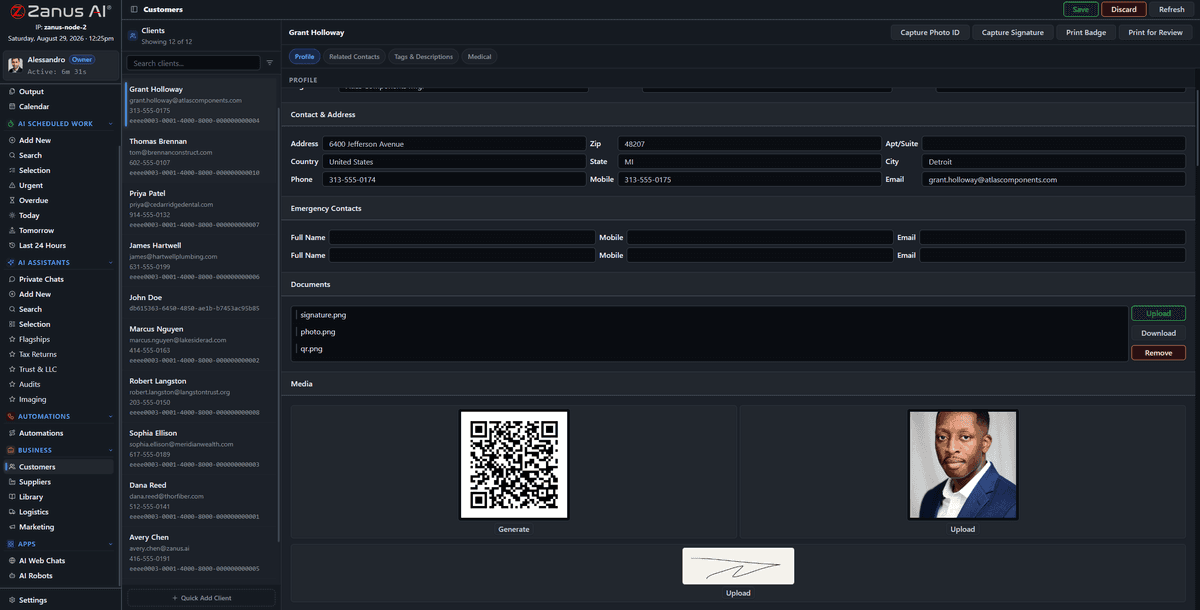
A date on a record is a date on the calendar — with the document it came from one click away.
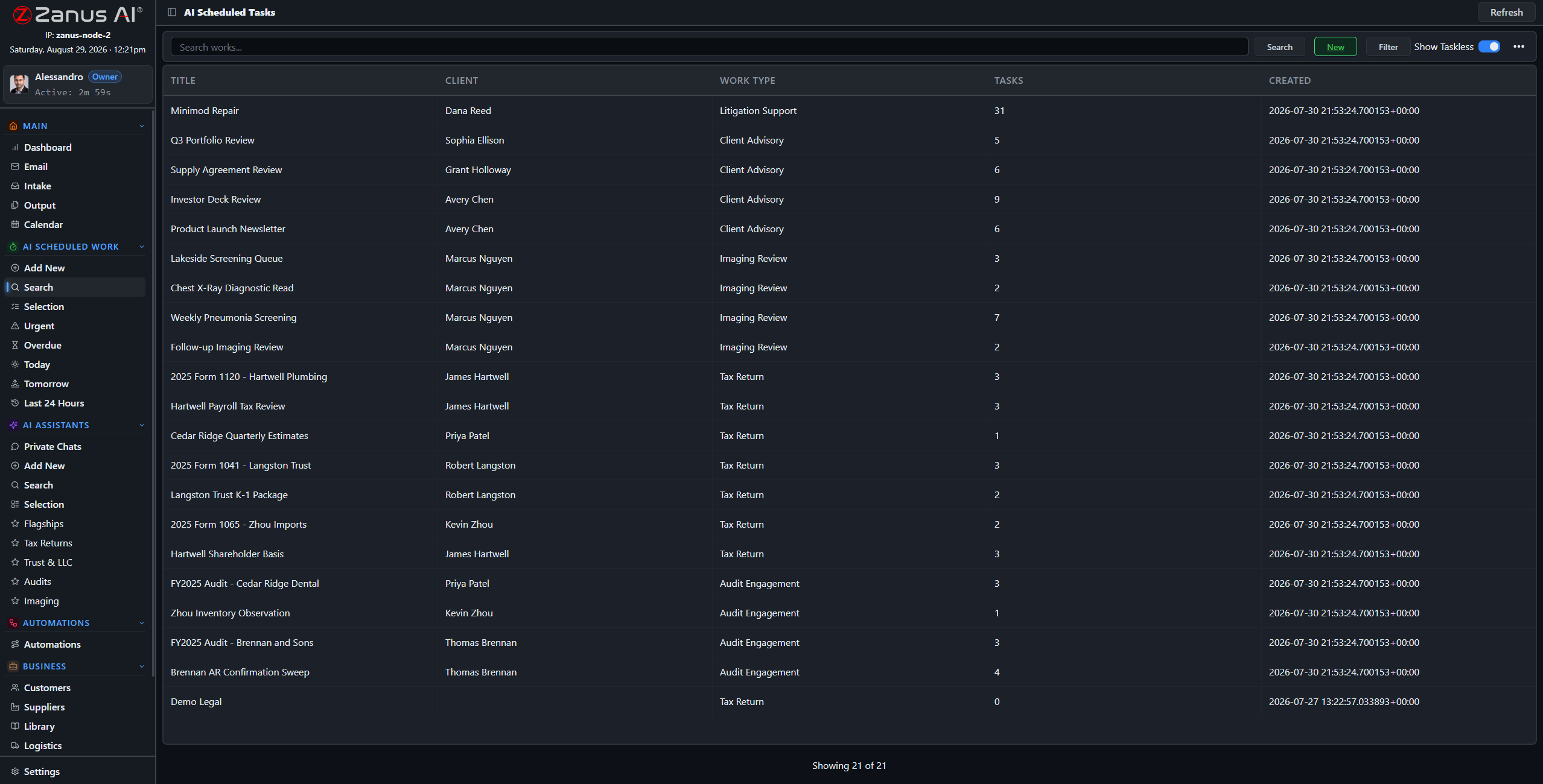
Scheduled AI work is on the same calendar as the people’s tasks, so a change in one shows in the other.
When the week changes
A delivery slips three days. The AI lists what depends on it — the inspection, the customer notice, the invoice date — proposes the new dates and the message to the customer, and waits for a person to confirm. Confirm, and the calendar, the tasks and the draft notice update together.
- Dependencies found across tasks and records
- Reschedule proposed, confirmed by a person
- Notices drafted for the people affected
How it runs
The calendar is where the loop’s last stop becomes time: what was recorded turns into what is due, by whom, when.
In one working day the week is already populated when people arrive; the AI’s own jobs sit on it; a slipped date becomes a proposal, not a scramble; and at 18:00 tomorrow’s deadlines are in the briefing.
What’s inside
The functions, named. Every one of them is on the demo.
- Week, month and agenda views
- Deadlines extracted from documents, mail and rules
- Tasks linked to clients, suppliers, projects and AI works
- Projects with goals, milestones, human and AI steps
- Reschedule proposals with dependency analysis
- Reminders and escalation when a task stalls
- Scheduled AI work visible on the same calendar
- Google and Microsoft calendar connectors
Included from AI WORKThe AI proposes reschedules; a person confirms anything that moves a commitment.Plans →
Questions, answered
Does it replace our calendars?
It connects to them. Company deadlines and tasks live here; your Google or Microsoft calendars stay in sync.
Can the AI move a deadline on its own?
It proposes; a person confirms anything that moves a commitment to a client, a supplier or an authority.
How does it know a date is a deadline?
From the documents and mail it reads, and from the rules in your libraries — a filing term, a warranty period, a renewal notice window.
See it working on YOUR business — the demo IS the product.
← Previous: Your morning screen · Sharing with a colleague? 📄 Get the PDF · ✉️ Email this page ·