ZANUS BACK OFFICE — WITH THE FRONT OFFICE
What customers say outside.
Lands as work inside.
The Front Office talks to your customers: phone, web chat and voice, email, forms, demos, bookings. The Back Office runs the company behind it. Connected, a booking becomes a calendar entry and a task; a phone transcript becomes a note on the client record; a quote request becomes intake and an RFQ; and the Back Office’s approved knowledge is what the Front Office answers from. Two products, one company AI.
Hosted, private or on a unit you own · your rules, your approved sources · live in days, not months
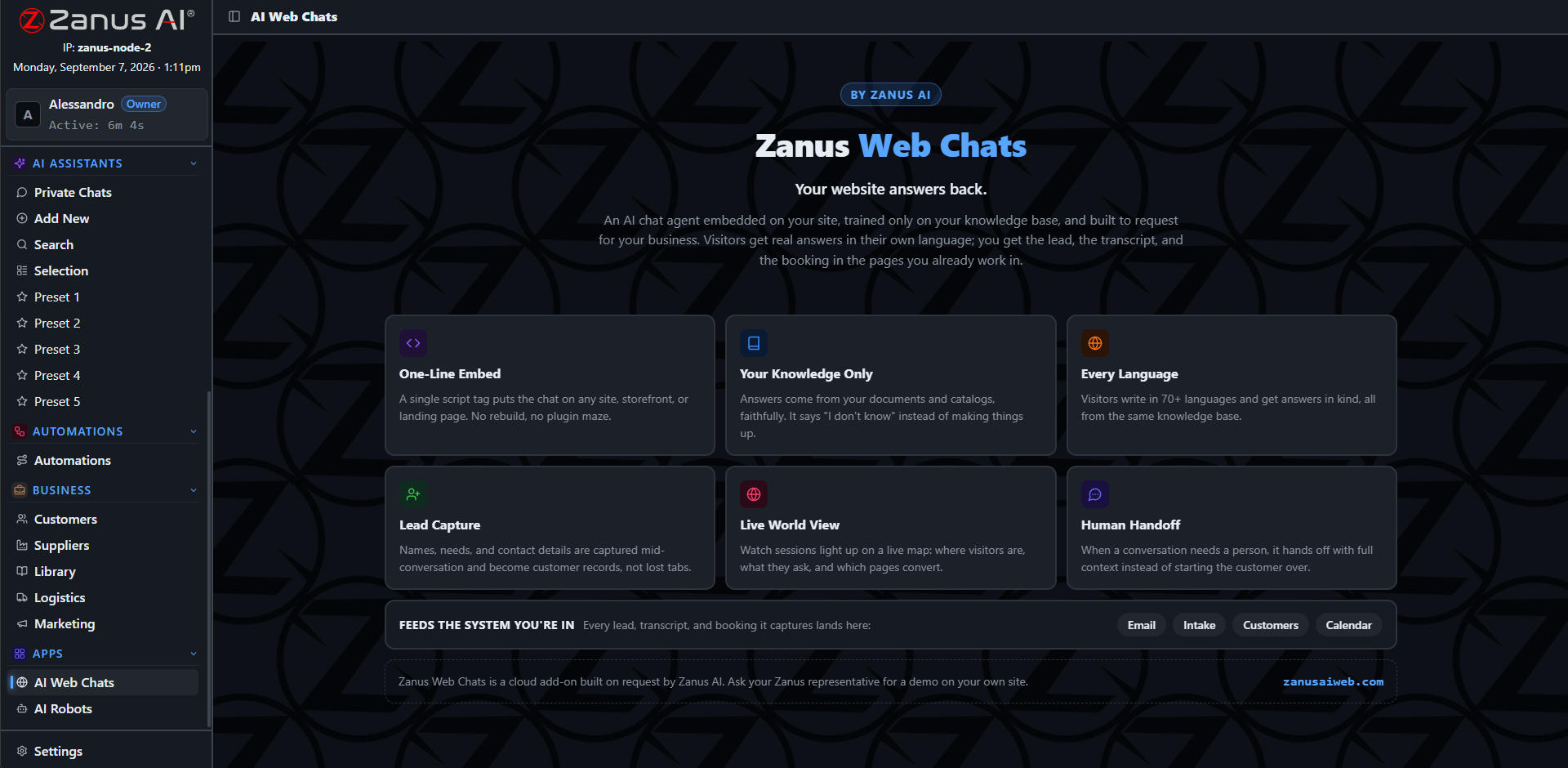
Customers talking to the AI on your website; every conversation lands on the client record in the Back Office.
What it does
Calls, chats, emails and forms handled by the Front Office are filed on the client record: transcript, intent, what was promised.
A visit booked on the phone is a calendar entry, a task for the right person and a preparation checklist the AI fills.
What the Back Office approves, the Front Office answers from. What the Front Office learns, the Back Office remembers.
Inside With the Front Office — the real screens
Click a tab. Every picture is the working Back Office — the left menu is the whole product.
A customer call, followed inside
A customer calls; the Front Office answers, books the visit and promises a document. Inside, the Back Office files the transcript on the record, puts the visit on the calendar with a preparation task, finds the document in the library and drafts the email with it attached — on Output for the account owner, or sent under the rule you set.
- Transcript and intent on the record
- Booking to calendar and task
- Promised documents found and drafted
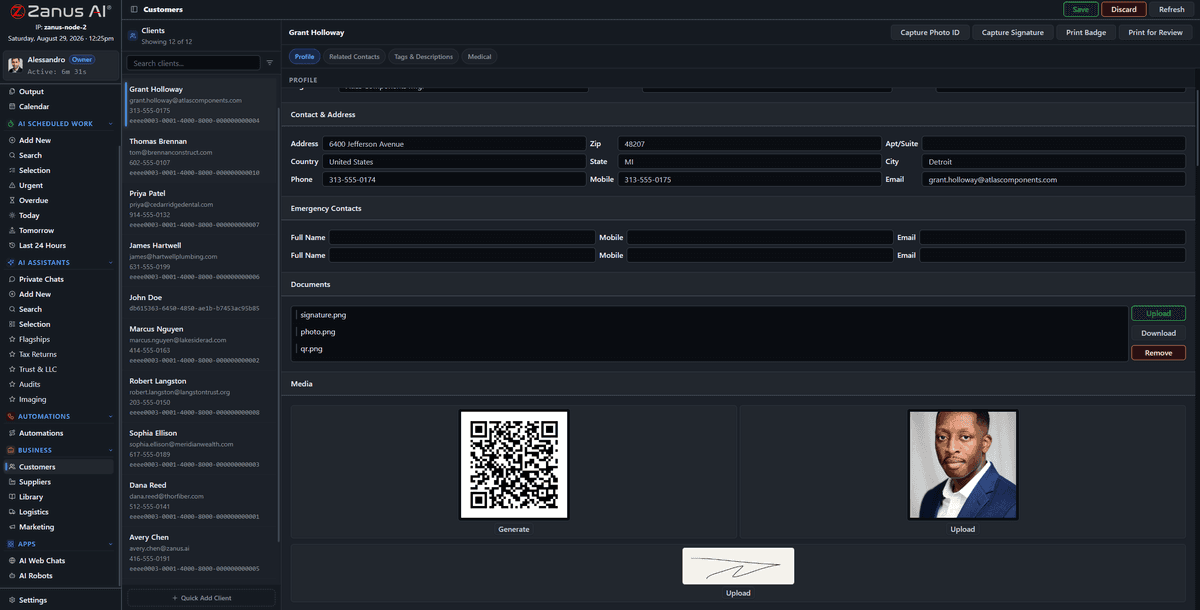
After the call: the transcript, the booking, the task and the draft are on the record before the customer hangs up.
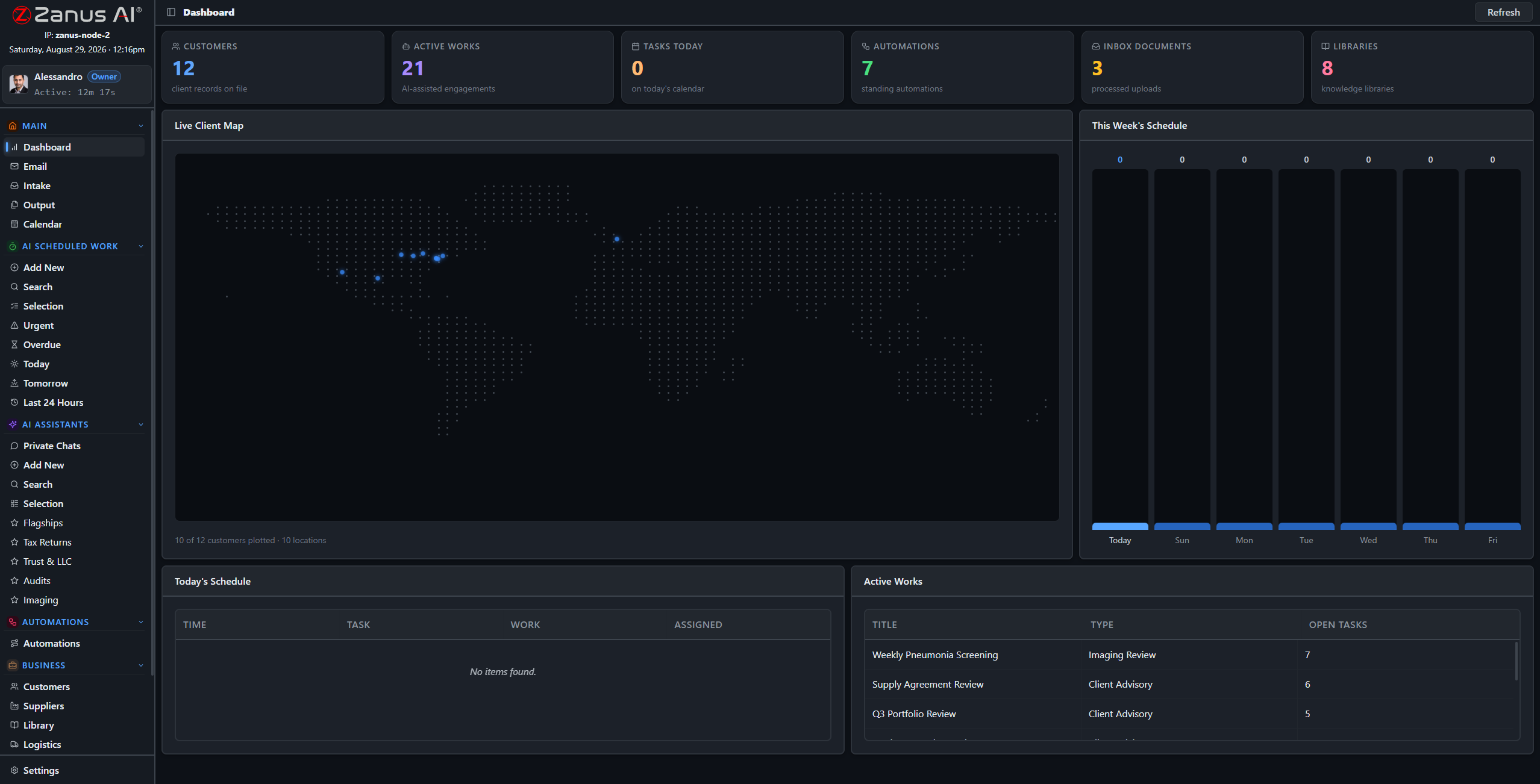
Front Office signals — a complaint call, a hot lead, a booking change — appear on the Back Office dashboard with the owner named.
Sold apart, better together
Each product stands alone and is priced on its own page. Connected, they share one approved knowledge, one set of records and one calendar. Start with the one that hurts most; add the other when you are ready. Nothing is configured twice.
- Separate products, separate pricing pages
- Shared knowledge, records and calendar when connected
- Add the second product without re-doing the first
How it runs
The Front Office is the widest door of the loop’s first stop: what customers say becomes what the company receives.
In one working day forty conversations handled outside become forty updated records inside, six bookings become six prepared visits, and the two complaints are on the dashboard with drafts ready — before the afternoon.
What’s inside
The functions, named. Every one of them is on the demo.
- Transcripts and intents filed on client records
- Bookings to calendar and tasks with preparation
- Quote requests to intake and RFQ
- Documents promised in conversation found and drafted
- Shared approved knowledge across both products
- Front Office signals on the Back Office dashboard
- Web chat and voice agents built on Back Office libraries
- Separate products; connection configured at launch
Included from AI COMPANYFront Office is a separate product; connected, what customers say lands here under the same rules.Plans →
Questions, answered
Do we need both products?
No. Each runs on its own. Together they share knowledge, records and calendar. Many customers start with one and add the other at a renewal.
Where is the Front Office priced?
On its own pricing page. Back Office prices are on the Back Office pricing page. Neither is priced on chapter pages.
Is the Front Office available on a unit we own?
The Front Office is a hosted service by nature — it lives where your customers reach it. The Back Office can move to a unit you own; the two stay connected.
See it working on YOUR business — the demo IS the product.
← Previous: Your unique process · Sharing with a colleague? 📄 Get the PDF · ✉️ Email this page ·