ZANUS BACK OFFICE — CUSTOMERS & SUPPLIERS, ONE RECORD
Everything about a client or a supplier.
On one record, kept by the AI.
A client is a folder of mail, a contract in a drive, a spreadsheet of terms and three people’s memories. Here it is one record: profile, documents, correspondence, media, terms, status, badges, history — and the AI keeps it, filing what arrives and answering from it. Suppliers get the same treatment, with approval status and agreed terms the automations can enforce.
Hosted, private or on a unit you own · your rules, your approved sources · live in days, not months
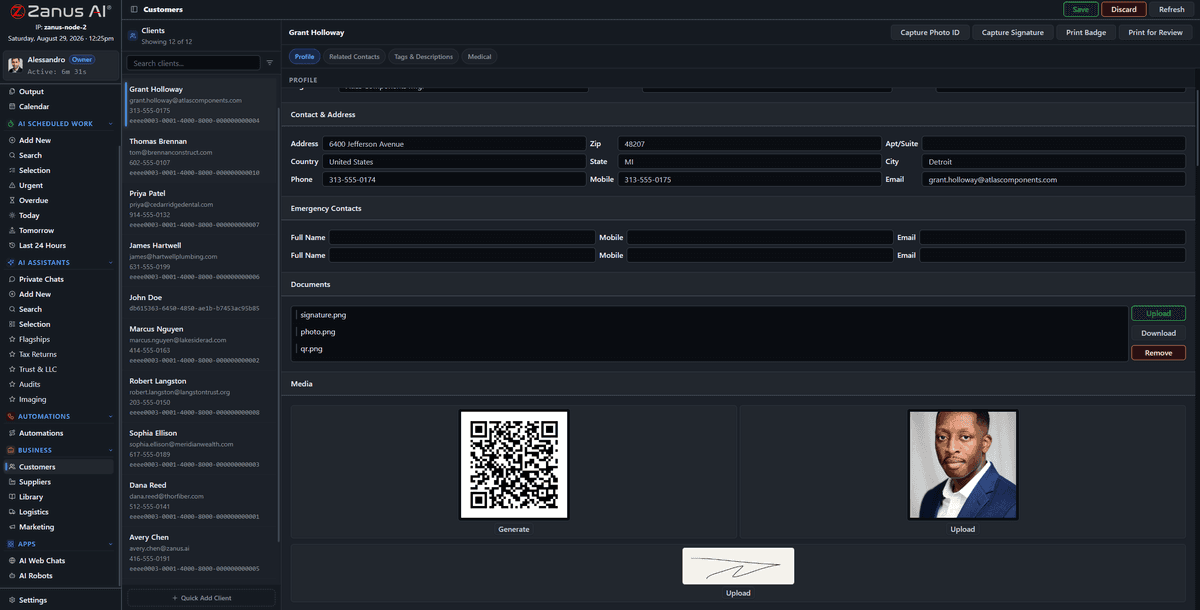
A client record: profile, documents, media, badges and the history of everything the company and the AI did with this client.
What it does
Profile, contacts, documents, mail, media, terms, badges and status. Every action — human or AI — is on the timeline.
Client types and supplier types with the fields your business uses: patient, member, tenant, dealer, subcontractor. The record speaks your language.
Payment terms, price ceilings, approval status, certifications on file: automations read them and flag what does not comply.
Inside Customers & suppliers, one record — the real screens
Click a tab. Every picture is the working Back Office — the left menu is the whole product.
The record that fills itself
A client emails: the message and its attachment are on the record before anyone reads them. A meeting note is dictated: transcribed and filed. A signed contract arrives: filed, its dates on the calendar. The AI summary at the top of the record is written from all of it — and answers when a colleague asks “where are we with this client?”
- Mail, documents and media filed automatically
- AI summary and open items per record
- History searchable across all records
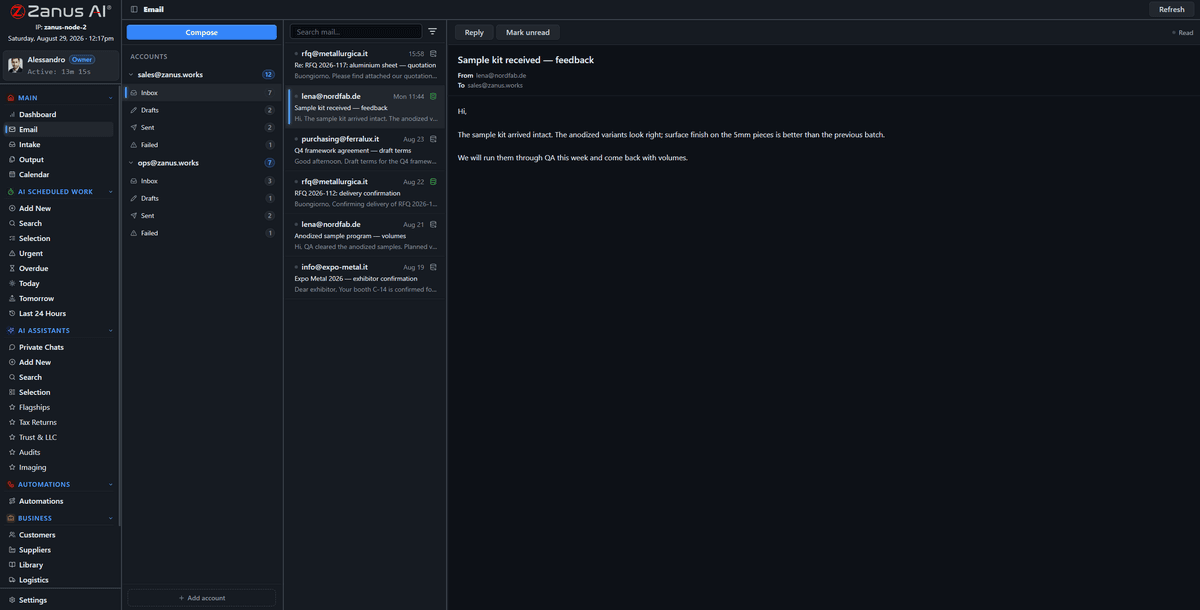
Mail is linked to the record the moment it arrives; attachments are filed on it through intake.
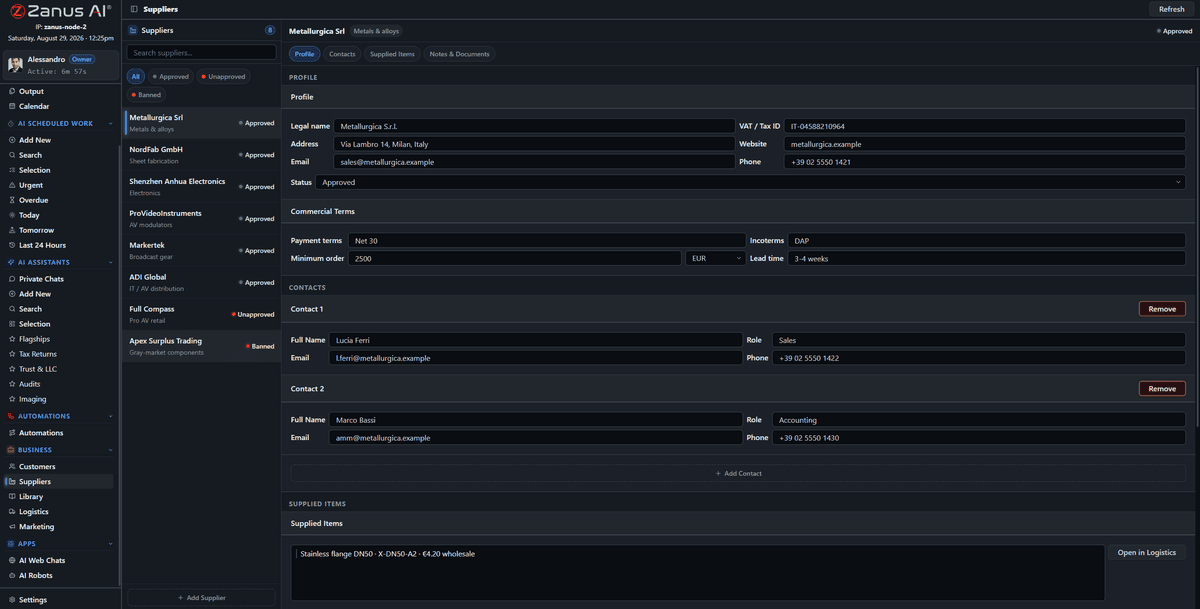
Agreed terms live on the supplier record where automations can read them.
Suppliers with terms that mean something
Approval status, agreed prices, payment terms, certificates and their expiry dates sit on the supplier record. When an invoice or a price list arrives, the automation reads the record first: a price above the ceiling, an expired certificate or an unapproved supplier becomes an exception for purchasing, with the clause cited.
- Approval status and certificates with expiry
- Agreed terms enforced by automations
- RFQs and orders on the same record
How it runs
Records are the seventh stop of the loop made permanent: everything the company receives, decides and sends is remembered on the client or supplier it concerns.
In one working day every record touched by mail, work or an automation is up to date by evening without anyone typing into a CRM — and the colleague who takes over a client tomorrow reads the whole story in one place.
What’s inside
The functions, named. Every one of them is on the demo.
- Client and supplier records with profile, contacts, documents, media, terms, badges
- Client and supplier types with your fields and vocabulary
- Automatic filing of mail, attachments and media
- AI summary and open items per record
- Approval status, certificates and expiry on suppliers
- Terms and ceilings readable by automations
- Timeline of every human and AI action
- Search across all records; export as a permission
Included from AI WORKSensitive fields exist only for the types that need them, visible only to the users with the permission.Plans →
Questions, answered
Is this a CRM?
It holds what a CRM holds, kept by the AI instead of by your people. If you keep a CRM or ERP, records sync through the integrations.
Can we define our own kinds of client?
Yes. Types and fields are configured in your vocabulary; sensitive fields exist only for the types that need them, visible to the users with the permission.
Who sees a record?
Permissions per domain and per type decide; the audit log records who opened what.
See it working on YOUR business — the demo IS the product.
← Previous: Deadlines & projects · Sharing with a colleague? 📄 Get the PDF · ✉️ Email this page ·