ZANUS BACK OFFICE — APPROVE BEFORE IT GOES OUT
The AI does the work.
Your people keep the decision.
An AI that acts on its own is a liability; an AI that only suggests is a toy. Output is the middle: everything the AI produces — replies, reports, comparisons, letters, record updates — lands on one page with a preview and a status. Your people approve with one click, correct, or let the types they trust go on their own. Nothing leaves without a decision.
Hosted, private or on a unit you own · your rules, your approved sources · live in days, not months
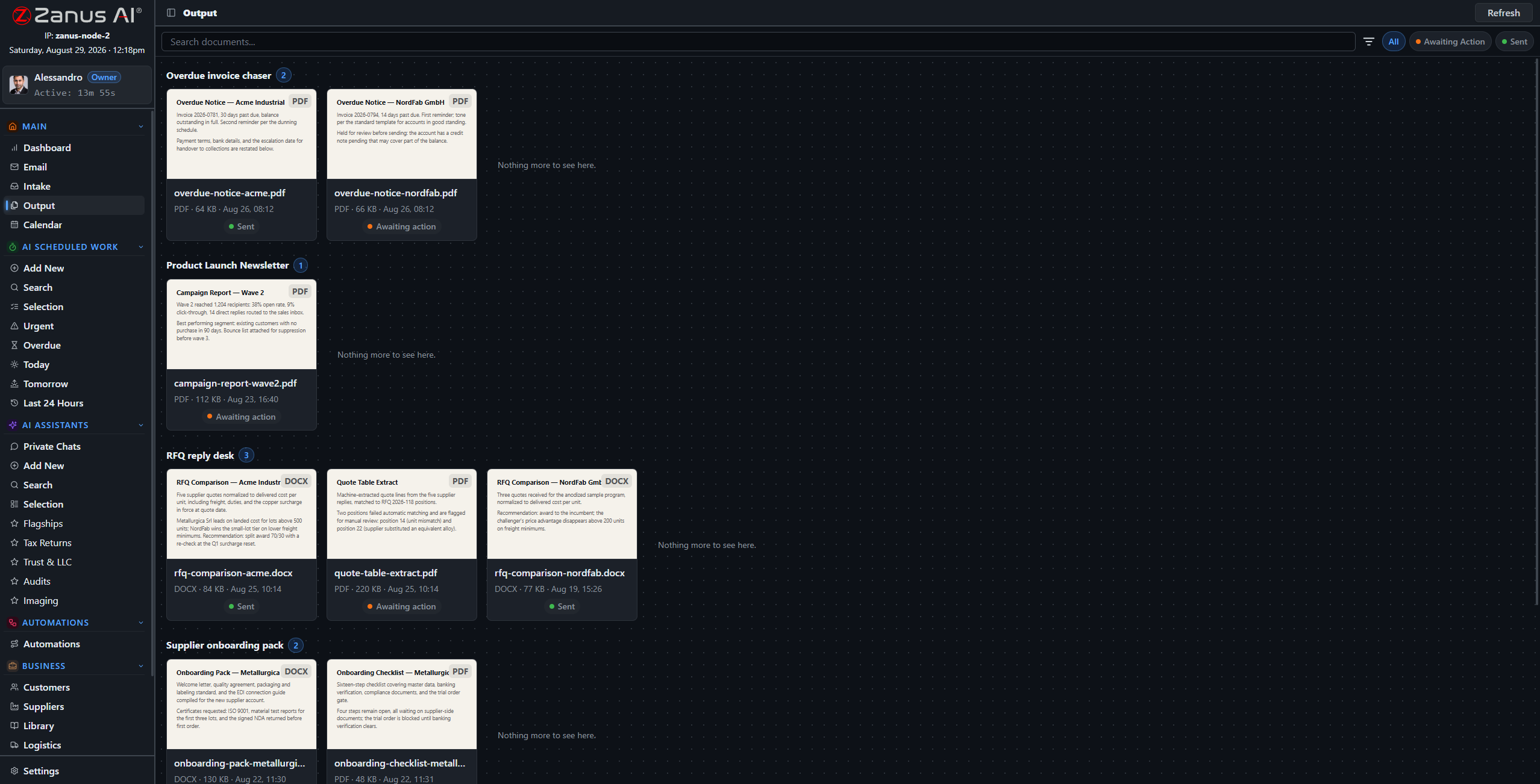
Output: paper-style thumbnails of what the AI produced, grouped by the automation or job that made them. Awaiting decision, or sent.
What it does
Every automation and every job has its own drawer of results. Preview in place, open the sources, see who it goes to.
Approve, edit, reject, or hand to a colleague. Approved results go where the flow said: a mailbox, a record, a library, a connected system.
Let the acknowledgement emails send themselves; keep the contract letters for a person. Rules per type, changed whenever you like.
Inside Approve before it goes out — the real screens
Click a tab. Every picture is the working Back Office — the left menu is the whole product.
What a reviewer sees
The draft on the left, the passages it was built from on the right, the recipient and the channel at the top. The reviewer reads, maybe changes a sentence, clicks. Ten reviews take the time one used to. Corrections are remembered, so the same kind of draft needs fewer next month.
- Preview, sources and destination on one screen
- Edit in place before approving
- Corrections feed the next run
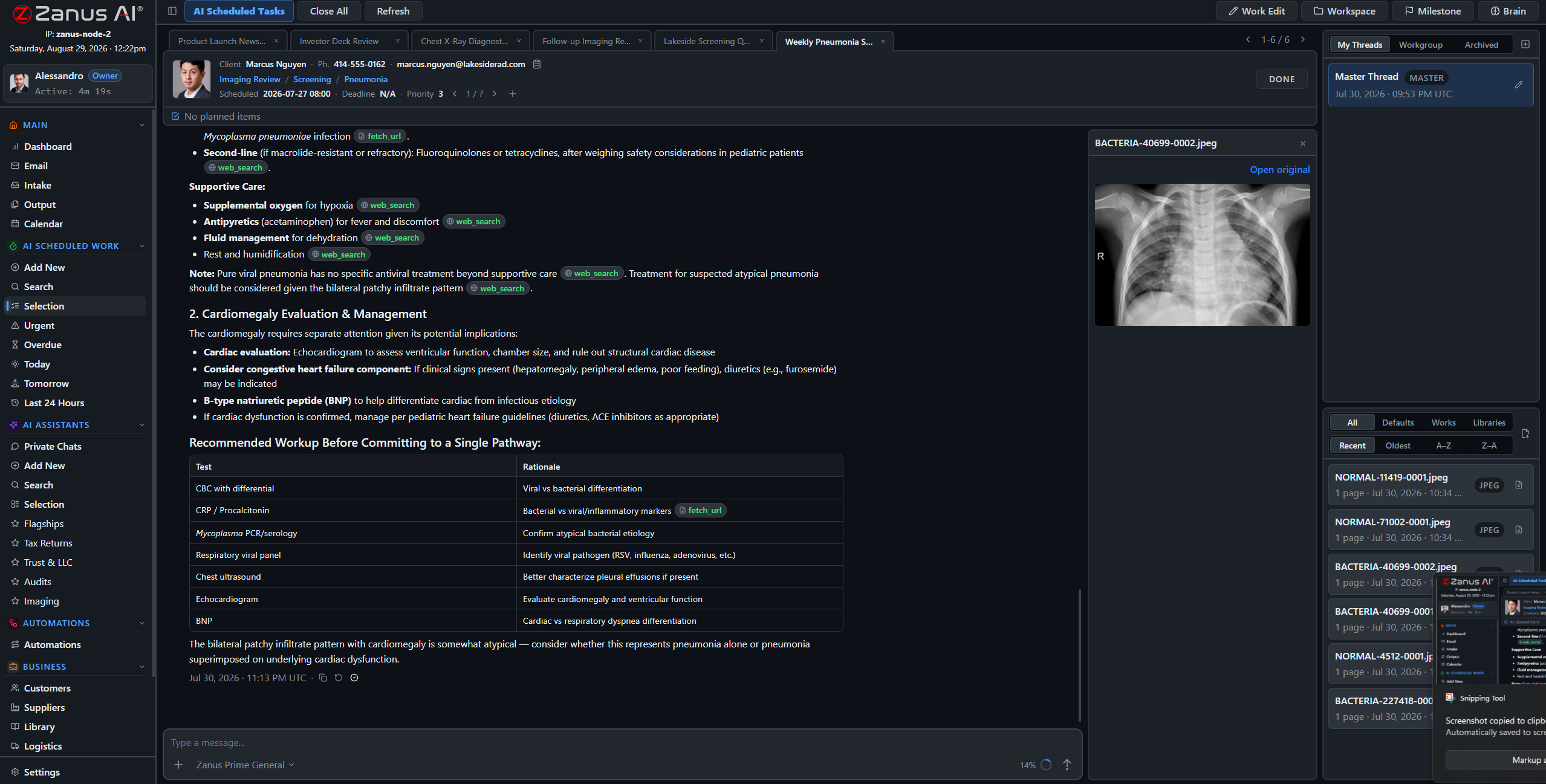
The result and its sources on one screen. A review is a read, not a re-do.
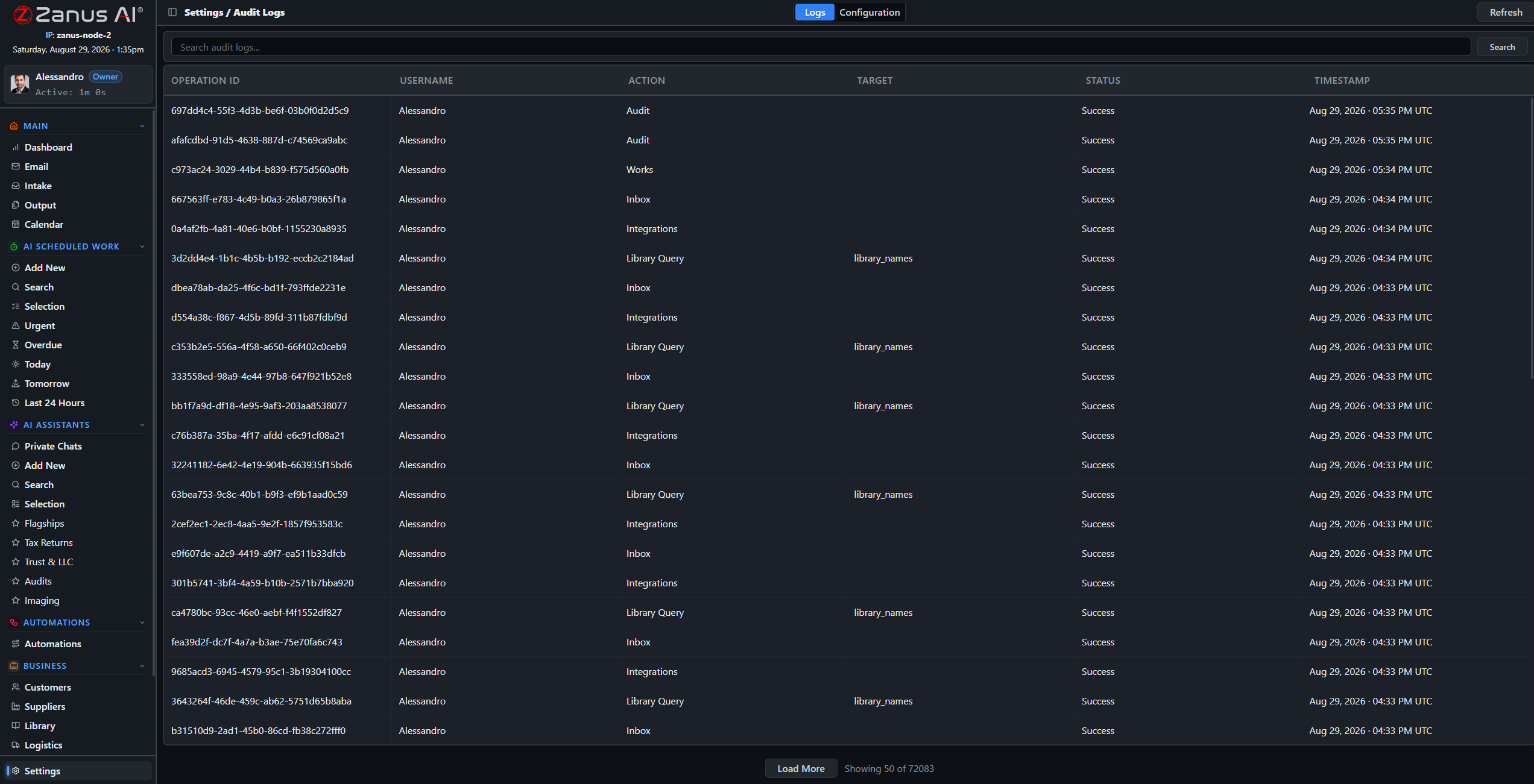
Every approval, edit and send is in the audit log with who, when and what changed.
Graduating a type to auto-send
Week one, everything waits for a person. By week four the order acknowledgements have been approved unchanged two hundred times; you flip the rule and they send themselves. The complaints, the contract letters, the anything-with-money stay with people. The rule is yours, per type, reversible in a click.
- Auto-send per type, reversible
- Full audit of decisions
- Escalation when a result fails verification
How it runs
Output is the sixth stop of the loop made visible: the place where acting waits for a person, or proceeds under a rule you set.
In one working day Output fills from dawn with the night’s results; the team clears it in the first hour, each item a read and a click; the types you trust do not appear because they already went — and the log shows all of it.
What’s inside
The functions, named. Every one of them is on the demo.
- Output drawers per automation and per job
- Paper-style thumbnails, full preview, source panel
- Approve, edit, reject, reassign
- Auto-send rules per result type, reversible
- Destinations: mail, record, library, connected software
- Verification status visible per result
- Audit log of every decision
- Notifications to the owner when something waits too long
Included from AI AUTOMATENothing leaves without a decision — yours, or a rule you wrote.Plans →
Questions, answered
Can we keep everything manual at first?
Yes, and most companies do. Auto-send is a rule you turn on per type when you are comfortable; it can be turned off again at any time.
Who is allowed to approve?
Permissions decide, per domain and per type. A junior can approve acknowledgements and not contracts; the audit log records every decision.
What if a result failed verification?
It is marked and cannot be auto-sent. It waits for a person with the unresolved statements highlighted.
See it working on YOUR business — the demo IS the product.
← Previous: Repeatable work · Sharing with a colleague? 📄 Get the PDF · ✉️ Email this page ·