ZANUS BACK OFFICE — EMAIL & PAPERWORK, HANDLED
The inbox is where the day arrives.
Now it processes itself.
Orders, invoices, requests, quotes, complaints, forms, certificates — most of a company’s work walks in through email. Here the mail client lives inside the Back Office: every message is read, understood, attached to the right client or supplier, its documents routed into intake, and the reply drafted from your sources. Your people open a mailbox that has already been worked.
Hosted, private or on a unit you own · your rules, your approved sources · live in days, not months
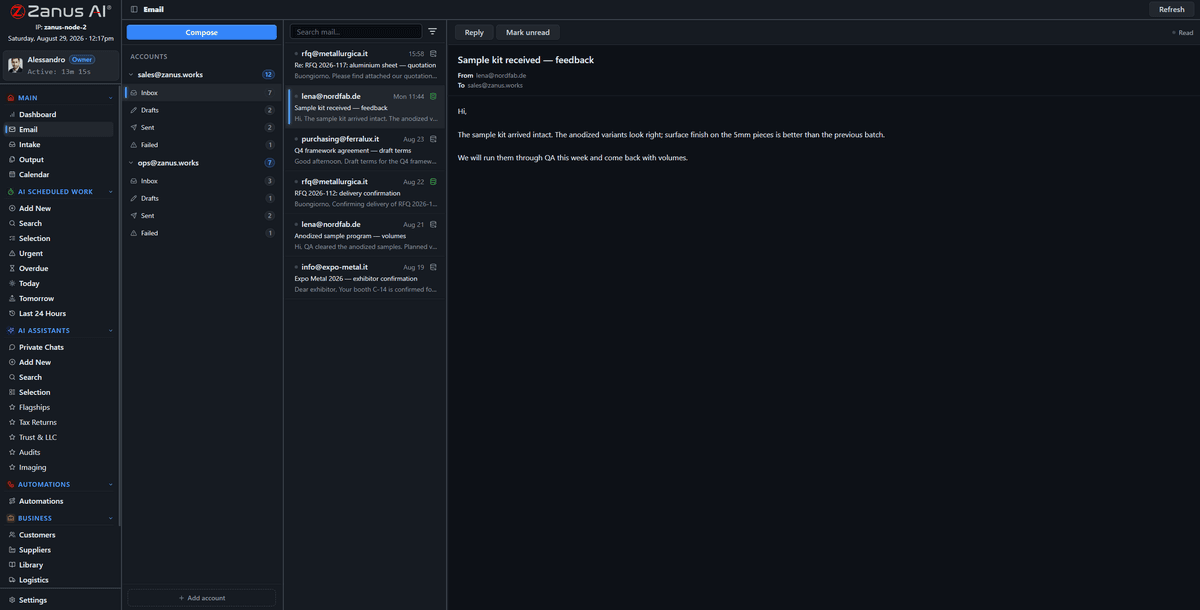
All accounts in one three-pane client. What the AI understood about each message sits beside it; attachments go to intake in one click or by rule.
What it does
Google Workspace, Microsoft 365 or any IMAP account, side by side. Compose, reply inline, drafts, sent, failures — where the company data lives.
Every attachment and upload crosses one visual board: Queued, Processing, Completed, Failed. Routed to a client, a supplier, a library or a task, with handling instructions.
The AI drafts the answer from the record and the libraries, cites what it used and puts it on Output. You click, or let approved types go on their own.
Inside Email & paperwork, handled — the real screens
Click a tab. Every picture is the working Back Office — the left menu is the whole product.
What a morning looks like
A client sends a signed contract: filed on the client record, the renewal date set in the calendar, a thank-you drafted. A supplier sends an invoice: matched to the order, the difference flagged, the question drafted. A form arrives with three attachments: each routed to its library with the handling note. A complaint arrives: the record opened, the history summarised, the reply drafted from the policy — and held for a person.
- Read, understood, attached to the right record
- Documents routed with handling instructions
- Replies drafted with the sources cited
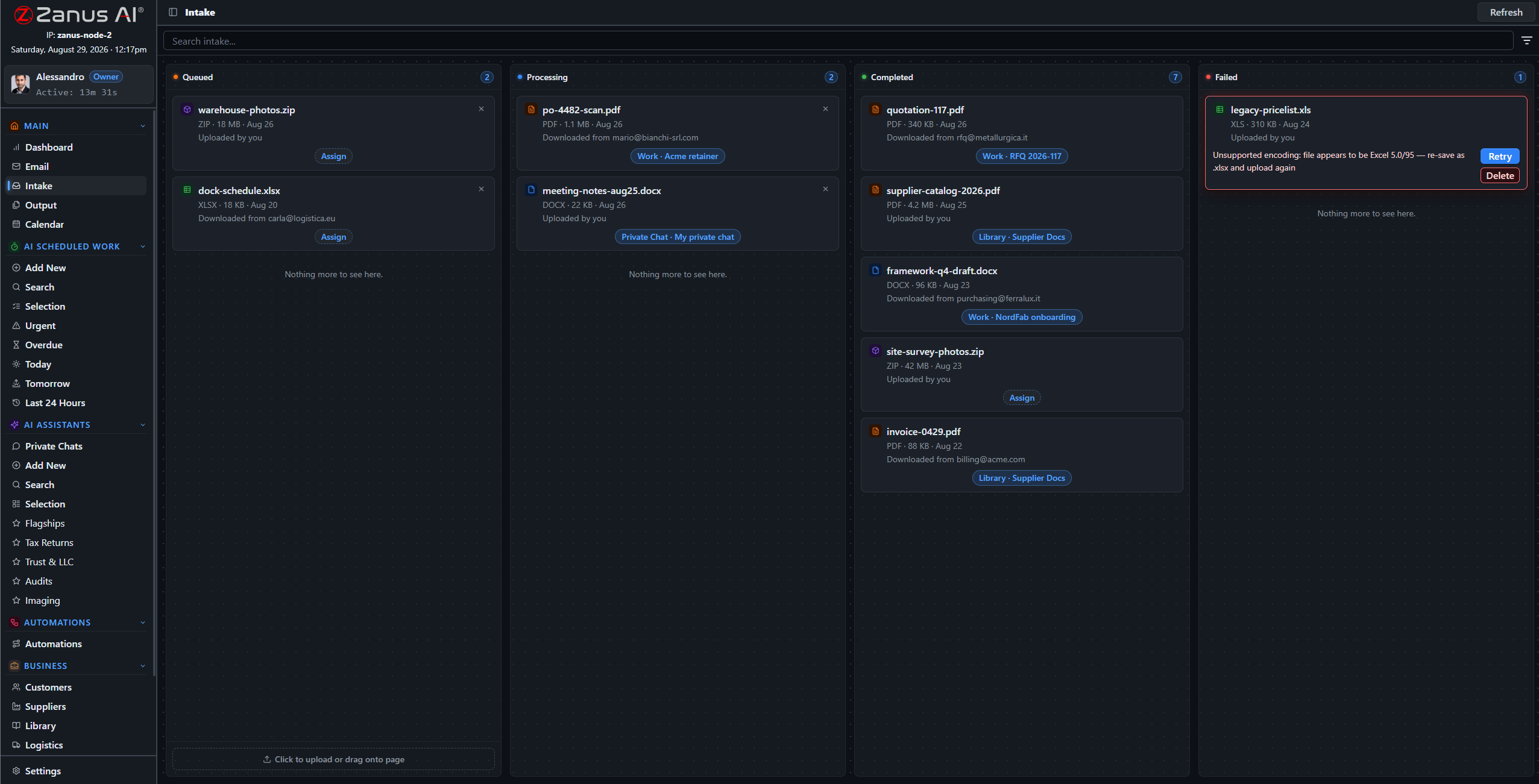
By 08:00 the night’s mail has been read, filed and drafted. The board shows what is left for a person.
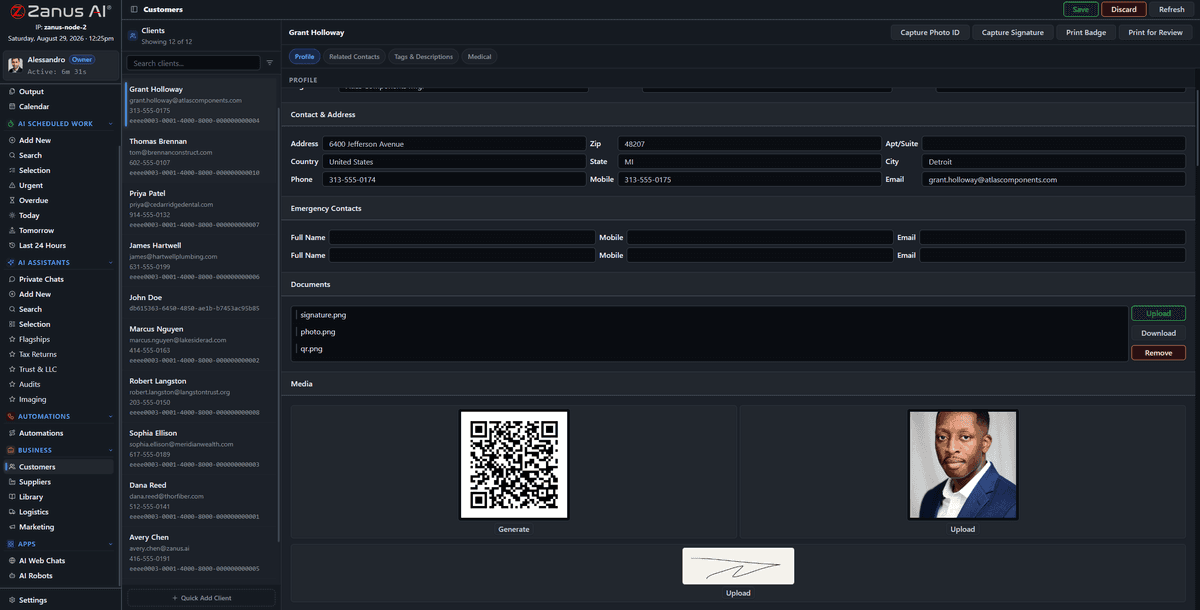
The client record after the mail was processed: the message, the document, the draft, the date — all in one place.
Nothing lost between inbox and archive
The usual failure is silent: an attachment saved to a desktop, a request in a folder nobody watches. Here the pipeline is a board everyone can see. A failed step is red and retryable; a document routed to the wrong library is moved in one click; every action is on the record and in the audit log.
- Visible states, one-click retry
- Daily send ceilings so no mailbox is suspended
- Failures explained in plain words
How it runs
Email and intake are the first stop of the loop: everything the company receives lands here before anything else happens.
In one working day hundreds of messages are read once, by the AI, and filed where they belong; the people read the twenty that need a decision, each with its draft ready. The paperwork is on the record before anyone asks for it.
What’s inside
The functions, named. Every one of them is on the demo.
- Mail client for Google Workspace, Microsoft 365 and IMAP, multiple accounts
- Compose, inline reply, drafts, sent, failed-send handling
- Automatic link of messages to clients, suppliers, projects
- Intake pipeline: Queued, Processing, Completed, Failed, retry
- Routing rules to libraries, records and tasks with handling instructions
- Reply drafts from your sources with citations
- Approved types can send themselves; the rest wait on Output
- Daily send ceilings per mailbox
- Attachments read: PDF, Office, images, audio, video
Included from AI WORKReplies wait on Output for a person unless a rule says a type may send itself.Plans →
Questions, answered
Do we have to change email providers?
No. Connect the accounts you have; they appear side by side in the same client.
Does every email get an automatic reply?
Only the types you allow. Everything else is drafted and waits for a person on Output. Your rules decide, per type of message.
What about mail that is not business?
Rules decide what enters intake. Personal or irrelevant mail stays mail; nothing becomes a source unless routed to a library.
See it working on YOUR business — the demo IS the product.
← Previous: Your documents · Sharing with a colleague? 📄 Get the PDF · ✉️ Email this page ·