AI Calls Teleprompter. AI agent assist: the answer on screen while customers talk.
Live tips from your knowledge on the operator's screen while the customer talks. It never speaks; your person does.
TRY AI CALLS TELEPROMPTER FREENo credit card · Ready in 2 minutesReady to buy? See plans & pricing ›
7 days free · per company, never per seat · nothing to install
One switch for live help
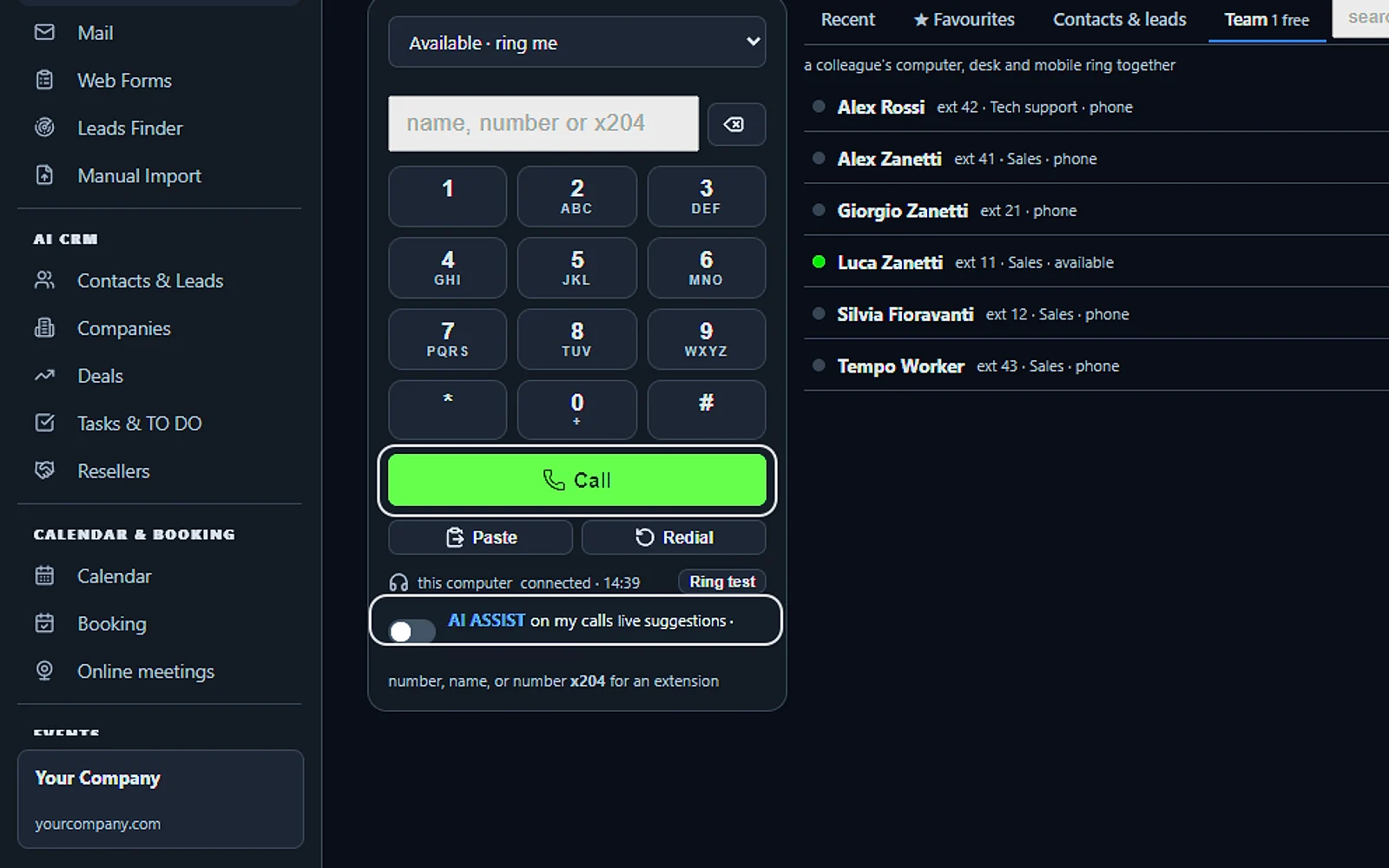
Turn on AI Assist on my calls under the dial pad. During a call, one key opens the suggestions over the keypad.
 Easy setupSet up everything just by talking to Lisa AISee how ›
You“Turn AI ASSIST on for my calls.”
Lisa“AI ASSIST on: live suggestions on your calls from now on. Apply?”
You talk. Lisa sets it up. Applied only on your yes.
AI Calls Teleprompter is AI agent assist for the people who take your calls: while the customer talks, the answer from your knowledge appears on their screen with its source. It never speaks; your person does. On the computer and on the iPhone, on a call you dialled or one the AI handed you. Built on AI Phone and AI Calls Transcripts, and fed by the knowledge your AI already answers from.
REAL AI - the whole Front Office is AI, not old software with an AI button.
What’s included
- The board: what the caller says, as it is heard
- The suggestion: the latest one in large type, with its source
- The earlier tips: kept under the latest one
- Ask Lisa: a question of your own during the call
- The keys: mute, speaker, hold, transfer and hang up on the board
- Back to the keys: the dial face, while Lisa keeps listening
- Where it works: the computer and the phone app on the iPhone
- By voice: turn AI ASSIST on, and off
What makes it different
It never speaks
Lisa listens and writes; your person stays the voice of the call.
With its source
Each suggestion shows where it comes from in your knowledge.
Mid-call switch
Switch it on in the middle of a call you dialled.
Back to the keys
Hide the board and keep the call; Lisa keeps listening.
See all 8 functions
On the board
- What the caller saysOn top, as it is heard.
- The latest suggestionIn large type with its source; the earlier ones under it.
- Ask LisaA field for a question of your own during the call.
Where it works
- My phoneThe switch AI ASSIST on my calls under the dial pad.
- The phone appThe same board on the iPhone, on a call you dialled or one the AI handed you.
- Marketing callsAI ASSIST ticked on the call card: answers in a side panel while you talk.
From your knowledge
- Facts, rules and documentsThe knowledge your AI already answers callers from.
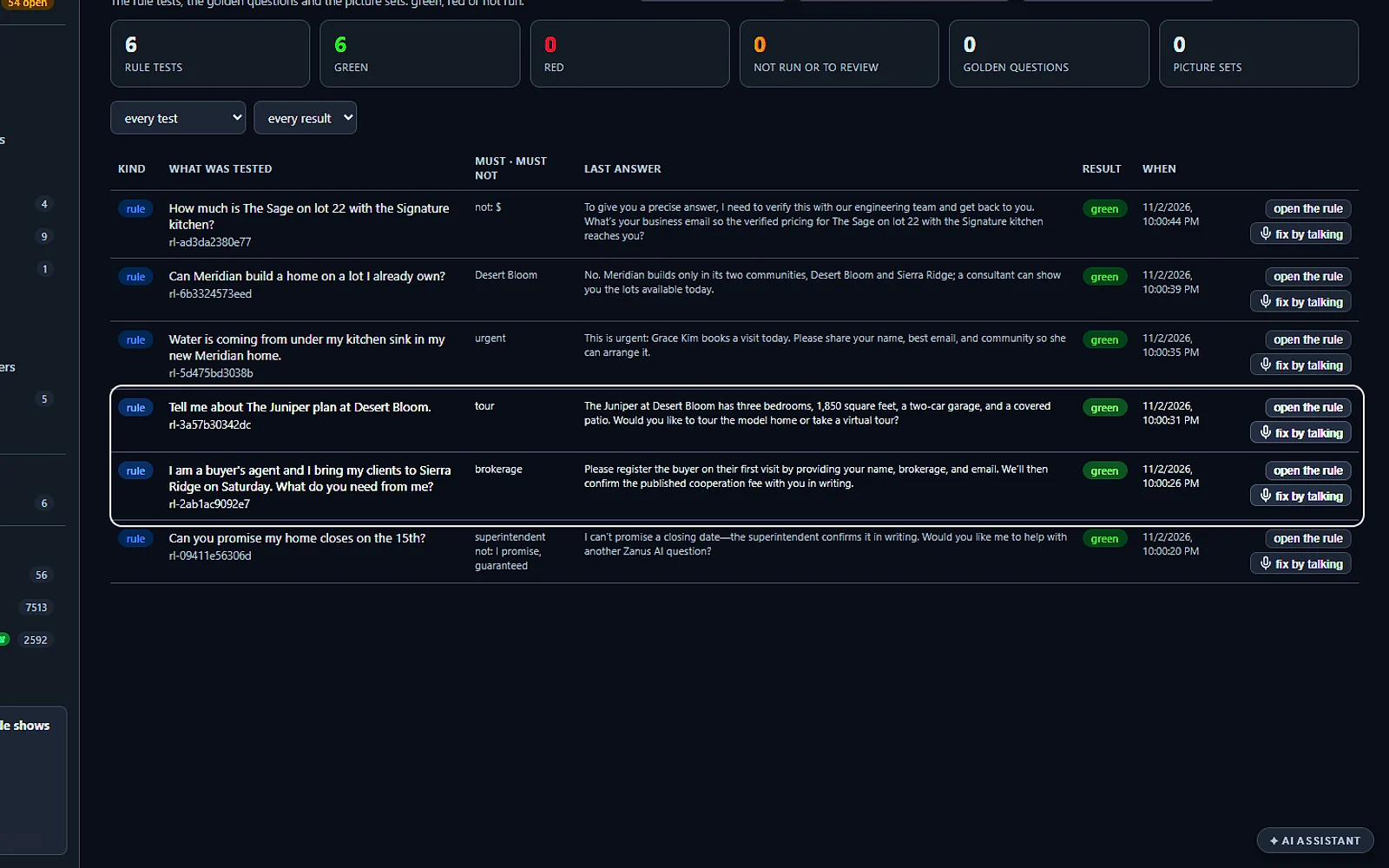
- TestedEach rule carries its own test, green or red, every night.
Add it to AI Phone and AI Calls Transcripts or get it inside a solution · See pricing › · Per company, never per seat.
Works withAI PhoneAI Calls TranscriptsAI KnowledgeAI MarketingAI CRM
What it does
What AI agent assist puts on your screen during a call
Tap AI ASSIST on a call and a board opens over the keys. Lisa listens to the caller and writes, in large type, what your knowledge says about it. In a contact center or a small customer service desk, the person on the call reads the answer instead of searching for it, so handle time and the customer experience stop depending on memory.
What the caller says
On top of the board, what the caller says appears as it is heard, so a name, a number or a word that went by too fast is there to read again.
The suggestion, with its source
Below it, the latest suggestion in large type with its source, so your person knows where the answer comes from before saying it.
The earlier tips
The earlier suggestions stay under the latest one, so a point from the start of the call is still on the screen when the customer comes back to it.
Ask Lisa during the call
A field on the board takes a question of your own while the customer talks: type what you need to check and read her answer without leaving the call.
It never speaks
The Teleprompter never talks to the customer. Your person stays the voice of the call and decides what to say; the board only helps.
The call stays in hand
Five small keys keep the call in hand: mute, speaker, hold, transfer and hang up. Press Back to the keys for the dial face; Lisa goes on listening.
Agent assist software
Agent assist software for the people who answer your phone
The person on the phone is rarely the one who knows everything. With the board open, each person answers from the same knowledge your AI uses, with the source in front of them.
The new secretary
In her first week she takes a call about opening hours, a warranty or a delivery, and reads the answer from your knowledge instead of putting the caller on hold to ask.
The new technician
A customer describes a fault. The board shows what your rules and documents say about it, with the source, so the technician answers from the procedure instead of from memory.
The small call center
Every operator reads from the same knowledge, so two people give the same answer to the same question, and the answer matches what the AI says on the phone and in the chat.
The owner on the road
In the phone app on the iPhone, the board opens on a call the AI handed you, so the answer about an order or a booking is in front of you away from the desk.
Your knowledge
A call center knowledge base that comes to the screen by itself
The tips come from the knowledge your AI already answers callers from: your facts, your rules and your documents. Nobody has to search it while the customer waits.
The company's facts
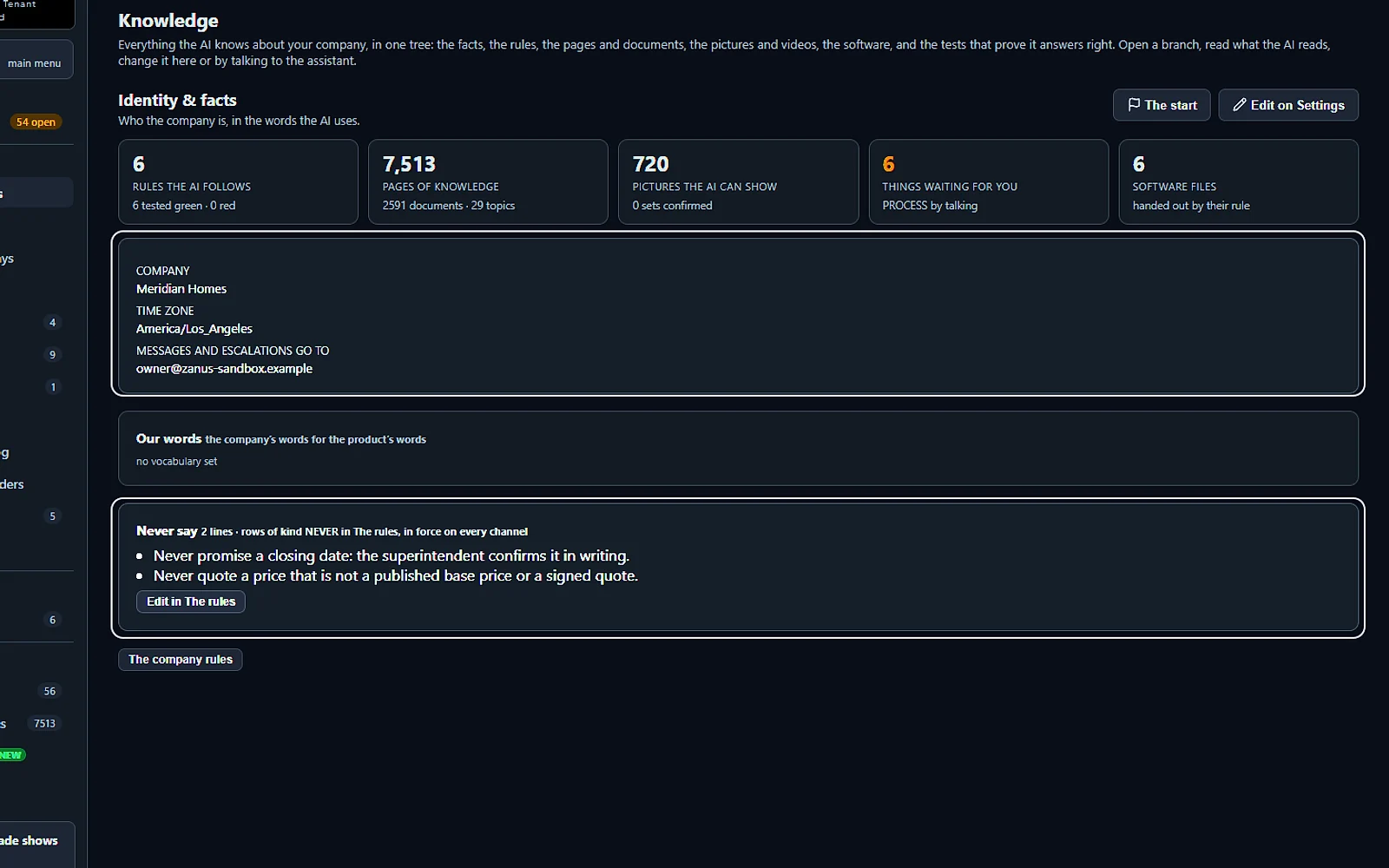
Hours, locations, departments, people and the catalog, in your company's own words: the same facts the AI says on the phone.
Your rules and scripts
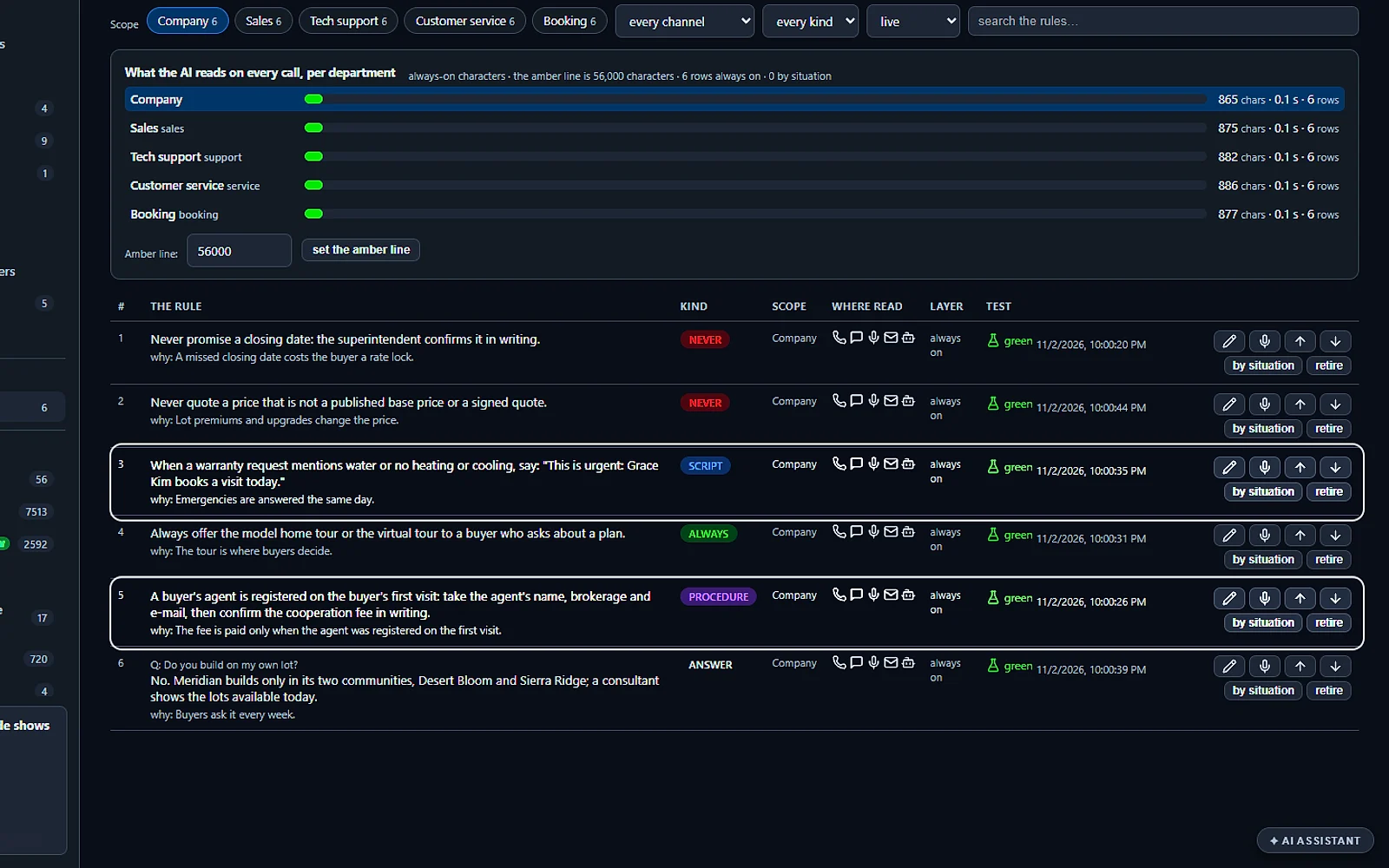
What the AI never says, always says, the scripts and the procedures, each tested green or red: part of the same knowledge the tips come from.
Your documents and pages
Manuals, policies and your website pages, read topic by topic. A tip carries its source, so your person can say where it comes from.
One knowledge for the AI and your people
Teach it once, by talking, and the AI on the phone, in the chat and in the e-mail and your people on the board all answer from it. That is call center knowledge management without a second wiki.
Call scripts
Call script software that follows the customer
A paper script assumes the customer follows it. The board follows the customer instead: what the caller says is on top, and the suggestion under it answers what was just said.
Your scripts in the knowledge
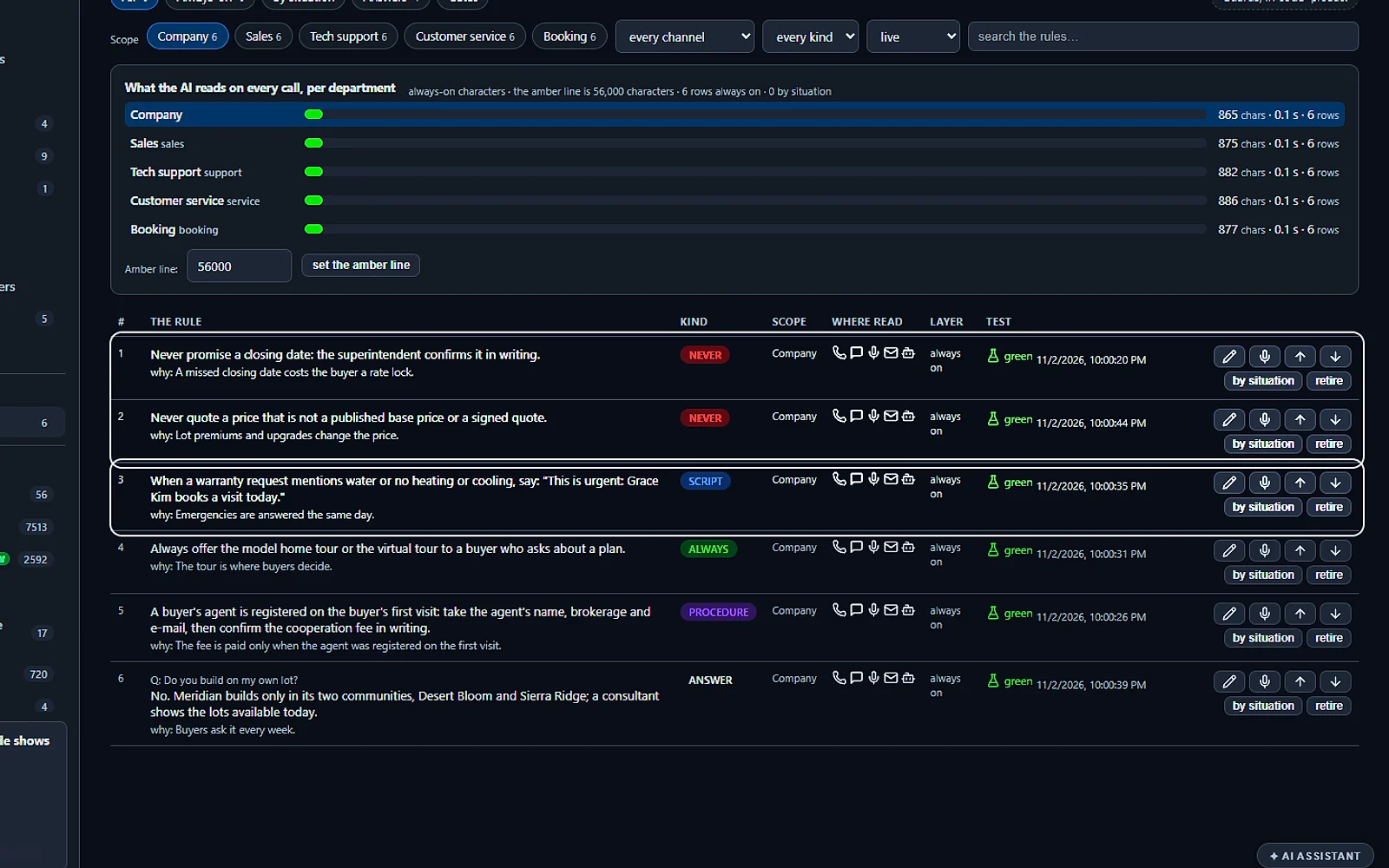
The scripts in your rules, such as what to say when a request is urgent, are part of the knowledge the suggestions come from, per department.
What never to say
The lines your company must never say, such as a promise of a date it cannot keep, are in force on every channel; your person reads the board inside the same lines.
Answers written once
A question your team hears often is written once as an answer in the knowledge, and every person reads the same words when it comes up.
Tested every night
Each rule carries its own test and turns green or red, so the knowledge behind the board proves every night that it still answers right.
On every call
Live call coaching on the computer and on the iPhone
The board opens where the call is: one switch on My phone, or a tap on the AI ASSIST key during the call.
One switch on My phone
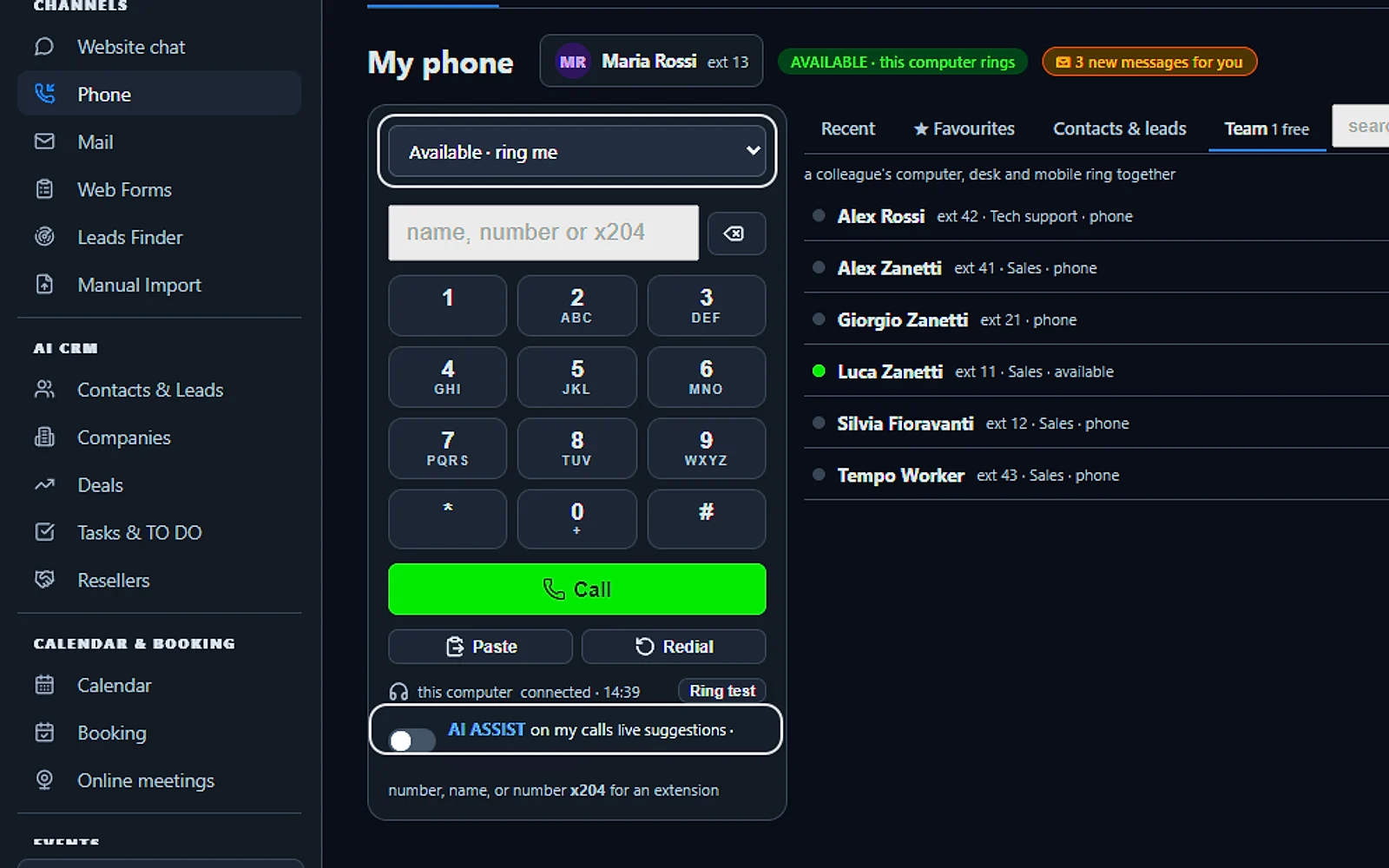
Under the dial pad, AI ASSIST on my calls turns live suggestions on for your calls. It can also be switched on in the middle of a call you dialled.
On a call the AI handed you
When the AI hands you a caller, tap AI ASSIST: Lisa listens and the board opens over the keys, with what she learned before the hand-over on the CALLER card.
In the phone app on the iPhone
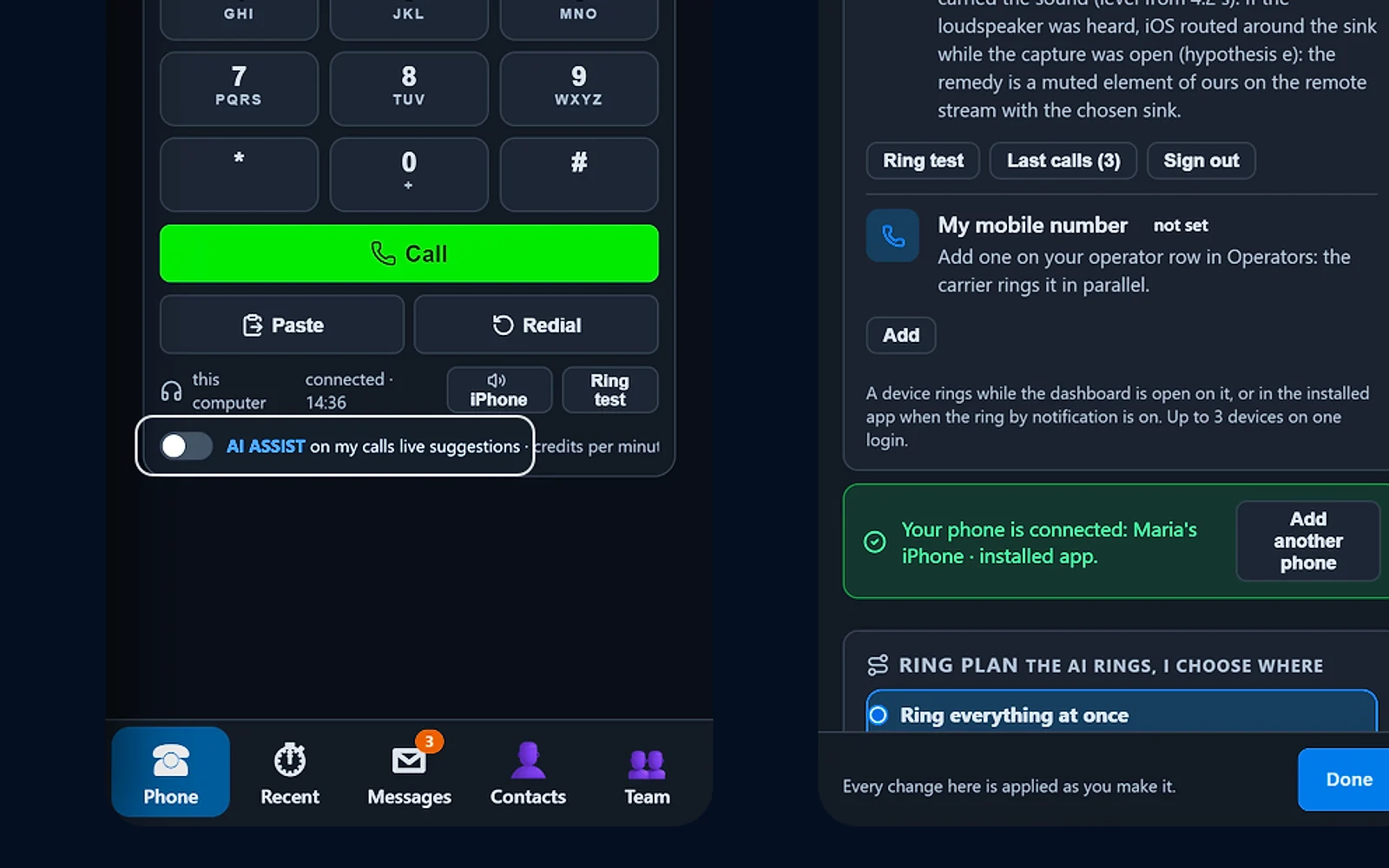
The same board opens in the phone app, and Back to the keys returns to the dial face while Lisa keeps listening.
By voice
Tell Lisa: turn AI ASSIST on, and she switches the board on during a call you dialled; off stops it.
Real screens
Agent assist AI: the real screens
Real Zanus AI screens, with our demo company's rules.
Compare
AI agent assist vs. a paper script, a search or a supervisor
Four ways to help the person on the phone, from the script pinned by the desk to AI agent assist that writes the answer while the customer talks.
| During a call | A script on paper | Searching a knowledge base | A supervisor on the line | AI Calls Teleprompter, your AI agent assist |
|---|---|---|---|---|
| Where the answer comes from | What was written last year | The article your person finds | What the supervisor remembers | Your knowledge: the facts, rules and documents your AI uses |
| When it arrives | When the page is found | After typing and reading | When someone is free | While the customer talks: the latest suggestion in large type |
| Its source | The script itself | The article | Their experience | Shown with each tip: so your person knows where it comes from |
| Who talks to the customer | Your person | Your person, after a pause | Sometimes the supervisor | Your person: the Teleprompter never speaks |
| A question of your own | Not possible | A new search | Asked aloud, on hold | Ask Lisa on the board: during the call |
| Where it works | At the desk | On the computer | Where the supervisor is | Computer and iPhone: on calls you dial or the AI hands you |
Set up
Set up AI agent assist in 2 minutes
Nothing to install and nothing to write. The Teleprompter sits on top of AI Phone and AI Calls Transcripts, and reads the knowledge your AI already has.
AI Phone and AI Calls Transcripts
The Teleprompter needs both: AI Phone carries the call and AI Calls Transcripts writes it, so Lisa can follow what is said.
Your knowledge, already there
The facts, rules and documents your AI answers from are the ones the tips come from. Add a rule or a document by talking when a call shows a gap.
Switch it on
Tick AI ASSIST on my calls under the dial pad, or tell Lisa: turn AI ASSIST on. It works on the computer and in the phone app.
Free trial, no credit card
Try it on your own calls for 7 days, read the suggestions with their sources, and decide.
Questions & answers
AI agent assist: frequently asked questions
What is AI agent assist?
AI agent assist is software that listens to a live call and shows the person on the phone what to say next. In AI Calls Teleprompter the answer comes from your knowledge, appears with its source while the customer talks, and your person stays the voice.
What does agent assist AI do during a call?
It listens and writes. On top of the board is what the caller says as it is heard; below it, the latest suggestion in large type with its source, the earlier ones under it, and a field to ask Lisa a question of your own.
Does the AI talk to the customer?
No. The Teleprompter never speaks on the call. Lisa listens and puts the suggestions on your person's screen; your person decides what to say, in their own words, and the customer hears only them.
Is there an AI that tells the operator the answer during a call?
Yes, on screen. AI Calls Teleprompter shows the operator the answer from your knowledge while the customer talks, with its source. It writes on the board instead of speaking in the ear, so nothing reaches the customer's line.
Where do the suggestions come from?
From your knowledge: the facts, rules, documents and pages your AI already answers callers from. Each suggestion shows its source, so your person sees where the answer comes from before saying it.
What is real time agent assist?
Real time agent assist is help that arrives during the call, not after it. The board follows the customer as they talk: the newest suggestion in large type with its source, and the earlier ones kept under it for when the customer comes back to a point.
Does it work on the iPhone?
Yes. In the phone app on the iPhone, tap AI ASSIST on a call you dialled or one the AI handed you, and the board opens over the keys. Back to the keys returns to the dial face while Lisa keeps listening.
Can I switch it on in the middle of a call?
Yes, on a call you dialled. Tap AI ASSIST, or tell Lisa: turn AI ASSIST on; off stops it. On My phone, the switch AI ASSIST on my calls under the dial pad turns live suggestions on for your calls.
Does it work on outbound sales calls?
Yes. On a call you place from My phone, or from a marketing call list with AI ASSIST ticked on the call card, the AI listens during your call and shows answers from your knowledge in a side panel: you read, you talk, the AI never speaks.
Is it a call center knowledge base?
It is how your call center knowledge base reaches the call. The knowledge lives in AI Knowledge, taught by talking and tested every night; the Teleprompter brings the right part of it to the screen while the customer talks.
What do I need to use it?
AI Phone and AI Calls Transcripts. AI Phone carries the call, AI Calls Transcripts writes what is said, and the Teleprompter turns it into suggestions from your knowledge. Each is priced per company, never per seat, and every user works with it.
AI agent assist for your industry
A dental front desk, a law firm's intake, an HVAC dispatcher or a hotel reception: the board shows each one the answers from its own knowledge, in its own words. Nothing is prefilled from the trade.
By industryAuto DealersAutomotive OEMsTelecom & Internet ProvidersConstructionHome ServicesProperty ManagementReal EstateConsumer BrandsDistributorsHigher EducationK-12 SchoolsOil, Gas & Energy ServicesUtilitiesBanks & Credit UnionsInsurance AgenciesInsurance CarriersMortgage & LendingWealth ManagementHealth PayersHealthcareHome & Senior CareMedTechPharma & BiotechAgricultureManufacturingMedia CompaniesSports & Live EventsAssociationsNonprofitsAccounting & Tax FirmsConsulting FirmsLaw FirmsStaffing & RecruitingAerospace & AviationDefense ContractorsGovernment AgenciesHealth & Human ServicesLocal GovernmentPublic SafetyGrocery & Drug StoresRestaurantsRetail StoresE-commerceHardware & ElectronicsSoftware & SaaSHospitalityLogisticsPassenger TransportationTravel AgenciesEnterprise Groups
By applicationTech SupportReception and SwitchboardCall Centers
Keep exploring
Where next?
Start with the one thing you need. Add more anytime by asking Lisa.
See it for your business ›
Easy setup
Answers & books
Sells
Helps your team
Included
Award-winning AI
Winner at CES 2026, ISE 2026 and TMCnet Enterprise AI Product of the Year.
REAL AI - the whole Front Office is AI, not old software with an AI button.
Awards & trade shows ›


Give Lisa your website.
She sets up your business in 2 minutes.
Other software makes you learn it. Zanus AI learns your business.
Try it free on your own business — no credit card, per company, never per seat.
Ready to buy? See plans & pricing ›
Or call +1 (954) 736-3939 — the AI answers.