AI Live Meetings & Remote Service. Live demo software in a room of your own.
Present live to website visitors, and guide customers remotely.
TRY AI LIVE MEETINGS FREENo credit card · Ready in 2 minutesReady to buy? See plans & pricing ›
7 days free · per company, never per seat · nothing to install
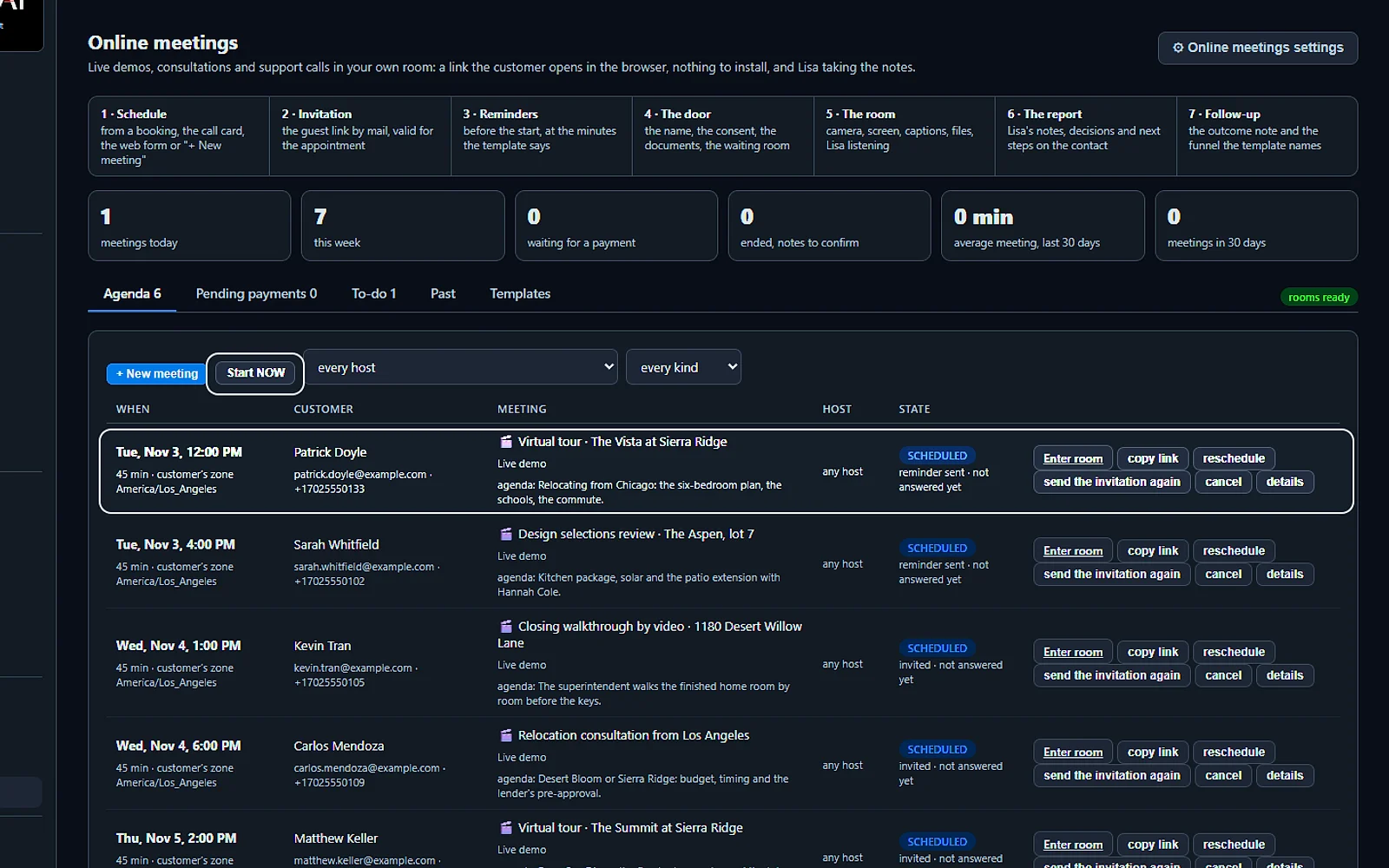
Every live demo, one agenda
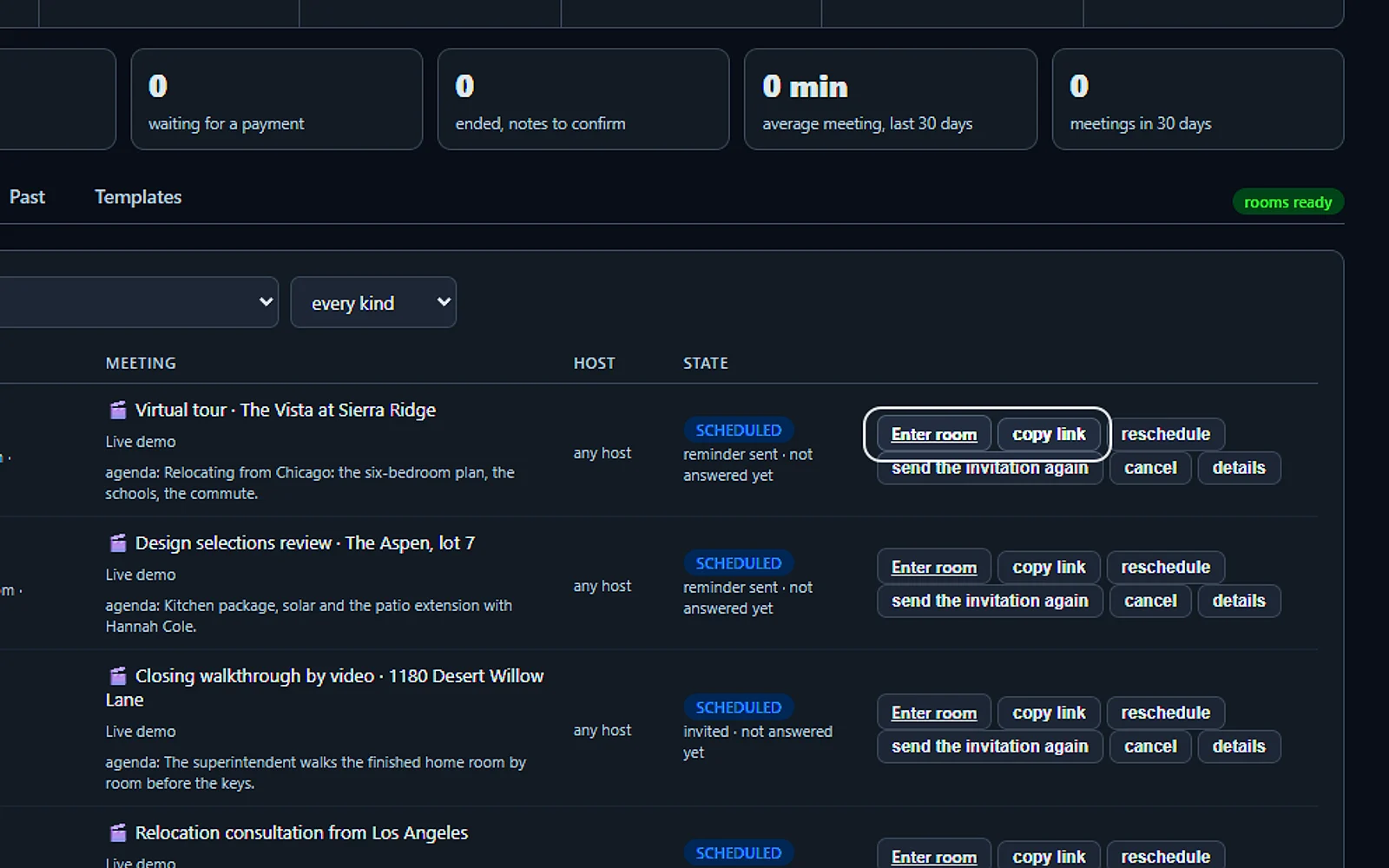
Each live demo with the customer, the time on their clock, the host and whether they accepted. Enter the room, copy the link or reschedule from the row.
 Easy setupSet up everything just by talking to Lisa AISee how ›
You“Schedule a live demo with Anna Thursday at 3.”
Lisa“Live demo with Anna, Thursday 3:00 PM, invitation and reminders set. Apply?”
You talk. Lisa sets it up. Applied only on your yes.
AI Live Meetings is live demo software for the demos your people give: the customer opens a link, joins your branded room, and Lisa takes the notes while you show the product. The same room serves remote support: a phone joins as a second camera, a privacy screen covers your passwords, and with the guest's permission you drive one tab of his browser.
REAL AI - the whole Front Office is AI, not old software with an AI button.
What’s included
- Live presentation to a visitor from the widget, your person or your avatar presents
- Pages and pictures shared while you talk; the visitor asks live
- Remote service sessions written to the record
What makes it different
Live demo from the chat
Visitors ask for a live demo right from your website chat.
No account to join
Visitors join from a personal link, no sign-up needed.
Lisa takes a question
Hand a question to Lisa mid-demo, then take the floor back.
Your avatar presents
Lisa's face gives the demo; a person joins when the visitor asks.
Remote service on record
A technician guides the customer; transcript and summary land on the ticket.
Captions in 40 languages
Every picture and video captioned in 40 languages for Lisa.
See all 8 functions
Every function inside the module
- Demo linksA personal link for each prospect, opened from the chat or sent by mail; the visitor joins without an account.
- The live sessionThe presenter shares your pages, pictures and videos while the visitor talks or chats; hand a question to Lisa, then continue.
- The avatar presentsWith AI Avatar, Lisa's face gives the scripted demo and a person joins when the visitor asks.
- Demo templatesReusable scene sequences of pages, pictures, videos and spoken text, per product or market.
- Remote serviceA technician guides a customer through diagnosis or settings; photos, transcript and summary go on the record and the ticket.
- Images and VideosThe libraries every demo draws from, captioned in 40 languages so Lisa knows what each image shows.
- The registerActive and completed sessions with duration, scenes shown, questions asked and the transcript.
- SettingsWho may present, how long links last, the recording rule, and the chat's 'ask for a live demo' button.
Add it to AI Webchat or get it inside a solution · See pricing › · Per company, never per seat.
Works withAI WebchatAI AvatarAI Tickets
What it does
What the live demo software does for your sales team
A live demo is where a buyer decides whether to trust you. AI Live Meetings gives your people a room of your own for it, books it from every door and makes sure nothing said in it is lost.
A room with your name on it
The customer joins a room carrying your company name, from a link in his browser, with nothing to install and no account to create.
Your material, one click away
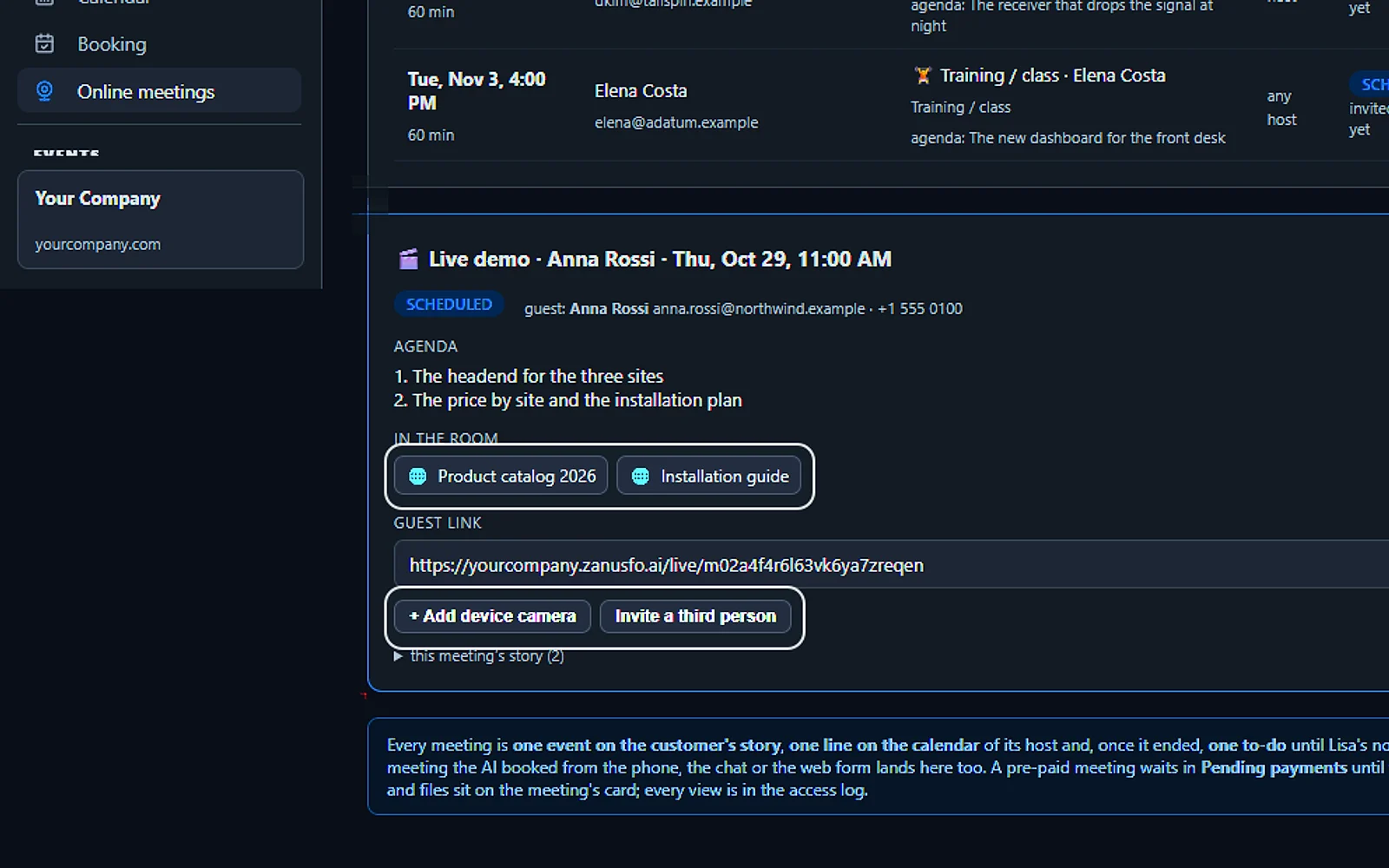
Documents, pictures and videos from your library, a web page or the customer's own AI demo wait in the host's rail, picked when the meeting is booked.
Notes by Lisa, for your yes
Lisa sits in and writes the summary, the decisions, the promises and the next steps. On the Live demo template they wait for you to confirm them.
Captions in his language
Live captions follow the conversation, and translated captions help a customer who prefers his own language, on the templates where you switch them on.
A privacy screen for passwords
Press STAND BY while you type a password or open a private file: the guest sees your stand-by card and hears nothing until you come back.
A follow-up that starts itself
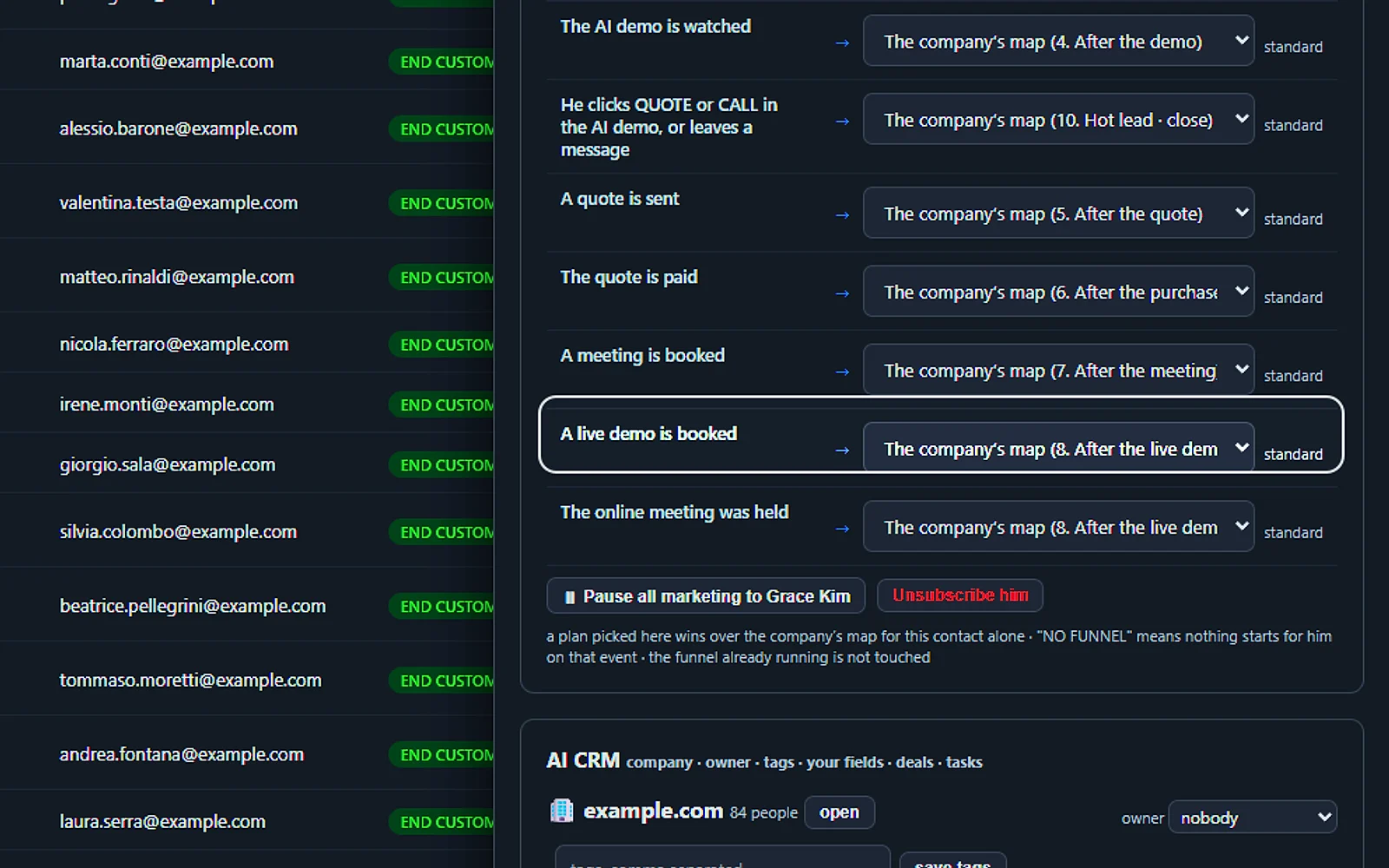
A live demo booked starts the plan After the live demo on the contact's road, so the next mail is written from what happened in the room.
Live demos
Book, run and follow up every live demo
Live demos arrive from the phone, the chat, the web form, the offer mail and your online booking, and every one of them lands on the same agenda with its guest link ready.
Booked from every door
Book a live demo from the call card while the customer is on the line, or let the AI book it from a chat, a web form, an offer mail or a booking service.
One agenda for every host
Each live demo shows the customer, the time on his clock, the host and the state of the invitation, with Enter room, copy link, reschedule and details.
Reminders before the start
The Live demo template reminds the guest a day before by mail and an hour before by mail and text, from your own company line once texting is on.
From the notes to the quote
From Lisa's notes, send them to the customer, open a quote for him or book the next meeting, without retyping a word of what was agreed.
Co-browsing
Co-browsing software for the moments a screen share is not enough
Some problems are faster to fix than to explain. When the template allows it, the host can drive one tab of the guest's browser, with the guest watching and in charge.
One tab, chosen by the guest
The guest adds the free Zanus Remote Control extension and picks the one tab you may drive. Nothing else on his computer is reachable.
A red bar while you drive
While you click and type, a red bar stays on his screen, and he can stop the remote control at any time with one click.
Every action logged
Every action you take in his tab is logged on the meeting, and the Tech support / upgrade template records every session.
Never where it does not belong
Remote control is a switch per template. It is on for Tech support / upgrade, off elsewhere unless you turn it on, and never available on a regulated template.
Remote support
Remote support software for small business: see it, show it, fix it
Remote visual support for the customer who has a machine, a device or a form in front of him: the same room, the Tech support / upgrade template, and the tools a technician needs.
His phone as a second camera
Press + Add device camera: a QR code and a link appear, and the customer's phone or tablet joins as an extra camera pointed at the machine.
Files both ways
The customer sends a photo of the label or a log file, and you send the manual or the update, up to the largest file you set.
A third person when it helps
Invite a specialist, an interpreter, a family member or a colleague from the meeting card. The invitation goes out at once.
Booked beside the live demos
Tech support sessions sit on the same agenda as the live demos and the consultations, each with its own template, length and guest link.
Real screens
The screens of the live demo software
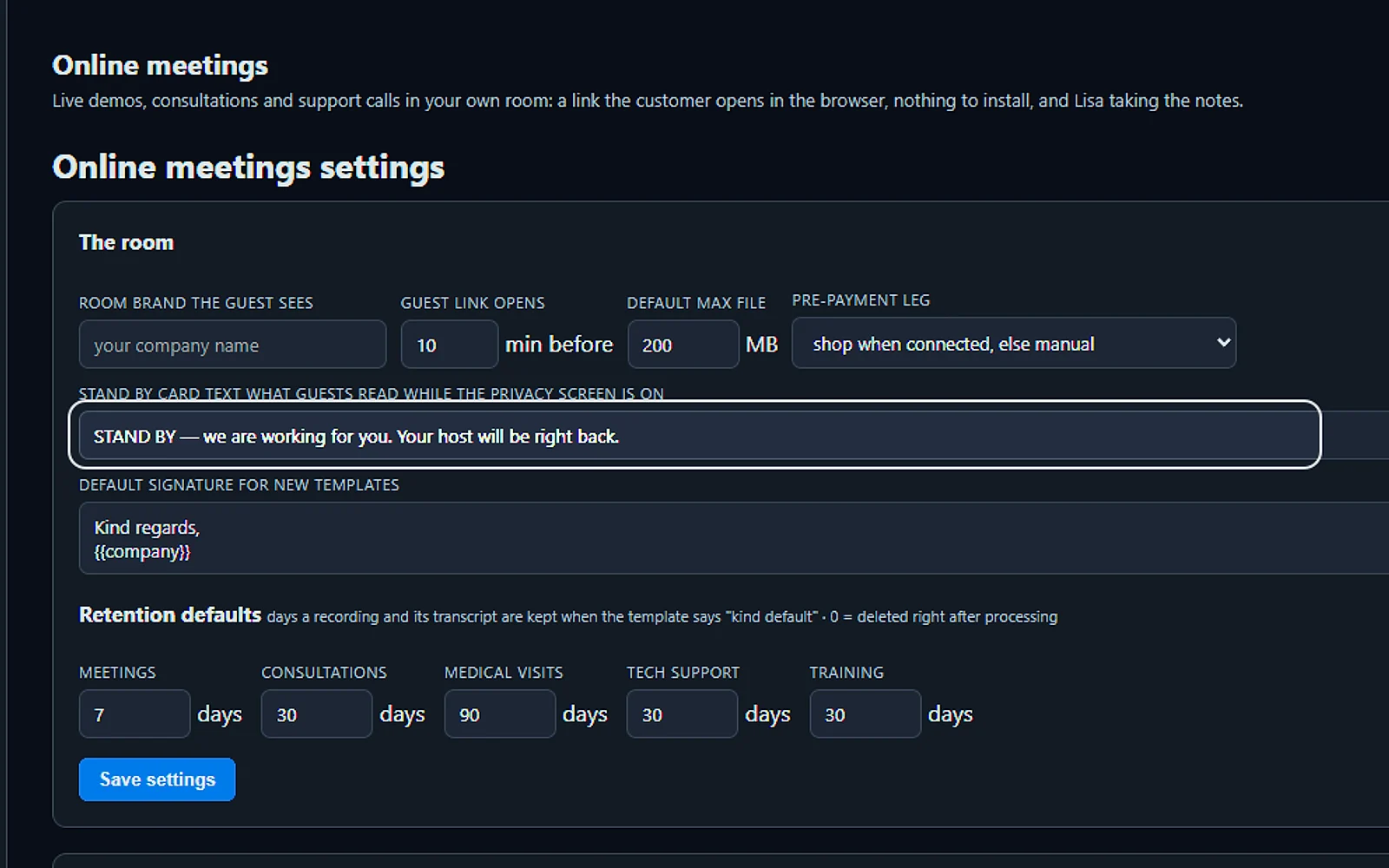
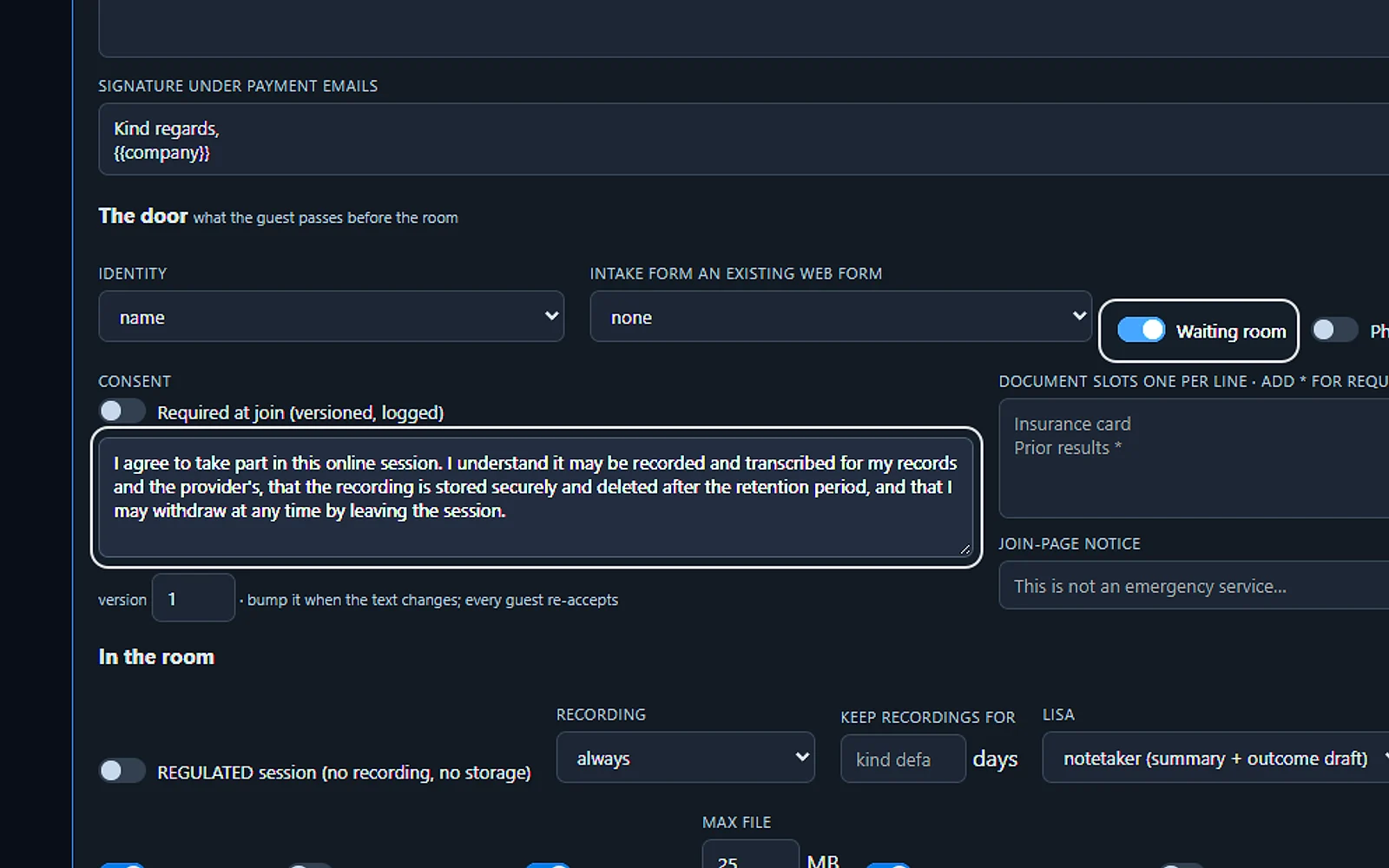
Real Zanus AI screens, with our demo company's live demos and their recordings.
Moments
Live video customer service, from the first look to the follow-up
Remote video assistance is not only for selling. These are the moments small teams use the room for every week.
The buyer who wants to see it
A prospect asks on the phone how the product works. The AI books a live demo on a free start of the host's week, and the invitation reaches him on his own clock.
The machine that stopped
A customer calls about a fault. He joins from the link, points his phone at the machine and your technician sees the problem without driving there.
The form he cannot finish
A customer is stuck in your online order form. He picks the tab, you fill the hard part with him watching, and he presses the last button himself.
The buyer who brings his engineer
Halfway through the demo the customer wants his engineer to hear it. One invitation from the card, and the engineer joins from his own link.
Compare
Live demo software vs. a free video call vs. a recorded video
Three ways small teams show a product at a distance, and what the customer and your team get from each one.
| On a live demo | A free video call | A recorded video | A web conference tool | AI Live Meetings |
|---|---|---|---|---|
| Joining | Often an app or an account | Nothing, it is a video | A link, sometimes an app | A link in the browser: nothing to install, a waiting room if you want one |
| Your material | Your shared screen | Edited in advance | Your shared screen | One click away: documents, pictures, videos, a page, his AI demo |
| Notes | Yours, by hand | None | A transcript, at best | Lisa takes them: summary, decisions, promises, next steps, for your yes |
| Passwords on screen | Seen if you forget | Cut in editing | Seen if you forget | STAND BY: the guest sees your card and hears nothing |
| Helping on his screen | Talk him through it | Not possible | Screen share | Remote control of one tab: he picks it, sees a red bar, stops it any time |
| After the call | Nothing on his record | A view count | A recording link | On his story: the follow-up plan starts by itself |
Set up
Set up your live demo room in 2 minutes
The Live demo and Tech support / upgrade templates are shipped ready. You talk, Lisa sets the rest.
The templates are ready
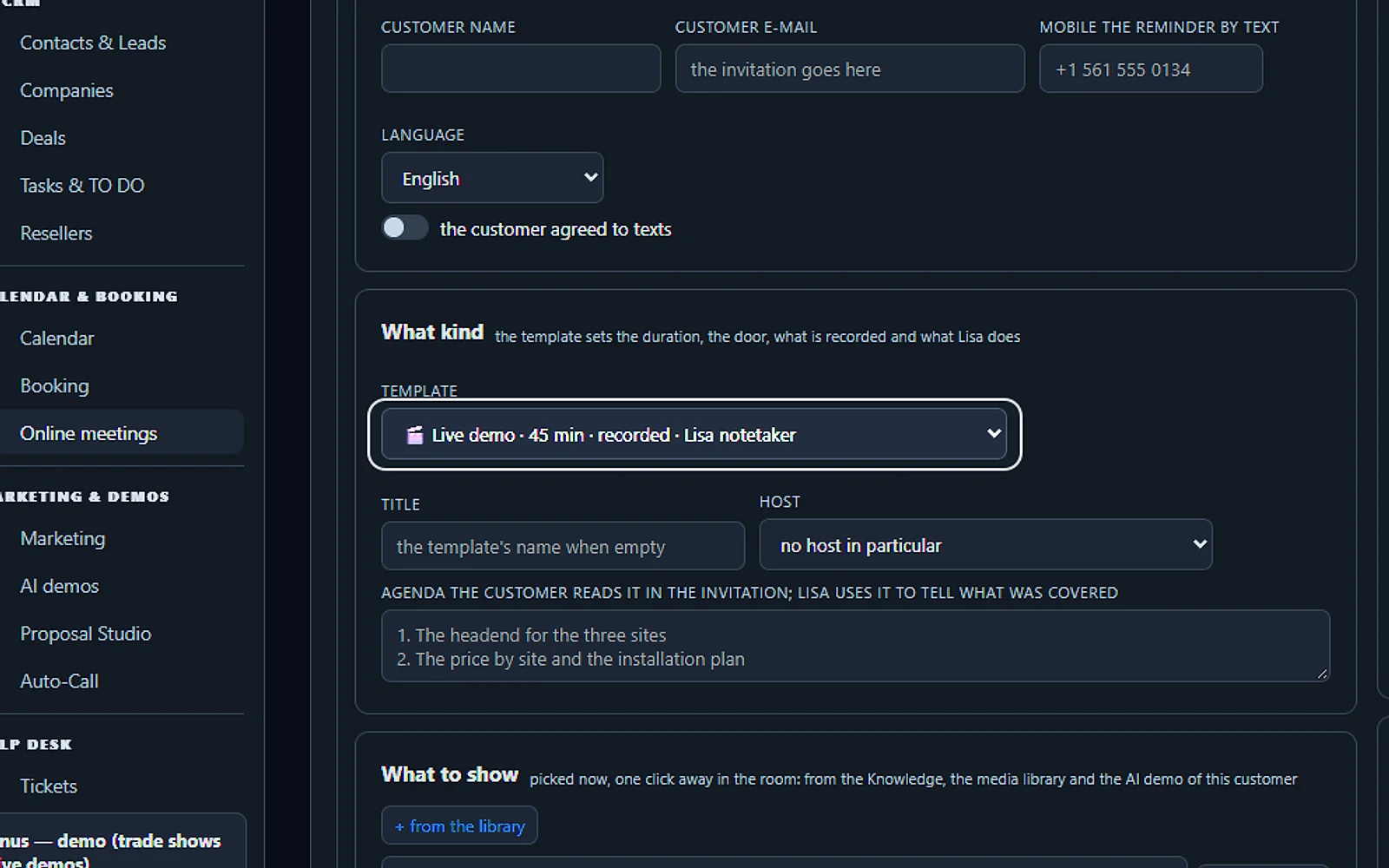
Live demo: 45 minutes, recorded, Lisa's notes to confirm, captions, files and the privacy screen. Tech support / upgrade: file transfer, privacy screen and remote control.
Your brand and your words
Tell Lisa your room brand, the STAND BY card text and when the guest link opens. She shows the change before you apply it.
Bookings from every door
Point your online booking services at a template, and the live demos the AI books from the phone, the chat and the web forms land on the agenda.
Free trial, no credit card
Give your first live demos during the 7-day trial and read Lisa's notes of each one before you decide.
Questions & answers
Live demo software: frequently asked questions
What is live demo software?
Live demo software lets a person show a product to a customer in real time, online. In AI Live Meetings the customer opens a link in his browser and joins your branded room; you show documents, pictures, videos or a web page from the rail, and Lisa takes the notes for you to confirm afterwards.
How does a customer join a live demo?
He clicks the link in his invitation and joins in the browser, with nothing to install and no account. The link opens ten minutes before the start by default, and only for that appointment. With a waiting room on, you let him in when you are ready.
What is co-browsing software?
Co-browsing software lets a support person and a customer work on the same web page together. In AI Live Meetings the host can drive one tab of the guest's browser through the free Zanus Remote Control extension, on the templates where remote control is allowed, such as Tech support / upgrade.
Is co-browsing the same as screen sharing?
No. Screen sharing only shows a picture of a screen. With co-browsing the host can click and type in the tab the customer chose, to fill a form or change a setting with him. AI Live Meetings has both: screen sharing in every room, remote control of a guest tab where the template allows it.
Is remote control of a customer's browser safe?
The guest decides. He picks the one tab you may drive, sees a red bar while you do, and can stop at any time. Every action is logged, the Tech support / upgrade template records every session, and remote control is never available on a regulated template.
Can a customer show me a problem with his phone camera?
Yes, that is remote visual support. On the meeting card press + Add device camera and name it, for example Equipment camera: a QR code and a link appear. The customer scans it with a phone or a tablet, which joins the room as an extra camera pointed at the machine.
What is remote video assistance used for?
Remote video assistance replaces a site visit when seeing is enough: a technician checks an installation, a dealer walks a buyer through a vehicle, an installer reads the label on a part. The customer joins from a link, adds his phone as a camera, and you exchange files both ways.
Are live demos recorded?
The template decides: always, the host decides, or off. The Live demo template records, and you choose how many days recordings are kept. A recording opens through a link valid ten minutes, and every view of a recording or a file is written in the meeting's access log.
Who takes the notes during a live demo?
Lisa does. After a live demo her notes wait on To-do: the summary, the decisions, the promises, the next steps, the objections and the open items, each line editable. Confirm them, send them to the customer, open a quote or book the next meeting from the same place.
Can I hide my screen while I type a password?
Yes. With the privacy screen on the template, press STAND BY: the guest sees your stand-by card and hears nothing until you come back. The card's text is yours to write, for example that you are checking his account and will be right back.
Can a specialist or an interpreter join the live demo?
Yes, when the template allows it. Press Invite a third person on the meeting card, type the e-mail and pick the role: specialist, interpreter, family member or colleague. The invitation goes out at once, and the new guest joins from his own link.
How much does live demo software cost?
AI Live Meetings is priced per company, never per seat, so every host in your team gives demos without a licence of their own. The current price is on the pricing page, and the 7-day free trial needs no credit card.
Live demo software for your industry
Live demos and remote support for the trades that sell or fix something a customer needs to see: manufacturers, distributors, dealerships, home services, software companies, real estate agents and medical device suppliers.
By industryAuto DealersAutomotive OEMsTelecom & Internet ProvidersConstructionHome ServicesProperty ManagementReal EstateConsumer BrandsHigher EducationK-12 SchoolsBanks & Credit UnionsInsurance CarriersMortgage & LendingHome & Senior CareMedTechAgricultureManufacturingMedia CompaniesSports & Live EventsAccounting & Tax FirmsMarketing AgenciesAerospace & AviationGovernment AgenciesLocal GovernmentRetail StoresE-commerceHardware & ElectronicsSoftware & SaaSHospitalityTravel AgenciesEnterprise Groups
By applicationTech Support
Keep exploring
Where next?
Start with the one thing you need. Add more anytime by asking Lisa.
See it for your business ›
Easy setup
Answers & books
Sells
Helps your team
Included
Award-winning AI
Winner at CES 2026, ISE 2026 and TMCnet Enterprise AI Product of the Year.
REAL AI - the whole Front Office is AI, not old software with an AI button.
Awards & trade shows ›


Give Lisa your website.
She sets up your business in 2 minutes.
Other software makes you learn it. Zanus AI learns your business.
Try it free on your own business — no credit card, per company, never per seat.
Ready to buy? See plans & pricing ›
Or call +1 (954) 736-3939 — the AI answers.