AI Live Meetings & Remote Service for Banks & Credit Unions. Remote member support for credit unions, face to face online
AI Live Meetings is remote member support for credit unions and banks: the member opens a link, joins your branded room in the browser with nothing to install, and your staff show your guides, pages and videos on screen while Lisa takes the notes. A privacy screen covers your own screen whenever you type a password.
TRY AI LIVE MEETINGS FREENo credit card · Ready in 2 minutesReady to buy? See plans & pricing ›
7 days free · per company, never per seat · nothing to install
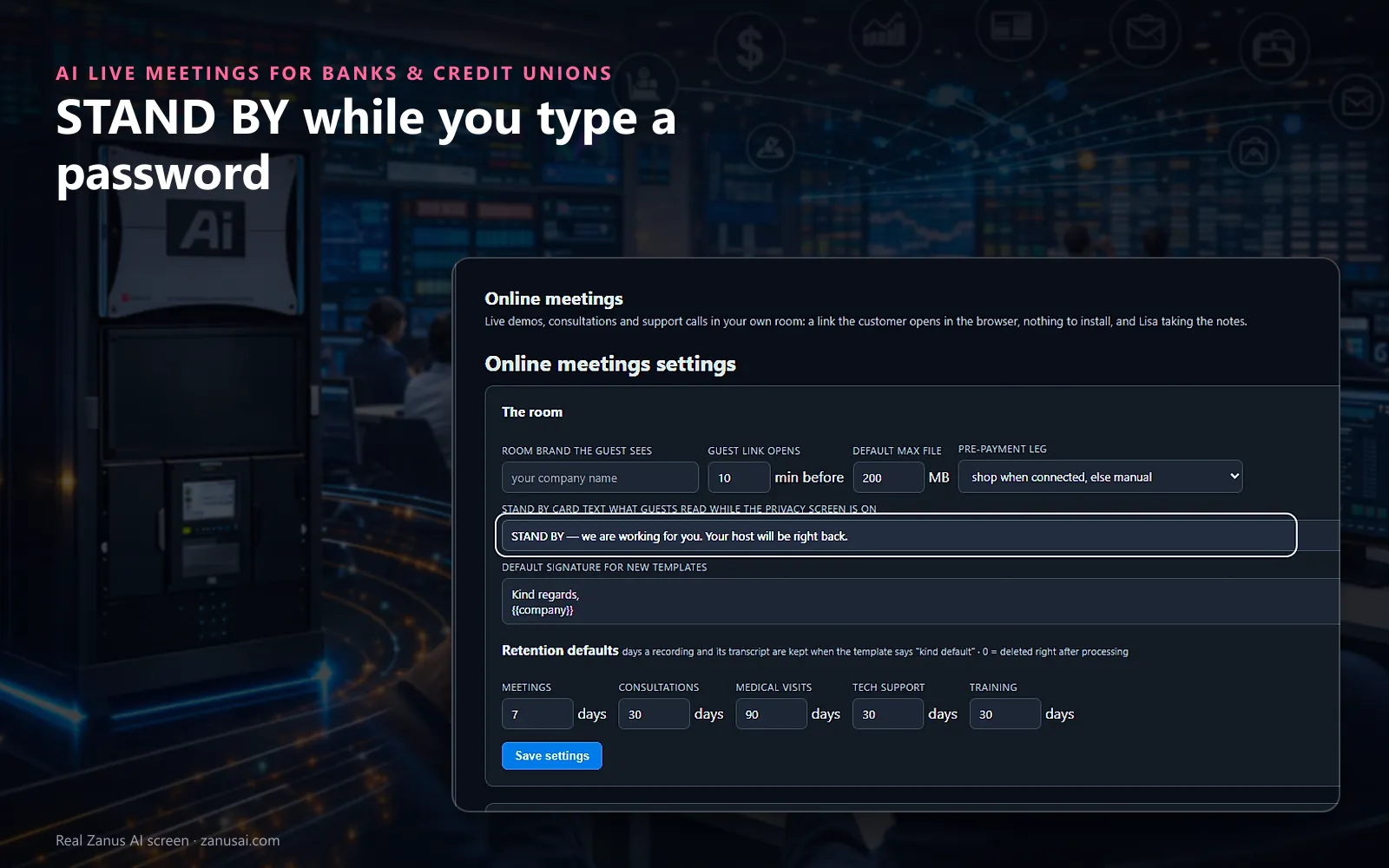
Privacy screen
Press STAND BY before you type a password or open a private file, and the member sees your card until you come back.
 Easy setupSet up everything just by talking to Lisa AISee how ›
You“Turn off remote control on every member-support template.”
Lisa“Remote control will be off on every member-support template; screen sharing, files and the privacy screen stay on. Apply?”
You talk. Lisa sets it up. Applied only on your yes.
How Banks & Credit Unions use it
An older member stuck on digital banking enrollment joins from a link, and a staff member walks through your guide on a shared screen.
A business member's bookkeeper joins halfway through, from an invitation sent from the meeting card, to hear the steps for the new portal.
A member who moved away meets a business banker on video, and Lisa's notes of what was agreed wait for the banker's confirmation.
REAL AI - the whole Front Office is AI, not old software with an AI button.
What’s included
- Live presentation to a visitor from the widget, your person or your avatar presents
- Pages and pictures shared while you talk; the visitor asks live
- Remote service sessions written to the record
Add it to AI Webchat or get it inside a solution · See pricing › · Per company, never per seat.
Everything AI Live Meetings & Remote Service does, for every business ›
Works withAI WebchatAI AvatarAI Tickets
The room
Live video support for banks in a room with your name
Screen sharing for member support, booked from every channel and written up by Lisa.
A room with your name on it
The member joins a room carrying your institution's name, from a link in the browser, with nothing to install and no account to create.
Your guides one click away
Documents, pictures and videos from your library, or a page of your website, wait in the host's rail, picked when the session is booked.
Captions in their language
Live captions follow the conversation, and translated captions help a member who prefers Spanish or Vietnamese, on the templates where you switch them on.
Booked from every door
The AI books the session from a call, a chat or a form, and each one lands on the host's agenda with its guest link ready.
Privacy
A privacy screen for bank staff, one press away
STAND BY
One press while you type a password or open a private file, and the member sees your card and hears nothing until you return.
Remote control stays off
Driving a member's browser tab stays off for your institution: staff show the steps on their own screen, and the member presses every button.
A waiting room
With the waiting room on, the member waits at the door until your staff let them in, and the link works only for that appointment.
Questions & answers
AI Live Meetings & Remote Service for Banks & Credit Unions: questions & answers
Can a member get online banking help by video?
Yes. The member opens the link in the invitation and joins your room in the browser, with no account to create. Your staff share your guides and pages on screen and show each step while the member follows on their own device.
Can staff take control of the member's computer?
No. Remote control of a member's browser stays off for banks and credit unions, and it is never available on a regulated template. Your staff share their own screen, guides and pages instead, and the member clicks every button themselves.
How do we keep passwords and private files off the screen?
Press STAND BY while you type a password or open a private file: the member sees your stand-by card and hears nothing until you come back. The card's text is yours to write.
Does the member need to install anything?
No. The member joins from the link in a browser, with nothing to install and no account. The link opens ten minutes before the start by default, only for that appointment, and a waiting room can hold them until you are ready.
Who writes the notes of the session?
Lisa is in the room and writes up the session: the summary, what was decided, what each side promised and the next steps. On the templates you choose they wait for your confirmation before they go to the member and onto their record.
Keep exploring
Where next?
Start with the one thing you need. Add more anytime by asking Lisa.
AI Front Office for Banks & Credit Unions ›
Easy setup
Answers & books
Sells
Helps your team
Included
Award-winning AI
Winner at CES 2026, ISE 2026 and TMCnet Enterprise AI Product of the Year.
REAL AI - the whole Front Office is AI, not old software with an AI button.
Awards & trade shows ›


Give Lisa your website.
She sets up your business in 2 minutes.
Other software makes you learn it. Zanus AI learns your business.
Try it free on your own business — no credit card, per company, never per seat.
Ready to buy? See plans & pricing ›
Or call +1 (954) 736-3939 — the AI answers.