AI Live Meetings & Remote Service for E-commerce. Co-browsing for ecommerce and live product sessions.
AI Live Meetings brings co-browsing for ecommerce to your care team: a shopper stuck in your order form joins a branded room from a link, picks the one tab you may drive, and watches while your agent fills the hard part. The same room shows a product live, with your photos and videos on screen and Lisa taking the notes.
TRY AI LIVE MEETINGS FREENo credit card · Ready in 2 minutesReady to buy? See plans & pricing ›
7 days free · per company, never per seat · nothing to install
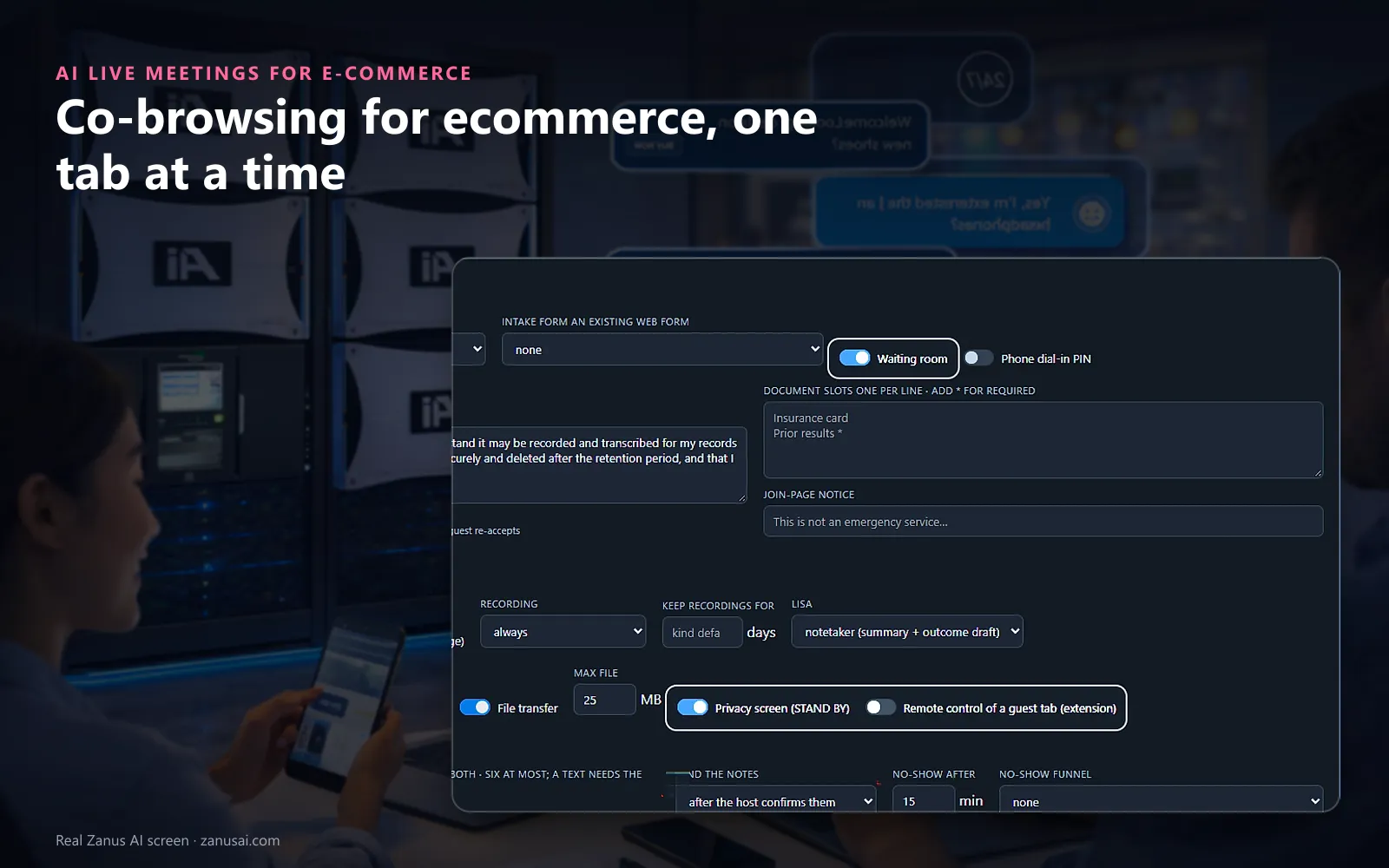
Room settings
Each kind of session sets what the room allows: recording, Lisa's notes, captions, file sharing, the privacy screen and remote control of a guest tab.
 Easy setupSet up everything just by talking to Lisa AISee how ›
You“Open the guest link fifteen minutes before each live product session.”
Lisa“Before: the guest link opens ten minutes early. After: it opens fifteen minutes before each live product session. Apply?”
You talk. Lisa sets it up. Applied only on your yes.
How E-commerce use it
A shopper cannot finish a custom-engraving order form; she picks the tab, your agent fills the hard field and she places the order herself.
In video customer service for ecommerce, a buyer who cannot pair a smart thermostat points his phone at the wall unit as a second camera for your technician.
A buyer on a leather sofa page asks to see the stitching up close; your expert joins live and shares the swatch photos.
REAL AI - the whole Front Office is AI, not old software with an AI button.
What’s included
- Live presentation to a visitor from the widget, your person or your avatar presents
- Pages and pictures shared while you talk; the visitor asks live
- Remote service sessions written to the record
Add it to AI Webchat or get it inside a solution · See pricing › · Per company, never per seat.
Everything AI Live Meetings & Remote Service does, for every business ›
Works withAI WebchatAI AvatarAI Tickets
Co-browsing
Checkout help by screen share and one shared tab
One tab, chosen by the shopper
The shopper adds the free Zanus Remote Control extension and picks the one tab you may drive; nothing else on the computer is reachable.
A red bar while you drive
While your agent clicks and types, a red bar stays on the shopper's screen, and one click stops the remote control at any time.
Every action logged
Every action in the shopper's tab is logged on the meeting, and the Tech support template records every session.
A privacy screen for your side
Turn on stand-by while you open your store admin, and the shopper sees your stand-by card and hears nothing until you are back.
Set-up
Live video shopping appointments in 2 minutes
The templates are ready
Live demo and Tech support come shipped with recording, Lisa's notes, captions, files, the privacy screen and remote control where allowed.
Your room, your brand
Tell Lisa the room's brand and the stand-by card text; she shows the change before you apply it.
Booked from the chat
Point your booking services at a template, and the sessions the AI books from the chat, the phone and the forms land on one agenda.
Your first sessions
Hold your first live product sessions during the 7-day free trial and read Lisa's notes of each one.
Questions & answers
AI Live Meetings & Remote Service for E-commerce: questions & answers
What is co-browsing for an online store?
It lets a support person and a shopper work in the same browser tab, so a stuck checkout or a custom order form gets finished together. In AI Live Meetings the shopper picks the tab, watches every click and can stop at any time.
Is co-browsing the same as screen sharing?
No. Screen sharing shows a picture of a screen; with co-browsing your agent can click and type in the tab the shopper chose. Every room has screen sharing, and remote control of a shopper's tab works where the template allows it.
Does the shopper need to install anything?
To join the room, nothing: the link opens in the browser with no account. To let your agent drive a tab, the shopper adds the free Zanus Remote Control extension and picks that one tab.
Can a shopper see a product live before buying?
Yes. A remote product demo for online stores booked from the chat or the phone opens your branded room, where your expert shows the product with photos, videos or a web page from the rail while Lisa takes the notes.
What happens after a live product session?
Lisa's notes, the decisions and the next steps wait for your confirmation on the Live demo template; from them you send the notes, open a quote or book the next session without retyping.
Keep exploring
Where next?
Start with the one thing you need. Add more anytime by asking Lisa.
AI Front Office for E-commerce ›
Easy setup
Answers & books
Sells
Helps your team
Included
Award-winning AI
Winner at CES 2026, ISE 2026 and TMCnet Enterprise AI Product of the Year.
REAL AI - the whole Front Office is AI, not old software with an AI button.
Awards & trade shows ›


Give Lisa your website.
She sets up your business in 2 minutes.
Other software makes you learn it. Zanus AI learns your business.
Try it free on your own business — no credit card, per company, never per seat.
Ready to buy? See plans & pricing ›
Or call +1 (954) 736-3939 — the AI answers.