AI Webchat for E-commerce. The AI chatbot for ecommerce that reads your store.
AI Webchat is an AI chatbot for ecommerce that answers shoppers from your connected store, not from a script: stock, sizes, prices, shipping rules and where an order stands. It speaks or writes in 40 languages, opens the product page it talks about, shows your product photos and hands refund requests to your team.
TRY AI WEBCHAT FREENo credit card · Ready in 2 minutesReady to buy? See plans & pricing ›
7 days free · per company, never per seat · nothing to install
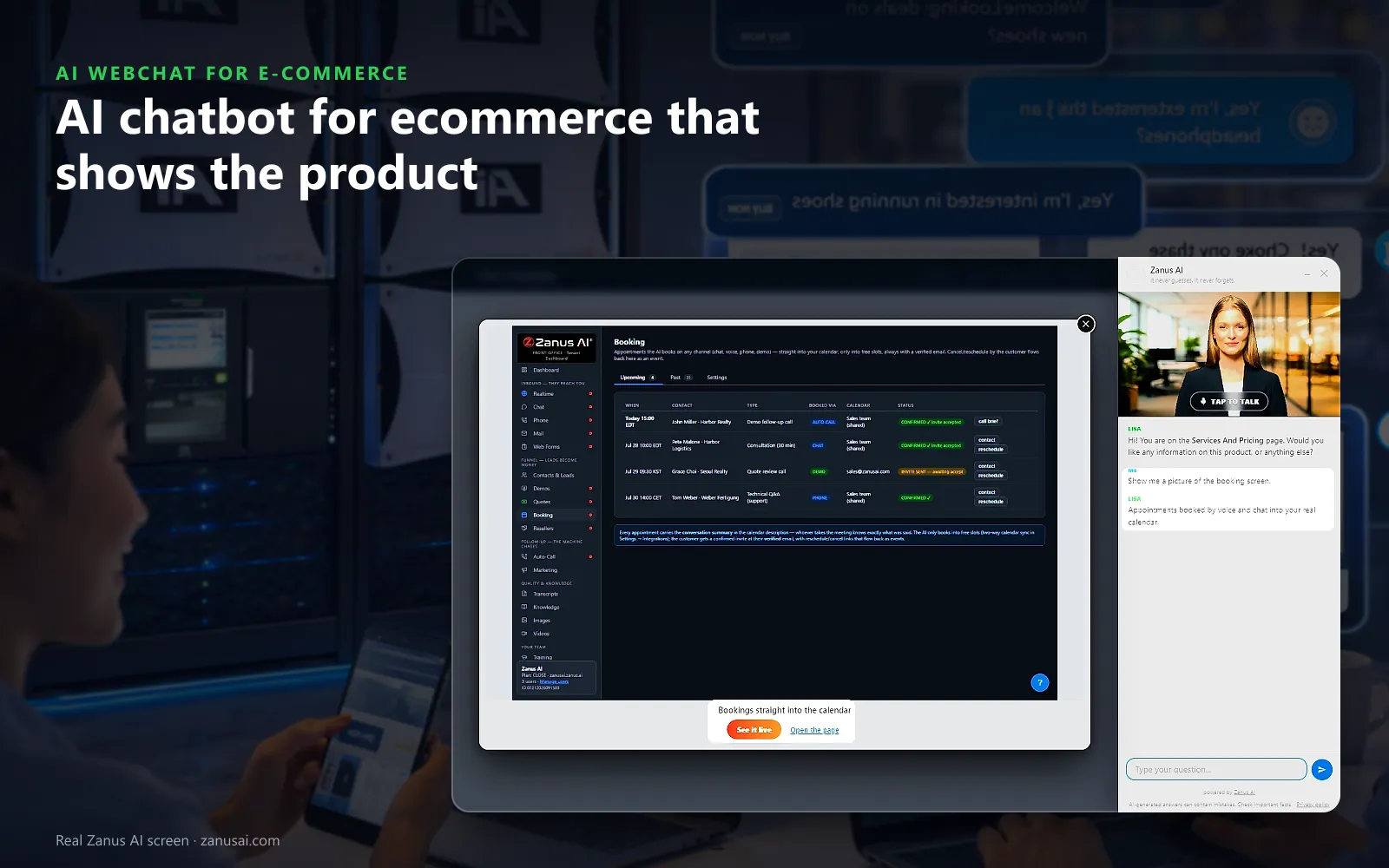
Photo on request
A shopper asks to see something and the chat holds up the real picture over the page, with a button to open the page it belongs to.
 Easy setupSet up everything just by talking to Lisa AISee how ›
You“Answer stock and order questions in the chat; hand refund requests to the care team.”
Lisa“Before: refund requests get a link to the policy. After: refund requests become a ticket for the care team, conversation attached. Apply?”
You talk. Lisa sets it up. Applied only on your yes.
How E-commerce use it
On a sofa page a shopper asks whether the gray fabric is in stock; the chat reads the count and opens that version's page.
At midnight a customer types her order number; the chat says the parcel shipped and offers to e-mail the tracking link to the address on the order.
An office manager asks for forty candle gift sets; the chat drafts a quote from your catalog for your yes, paid later on your checkout.
REAL AI - the whole Front Office is AI, not old software with an AI button.
What’s included
- Text and voice in one widget on your site, the visitor types or talks; the AI answers in their language
- Knows the page the visitor is on and answers from your pages, files, prices and rules
- Shows pictures and product screens while it talks; opens the right page of your site and continues there
- Captures the lead with a verified e-mail; books appointments from your live calendar; offers your AI Demo
- Your people take over any chat live in one click, with the context, not a transcript to read
- Instant barge-in: the visitor interrupts and the AI stops; echo and background noise filtered
- Optional AI Avatar: the same assistant with a face that talks
- Every conversation on the customer's record; chat analytics per page and topic; sessions exportable
- Installs with one line on any site, Shopify, WordPress, custom; the widget is yours to brand
Available on its own or inside a solution · See pricing › · Per company, never per seat.
Everything AI Webchat does, for every business ›
Works withAI BookingAI AvatarAI DemoAI QuotingAI TicketsAI Returns & WarrantyAI CRM
The store chat
What an AI chatbot for ecommerce answers
Shoppers ask the same product questions before and after they pay, and the chat answers each one from the store itself.
Stock and versions
Is the walnut desk back, is the linen shirt made in large: answered from the products and stock of your connected store, version by version.
Where an order stands
A customer types the order number and reads where the parcel is; the tracking link goes by e-mail to the address on the order.
Sizing and care, from your pages
Fit notes, size guides and washing instructions come from your own product pages and documents, and a question they do not cover goes to your team.
Product photos in the chat
Asked to see the back of a jacket or the inside of a bag, the chat holds up the real photo from your site over the page.
Shipping and return rules
Delivery times, the cutoff before a holiday and your return window are read from the policy pages you wrote, not improvised by the AI.
Bulk orders become quotes
A request for forty units is priced from your catalog and filed as a quote for your yes; a quote for store products becomes a draft order.
Support
A customer support chatbot for ecommerce that knows when to pass on
Customer satisfaction often turns on the hand-off, so the chat knows what to finish itself and what to pass to a person.
A person when the shopper asks
Ask for a human and the chat becomes mail for your care team or a ticket, with the whole conversation attached, so nobody asks for the order number twice.
The right department
Lisa opens the chat and hands a wholesale buyer to sales, a broken charger to support and a sizing doubt to customer service, each with its own name and voice.
Abuse kept out of the queue
A visitor who spams the chat collects strikes, then a pause, then a ban; the watch list shows suspicious, banned and trusted visitors to your store.
Leaving without a word
A shopper who closes the chat can receive the summary of the conversation by e-mail with a link back to the product, the address verified first.
Sessions
Ecommerce chatbot sessions and what each one produced
Customer engagement in the store chat, measured session by session: what shoppers asked, on which page, and how each conversation ended.
Live now
The store chats in progress with the page, the language and text or voice; watching is read-only, so the AI is not interrupted mid-answer.
Outcome per session
Each session ends as an answer, a lead, a quote request, a ticket or a chat opened and never typed, counted by hour of day and by country.
Conversion by trigger
See how the landing state, the A/B bucket, the device and the trigger rule turned store visitors into leads, demos, pictures shown and pages opened.
Search every chat
Find a session by the shopper's e-mail or a word they typed, filter by outcome or language, and export the list for your care lead.
Use cases
Use cases for an ecommerce chatbot, from browsing to returns
AI chatbots for ecommerce earn their place in a handful of use cases, and these are the ones an online store meets every day.
Product discovery
A shopper describes a rainy commute and a wish for bright colors; the chat suggests the jackets that fit from your catalog and opens their pages, so product discovery happens in a conversation.
Product recommendations within your rules
Product recommendations follow how you told Lisa to recommend: which line to suggest first, which accessories go with what, and which items she leaves alone, all from your own knowledge.
Order tracking by e-mail
Where is my order? The shopper types the order number, the chat gives the status from the order data, and the tracking link goes by e-mail to the address on the order, never into the chat.
Customer questions before checkout
Does it run large, will it arrive by Friday, can it be gift-wrapped: customer questions answered while the shopper is still deciding, from your size guides, cutoff dates and policy pages.
Routine questions without human intervention
Stock, sizing, delivery times and return windows are answered without human intervention, so routine chats stay out of your ticket volume and only what needs a person becomes a ticket.
Customer data on one record
A shopper who leaves a name and an e-mail becomes a contact, and the conversation joins that customer data on one record, so your support teams see the chat before the next call.
Compare
Chatbot for ecommerce or live chat with your staff?
A contact form, live chat staffed by your team or the AI: what each one gives the customer experience at the hours shoppers actually write.
| What shoppers need | A contact form | Live chat with your staff | AI Webchat |
|---|---|---|---|
| An answer about stock at 2 AM | A reply the next day | Offline until morning | An answer at once: read from your connected store |
| Where my order is | An e-mail thread | An agent looks it up | The status in the chat: with the tracking e-mailed to the order's address |
| A question in Portuguese | Translated by hand | Only if someone speaks it | Answered in Portuguese: by text or by voice |
| A photo of the product | Sent later as an attachment | Pasted if the agent finds it | Shown in the chat: the real picture from your site |
| A bulk request | Lost among contact messages | Passed to sales by hand | A quote for your yes: priced from your catalog |
Set-up
Put the ecommerce AI chatbot on your store in 2 minutes
One line in your theme
Paste the chat's line once in your Shopify, WooCommerce or BigCommerce theme, and every product, collection and cart page gets the widget.
Lisa reads the catalog pages
Lisa reads your product pages, size guides and policies, names them and finds the product photos she may show shoppers.
Your look and greeting
Tell Lisa the button label, the colors and the opening line for product pages; she shows the before and after and applies it on your yes.
Seven days on real shoppers
Run the free trial with no credit card and read every session the chat answered on your store, with its outcome, when the week ends.
Questions & answers
Frequently asked questions about an AI chatbot for ecommerce
What is an AI chatbot for ecommerce?
It is a chat on an online store that answers shoppers by itself, from the store's own data. AI Webchat reads stock and prices from your connected store, answers sizing and shipping questions from your pages, says where an order stands and turns bulk requests into quotes for your yes.
What is the best AI chatbot for ecommerce?
The one that answers from your own store instead of a script: the stock of your connected store, your policies, the order status, and a clean hand-off to your human agents for refunds. Add voice, multiple languages and one line of code to install, and it suits a small store as well as a busy one.
Can the ecommerce chatbot show a customer their order status?
Yes. The customer gives the order number and the chat answers where the order stands. The tracking link and a copy of the order are sent by e-mail to the address used at checkout, never to an address typed in the chat.
Does the chat work on Shopify, WooCommerce and BigCommerce stores?
Yes. One line of code goes into the store's theme on any of the three, and the connected store gives the chat its products, prices and stock. A brand that runs two shops can connect both, one marked active for quotes.
Can the chatbot recommend products to shoppers?
Yes, within your rules. It suggests the product that fits what the shopper describes, from your catalog, your pages and how you told Lisa to recommend, and it opens that product's page beside the answer.
What happens when a shopper asks for a person in the chat?
The chat files the request for your care team as mail that needs a person, or as a ticket, with the whole conversation attached. On phones the Talk to a specialist chip calls the store's number instead.
Does the store chat answer in other languages?
Yes, in 40 languages, by text or by voice. Her opening lines are written once in your language and greet each shopper in theirs, and the stock and policy answers come from the same store data whatever the language.
Will the chatbot invent an answer about a product?
No. It answers from your pages, documents and connected store only. A question they do not cover goes to your team and is counted as a knowledge gap, so the answer about that product is written once and used from then on.
Does an ecommerce chatbot help a store sell more?
It answers the questions that stop a purchase while the shopper is still on the page: is it in stock, does it run large, when will it arrive. The sessions page shows which product pages make shoppers reach for the chat and what each conversation produced.
How much does the AI chatbot for an online store cost?
AI Webchat is priced per company, never per seat or per agent. The plans are on the pricing page with the other Front Office modules, and the 7-day free trial runs on your own store's visitors with no credit card.
What is the difference between an AI chatbot and live chat?
Live chat puts your own support team on the keyboard, so it closes when they go home. An AI chatbot for ecommerce is live chat answered by the AI in real time, day and night, and it passes a conversation to human support with full context when a person must decide.
Is the ecommerce chatbot an AI agent or a scripted bot?
An AI agent. It understands natural language, so a shopper types the way they talk, and it answers from your knowledge base and the order data of your connected store instead of a decision tree. The same knowledge drives your AI agents on the phone and by e-mail, so the answers match.
Keep exploring
Where next?
Start with the one thing you need. Add more anytime by asking Lisa.
AI Front Office for E-commerce ›
Easy setup
Answers & books
Sells
Helps your team
Included
Award-winning AI
Winner at CES 2026, ISE 2026 and TMCnet Enterprise AI Product of the Year.
REAL AI - the whole Front Office is AI, not old software with an AI button.
Awards & trade shows ›


Give Lisa your website.
She sets up your business in 2 minutes.
Other software makes you learn it. Zanus AI learns your business.
Try it free on your own business — no credit card, per company, never per seat.
Ready to buy? See plans & pricing ›
Or call +1 (954) 736-3939 — the AI answers.