AI Live Meetings & Remote Service for Accounting & Tax Firms. Remote client support for accounting firms, tab by tab
AI Live Meetings gives remote client support for accounting firms: the client opens a link and joins your branded room with nothing to install, you share your screen or, with her permission, drive one tab of her browser. A privacy screen covers your passwords, and Lisa takes the notes on the templates where you switch her on.
TRY AI LIVE MEETINGS FREENo credit card · Ready in 2 minutesReady to buy? See plans & pricing ›
7 days free · per company, never per seat · nothing to install
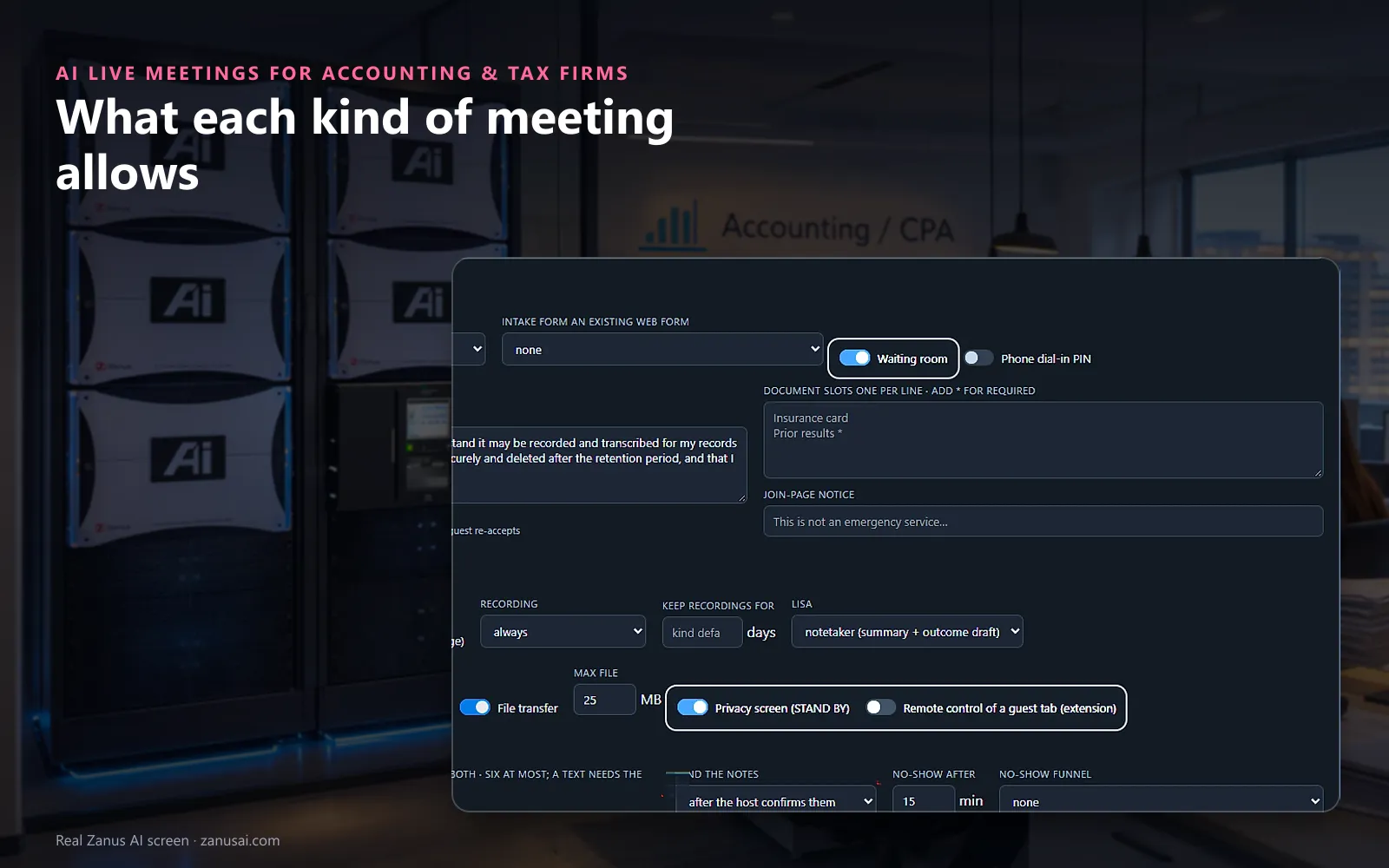
Room settings
Each kind of meeting sets what the room allows: recording, Lisa's notes, captions, files, a privacy screen and remote control the client can stop.
 Easy setupSet up everything just by talking to Lisa AISee how ›
You“Open the client link fifteen minutes before each session.”
Lisa“Guest links open fifteen minutes before the start instead of ten. Apply?”
You talk. Lisa sets it up. Applied only on your yes.
How Accounting & Tax Firms use it
A bookkeeping client is stuck in an online form; she picks the tab, you fill the hard part with her watching, and she presses the last button.
A client points her phone at a letter she received, joined as a second camera, and the preparer reads it on screen.
Before opening a private file, the host presses STAND BY; the client sees your card, never the screen behind it.
REAL AI - the whole Front Office is AI, not old software with an AI button.
What’s included
- Live presentation to a visitor from the widget, your person or your avatar presents
- Pages and pictures shared while you talk; the visitor asks live
- Remote service sessions written to the record
Add it to AI Webchat or get it inside a solution · See pricing › · Per company, never per seat.
Everything AI Live Meetings & Remote Service does, for every business ›
Works withAI WebchatAI AvatarAI Tickets
See it, fix it
Remote client support for accounting firms, side by side online
Your room, your name
The client joins a room carrying your firm's name, from a link in her browser, with nothing to install and no account to create.
Files both ways
The client sends a photo or a file, and you send a guide or a form back, up to the largest file size you set.
A privacy screen
Press STAND BY while you type a password or open a private file: the client sees your stand-by card and hears nothing until you come back.
Notes when you want them
On the templates where Lisa takes notes, she writes the summary, the decisions and the next steps, and they wait for your yes where you choose.
Questions & answers
AI Live Meetings & Remote Service for Accounting & Tax Firms: questions & answers
Does the client need to install anything?
No. She clicks the link in her invitation and joins from the browser, with no account. The link opens ten minutes before the start by default and only for that appointment; remote control alone needs the free Zanus Remote Control extension. That keeps live client walkthroughs for accountants to one click for the client.
Can the firm see the client's other files or tabs?
No. The client picks the one tab you may drive, and nothing else on her computer is reachable. A red bar stays on her screen while you click and type, she can stop it at any time, and every action is logged on the meeting.
Is co-browsing the same as screen sharing?
No. Screen sharing shows a picture of a screen; co-browsing lets the host click and type in the tab the client chose. Every room has screen sharing for CPA client meetings, and remote control of a guest tab is on for the Tech support / upgrade template, off elsewhere unless you turn it on.
Can a third person join, such as the client's bookkeeper?
Yes. Invite a specialist, an interpreter, a family member or a colleague from the meeting card, and the invitation goes out at once with its own link. It keeps video meetings for bookkeeping clients open to whoever helps them run the books.
Keep exploring
Where next?
Start with the one thing you need. Add more anytime by asking Lisa.
AI Front Office for Accounting & Tax Firms ›
Easy setup
Answers & books
Sells
Helps your team
Included
Award-winning AI
Winner at CES 2026, ISE 2026 and TMCnet Enterprise AI Product of the Year.
REAL AI - the whole Front Office is AI, not old software with an AI button.
Awards & trade shows ›


Give Lisa your website.
She sets up your business in 2 minutes.
Other software makes you learn it. Zanus AI learns your business.
Try it free on your own business — no credit card, per company, never per seat.
Ready to buy? See plans & pricing ›
Or call +1 (954) 736-3939 — the AI answers.