AI Team Assistant for Accounting & Tax Firms. An AI assistant for accounting firm staff, cited
AI Team Assistant is an AI assistant for accounting firm staff that answers only from your firm's documents, the AI File Cabinet and the records each person may open, never from the internet. Ask how the firm takes in an amended return or where an engagement stands, and each answer cites the document behind it.
TRY AI TEAM ASSISTANT FREENo credit card · Ready in 2 minutesReady to buy? See plans & pricing ›
7 days free · per company, never per seat · nothing to install
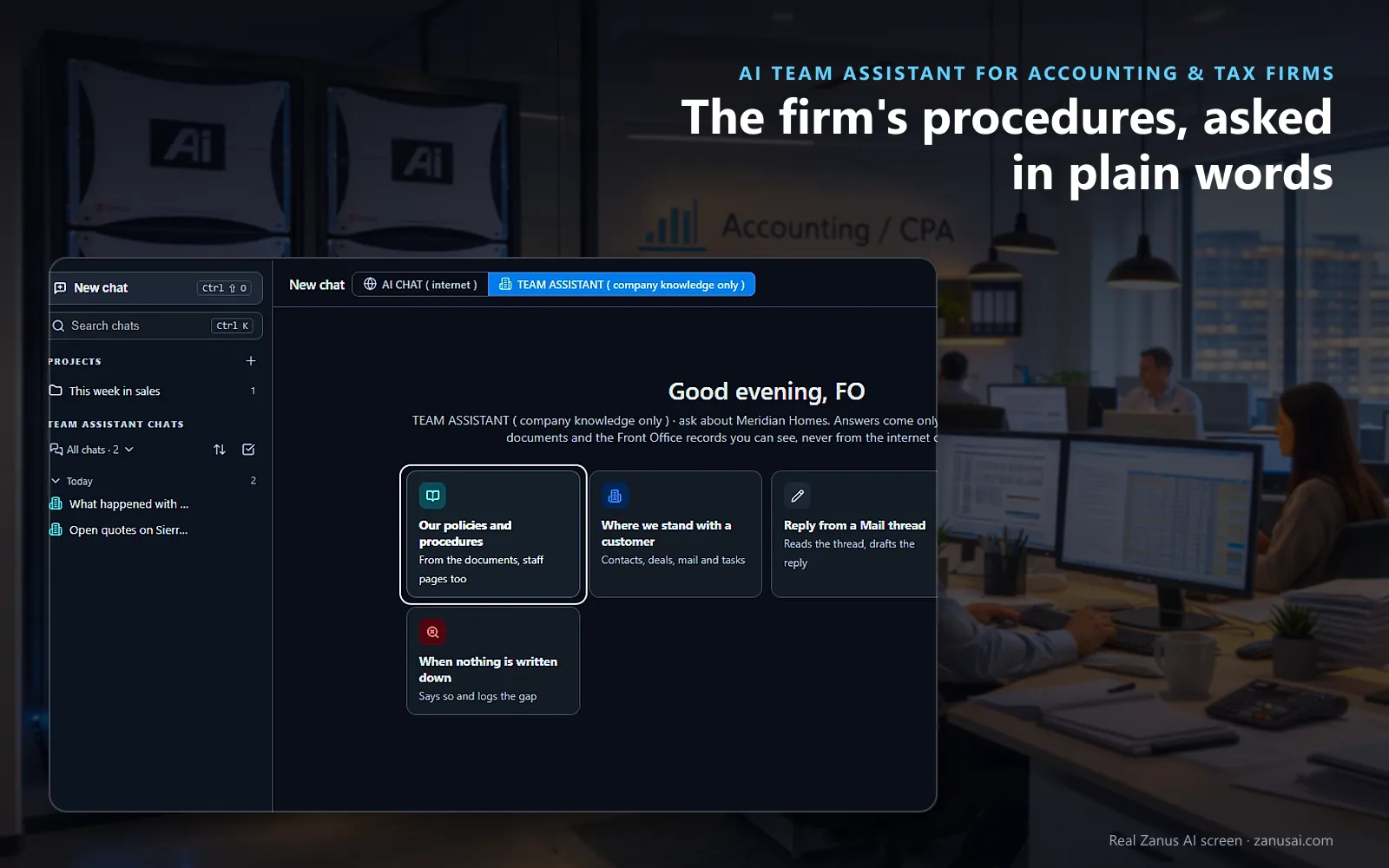
Procedures
A preparer taps a tile or types the question; the answer is drawn from the firm's documents and staff-only pages, out of every client's sight.
 Easy setupSet up everything just by talking to Lisa AISee how ›
You“Open the Team Assistant to the tax department, not only managers.”
Lisa“The Team Assistant is now open to the tax department as well as Managers and Admins; drawer rights still apply. Apply?”
You talk. Lisa sets it up. Applied only on your yes.
How Accounting & Tax Firms use it
A seasonal preparer asks how the firm logs documents a client drops off and gets the paragraph from your procedure, cited.
Before calling a bakery owner, a partner asks where the payroll engagement stands and reads the dated evidence from mail and tasks.
Asked about a deadline no document mentions, it says nothing is written down and logs the gap for the managing partner.
REAL AI - the whole Front Office is AI, not old software with an AI button.
What’s included
- An internal assistant for your staff, procedures, prices, policies
- Internal-only knowledge, kept out of everything customers see
- Answers with the source, so people learn where things are
Available on its own or inside a solution · See pricing › · Per company, never per seat.
Everything AI Team Assistant does, for every business ›
Works withAI File CabinetLisa, your AI assistant
For your team
A knowledge assistant for CPA firms that cites every answer
Only the firm's own sources
Your procedures, the File Cabinet and the contacts, deals, mail and tasks the person may open: the switch at the top reads company knowledge only.
A source on every answer
Each answer names the document, file or record it was written from and opens it where it lives, so a reviewer checks the page instead of a summary.
Gaps logged, never guessed
When nothing written holds the answer, it says so plainly and logs the gap, so the missing procedure is written once before the next busy week.
Staff-only pages stay inside
Pages marked internal, such as your review checklist, are read only by the Team Assistant and personal chats; the website chat and the phone never reach them.
Set-up
Staff knowledge assistant for tax preparers, set up in 2 minutes
Already there
Lisa has read your website and the documents you upload; the File Cabinet, contacts, deals, mail and tasks are already in your Front Office.
Who may use it
Managers and Admins have it as shipped; open it to a department or a level in Who can use what, and the drawer rights do the rest.
Links for the season
Give each seasonal hire without a login a personal chat link that ends on a date you pick, and revoke it at once when the season closes.
Seven days on your files
Run it for 7 days on the firm's own procedures and client files, with no credit card, and read what preparers asked and which answers were missing.
Questions & answers
AI Team Assistant for Accounting & Tax Firms: questions & answers
Does it research tax law on the internet?
No. It answers only from your firm's documents, the File Cabinet and the records the person may see, never from the internet or a model's memory. A question that needs the web is said to need it, so it stays a private AI chat for accounting firms and your client records stay on this side.
Will a seasonal employee see client files they should not?
No. Who can use it is set per level and department, and the drawer rights of the File Cabinet apply, so an answer never quotes a file the person could not open. A private file stays with its owner, the people they share it with and the administrators.
What happens to identity and bank numbers typed into a question?
They are stripped out first: a preparer who pastes a client's identity number, bank account or card number sends a message no AI ever sees with it, and passwords or keys are refused. Chats go after 90 days unless you change it, and staff are told administrators may read them.
Can it add up figures from a client's documents?
Yes, by code. Totals and dates come from the facts read in the documents and are added up by the software, not computed by the AI, and each one cites its document and page. It reports what the file says; the judgment on it stays with your CPA.
Can seasonal staff without a login use it?
Yes. Each seasonal hire can get a personal chat link that runs until you revoke it, until a set date and time, or for one use only. The link works as a firm procedures assistant for accountants, answering from your manuals, procedures and staff-only pages; client files and records stay in the dashboard, and every open is in the access log.
Keep exploring
Where next?
Start with the one thing you need. Add more anytime by asking Lisa.
AI Front Office for Accounting & Tax Firms ›
Easy setup
Answers & books
Sells
Helps your team
Included
Award-winning AI
Winner at CES 2026, ISE 2026 and TMCnet Enterprise AI Product of the Year.
REAL AI - the whole Front Office is AI, not old software with an AI button.
Awards & trade shows ›


Give Lisa your website.
She sets up your business in 2 minutes.
Other software makes you learn it. Zanus AI learns your business.
Try it free on your own business — no credit card, per company, never per seat.
Ready to buy? See plans & pricing ›
Or call +1 (954) 736-3939 — the AI answers.