ZANUS FRONT OFFICE FOR ACCOUNTING, TAX & AUDIT
Next-generation AI for Accounting, Tax & Audit. Try it free on your own firm. No credit card.
Every client call answered in busy season. Every document chased. Your preparers, finally left to prepare. ZANUS AI Front Office for Accounting, Tax & Audit is the AI receptionist, intake desk and follow-up desk for CPA firms, tax practices, bookkeeping practices and payroll bureaus. It answers clients on phone, website chat, email and web forms — what to bring, where to upload, whether you take new clients, whether the return is ready to sign — books signings, drop-offs and consultations in the right preparer’s calendar, chases the missing K-1 until it arrives, sends the engagement letter from your fee schedule and works your organizer season. Tax questions go to your preparers; the AI never reads a figure from a return. Grounded only in the information your firm approves: no source, no claim.
Try it free 7 days on your own business · no credit card · per company, never per seat
REAL AI - the whole Front Office is AI, not old software with an AI button. Give it your website: it learns your company, works from your approved knowledge and gets better with every answer you approve.
Live on this site right now — the assistant in the corner is the product · Award-winning AI — CES · ISE · TMCnet
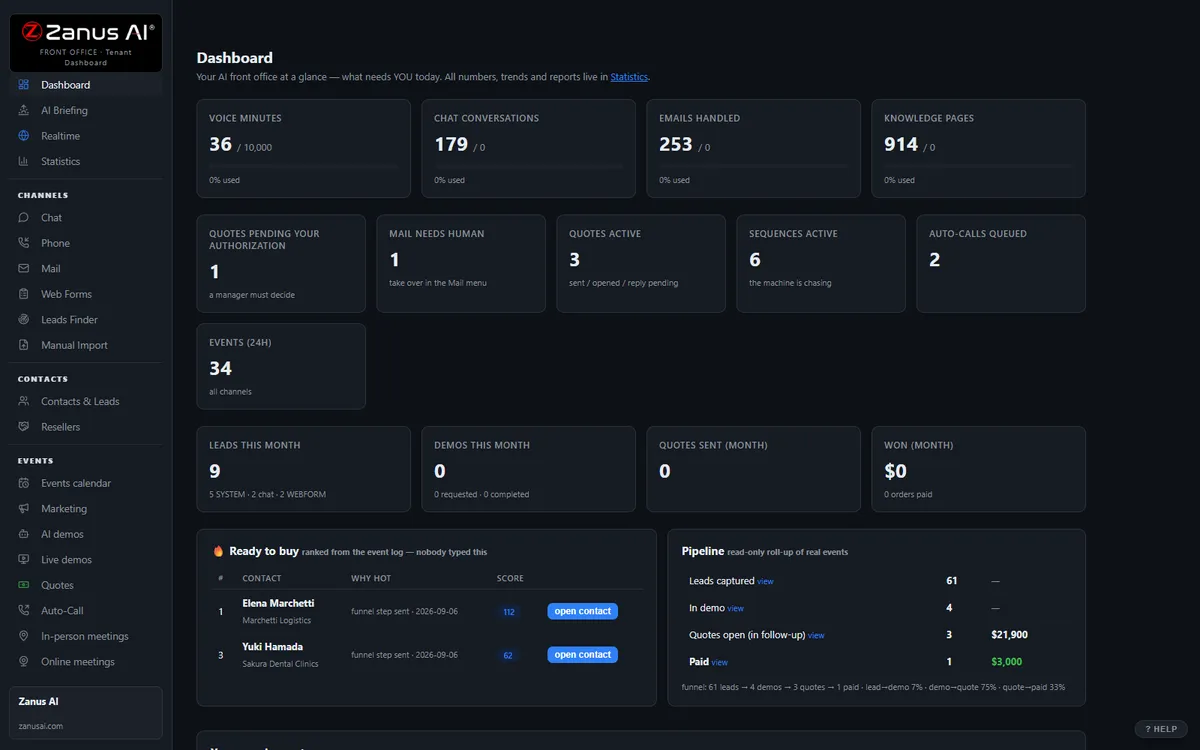
The real Front Office dashboard: today’s numbers, what needs a person, every menu on the left. In the trial it is yours, with your company in it.
FREE TRIAL · 7 DAYS · NO CREDIT CARD
Give us your website. Ten minutes later, your company answers the phone.
“Give us your website. Ten minutes later Zanus has built a private 7-day sandbox around your company: your knowledge, a phone line that answers as you, your website with Lisa on it, your dashboard with your data. Not old software with an AI button — the AI is the software.”
“No card. No setup fee. Per company, never per seat. You decide after you hear it answer as your company.” One trial per company: a working business website and an e-mail on its domain.
- 1Your website. Lisa reads it and proposes your departments and people; she asks only what the site does not say.
- 2Your sandbox, in ten minutes. A phone line in your area code that answers as you and transfers to your real phones, your website with Lisa on it, your dashboard with your data.
- 3Seven days on your business. Day 1 the first call; day 3 a mail “what your callers asked”; day 7 a report.
- 4Keep it or walk away. Buy any solution on any day and the sandbox becomes the account — same number, same knowledge, nothing redone. Walk away and nothing is charged.
How you start
Three steps, in the order you like. Most people skip straight to the second.
Two minutes. The AI presents the Front Office and answers your questions live — the demo is the product.
Your website, your phone line, your dashboard. No card, nothing to install. Start free
Any solution, on any day of the trial — the sandbox becomes your account. Per company, never per seat. See pricing →
Prefer to own your AI on your own premises? See AI Servers — a separate product. The Front Office above needs no server.
One AI Front Office. Every job your front desk does today.
The same 31 menus, read through a practice manager’s eyes. Each function below is a page of its own, in your vocabulary — enable what your plan includes, add more when the firm grows. No IT project, no consultant. Comparing options? See the comparison →
Every morning in season: last night’s calls, documents uploaded, signings booked, notices reported — and which clients need a partner’s call today.
Learn more →
AI PhoneAnswers every client call on your menu, in your voices, evenings and Saturdays — status from your approved statuses, appointments booked, tax questions transferred to the preparer with context.
Learn more →
AI Chat & VoiceWebsite chat and voice that answers “do you take new clients”, “what do I bring”, “where do I upload” — and books the consultation in the conversation.
Learn more →
AI AvatarA lifelike face that greets prospective clients on your site, explains how the firm works and walks them to their first appointment, in their language.
Learn more →
AI DemoInteractive explainers: how the engagement works, how to use the portal, what to gather before your first appointment — narrated by AI, any hour.
Learn more →
New Clients & FormsNew-client inquiries, fee-estimate requests and referral introductions worked in minutes — fit questions asked, consultation booked, the referring attorney kept informed.
Learn more →
Client RecordsThe front-office client record: every call, email, form, document request and appointment in one timeline — household and business linked. Not the tax file; the conversation record.
Learn more →
AI E-mail“Did you get my 1099”, “where do I upload”, “can you send my financials to the bank” answered or routed from your approved information; a notice routed to the preparer the same day.
Learn more →
Fee Estimates & LettersFee estimates and engagement letters from your real fee schedule — sent as a clean document, accepted with one click, chased politely until signed.
Learn more →
Reminders & ChasersSpecific missing-document chasers, deadline reminders, organizer sends, off-season check-ins and reactivation of clients who did not return — stopped the moment a client replies.
Learn more →
AppointmentsSignings, drop-offs, pickups, consultations and monthly reviews booked into the right preparer — in the office or by video — no-shows rescued, calendars synced.
Learn more →
Seasonal Staff TrainingSeasonal front-desk staff and interns trained on your scripts, portal steps and fee policy — and on what they may not say — productive in days.
Learn more →
Client RequestsMissing documents, notices received, portal resets, copy requests and payroll changes filed as tracked requests and routed to the right desk — nights and weekends included.
Learn more →
Busy-Season ForecastBusy-season call volume by week, no-show risk per appointment, which fee estimates will sign — from real conversations, with the WHY.
Learn more →
Businesses & ReferrersBusiness clients and referral partners — attorneys, bankers, advisors — mapped as organizations: who refers, who is going quiet before the referrals stop.
Learn more →
Add AI to what you haveConnect the practice-management, portal and calendar systems you already use — the AI works, and writes it back.
Learn more →
ProtectionDaily caps on every AI resource: a script hammering your intake widget in March costs a capped, known amount — clients see courtesy.
Learn more →
What happens to every inquiry — in your firm
A call at 8:05 AM on February 3, a chat on the website, an email with a photo of a letter, a new-client form at 11 PM — a client, a business owner’s bookkeeper, an attorney referring an estate. In season and out, in any of 40 languages.
Hours, locations, what to bring, how the portal works, whether you take new clients, what the engagement letter covers, the status your firm exposes — from your approved information only. No source, no claim.
New or existing client, individual or business, which preparer, which office, how urgent, which desk — front desk, bookkeeping, payroll, the partner — your routing rules applied in the conversation. Anything about the numbers goes to the preparer.
Book the signing or the consultation in the right calendar, send the checklist or the portal link, file the missing-document report or the notice, send the engagement letter from your fee schedule, transfer to the preparer with the context whispered in, call back the hang-up.
The specific document still missing, the engagement letter unsigned, the signing appointment unconfirmed, the estimated-payment date you publish, the organizer in January, the client who did not return — on schedule, until done, stopped when a person should call.
Every touch on the client’s front-office record, household and business linked. Every morning a briefing: what was handled overnight, who needs a person today, how many documents came in.
AI-driven end to end. A person wherever your rules require it. Anything about a return, a notice, a payroll or a fee outside the schedule waits for your professionals; the routine, the AI handles and reports.
One knowledge base feeds every channel
Websites, uploads, pages and articles, Q&A, battle cards, images and videos — you approve it once, and phone, chat, email, demos and quotes all answer from the same verified source. No source, no claim.
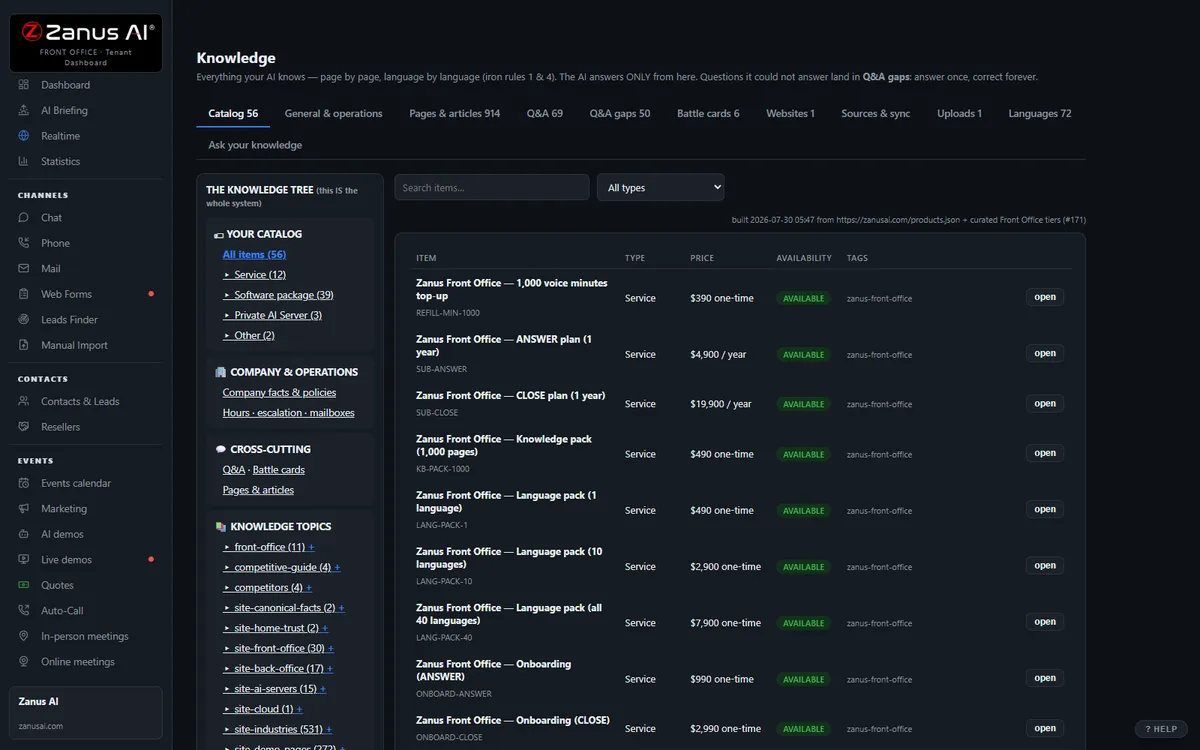
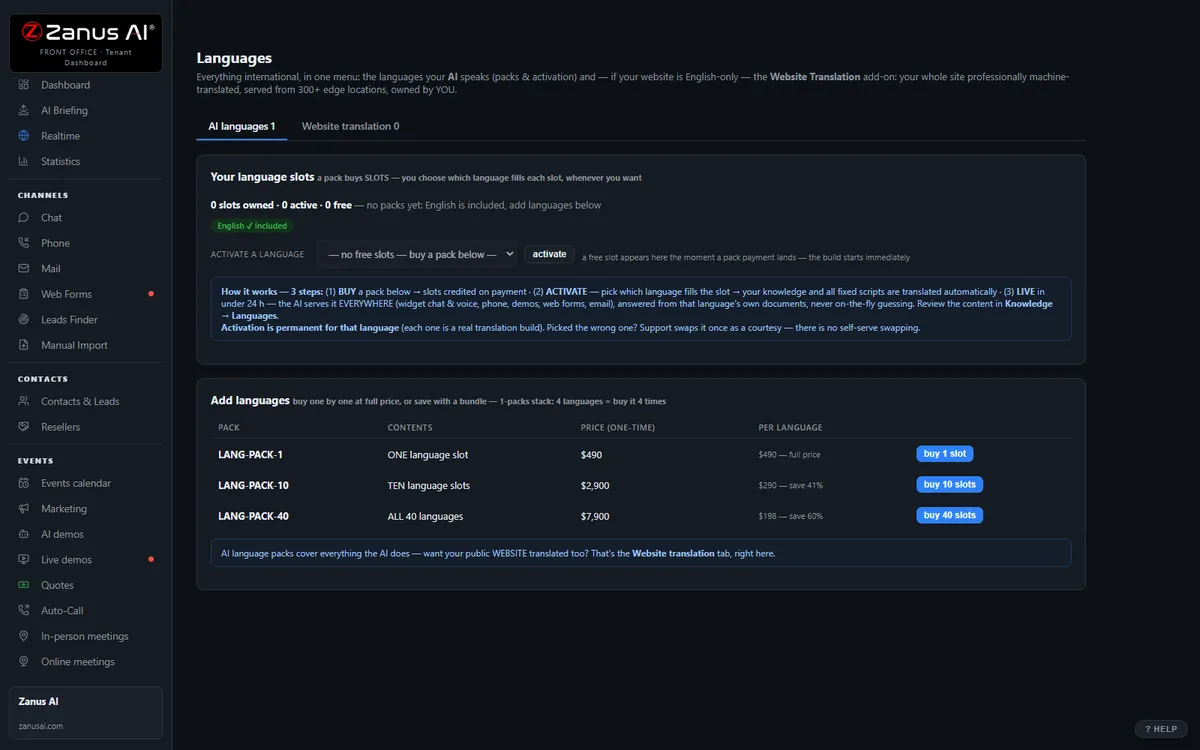
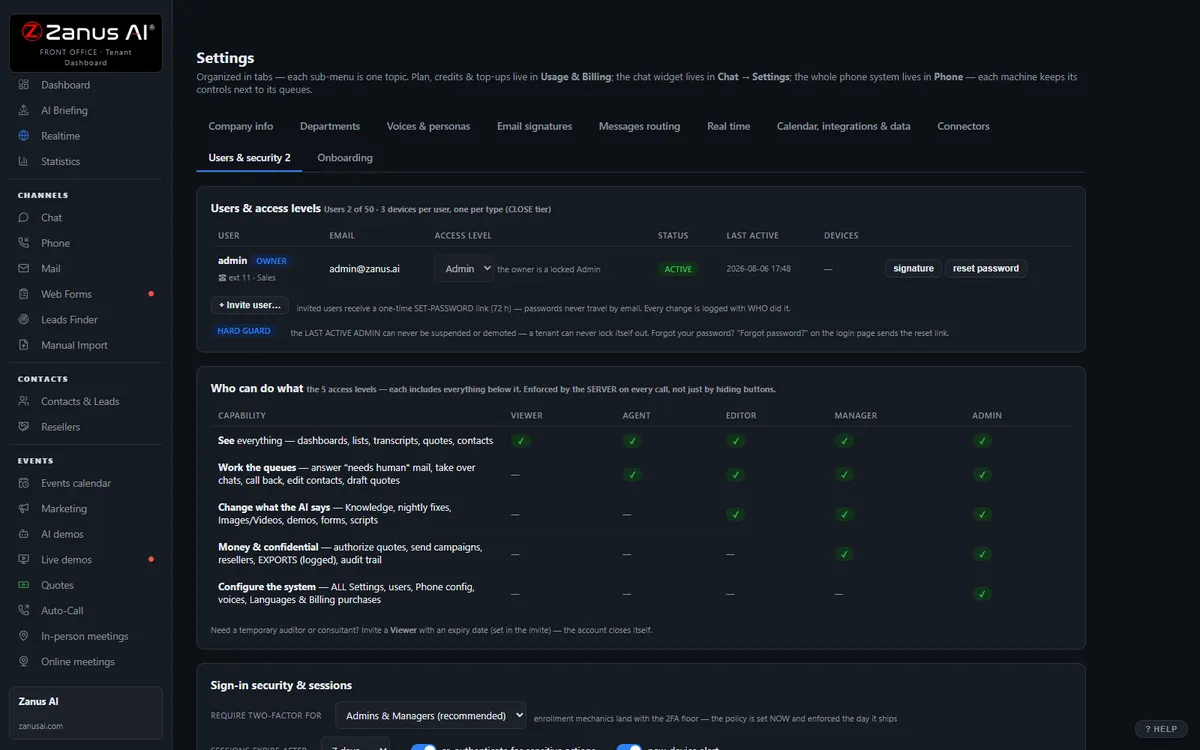
40 languages, one bill, a help drawer over every screen
Languages and website translation, billing with plans, top-ups and alerts, onboarding, users & security, and the help drawer that answers from the platform manual — the plumbing that comes with it.
Private by architecture
Your Front Office runs in a private Cloudflare environment dedicated to your company — your own data-processing container, not a shared pool. Your knowledge stays yours: it never trains global models like GPT or Grok, and it is never shared.
- Private data-processing environment per company
- Grounded only in your knowledge
- Claim guard: no source, no claim
- Private environment option: an isolated environment with enterprise-grade security certifications, on request
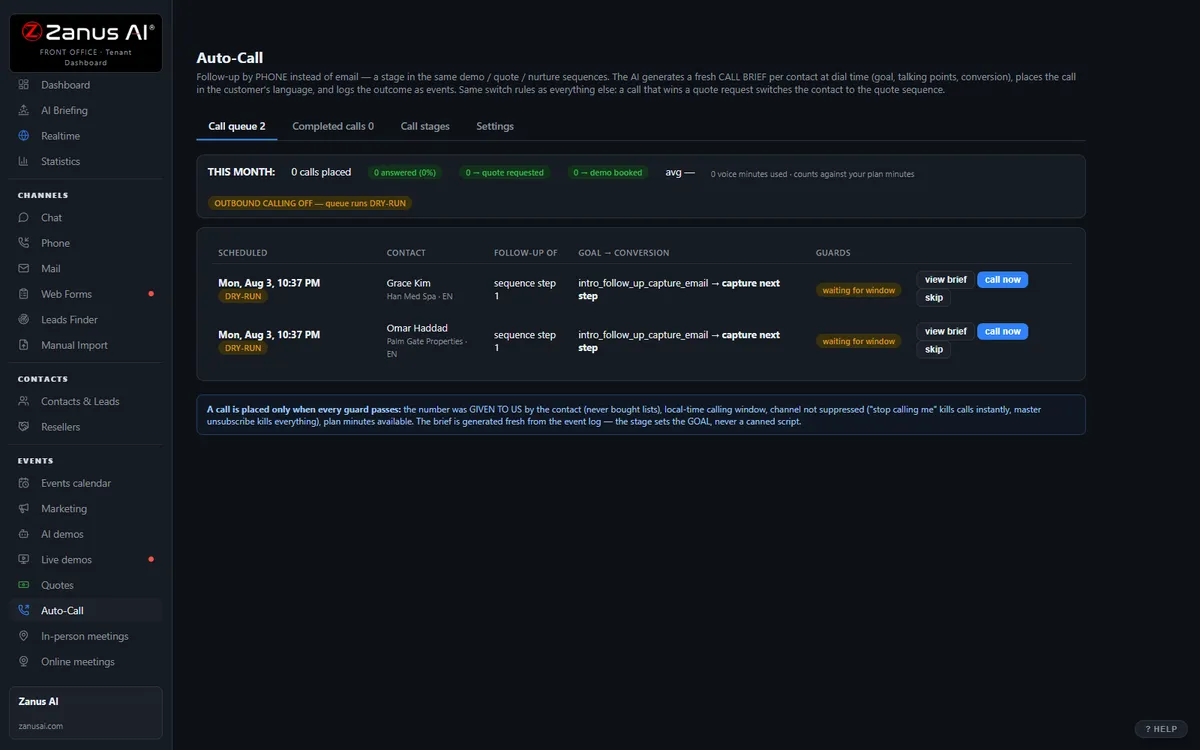
Auto-Call — the AI calls your clients
Not only answering. From an automated event (a due date, a ready order, tomorrow’s appointment), a scheduled funnel or a list, the AI calls your registered contacts and announces your message — or talks as an agent: answers the question, moves the appointment, confirms, collects the missing detail. Call window, attempts, voicemail policy and consent rules are yours; every call is transcribed.
- “Hi Maria, this is Harbor Point Accounting: your tax documents are due to us by Friday to keep your filing on schedule — the secure upload link is in your email.”
- “Hi Tom, this is Harbor Point Accounting calling to set your year-end review. Would Tuesday at 10 or Thursday at 2 work better for you?”
Scheduled Auto-Call comes inside a solution — see pricing; calling back the hang-ups is part of AI Phone. How it works, in the Phone chapter ›
The same Front Office, by job
The jobs a firm names most often — each explained in full: what falls through the cracks today, a day with the AI on the job, every function seen from that job.
Questions, answered
Does the AI give tax or accounting advice?
No. It answers only from the information your firm approves — services, hours, what to bring, how the portal works, engagement-letter terms, fee schedule, the statuses you choose to expose. It does not say what is deductible, whether to file an extension, how to answer a notice or what a client owes, and it never reads out a figure from a return, payroll or financial statement. Anything about a specific return is transferred to the preparer or taken as a message, with the context attached. No source, no claim.
What happens to client information?
Your Front Office runs on a private data-processing environment dedicated to your firm; your information never trains public models and is never shared. The AI works on the front-office record — contacts, conversations, appointments, requests — while returns, workpapers and source documents stay in your practice-management and portal systems. Firms whose engagements require an isolated environment with specific certifications ask for a private environment — available on request.
Does it replace our practice-management or tax software?
No. It sits in front of them: the AI answers, books, chases and files, then writes appointments, contacts and requests back through Connectors — native calendar sync, webhooks and API. Your tax, workflow and portal systems stay the record; the phone stops ringing on the preparers’ desks.
Try it free on your own firm. 7 days. No credit card.
Give it your website. It learns your company. Then call it, chat with it, e-mail it — and decide. Nothing to install, nothing to cancel.
Sharing with a colleague? 📄 Get the PDF · ✉️ Email this page ·