AI Demo. AI interactive demo software, built and presented for each customer.
A talking demo of your product that answers prospects live.
TRY AI DEMO FREENo credit card · Ready in 2 minutesReady to buy? See plans & pricing ›
7 days free · per company, never per seat · nothing to install
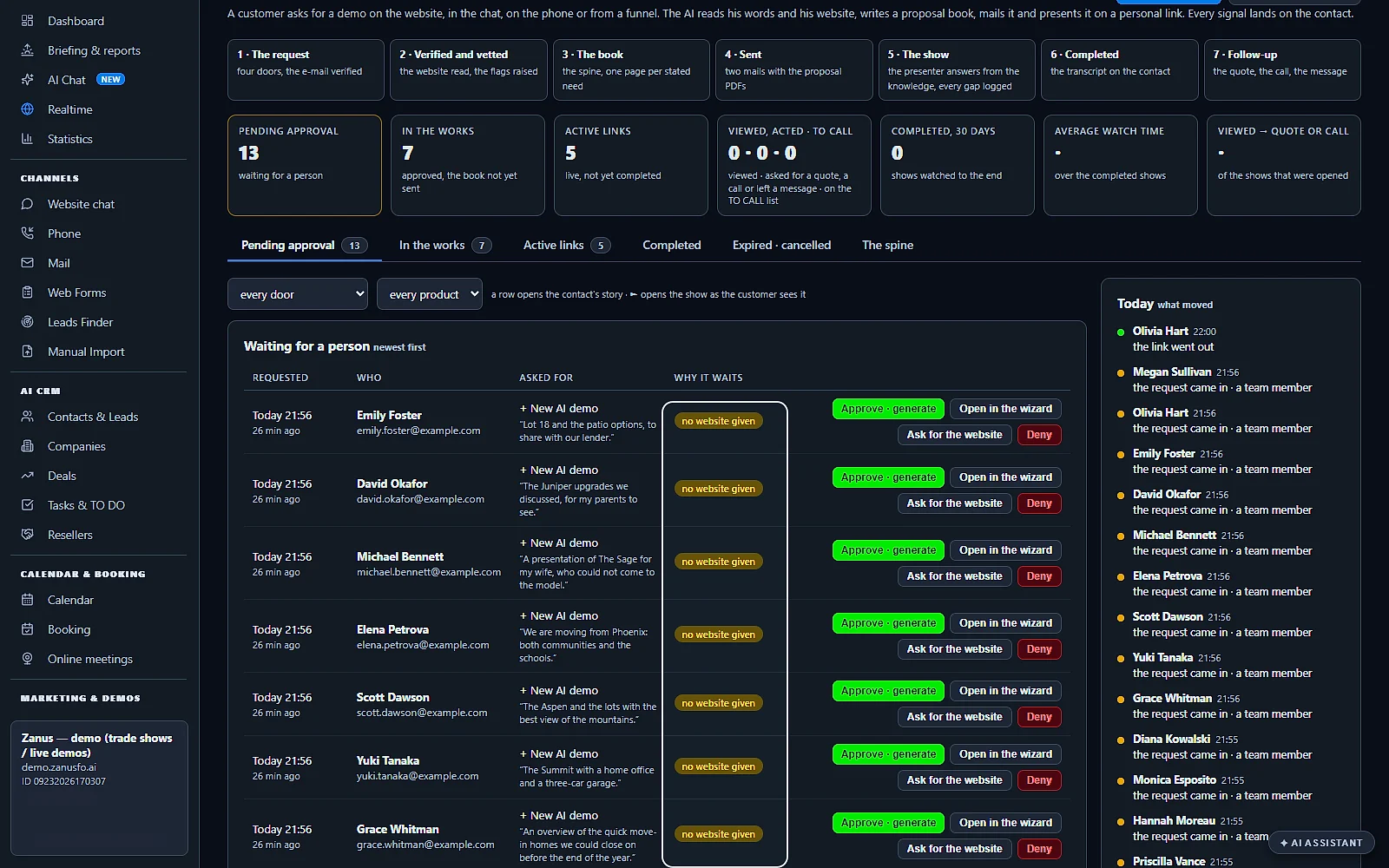
Requests that need a person
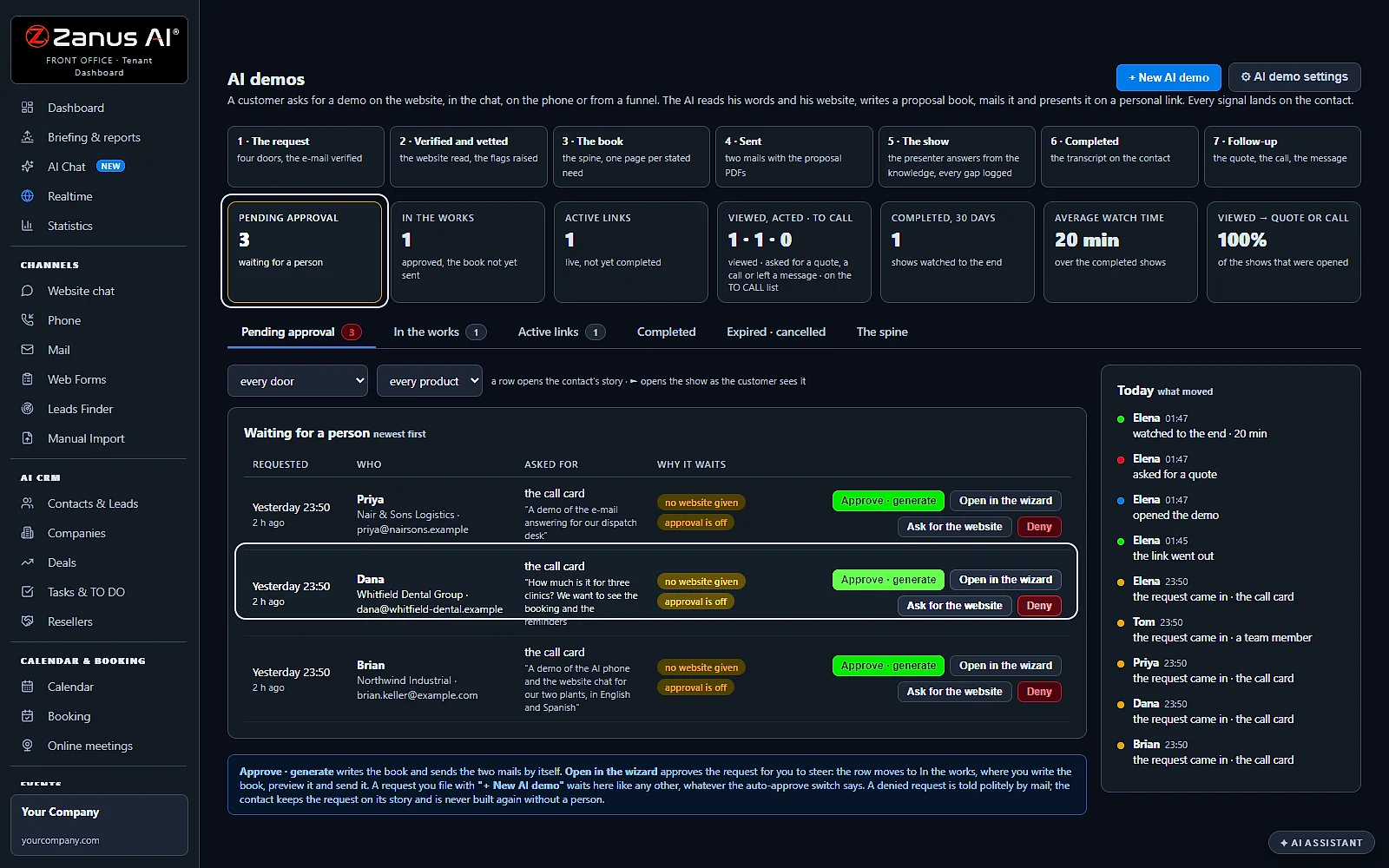
A request that misses something waits here with the reason, like no website given. Approve it, open it, ask for what is missing, or decline.
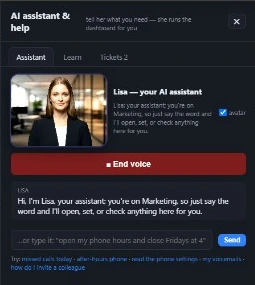 Easy setupSet up everything just by talking to Lisa AISee how ›
You“Ask everyone without a website for it.”
Lisa“A mail asking for the website goes to each of them. Send?”
You talk. Lisa sets it up. Applied only on your yes.
Zanus AI Demo is AI interactive demo software: a customer asks for a demo from any channel, the AI builds it around what they asked, and Lisa presents it live, in their language, on a personal link. Before the demo they receive the proposal; when it ends, the recap of everything discussed. You get the minutes watched, their questions and the quote they asked for.
REAL AI - the whole Front Office is AI, not old software with an AI button.
What’s included
- Built from your pages, pictures and videos in minutes, a scripted show the prospect can interrupt at any moment
- The prospect asks anything, live, in their language; the AI answers from your knowledge and jumps to the right scene
- Draws diagrams and shows pictures on request, and talks about the image that is actually on screen
- Access vetted before the link goes out (competitor check, verified e-mail); links live 7 days, reactivated on request
- From inside the demo: request a ready-to-buy quote, book a call with sales, leave a message
- Every question the demo could not answer is logged, your content backlog; a PDF hand-out the prospect keeps
What makes it different
Interrupt it anytime
Prospects cut in by voice; Lisa answers, then jumps to the right scene.
Built in minutes
Made from your own pages, pictures and videos in minutes.
Any language, live
Prospects ask anything, live, in their own language.
Diagrams drawn on request
Ask for a diagram or a picture and it appears on screen.
Buy without leaving
Request a ready-to-buy quote or book a sales call from inside the demo.
Your content to-do list
Every question it could not answer shows what content to make next.
See all 10 functions
The wizard and the proposal book
- Wizard writes the proposal bookFrom the contact's record and your knowledge, it builds scenes with pages, pictures, videos, diagrams and a spoken script, in their language.
- Publish and reactivatePublish sends the PDFs and a personal 7-day demo link that the AI presents live; reactivate it on request.
- Vetting before the linkBefore the link goes out, the domain and company are checked for competitors and the e-mail verified; doubtful requests wait for approval.
The demo the prospect sees
- Scripted show with barge-inLisa presents scene by scene; the prospect interrupts by voice anytime, she answers, then resumes or jumps to the matching scene.
- Pictures and diagrams on requestShows pictures and draws diagrams when asked, and talks about the image that is actually on screen.
- Actions from inside the demoThe prospect can request a ready-to-buy quote, book a call with sales, or leave a message without leaving the demo.
- The PDF hand-outA PDF generated from the proposal book that the prospect keeps.
The register and the backlog
- Every play recordedWho watched, when, how long, which scenes, the questions and interruptions, with the transcript on the contact's record.
- The gaps logEvery question the demo could not answer is listed, telling you which pages, pictures and videos to make next.
- Follow-up after the demoAn 'after a demo' follow-up sequence takes over for the prospect, through AI Follow-up.
Add it to any contact channel — AI Phone, AI Webchat, AI E-mail or AI Web Forms — or get it inside a solution · See pricing › · Per company, never per seat.
Works withAI QuotingAI BookingAI Follow-up
What it does
AI interactive demo software, built around what the customer asked
Most interactive demos are one tour for everyone. AI Demo makes a demo for each customer: they say what they want to see, the AI builds the demo from your knowledge, and Lisa presents it like your best salesperson on a video call, at any hour.
Asked for from any channel
A web form, the website chat, a phone call, the offer in a follow-up email or a call with your team: every demo request lands in one list.
Built around their words
The request keeps the customer's own words and what they asked to see, and the demo gives one page to each need they named.
From your knowledge only
Every page is written from your company knowledge, your products, pictures and videos. What the AI cannot ground is shown to you as missing, never invented.
Presented live by Lisa
Lisa greets the customer by name and presents the demo page by page, with her voice and, when the video avatar is on, her face.
Interrupt at any moment
The customer cuts in by voice or types a question; Lisa answers, then goes on or jumps to the page the question is about.
The next step inside the demo
Request a quote, book a call with sales or leave a message without leaving the demo, and keep the proposal to share.
Every request
Demo automation: every request, from every door, checked and sent
A visitor presses book a demo on your website form, a caller asks for one, a chat ends with yes, show me: demo requests arrive wherever your customers are, at any hour. AI Demo collects them in one place, checks each one, and builds and sends the clean ones by itself, so no buyer waits for a slot in a sales rep's calendar.
Where it came from
Pending approval shows each request with where it was made, the words the customer used and what they asked to see.
Checked before the link
A competitor, a free mail address, a website that could not be verified or a mail that does not match the website holds the request for your look.
Clean requests go by themselves
With Auto-approve clean requests on, a request with no check against it is built and sent without waiting for anyone. Turn it off and every request waits for a person.
Your answer in one click
Approve · generate builds and mails the demo, Open in the wizard lets you shape it first, Ask for the website mails one question, Deny tells the customer no.
Your own list of competitors
The names of the competitors to hold are a list of your own, under AI demo settings.
Started by your team or by Lisa
+ New AI demo starts one for any contact from the page, or tell Lisa: make an AI demo for Anna.
Your demos
Sales demo software: one structure, a demo for every product asked
You set the structure once: the chapters every demo follows, in order. Then each customer who asks gets a demo written about the product or service they asked for, a machine, a service, a software, a recipe, with its own pages, words and pictures. Demo creation is done once; every customer still gets their own demo.
A demo about what they asked
Ask about the dryer, get a demo of the dryer; ask about the massage chair, get that one. Each demo is written about the product or service in the request.
One structure, like a book
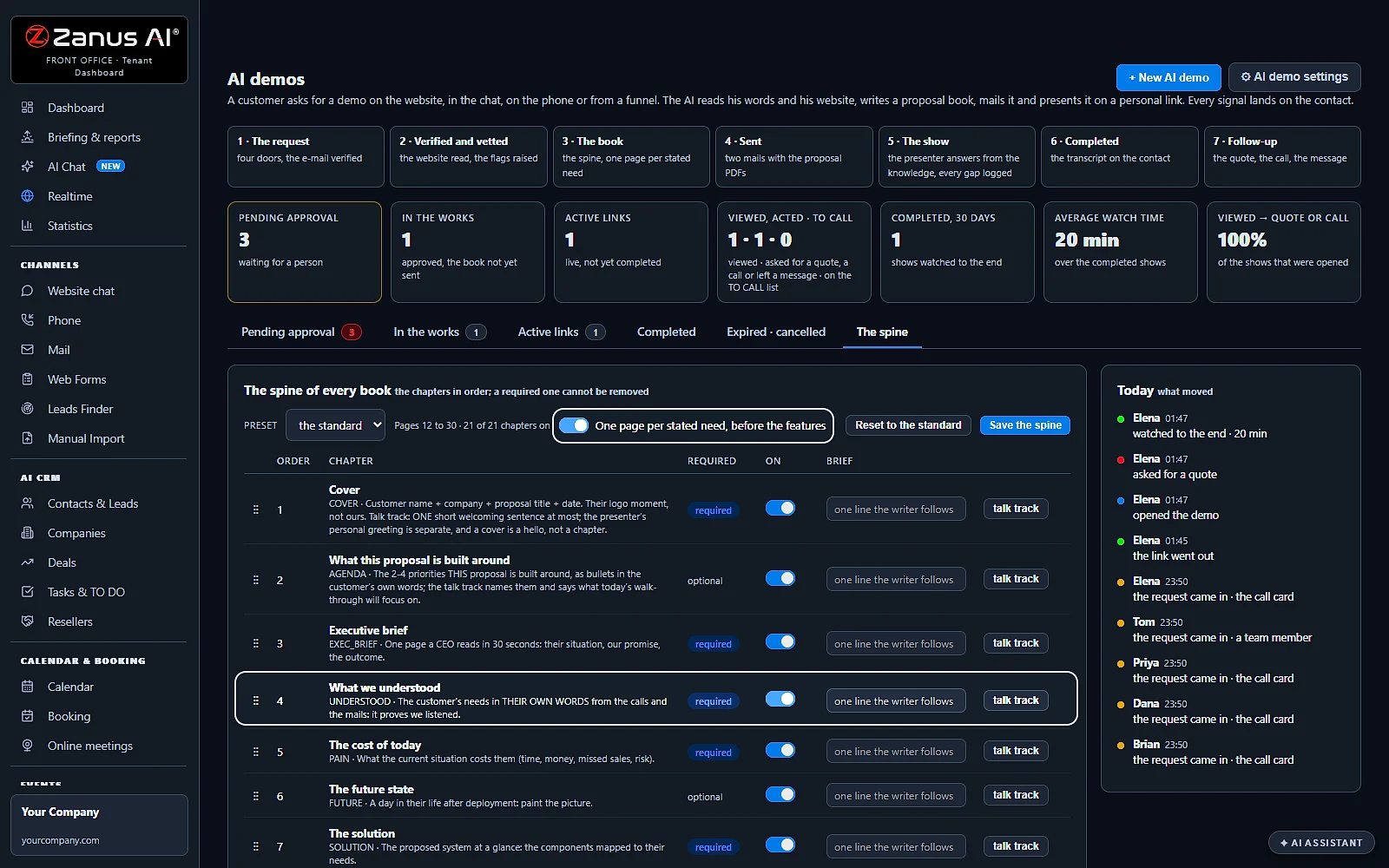
The spine is the chapters every demo follows: the cover, what we understood, the cost of today, the solution, how it works, the offer, the next steps.
Pictures and diagrams
The AI picks a picture for every page from your Images and your inventory, you can change any of them in the wizard, and Lisa draws a diagram when the customer asks for one.
Your order, saved
Switch a chapter off or drag it to another place and press Save the spine; a required chapter stays. Reset to the standard puts the standard order back.
One page per stated need
With One page per stated need on, a customer who named three needs in the request gets a page for each of the three.
Set up by talking
Tell Lisa what a demo is for and she sets it up. A change to the settings is read back as BEFORE and AFTER and applied only on your yes.
The show
An interactive product demo the customer can talk to
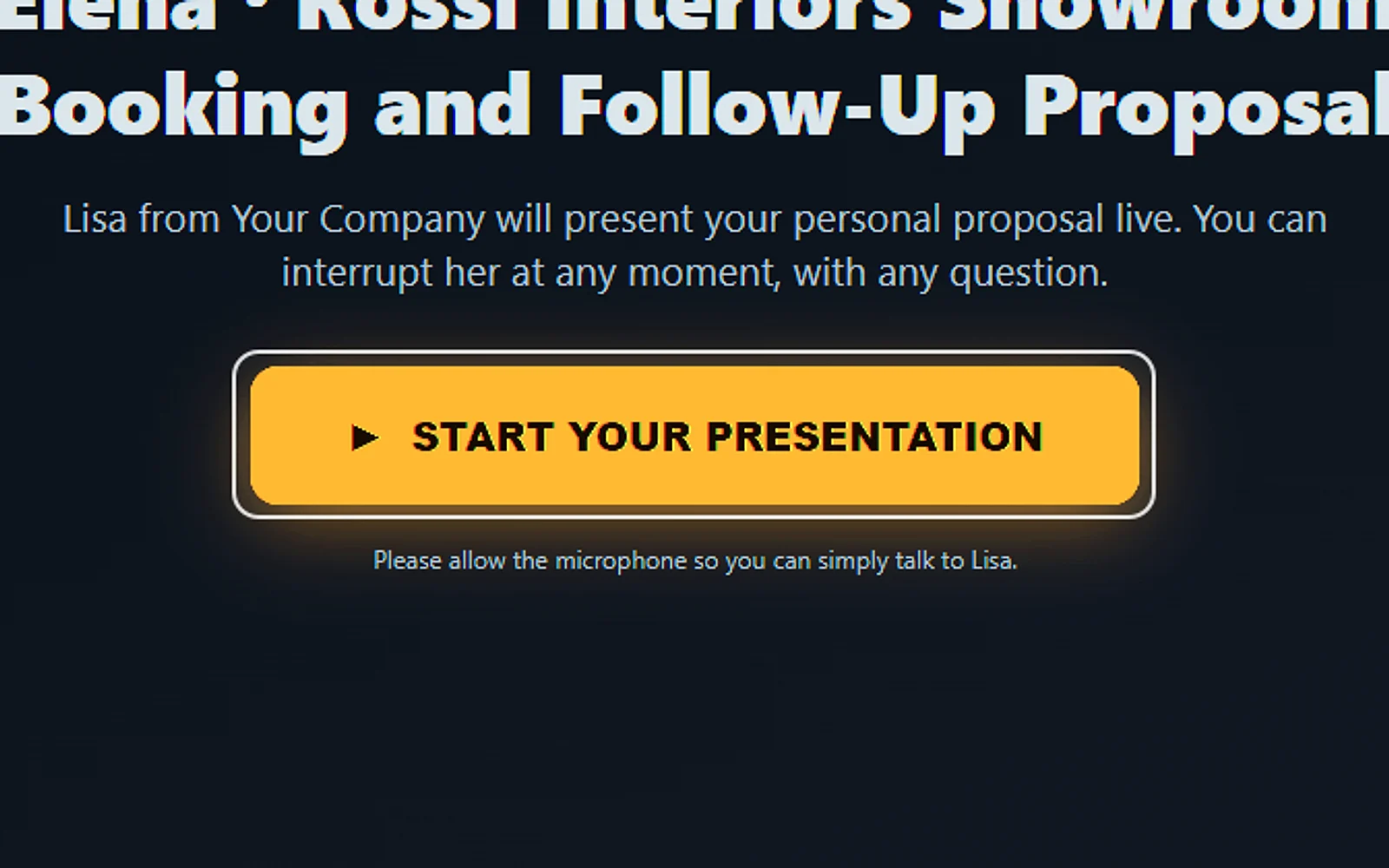
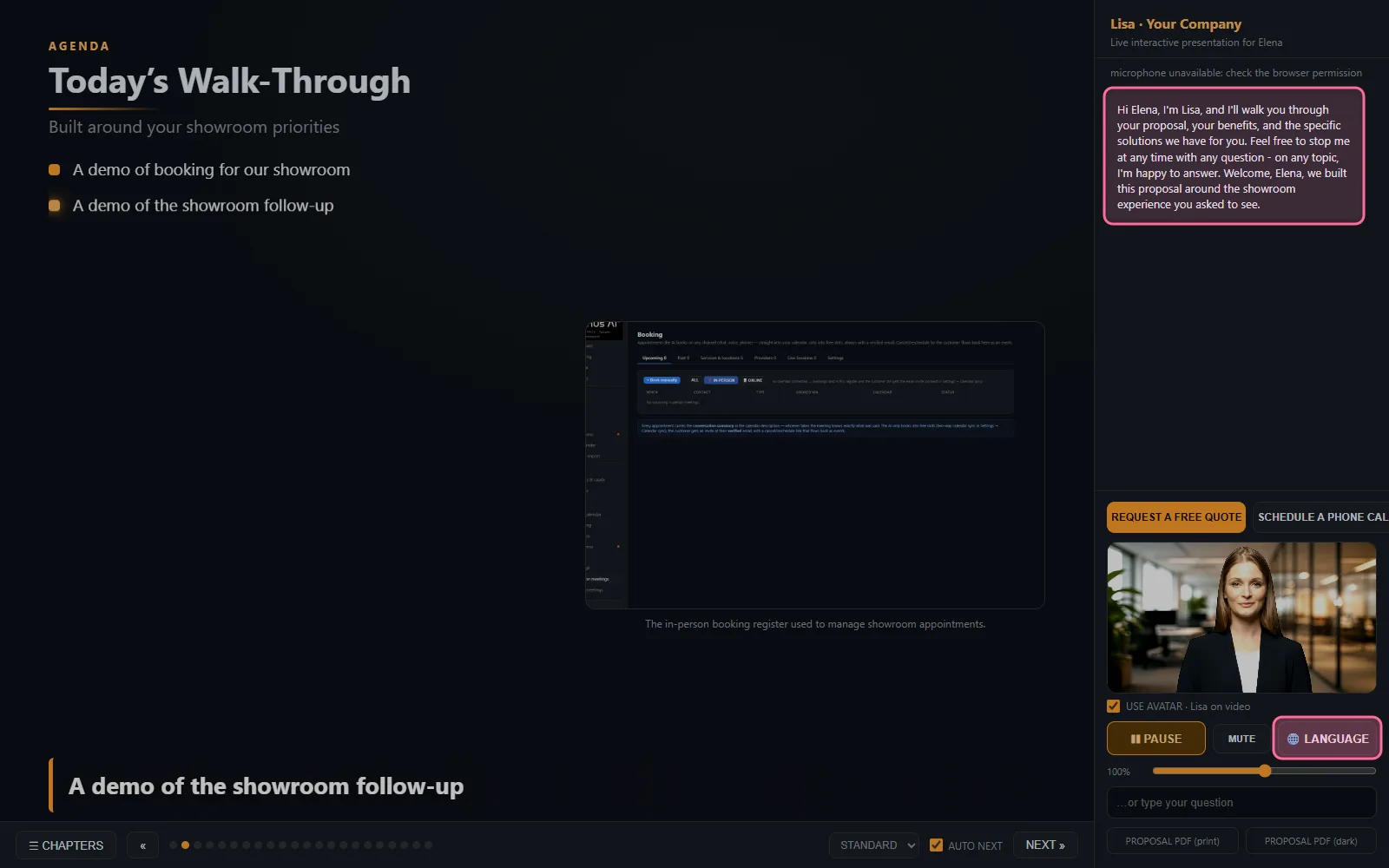
The link opens a player, not a video. Lisa thanks the customer for asking and presents the demo written for them, page by page, like someone of your team on a call, and the customer takes part as much as they like.
Barge in at any moment
The customer interrupts by voice or by typing; Lisa answers from your knowledge and goes back to the page, or jumps to the one the question is about.
In their language
The demo is written and presented in the customer's language, so a buyer abroad hears it the way they speak.
Moves on by itself
With AUTO NEXT on, the show moves to the next page once Lisa has finished a page, and the customer can press NEXT at any time.
A team in the room
Watch it together on a meeting-room screen or a projector; two people can open the same link at the same time.
Night and day
Sunday evening in New York is Monday morning in Sydney: the demo is there for the buyer, and nobody of your team has to be awake.
Within your business
Lisa talks about what you sell, from your knowledge. A question she cannot answer goes to your gap log, never a guess.
One personal link
A digital sales room on one personal link
A digital sales room is one place where a buyer finds the proposal, the demo and the next step, instead of a thread of attachments. In AI Demo it is a personal link made for one customer, valid 7 days, and your team sees what happens in it.
The proposal book
The first email carries the complete proposal book as a PDF, in a white and a dark version, to read and forward to colleagues.
The personal link
The second email carries the link to the show, valid 7 days to start; you choose the days in the settings.
The next step on the page
Request a quote, book a call with sales or leave a message, without leaving the demo.
Expired, then extended
An expired link shows a polite page where the customer asks for more time; +7d gives seven more days and mails the link again.
Signals for your sales team
Active links shows who opened the demo, how many pages they saw, the quote they clicked, the call they asked for and the question nobody could answer.
On every row
Transcript, Extend and Re-send the link, so your sales reps follow up on what the customer actually watched.
The proposal
Product demo software that writes the proposal for each customer
Behind every demo is a proposal book. The AI writes it from the customer's story and your knowledge: their needs, the products that fit, the prices, the pictures. Your team checks it, or lets clean requests go by themselves.
Written from the story
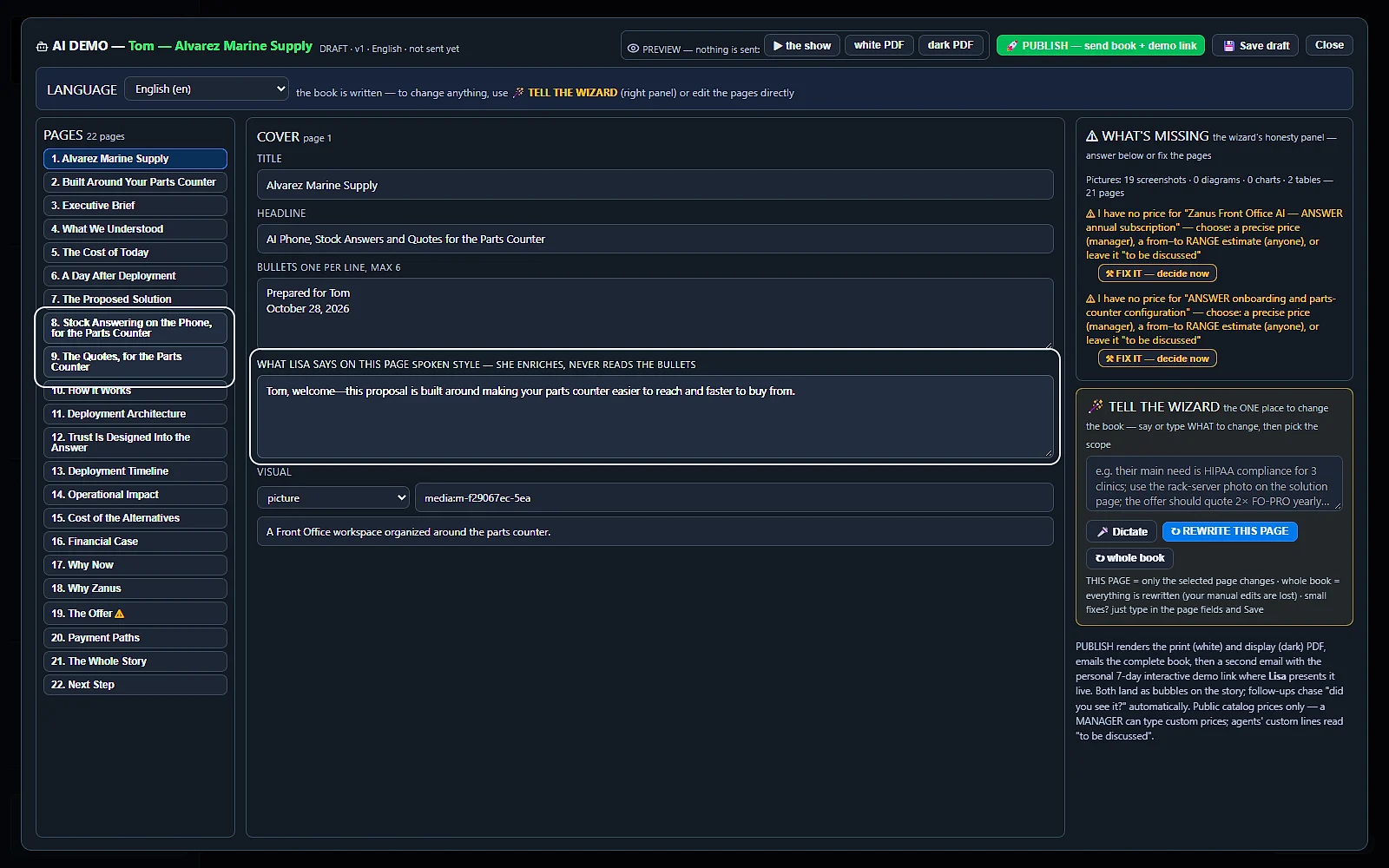
The AI reads what is on the contact's record, the emails, the calls, the web form, and the note your team adds, then writes the book.
What is missing, shown
A price it did not find shows as to be discussed; a missing picture or a claim it could not ground is listed under WHAT'S MISSING.
Your prices, your rules
Leave a price to be discussed, give a range, or a precise price. A precise price that is not your catalog price stays only when a Manager publishes.
Rewritten by talking
Write or dictate in TELL THE WIZARD and press REWRITE THIS PAGE or whole book.
Preview before it goes
Preview opens the show as the customer will see it, on a private link that lasts two hours.
The recap at the end
When the demo ends, the customer receives a recap of every topic discussed and everything added, to share with colleagues.
Real screens
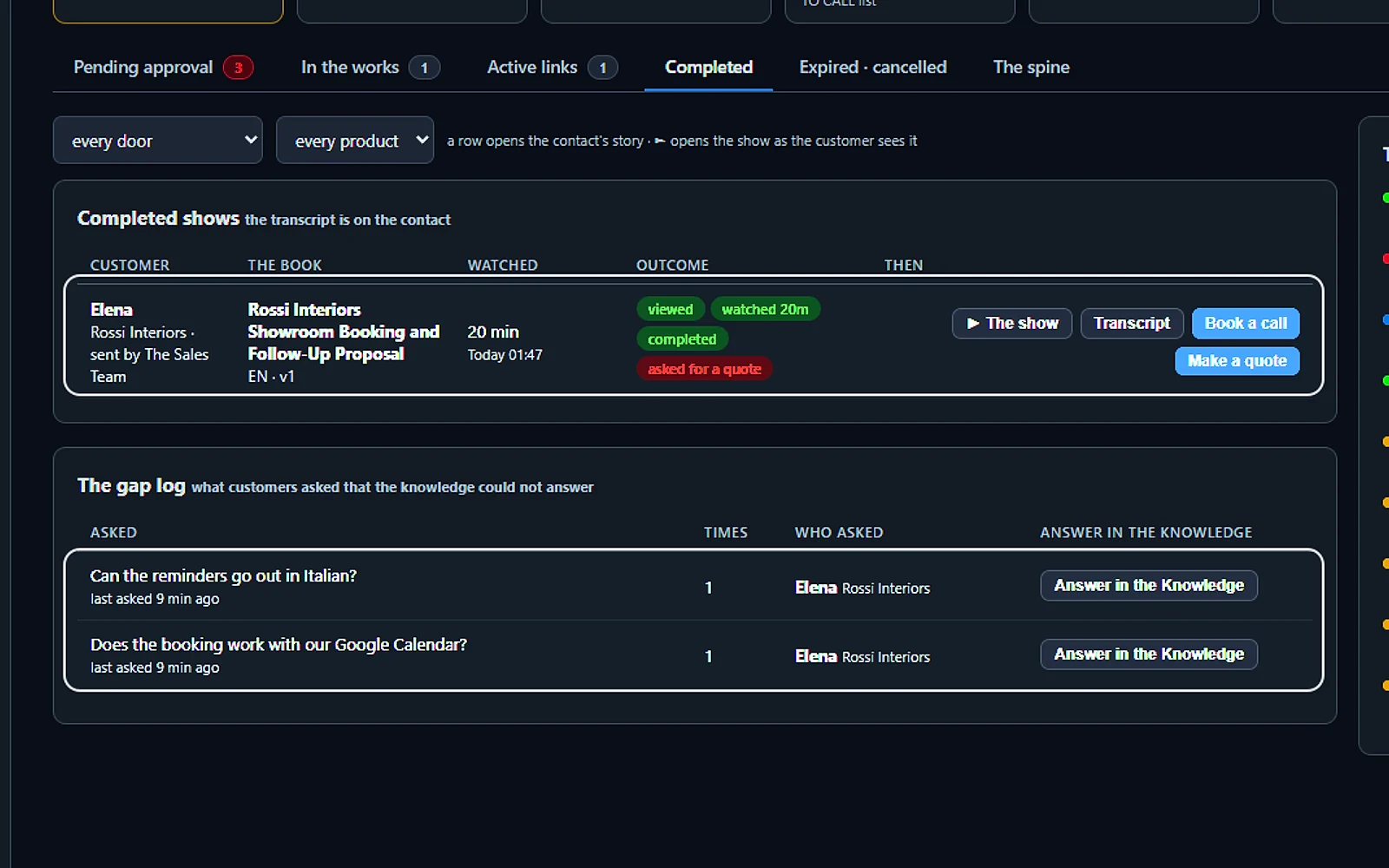
Real screens of the interactive demo software
Real Zanus AI screens, with our demo company's customers.
After the demo
After the AI demo: the recap, the signals and the follow-up
The demo ends; the sale goes on. The customer has what they need to convince their colleagues, and your team knows who watched, for how long and what they asked, which shortens the sales cycle.
A recap for the customer
What was discussed and what was added during the demo, gathered in one recap the customer can forward to the colleagues who decide with them.
Completed, with the recording
Completed shows every demo that ran, the minutes watched, the questions asked, the outcome and the recording of what was said.
The gap log
Every question a customer asked that the AI could not answer, with Answer in the Knowledge beside it.
The answer reaches the customer
When you answer such a question in the Knowledge, the customer who asked receives the answer by email, once, from the sender of their demo.
A thank-you at the right time
The After the demo step of your follow-up moves once the demo is over, or thirty minutes after the customer opened it, never in the middle of it.
Unopened demos chased
A demo that stays unopened gets the follow-up campaign you choose under AI demo settings.
Compare
Interactive demo software, a click-through tour or a live sales demo
Three ways companies show their product: a live demo with a salesperson, a click-through tour of the screens, or AI Demo. The difference is who presents, who answers the questions and what the buyer keeps.
| Product demo | Live demo by a salesperson | Click-through demo tool | AI Demo |
|---|---|---|---|
| Who presents | A salesperson, when one is free | Usually nobody: the buyer clicks through | Lisa, live: by voice, and with her face when the video avatar is on |
| Made for | Each call, prepared by hand | One tour for every buyer | Each customer: from what they asked and your knowledge |
| Questions | Answered on the call | Usually text and hotspots | Answered live: from your knowledge; the ones it cannot answer come back to you |
| What it can show | Anything the rep has at hand | Mostly software screens | Any product or service: pictures, videos and diagrams, for a machine, a service or software |
| Languages | The rep's | The ones you translate | The customer's: written and spoken in it |
| When | Office hours | Any time | Any time: night and day, for 7 days, on a personal link |
| What the buyer keeps | Their notes | A link | The proposal and a recap: the proposal before the demo, the recap of everything discussed after it |
By trade
AI product demos for what every trade sells
Product demo software is usually written for software companies. AI Demo shows anything a company sells, from its own knowledge, pictures and videos: these are a few use cases.
Appliances and equipment
How the washing machine, the dryer or the machine on the shop floor works, with the pictures and the specifications from your catalog.
Software and SaaS
Your software shown chapter by chapter, around the job the buyer said they need done, with the screens from your library.
Real estate
A development or a property presented with its pictures and plans, in the buyer's language, to a buyer who cannot visit this week.
Health and wellness
How a treatment or a massage goes, step by step, before the client books, answered from what your clinic or spa wrote.
Food and hospitality
How the chocolate cake is made, the menu of an event or a tour of the venue, with the pictures from your library.
Distributors and B2B
The products that fit a buyer's needs, presented with the proposal, so their colleagues see the same demo on the same link.
Set up
Set up the AI demo in 2 minutes
No demo creation project and no sales enablement team to brief: give Lisa your website and tell her what you sell. She sets up the rest.
Your knowledge
Give Lisa your website: your products, pictures and videos become the knowledge every demo is written from.
Your demos
Tell Lisa what you sell and how a demo should run; she sets up the chapters every demo follows.
Your rules
Choose whether clean requests go by themselves, the competitors to hold and the days a link stays valid.
Free trial, no credit card
Run it on your own customers for 7 days, with no credit card, and read every demo, recap and question on the contact's record.
Questions & answers
AI interactive demo software: frequently asked questions
What is interactive demo software?
Interactive demo software lets a buyer see your product on their own time, without waiting for a salesperson. AI Demo goes further: each demo is built for the customer who asked, around what they want to see, and Lisa presents it live and answers their questions in their language.
What is an interactive demo?
A demo the buyer takes part in instead of only watching. In AI Demo the customer can interrupt Lisa at any moment with a question, ask for a picture or a diagram, move to the next page, and request a quote or book a call from inside the demo.
What is a digital sales room?
A digital sales room is one online place made for one buyer, where they find the proposal, the demo and the next step. In AI Demo it is the customer's personal link: the show presented by Lisa, the proposal book to share, and the buttons to request a quote or book a call, valid 7 days.
What is an AI product demo?
A product demo written and presented by AI. AI Demo writes the demo from your knowledge, your products, pictures and videos and what the customer asked, then presents it live with a voice and, when the video avatar is on, a face. A question it cannot answer from your knowledge comes back to you instead of a guess.
Can I use AI to create product demos?
Yes. Your company keeps one structure, the chapters every demo follows, and the AI writes a demo for each customer who asks, about the product or service they asked for: one page for each need they named, in their language. You can shape it in the wizard before it goes, or let clean requests be built and sent by themselves.
What is demo automation software?
Demo automation software gives every buyer a demo without a salesperson preparing and running each one. AI Demo automates the whole path: the request from any channel, the checks, the demo built for the customer, the live presentation, the recap and the follow-up.
How do customers ask for an AI demo?
From wherever they talk to you: a web form, the website chat, a phone call, the offer in a follow-up email or a call with your team. Every request lands in Pending approval with where it came from and the customer's own words. Your team can also start one with + New AI demo, or ask Lisa.
Can the customer interrupt the demo and ask questions?
Yes, at any moment, by voice or by typing. Lisa answers from your company knowledge, then goes back to the page or jumps to the one the question is about. Nothing is invented: a question she cannot answer goes to your gap log, and when you answer it in the Knowledge, the customer receives the answer by email.
Can several people watch the same demo?
Yes. A team can watch it together on a meeting-room screen or a projector, and two people can open the same link at the same time. The link works night and day for 7 days, so a buyer on the other side of the world watches it in their morning.
What does the customer receive at the end of the demo?
Before the demo, the proposal: the book written around their needs, as a PDF in a white and a dark version, with the link in a second email. When the demo ends, a recap of every topic discussed and everything added, to share with colleagues. The thank-you email of your follow-up leaves once the demo is over.
Does each product get its own demo?
Each customer gets a demo about the product or service they asked for: the dryer for one buyer, the massage chair for another, each with its own pages, words and pictures from your knowledge. You set the structure once, and every demo follows it.
What languages does the AI demo speak?
The customer's. The demo is written in the language of the request, or in the one language you fix in the settings, and during the show the customer presses LANGUAGE and Lisa goes on in another. She speaks 40 languages; your knowledge stays the same.
Who can open my demo link?
The link is made for one customer and sent to a checked address; they may share it with their colleagues. Before a link goes out the request is checked: a competitor, a free mail address, a website that could not be verified or a mail that does not match the website holds it for your look. The names of the competitors to hold are your own list.
How much does AI Demo cost?
AI Demo is priced per company, never per seat, so your whole team shares one subscription. It needs one contact channel: AI Phone, AI Webchat, AI E-mail or AI Web Forms. The pricing page shows the current price, and the free trial lasts 7 days with no credit card.
AI interactive demo software for your industry
Interactive demo software for small businesses and sales teams alike. AI Demo presents products and services for appliance makers, software companies, real estate agencies, clinics, distributors, training centers and hospitality, each set up from its own website.
By industryAuto DealersAutomotive OEMsTelecom & Internet ProvidersConstructionHome ServicesProperty ManagementReal EstateConsumer BrandsDistributorsHigher EducationK-12 SchoolsTraining CentersOil, Gas & Energy ServicesUtilitiesBanks & Credit UnionsInsurance AgenciesInsurance CarriersMortgage & LendingWealth ManagementHealth PayersHealthcareHome & Senior CareMedTechPharma & BiotechAgricultureManufacturingMedia CompaniesSports & Live EventsAssociationsChurchesNonprofitsAccounting & Tax FirmsConsulting FirmsLaw FirmsMarketing AgenciesStaffing & RecruitingAerospace & AviationDefense ContractorsGovernment AgenciesHealth & Human ServicesLocal GovernmentPublic SafetyGrocery & Drug StoresRestaurantsRetail StoresE-commerceHardware & ElectronicsSoftware & SaaSHospitalityLogisticsPassenger TransportationTravel AgenciesSmall BusinessEnterprise Groups
By applicationInbound SalesQuote and Estimate DesksMultilingual Customers
Keep exploring
Where next?
Start with the one thing you need. Add more anytime by asking Lisa.
See it for your business ›
Easy setup
Answers & books
Sells
Helps your team
Included
Award-winning AI
Winner at CES 2026, ISE 2026 and TMCnet Enterprise AI Product of the Year.
REAL AI - the whole Front Office is AI, not old software with an AI button.
Awards & trade shows ›


Give Lisa your website.
She sets up your business in 2 minutes.
Other software makes you learn it. Zanus AI learns your business.
Try it free on your own business — no credit card, per company, never per seat.
Ready to buy? See plans & pricing ›
Or call +1 (954) 736-3939 — the AI answers.