AI Demo for Nonprofits. Interactive presentations for nonprofit sponsors, given live by Lisa
AI Demo gives interactive presentations for nonprofit sponsors: a company that asks to see your sponsorship program, or a foundation officer who wants to see a project, gets a presentation built around their question. Lisa presents it live on a personal link, in their language, answers from your knowledge and lets them request a quote.
TRY AI DEMO FREENo credit card · Ready in 2 minutesReady to buy? See plans & pricing ›
7 days free · per company, never per seat · nothing to install
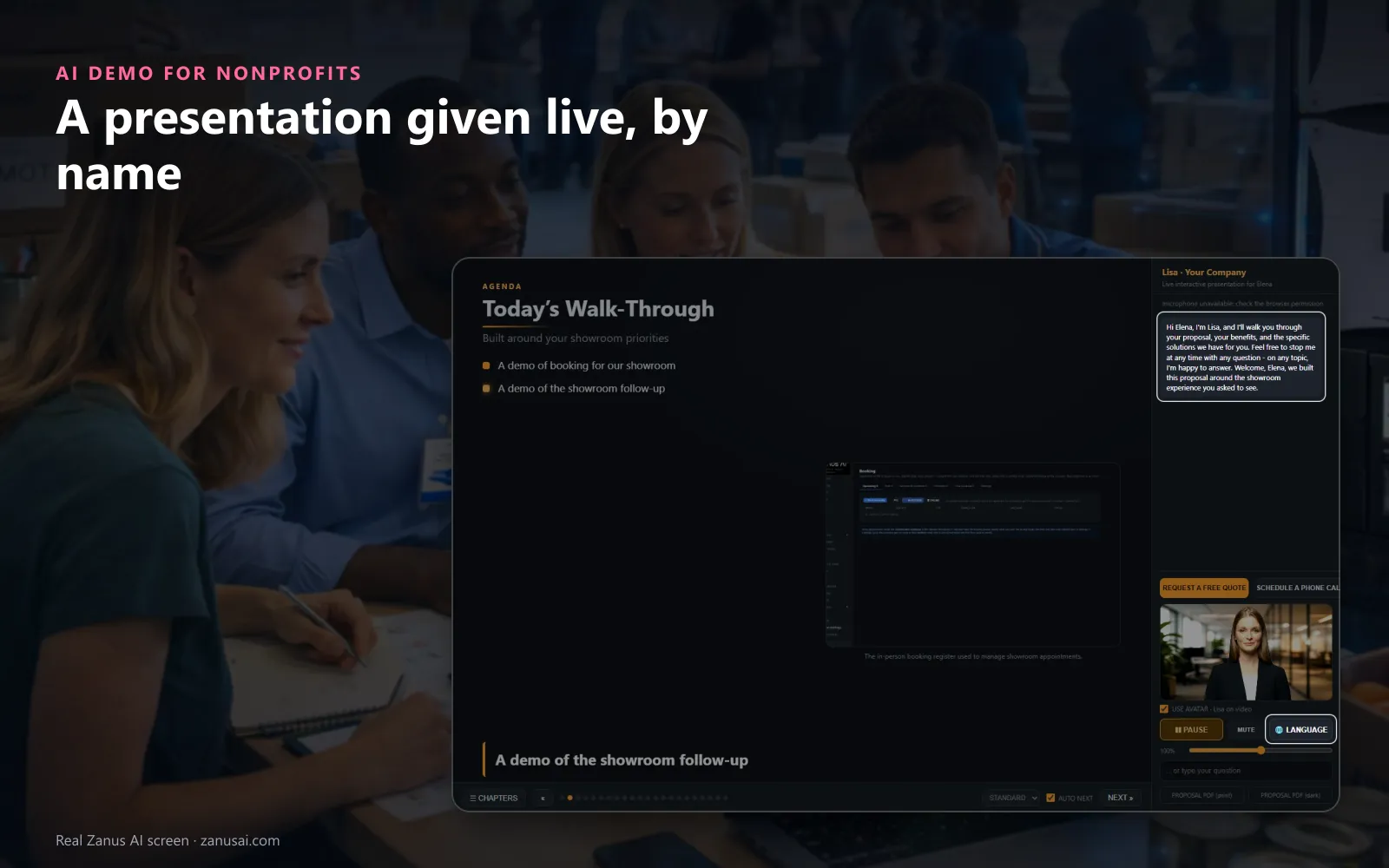
Presented live
Lisa greets the viewer by name and walks through an agenda built around the request; they can pause, change language or ask for a quote.
 Easy setupSet up everything just by talking to Lisa AISee how ›
You“Every presentation request waits for a person before it is sent.”
Lisa“Auto-approve clean requests will be switched off, so every presentation request waits in Pending approval for a person. Apply?”
You talk. Lisa sets it up. Applied only on your yes.
How Nonprofits use it
A company's giving lead asks how a sponsorship helps the summer camp; Lisa presents a page for each need she named.
A foundation officer watches your nonprofit program presentation for donors on Sunday evening and asks a question nobody wrote down, which lands in your gap log.
A sponsor who watched to the end requests a gala table quote from inside the presentation.
REAL AI - the whole Front Office is AI, not old software with an AI button.
What’s included
- Built from your pages, pictures and videos in minutes, a scripted show the prospect can interrupt at any moment
- The prospect asks anything, live, in their language; the AI answers from your knowledge and jumps to the right scene
- Draws diagrams and shows pictures on request, and talks about the image that is actually on screen
- Access vetted before the link goes out (competitor check, verified e-mail); links live 7 days, reactivated on request
- From inside the demo: request a ready-to-buy quote, book a call with sales, leave a message
- Every question the demo could not answer is logged, your content backlog; a PDF hand-out the prospect keeps
Add it to any contact channel — AI Phone, AI Webchat, AI E-mail or AI Web Forms — or get it inside a solution · See pricing › · Per company, never per seat.
Everything AI Demo does, for every business ›
Works withAI QuotingAI BookingAI Follow-up
Presentations
Sponsor presentation software that answers back
Built around their question
The request keeps the sponsor's own words, and the presentation gives a page to each need they named.
Presented live by Lisa
Lisa greets the sponsor by name and presents page by page, with her voice and, when the video avatar is on, her face.
Any hour, any language
A sponsor abroad or an officer who reads at night hears it in their language, with nobody of your team awake.
The next step inside
Request a quote, book a call or leave a message without leaving the presentation, and keep the proposal to share.
Set-up
Interactive program presentations, set up in 2 minutes
Give Lisa your website
Your program pages, pictures and videos become the knowledge each presentation is written from.
Set the chapters once
Tell Lisa how a presentation should run: the cover, what we understood, the program, the offer and the next steps.
Choose your rules
Decide whether clean requests go by themselves, and how many days a personal link stays valid.
Watch the first one
During the 7-day trial, open Preview and see the presentation the way a sponsor will see it.
Questions & answers
AI Demo for Nonprofits: questions & answers
What is an interactive presentation for sponsors?
A presentation the sponsor takes part in instead of only watching. In AI Demo the sponsor can interrupt Lisa by voice or by typing, ask for a picture, move to the next page and request a quote without leaving it.
What does the presentation show?
What the sponsor asked about, written from your own knowledge, pictures and videos, with one page for each need they named. A claim the AI cannot ground in your knowledge is listed as missing for you, never invented.
How long does the sponsor's link last?
Seven days by default, and you can change the number in the settings. An expired link shows a polite page where the sponsor asks for more time, and one click gives seven more days.
What does our team see afterwards?
The minutes watched, the questions asked, the outcome and the recording, plus the gap log of questions your knowledge could not answer. The sponsor receives a recap of everything discussed to share with colleagues.
Can a sponsor's committee watch it together?
Yes. The presentation can play on a meeting-room screen or a projector, and two people can open the same link at the same time, so the people who decide see the same pages.
Keep exploring
Where next?
Start with the one thing you need. Add more anytime by asking Lisa.
AI Front Office for Nonprofits ›
Easy setup
Answers & books
Sells
Helps your team
Included
Award-winning AI
Winner at CES 2026, ISE 2026 and TMCnet Enterprise AI Product of the Year.
REAL AI - the whole Front Office is AI, not old software with an AI button.
Awards & trade shows ›


Give Lisa your website.
She sets up your business in 2 minutes.
Other software makes you learn it. Zanus AI learns your business.
Try it free on your own business — no credit card, per company, never per seat.
Ready to buy? See plans & pricing ›
Or call +1 (954) 736-3939 — the AI answers.