ZANUS FRONT OFFICE FOR NONPROFITS — REQUESTS & INTAKE
Requests that file themselves — nights and weekends included.
A monthly donor whose card changed, at 9 PM; a receipt needed for last year’s gift; a parent asking to enroll a child; a caseworker referring a family; a company offering forty desks; a complaint about a volunteer: the AI identifies the supporter, files the request with everything it needs, routes it to the right person — gift processing, program team, volunteer coordinator, director — and keeps the supporter informed until it is closed.
Try it free 7 days on your own business · no credit card · per company, never per seat
REAL AI - the whole Front Office is AI, not old software with an AI button. Give it your website: it learns your company, works from your approved knowledge and gets better with every answer you approve.
Live on this site right now — the assistant in the corner is the product · Award-winning AI — CES · ISE · TMCnet
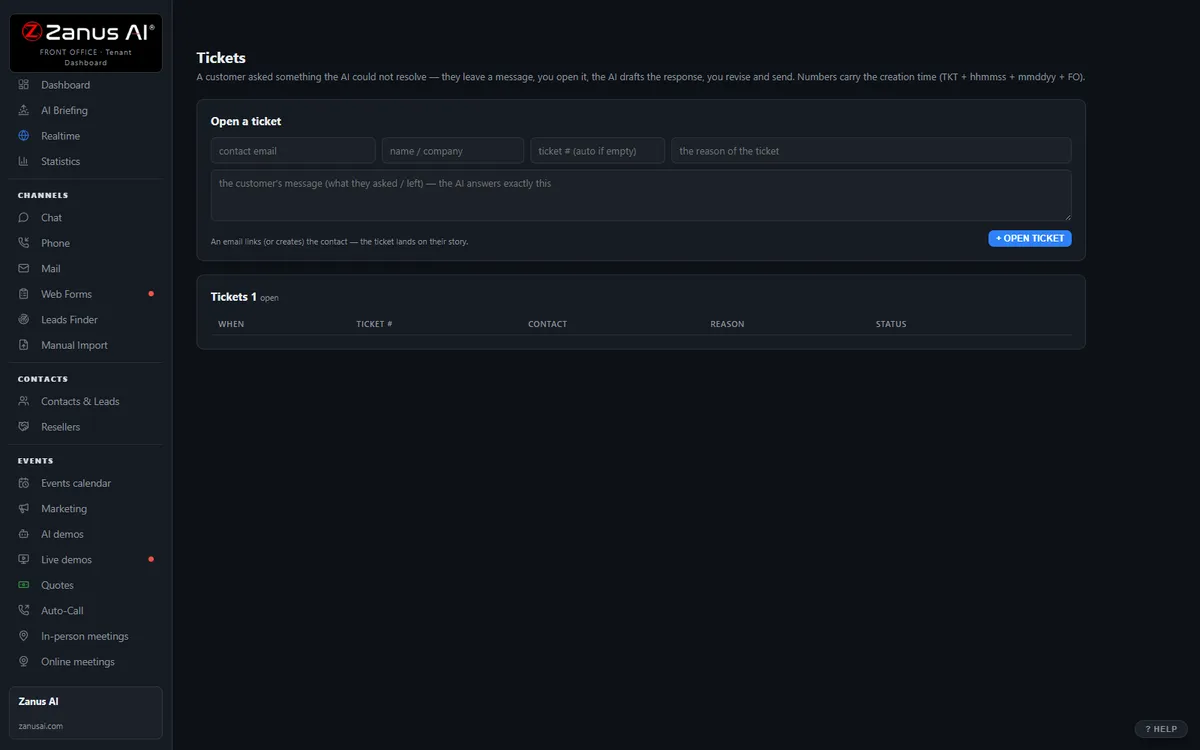
The real Tickets menu: tickets and RMAs attached to the full contact history.
What it does
Supporter, program or gift concerned, dates, language, what exactly is asked — captured in the conversation, no callback to ask again.
Gift changes to finance, intake and referrals to the program team, in-kind offers to operations, complaints to the director — with the transcript.
The donor hears when the gift was updated, the parent when the intake appointment is confirmed, the company when the pickup is scheduled — automatically.
Inside Tickets & RMA — the real screens
Click a tab. Every picture is the live Front Office, not a mockup — the left menu is the whole product.
Off-hours is where you win
A supporter with a broken product at 9 PM gets an answer, a ticket and instructions — not voicemail. That supporter stays.
- 24/7 in up to 40 languages
- Status updates sent automatically
- Inside a solution — see pricing

Available on its own — or inside a solution
Questions, answered
Does the AI change gifts, decide intake or take card details?
Never. It files, routes and informs. The gift is changed by your gift-processing person through your secure system, eligibility and case decisions are the program team’s, and the AI does not take card numbers — it sends your secure link or files the request.
Which solution includes it?
Available on its own or inside a solution. Which solution includes what: see pricing.
Try it free on your own organization. 7 days. No credit card.
Give it your website. It learns your company. Then call it, chat with it, e-mail it — and decide. Nothing to install, nothing to cancel.
← Previous: Team Training · Sharing with a colleague? 📄 Get the PDF · ✉️ Email this page ·