AI Avatar for Nonprofits. An AI avatar for nonprofit websites, in every language
AI Avatar is an AI avatar for nonprofit websites: it gives the chat on your site a face whose lips follow her voice, so a visitor nervous about asking for help can talk instead of filling a form. She answers from your approved pages in the visitor's language and hands over to the right team's person.
TRY AI AVATAR FREENo credit card · Ready in 2 minutesReady to buy? See plans & pricing ›
7 days free · per company, never per seat · nothing to install
Tap to talk
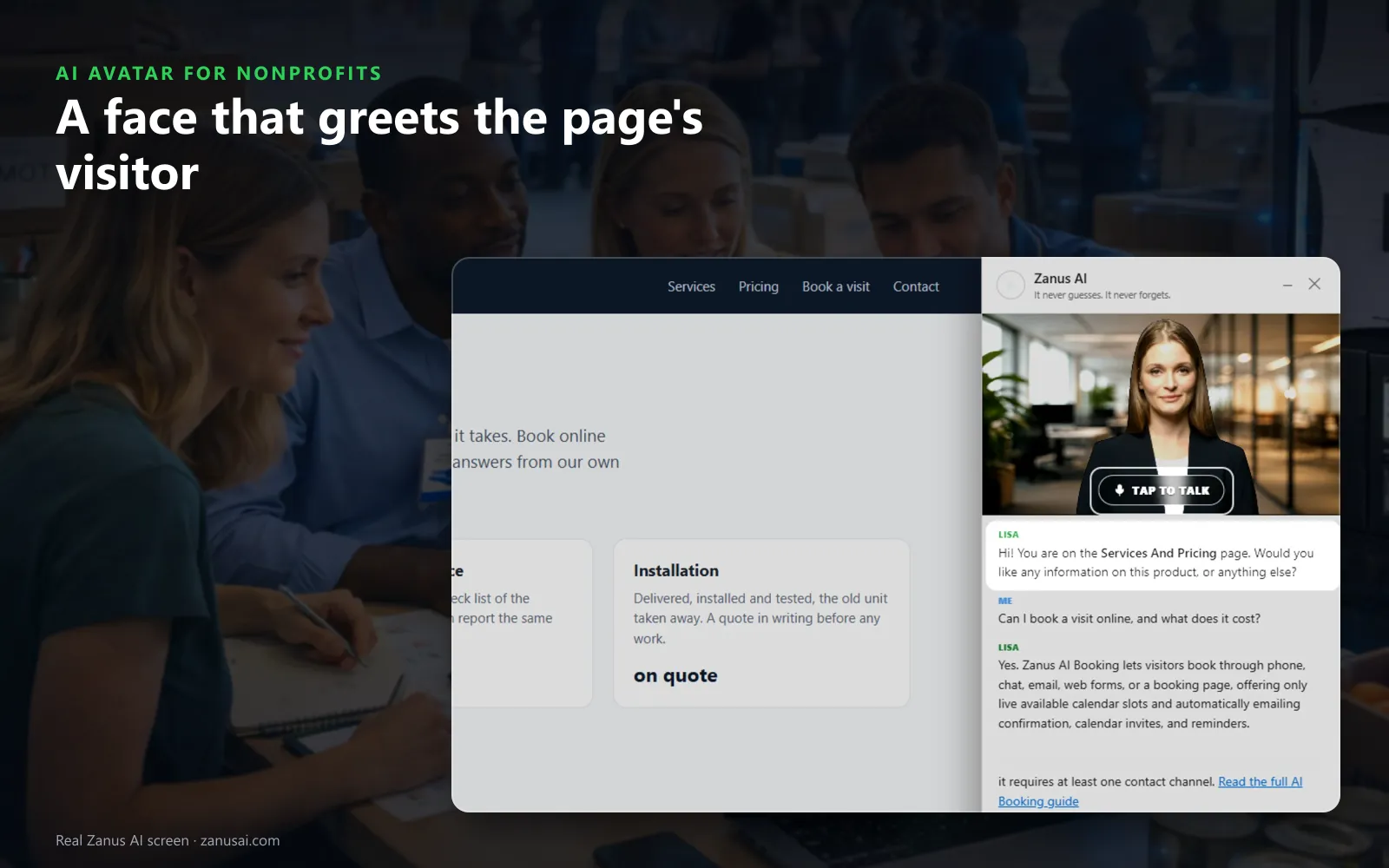
The chat opens with her face above the conversation; a tap starts the voice, and her first line names the page the visitor is reading.
 Easy setupSet up everything just by talking to Lisa AISee how ›
You“Show her face in the chat and let visitors start with voice.”
Lisa“Her face will appear above the chat on every page, and a tap on her picture will start the voice. Apply?”
You talk. Lisa sets it up. Applied only on your yes.
How Nonprofits use it
A grandmother caring for two grandchildren asks the face what happens at pantry intake and is shown your photo of the entrance.
A first-time volunteer asks what to wear to the warehouse, and she opens your volunteer page while she explains.
A Somali-speaking father talks to her in Somali about the after-school program and is answered in Somali.
REAL AI - the whole Front Office is AI, not old software with an AI button.
What’s included
- A talking avatar in the chat widget, same knowledge, same voice, same record
- Presents your pages and pictures while it talks
- The face of your company on the site, in 40 languages
Add it to AI Webchat or get it inside a solution · See pricing › · Per company, never per seat.
Everything AI Avatar does, for every business ›
Works withAI WebchatLisa, your AI assistant
A face to talk to
Why a talking avatar for nonprofit websites helps
Talking instead of a form
A face that greets the visitor by the page they are on, and listens, turns a first request for help into a conversation rather than paperwork.
Talk or type
A tap on her picture starts the voice and the visitor can interrupt her like a person, or type the question below instead.
Shows while she talks
When she talks about intake, the pantry or the gala, she opens that page and holds up your pictures when the visitor asks to see.
The right team's person
When a donor is ready to talk about a gift, she hands over to the development person you cast, and the face and voice change together.
Set-up
Set up an AI avatar for charities in 2 minutes
Pick who speaks
Keep Lisa, or give each team its own person, choosing a face from ten looks and a voice from thirteen.
Preview the pair
Preview plays the face speaking with that voice, as a visitor would see it; adjust the pace or the tone if you like.
Switch the face on
Tick show a face in the chat, choose how it moves and the backdrop behind it, then try the chat as a visitor.
Keep a page plain
Your webmaster can add one setting to the widget line on any page that should keep the chat without a face.
Questions & answers
AI Avatar for Nonprofits: questions & answers
Why would a nonprofit put an avatar on its website?
Because some visitors would rather talk than type, especially when they ask for help for the first time. The avatar answers from your approved pages, in their language, and hands them to a person when they need one.
Will visitors think the avatar is a staff member?
She never pretends to be a person. When she does not know an answer she says so and the question goes to your team, so nobody is given a guess about a program or a gift.
Does the avatar need the website chat?
Yes. AI Avatar works on top of AI Webchat and gives it a face. The same voices and faces then speak on your phone line, in AI demos and in the mail signature, set in one place.
Which languages does the avatar speak?
The visitor's. She is built as a multilingual avatar for nonprofits: each voice speaks every language, so the same face answers one family in Spanish and the next in Arabic, and you can pick another timbre for a language where a voice sounds wrong.
Can one visitor keep her busy all evening?
No. Session limits stop one visitor from holding her for hours; past the limit they get the looping face or the text chat, and everyone else keeps her face.
Keep exploring
Where next?
Start with the one thing you need. Add more anytime by asking Lisa.
AI Front Office for Nonprofits ›
Easy setup
Answers & books
Sells
Helps your team
Included
Award-winning AI
Winner at CES 2026, ISE 2026 and TMCnet Enterprise AI Product of the Year.
REAL AI - the whole Front Office is AI, not old software with an AI button.
Awards & trade shows ›


Give Lisa your website.
She sets up your business in 2 minutes.
Other software makes you learn it. Zanus AI learns your business.
Try it free on your own business — no credit card, per company, never per seat.
Ready to buy? See plans & pricing ›
Or call +1 (954) 736-3939 — the AI answers.