ZANUS FRONT OFFICE FOR TRAINING CENTERS
Next-generation AI for Training Centers & Lifelong Learning. Try it free on your own training center. No credit card.
Every inquiry answered while you teach. Every intro lesson booked before they call the next school. ZANUS AI Front Office for Training Centers is the AI enrollment desk, scheduler and follow-up desk for language and vocational schools, bootcamps, driving schools, corporate training providers and music, dance and sports academies. It answers prospective learners and parents on phone, website chat, email and web forms — which classes have space, what level, what to bring, when the next cohort starts — books the intro lesson or placement test in the right instructor’s calendar, sends course quotes from your price list and training proposals to corporate clients, and follows up the taster session, the unfinished sign-up and the lapsed learner. Funding, visa and refund decisions go to your people. Grounded only in the information your center approves: no source, no claim.
Try it free 7 days on your own business · no credit card · per company, never per seat
REAL AI - the whole Front Office is AI, not old software with an AI button. Give it your website: it learns your company, works from your approved knowledge and gets better with every answer you approve.
Live on this site right now — the assistant in the corner is the product · Award-winning AI — CES · ISE · TMCnet
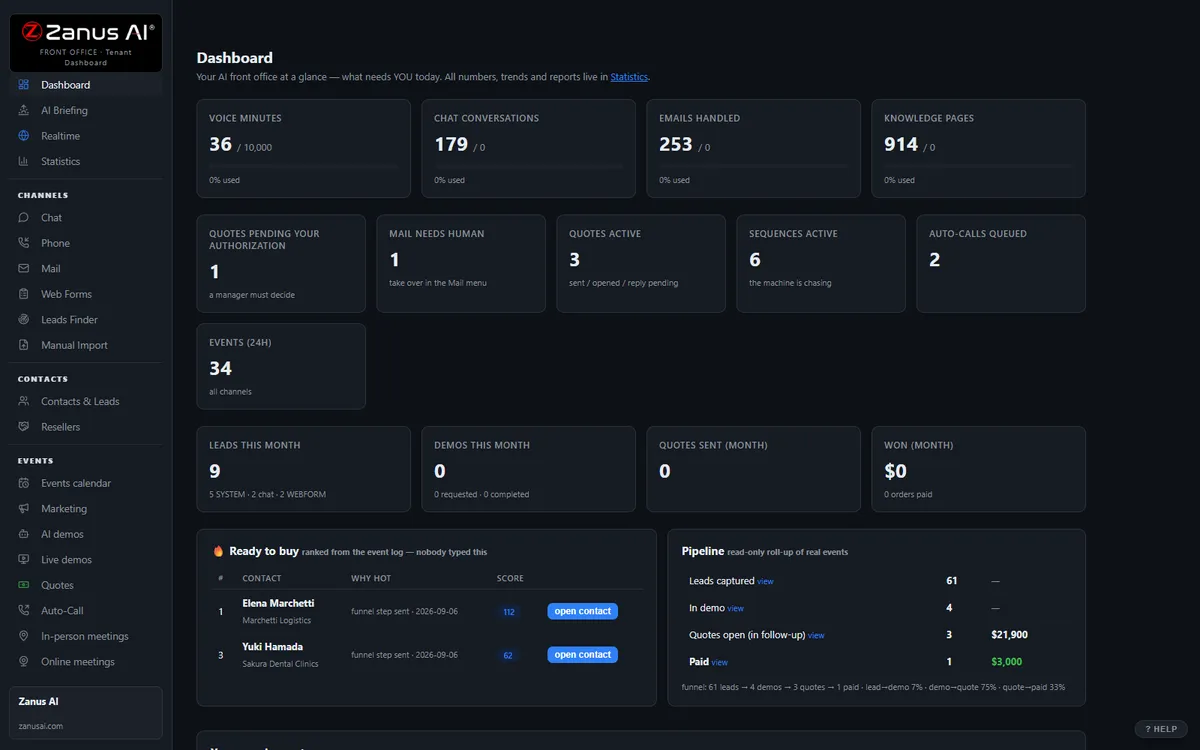
The real Front Office dashboard: today’s numbers, what needs a person, every menu on the left. In the trial it is yours, with your company in it.
FREE TRIAL · 7 DAYS · NO CREDIT CARD
Give us your website. Ten minutes later, your company answers the phone.
“Give us your website. Ten minutes later Zanus has built a private 7-day sandbox around your company: your knowledge, a phone line that answers as you, your website with Lisa on it, your dashboard with your data. Not old software with an AI button — the AI is the software.”
“No card. No setup fee. Per company, never per seat. You decide after you hear it answer as your company.” One trial per company: a working business website and an e-mail on its domain.
- 1Your website. Lisa reads it and proposes your departments and people; she asks only what the site does not say.
- 2Your sandbox, in ten minutes. A phone line in your area code that answers as you and transfers to your real phones, your website with Lisa on it, your dashboard with your data.
- 3Seven days on your business. Day 1 the first call; day 3 a mail “what your callers asked”; day 7 a report.
- 4Keep it or walk away. Buy any solution on any day and the sandbox becomes the account — same number, same knowledge, nothing redone. Walk away and nothing is charged.
How you start
Three steps, in the order you like. Most people skip straight to the second.
Two minutes. The AI presents the Front Office and answers your questions live — the demo is the product.
Your website, your phone line, your dashboard. No card, nothing to install. Start free
Any solution, on any day of the trial — the sandbox becomes your account. Per company, never per seat. See pricing →
Prefer to own your AI on your own premises? See AI Servers — a separate product. The Front Office above needs no server.
One AI Front Office. Every job your enrollment desk does today.
The same 31 menus, read through a center director’s eyes. Each function below is a page of its own, in your vocabulary — enable what your plan includes, add more when the school grows. No IT project. Comparing options? See the comparison →
Every morning: last night’s inquiries, intro lessons booked, make-up requests filed, proposals opened — and which parents and corporate clients need a call back today.
Learn more →
AI PhoneAnswers every call on your menu, in your voices, 24/7 — while you are in the classroom or the passenger seat. Books lessons, takes make-up requests, calls hang-ups back, transfers funding and complaint calls to you.
Learn more →
AI Chat & VoiceWebsite chat and voice that answers “is there a beginner class soon”, “which level am I”, schedules and prices from your catalog — and books the placement test in the conversation.
Learn more →
AI AvatarA lifelike face that greets the nervous adult beginner and the parent comparing schools, explains how your program works and books the intro lesson — in their language.
Learn more →
Course PreviewsCourse previews: what a first lesson looks like, how the cohort runs, what happens on road-test day — narrated by AI, interrupted with questions, any hour.
Learn more →
Inquiries & Sign-upsInquiry, “book an intro lesson”, placement-test and corporate-training request forms worked in minutes — from form to booked session, followed up until enrolled or opted out.
Learn more →
Learner RecordsOne learner record per person and household: courses asked about, level, funding stated, lessons booked, requests open — written by the AI from its own conversations.
Learn more →
AI E-mailThe info@ and enrollment inbox answered from your approved information — schedules, prerequisites, what to bring, how to sign up; visa, funding and refund emails routed to a person with a draft ready.
Learn more →
Quotes & ProposalsCourse quotes from your price list and training proposals from your rate card — individuals and corporate clients — sent as clean documents, accepted with one click.
Learn more →
Follow-up & RemindersConfirmations, reminders, the taster-session follow-up the same evening, the unfinished sign-up chased, the next level offered, class-change notices — on schedule, stopped when a person should call.
Learn more →
Lessons & Intro SessionsIntro lessons, placement tests, driving lessons and consultations booked into the right instructor, room or vehicle — make-ups offered, waiting lists filled, calendars synced.
Learn more →
Office Team TrainingOffice staff and new instructors trained on your policies, schedules and phone scripts — and a staff-only assistant that answers “what is our make-up rule” mid-shift.
Learn more →
Learner RequestsMake-up lessons, certificates and attendance letters, invoices, schedule changes and complaints filed as tracked requests and routed to the right person — evenings and weekends included.
Learn more →
Enrollment ForecastEnrollment demand by course and start date, intro-lesson no-show risk, which open proposals will sign — from real conversations, with the WHY.
Learn more →
Corporate ClientsCorporate clients, sponsors, funding bodies, employers of apprentices and partner schools mapped as organizations — who books teams, who pays, which client is going quiet before the renewal.
Learn more →
Add AI to what you haveConnect the school-management, scheduling and payment systems you already use — the AI works, and writes it back.
Learn more →
ProtectionDaily caps on every AI resource: a bot hammering your intro-lesson widget costs a capped, known amount — families see courtesy.
Learn more →
What happens to every inquiry — in your training center
A call at 7:15 PM while you teach the evening class, a chat from a parent on Sunday, an email from an HR manager, an inquiry form from someone who found your summer intensive. Any of 40 languages.
Which courses have space, levels and prerequisites, schedule and location, what to bring, how enrollment works, prices from your list, which funding programs you accept — from your approved information only. No source, no claim.
New or current learner, adult or child, which program, which level, individual or a company team, which campus — your routing rules applied in the conversation. Funding eligibility, visa and refund questions go to your people.
Book the intro lesson or placement test in the right instructor’s calendar, send the course quote or the training proposal, file the make-up request, transfer to the director with the context whispered in, call back the hang-up.
The confirmation and the “what to bring”, the reminder that cuts no-shows, the “how was the first lesson” the same evening, the unfinished sign-up, the proposal left unopened, the learner who finished a level and never booked the next — on schedule, until done.
Every touch on the learner’s record — and the household’s, and the corporate client’s. Every morning a briefing: what was handled overnight, who needs a person today.
AI-driven end to end. A person wherever your rules require it. Anything about funding eligibility, visas, refunds, a named student’s progress or welfare, and anything outside your approved information waits for your staff; the routine, the AI handles and reports.
One knowledge base feeds every channel
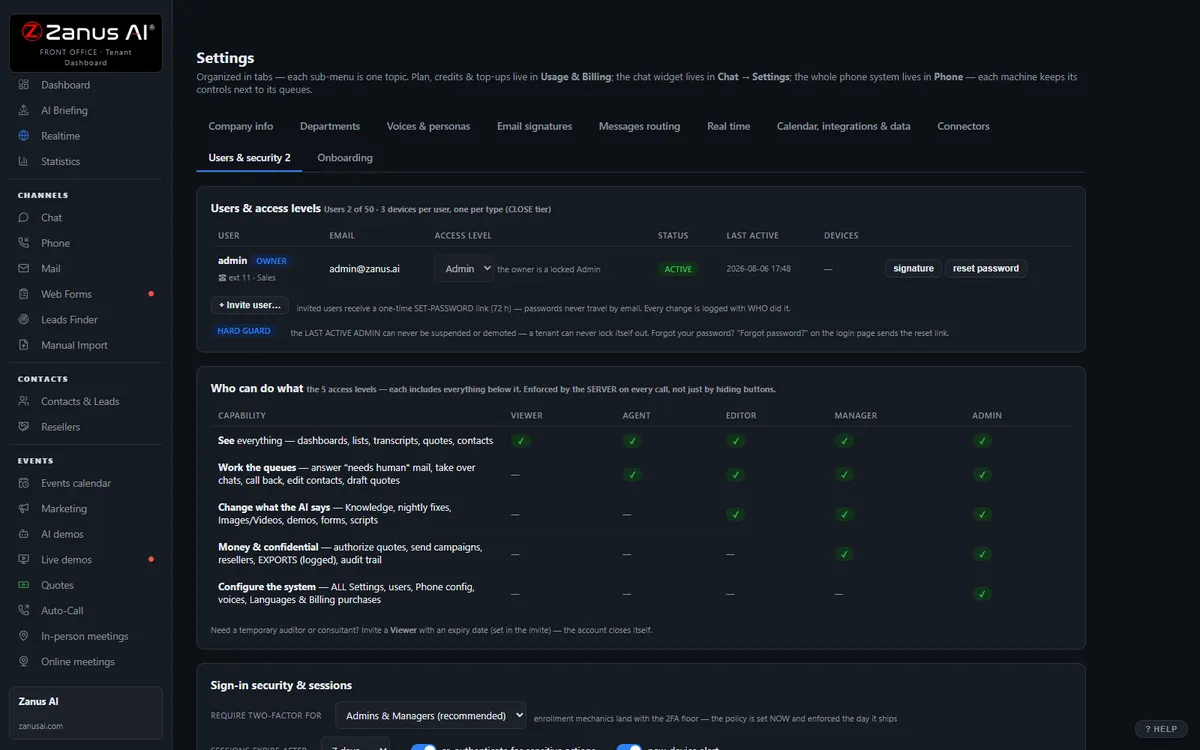
Websites, uploads, pages and articles, Q&A, battle cards, images and videos — you approve it once, and phone, chat, email, demos and quotes all answer from the same verified source. No source, no claim.
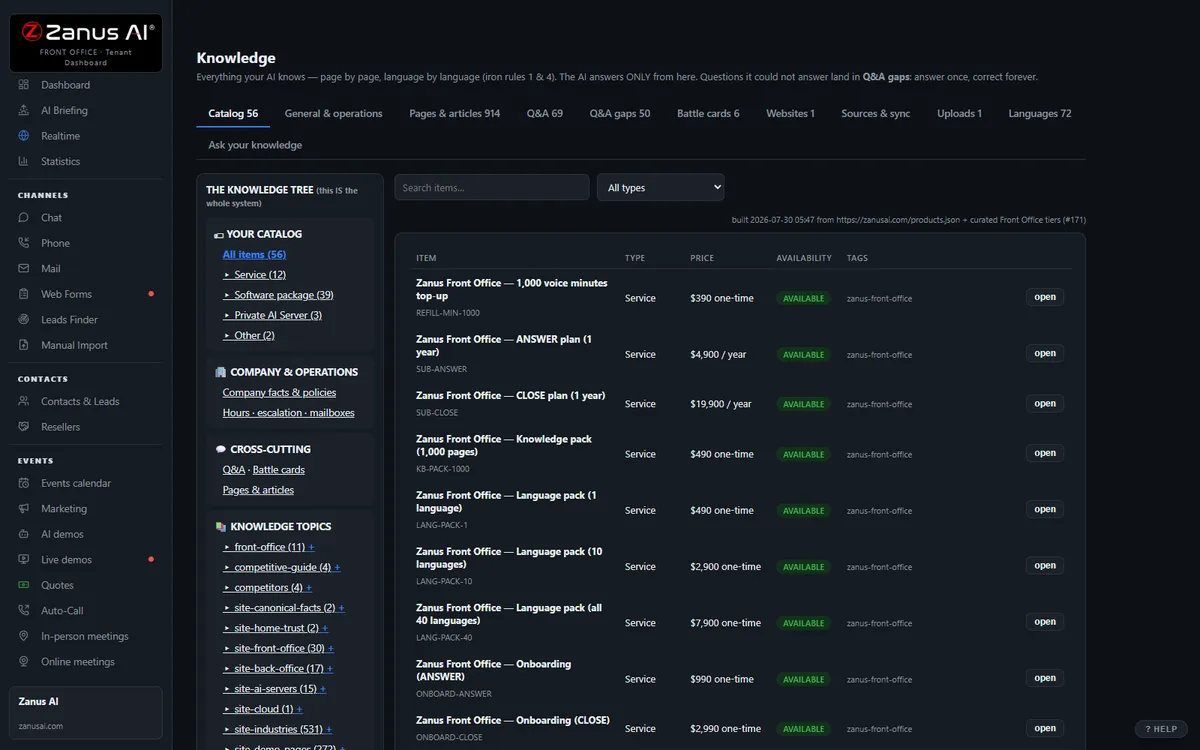
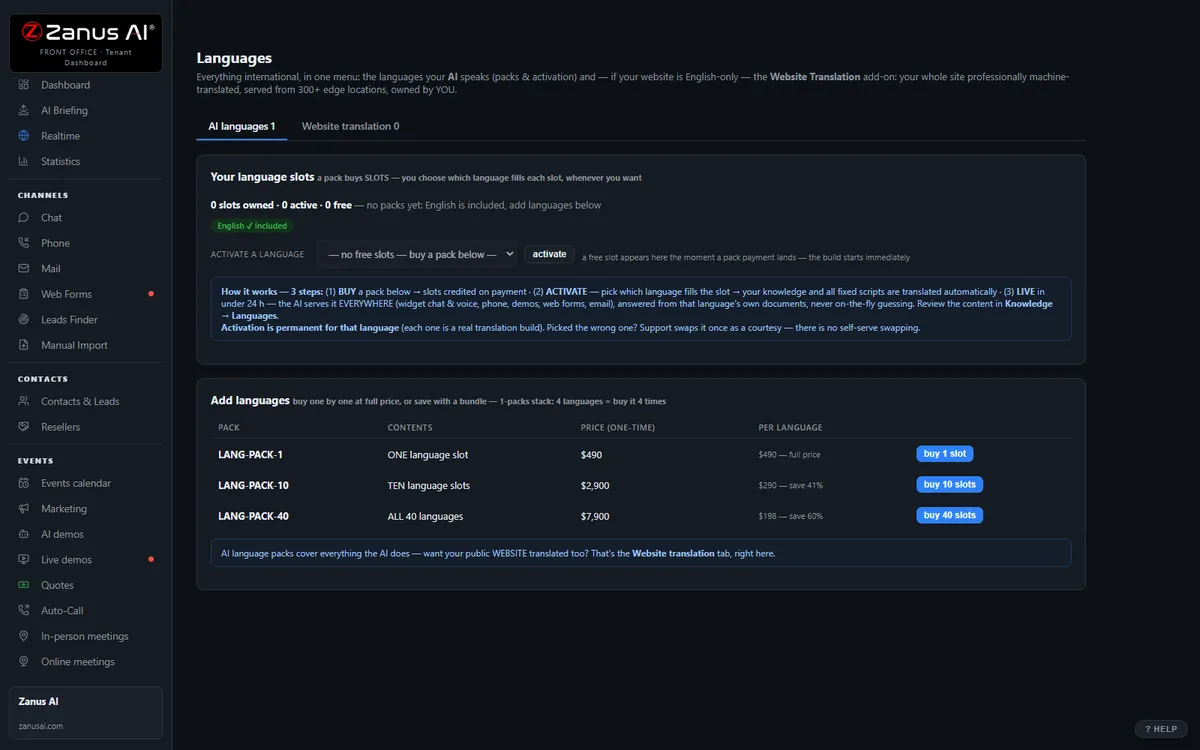
40 languages, one bill, a help drawer over every screen
Languages and website translation, billing with plans, top-ups and alerts, onboarding, users & security, and the help drawer that answers from the platform manual — the plumbing that comes with it.
Private by architecture
Your Front Office runs in a private Cloudflare environment dedicated to your company — your own data-processing container, not a shared pool. Your knowledge stays yours: it never trains global models like GPT or Grok, and it is never shared.
- Private data-processing environment per company
- Grounded only in your knowledge
- Claim guard: no source, no claim
- Private environment option: an isolated environment with enterprise-grade security certifications, on request
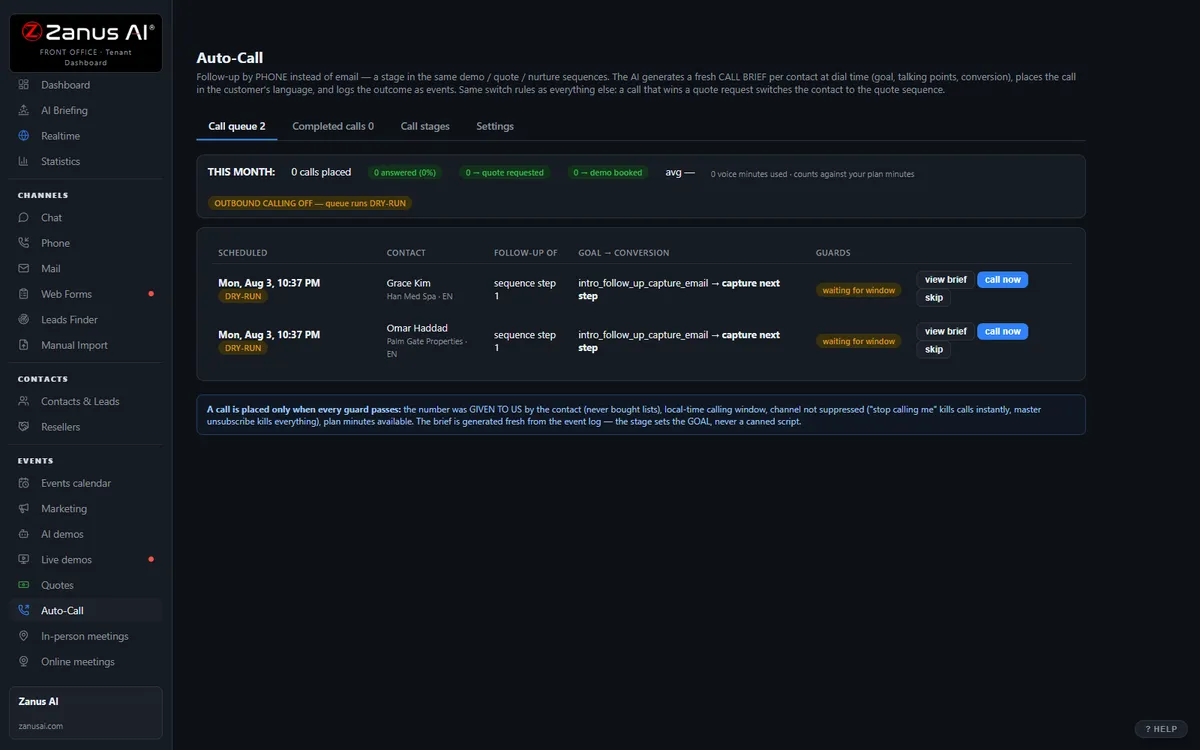
Auto-Call — the AI calls your learners
Not only answering. From an automated event (a due date, a ready order, tomorrow’s appointment), a scheduled funnel or a list, the AI calls your registered contacts and announces your message — or talks as an agent: answers the question, moves the appointment, confirms, collects the missing detail. Call window, attempts, voicemail policy and consent rules are yours; every call is transcribed.
- “Hi Leo, this is Bright Path Learning Center: your course begins Monday at 6 PM in Room 3; your materials are in the student portal.”
- “Hi Maria, this is Bright Path Learning Center calling to schedule your placement assessment. Would Tuesday at 5 or Saturday at 10 suit you?”
Scheduled Auto-Call comes inside a solution — see pricing; calling back the hang-ups is part of AI Phone. How it works, in the Phone chapter ›
The same Front Office, by job
The jobs a training center names most often — each explained in full: what falls through the cracks today, a day with the AI on the job, every function seen from that job.
Questions, answered
Does the AI promise results, or decide who qualifies for funding?
No. It answers only from the information your center approves — catalog, schedule, levels, prices, policies, the outcome figures you have published. It does not promise a pass, a license, a job or a certificate, and it does not decide whether a learner qualifies for a funding program, an employer benefit or an apprenticeship scheme: it explains what your approved page says and books the person who handles the paperwork, with the context attached. Visa and immigration questions go straight to a person. No source, no claim.
What happens to learner and family information?
Your Front Office runs on a private data-processing environment dedicated to your center; your information never trains public models and is never shared. The AI never discusses a named student’s progress, attendance or results with a caller. Organizations whose contracts require an isolated environment with specific certifications ask for a private environment — available on request.
Does it replace our school-management or scheduling system?
No. It sits in front of them: the AI answers, books and follows up, then writes the result back through Connectors — native calendar sync, webhooks and API. Enrollment records, attendance and payments stay in the system you run the school on; your system of record stays; the phone stops ringing into voicemail while you teach.
Try it free on your own training center. 7 days. No credit card.
Give it your website. It learns your company. Then call it, chat with it, e-mail it — and decide. Nothing to install, nothing to cancel.
Sharing with a colleague? 📄 Get the PDF · ✉️ Email this page ·