AI Webchat for Training Centers. A website chatbot for training centers that books assessments
AI Webchat is a website chatbot for training centers that answers visitors by text or voice, in their language, from your course pages and approved answers only. It opens the page that explains a level, shows your classroom pictures when asked, books the placement test with AI Booking and turns the conversation into a contact for your desk.
TRY AI WEBCHAT FREENo credit card · Ready in 2 minutesReady to buy? See plans & pricing ›
7 days free · per company, never per seat · nothing to install
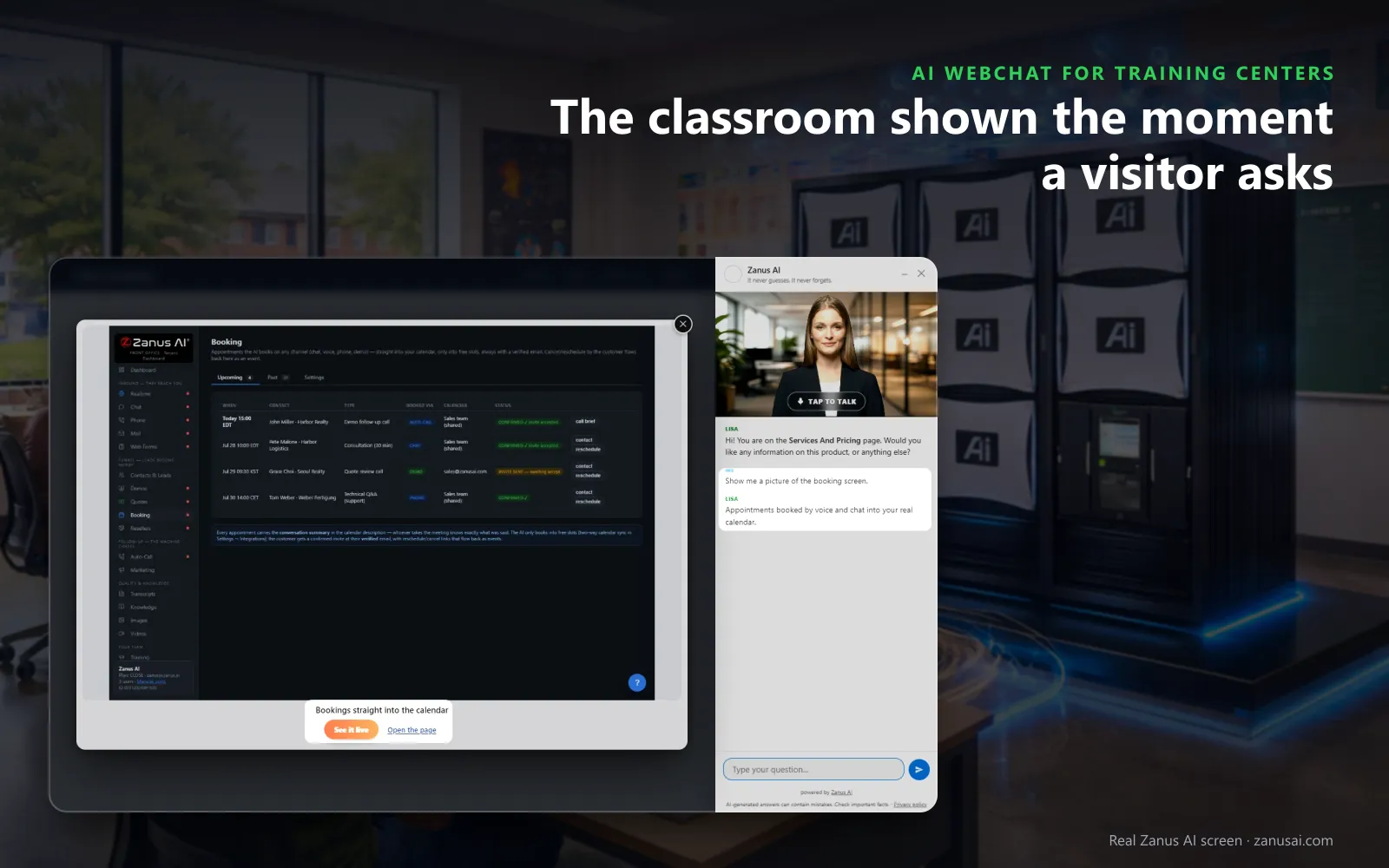
Shows on request
A visitor asks to see the lab or the training car and she holds the real picture up over the page, with a button to open the page that explains it.
 Easy setupSet up everything just by talking to Lisa AISee how ›
You“Offer the placement test first when a visitor is unsure of their level.”
Lisa“When a visitor is unsure of their level, I now offer the placement test before any class. Apply?”
You talk. Lisa sets it up. Applied only on your yes.
How Training Centers use it
A visitor on the IT certification page asks how long the course runs and when the next evening cohort starts; the chat answers from your schedule.
A father asks the AI chatbot for driving schools on Sunday whether lessons start from home; she reads your policy and opens the lessons page.
An adult unsure of her English level types in Portuguese; the chat answers in Portuguese and books a placement test.
REAL AI - the whole Front Office is AI, not old software with an AI button.
What’s included
- Text and voice in one widget on your site, the visitor types or talks; the AI answers in their language
- Knows the page the visitor is on and answers from your pages, files, prices and rules
- Shows pictures and product screens while it talks; opens the right page of your site and continues there
- Captures the lead with a verified e-mail; books appointments from your live calendar; offers your AI Demo
- Your people take over any chat live in one click, with the context, not a transcript to read
- Instant barge-in: the visitor interrupts and the AI stops; echo and background noise filtered
- Optional AI Avatar: the same assistant with a face that talks
- Every conversation on the customer's record; chat analytics per page and topic; sessions exportable
- Installs with one line on any site, Shopify, WordPress, custom; the widget is yours to brand
Available on its own or inside a solution · See pricing › · Per company, never per seat.
Everything AI Webchat does, for every business ›
Works withAI BookingAI AvatarAI DemoAI QuotingAI TicketsAI Returns & WarrantyAI CRM
On your pages
An enrollment chatbot for tutoring centers and language schools
Answers from your course pages
Levels, start dates, prerequisites and what each course covers are answered from your pages and approved answers, day and night, never from a guess.
Opens the right page
When she talks about a course that has its own page, she opens it and introduces it; a visitor who names several courses gets a short tour.
Shows your classrooms
A visitor asks to see the training car or the computer lab, and she holds up the real picture from your website, over the page on phones.
From a chat to a contact
Your inquiry form sits in the conversation, and a visitor who leaves gets the summary by e-mail with the link to your offer, so a parent who closes the page is still reached.
Every session
What each chat on your course pages produced
Live sessions
See the chats in progress with the course page, the language and text or voice; watching is read-only, so the AI is not interrupted while it answers a learner.
Outcomes counted
Each session shows what it produced: a lead, a quote request, a ticket, an answer, or a chat that was opened and never typed in.
Which course pages raise questions
Activity by hour and by country shows when families reach for the chat and which course pages bring the most questions before an enrollment.
Questions & answers
AI Webchat for Training Centers: questions & answers
Can a chatbot on a training center website book a lesson?
Yes, with AI Booking. She books the lesson, tutoring session or placement test into a free slot during the conversation, with the learner verified before it enters the book, and the confirmation goes out at once.
What can the course inquiry chatbot answer?
Anything your knowledge covers: your course pages, schedules, levels, policies and the answers your team approved, in the visitor's words and language. When it does not know, it does not guess: the question goes to your desk.
Does the chat speak the languages our learners speak?
Yes, 40 languages, as a chatbot for language schools should. Her opening lines are written once in your language and shown and spoken in the visitor's, and a familiar or formal form of address is set for the languages that have the choice.
What happens when a visitor asks for a person?
She never pretends: a parent who wants your staff sees the request go to the desk's mail for a person, or into a ticket, with the chat attached. On a mobile, the Talk to a specialist chip rings your center's own line.
How do we add the chatbot to our school website?
Your webmaster adds a single line to the school site's theme, and the chat appears on every course page in your colors and words. The status strip reads installed once the first visitor opens a page.
Keep exploring
Where next?
Start with the one thing you need. Add more anytime by asking Lisa.
AI Front Office for Training Centers ›
Easy setup
Answers & books
Sells
Helps your team
Included
Award-winning AI
Winner at CES 2026, ISE 2026 and TMCnet Enterprise AI Product of the Year.
REAL AI - the whole Front Office is AI, not old software with an AI button.
Awards & trade shows ›


Give Lisa your website.
She sets up your business in 2 minutes.
Other software makes you learn it. Zanus AI learns your business.
Try it free on your own business — no credit card, per company, never per seat.
Ready to buy? See plans & pricing ›
Or call +1 (954) 736-3939 — the AI answers.