ZANUS FRONT OFFICE — ONE AI FOR EVERY LOCATION
Next-generation AI for your group. Try it free on your own group. No credit card.
Twenty locations, one Front Office — each answered as if it were the only one. ZANUS AI Front Office for Multi-site & Multi-department groups is the AI receptionist, booking desk and request desk of every location you run — a dealer group, a clinic network, a restaurant chain, a bank with branches, a school district. Each site keeps its own numbers, hours, calendar, operators and local details on one shared knowledge base and one customer record: a customer who calls site A about site B is answered correctly, booked into the right calendar and filed to the team that owns it. Departments get their own routing; managers see their site; head office sees the whole; a new location is added, not rolled out. Anything sensitive or regulated goes to a person at the right site. Grounded only in the information your group approves: no source, no claim.
Try it free 7 days on your own business · no credit card · per company, never per seat
REAL AI - the whole Front Office is AI, not old software with an AI button. Give it your website: it learns your company, works from your approved knowledge and gets better with every answer you approve.
Live on this site right now — the assistant in the corner is the product · Award-winning AI — CES · ISE · TMCnet
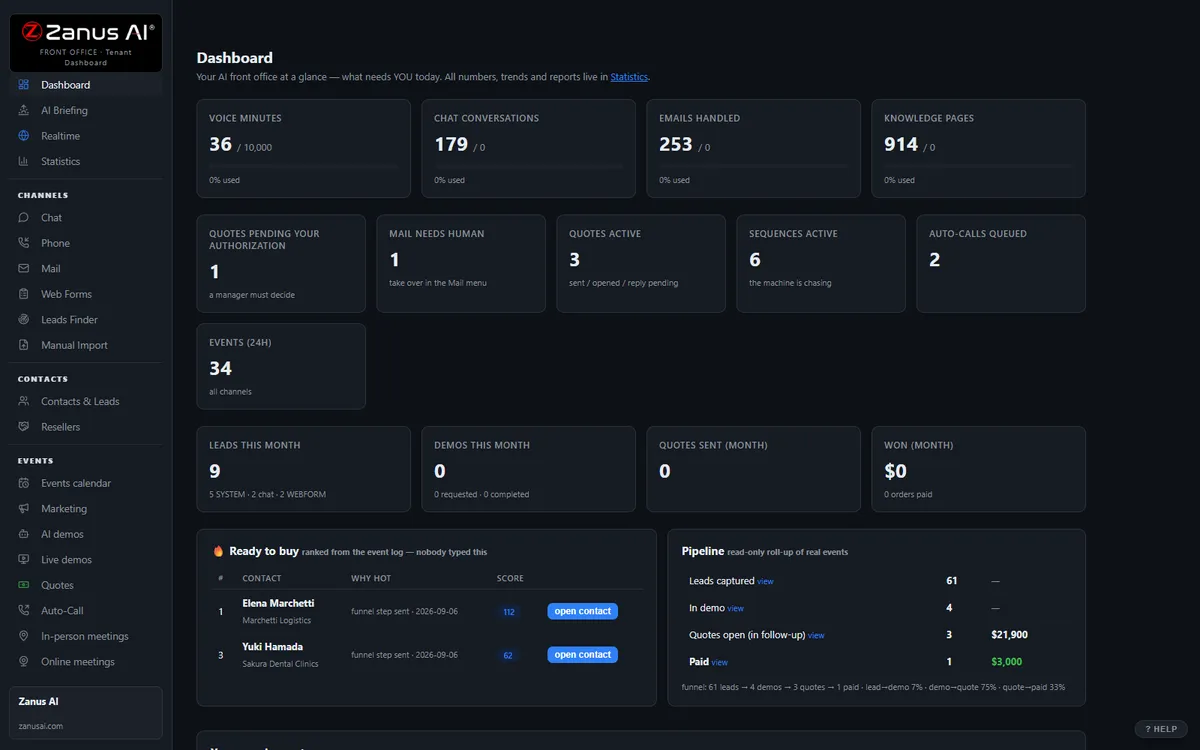
The real Front Office dashboard: today’s numbers, what needs a person, every menu on the left. In the trial it is yours, with your company in it.
FREE TRIAL · 7 DAYS · NO CREDIT CARD
Give us your website. Ten minutes later, your company answers the phone.
“Give us your website. Ten minutes later Zanus has built a private 7-day sandbox around your company: your knowledge, a phone line that answers as you, your website with Lisa on it, your dashboard with your data. Not old software with an AI button — the AI is the software.”
“No card. No setup fee. Per company, never per seat. You decide after you hear it answer as your company.” One trial per company: a working business website and an e-mail on its domain.
- 1Your website. Lisa reads it and proposes your departments and people; she asks only what the site does not say.
- 2Your sandbox, in ten minutes. A phone line in your area code that answers as you and transfers to your real phones, your website with Lisa on it, your dashboard with your data.
- 3Seven days on your business. Day 1 the first call; day 3 a mail “what your callers asked”; day 7 a report.
- 4Keep it or walk away. Buy any solution on any day and the sandbox becomes the account — same number, same knowledge, nothing redone. Walk away and nothing is charged.
How you start
Three steps, in the order you like. Most people skip straight to the second.
Two minutes. The AI presents the Front Office and answers your questions live — the demo is the product.
Your website, your phone line, your dashboard. No card, nothing to install. Start free
Any solution, on any day of the trial — the sandbox becomes your account. Per company, never per seat. See pricing →
Prefer to own your AI on your own premises? See AI Servers — a separate product. The Front Office above needs no server.
One AI Front Office. Every location. Every department.
The same 31 menus, read through a group operations manager’s eyes. Each function below is a page of its own, written for the site that answers and the head office that watches — enable what your plan includes, add locations as the group grows. No rollout project per site. Comparing options? See the comparison →
Every morning, two briefings: each site manager sees their location’s overnight; the group sees every site side by side — and which location needs a person today.
Learn more →
Phone per SiteEvery location’s numbers answered in that site’s hours, voice and language — departments routed by what the caller says, transfers to the site’s operators with the context whispered in.
Learn more →
AI Chat & VoiceOne website, many locations: the chat knows which site the visitor means, answers with its hours, address and services, and books there — in 40 languages.
Learn more →
AI AvatarOne face and brand persona across every location’s page — greets visitors, explains what that site offers, hands over to a person at that site.
Learn more →
AI DemoInteractive explainers of what a location offers — a service, a program, a branch visit — scripted once by the group, presented at every site, any hour.
Learn more →
Leads to the Right SiteWeb forms and inquiries from any page routed to the site that owns the territory, answered in minutes in that site’s name, escalated to the group when a site goes quiet.
Learn more →
One Group RecordOne customer record across every location: what the customer asked in site A, booked in site B and was promised by site C — visible to whoever your roles allow.
Learn more →
Email, Routed by SiteThe group inbox and each location’s address answered from the shared knowledge, routed to the right site and department, drafts waiting where your rules say.
Learn more →
AI QuotingQuotes built from the group’s approved catalog and price rules, sent in the location’s name, authorized by the site or the group on your approval chain.
Learn more →
Local Follow-upFollow-up sequences that speak as the customer’s own location — reminders, reactivation, review requests — group templates, local sender, stopped when a person should call.
Learn more →
Site CalendarsEach site’s calendar, providers, rooms and services; the AI books into the right one, offers the nearest alternative, and never books site A into site B’s schedule.
Learn more →
Training Every SiteEvery location’s new hire trained on the same knowledge and procedures, with the site’s local pages on top; a team assistant on each employee’s phone.
Learn more →
Cases by SiteRequests and cases filed to the site and department that own them — a complaint about store 12 never lands at store 4 — escalated to the group when they age.
Learn more →
Forecast by SiteVolumes, bookings and open requests by site and by department, with the reasons — which location is drifting before its reviews say so.
Learn more →
Franchisee AccountsFranchisees, regional accounts, partners and the businesses that buy from several of your locations — mapped as organizations with a health score and the WHY.
Learn more →
Add AI to what you haveYour group systems stay the record: calendars synced per site, events pushed by webhooks and API, an MCP server for any AI the group authorizes.
Learn more →
Protection & RolesDaily caps that protect the whole group from one abused widget, roles and permissions that decide who sees which site, isolated environments available on request.
Learn more →
What happens to every inquiry — in your group
A customer calls a branch, chats from a store’s page, emails the group address or fills a form on the campus site — day or night, in any of 40 languages, meaning one specific location.
That site’s hours, address, closures, services and people, drawn from the shared knowledge plus the location’s own pages. From your approved information only: no source, no claim.
Which site, which department, which rules apply — and the customer’s history across every location. Anything sensitive or regulated is recognized and reserved for a person at that site.
Book into that site’s calendar, file the request to that site’s team, route to the department, transfer to the site’s operator with the context whispered in, call back the hang-up in the site’s name.
Confirmations, reminders and updates sent as the location the customer dealt with; a request left unanswered by a site escalates to the region or the group on the clock you set.
Every touch on one customer record, tagged with its site and department. Per-site and group briefings every morning; volumes, bookings and open cases by location.
AI-driven end to end. A person wherever your rules require it. Anything regulated, anything sensitive and anything outside the group’s approved information waits for a person at the right site; the routine, the AI handles at every location and reports to the group.
One knowledge base feeds every channel
Websites, uploads, pages and articles, Q&A, battle cards, images and videos — you approve it once, and phone, chat, email, demos and quotes all answer from the same verified source. No source, no claim.
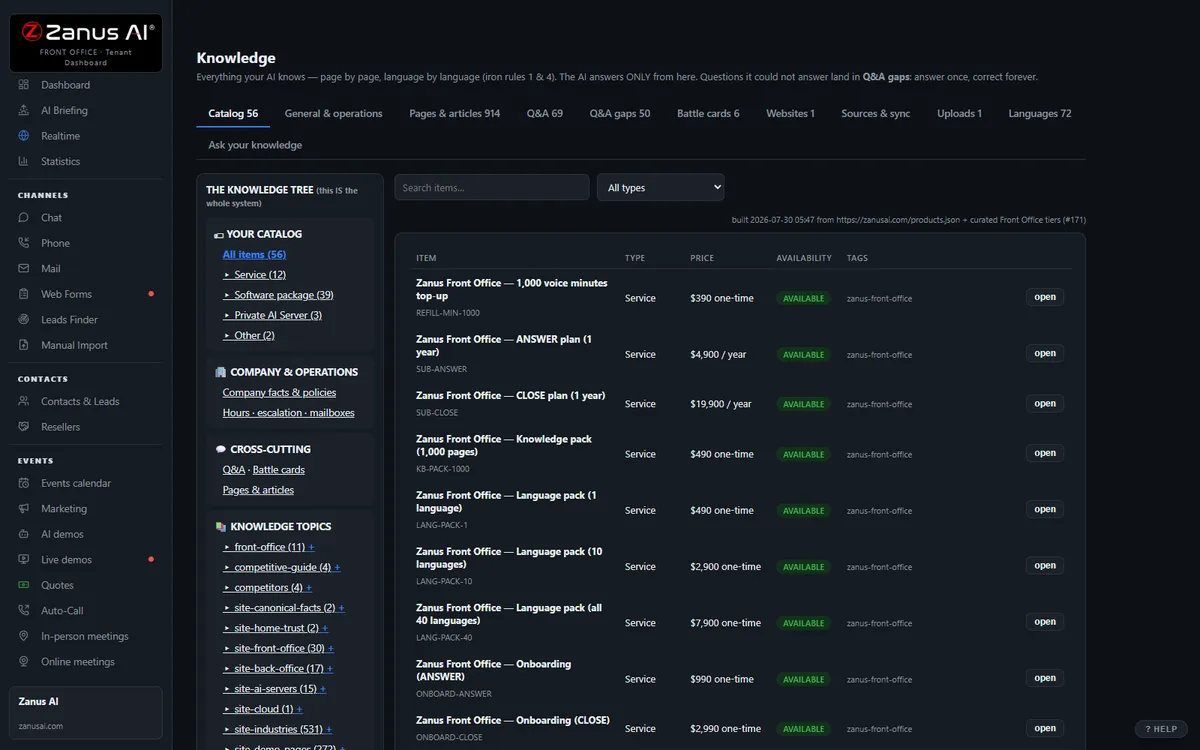
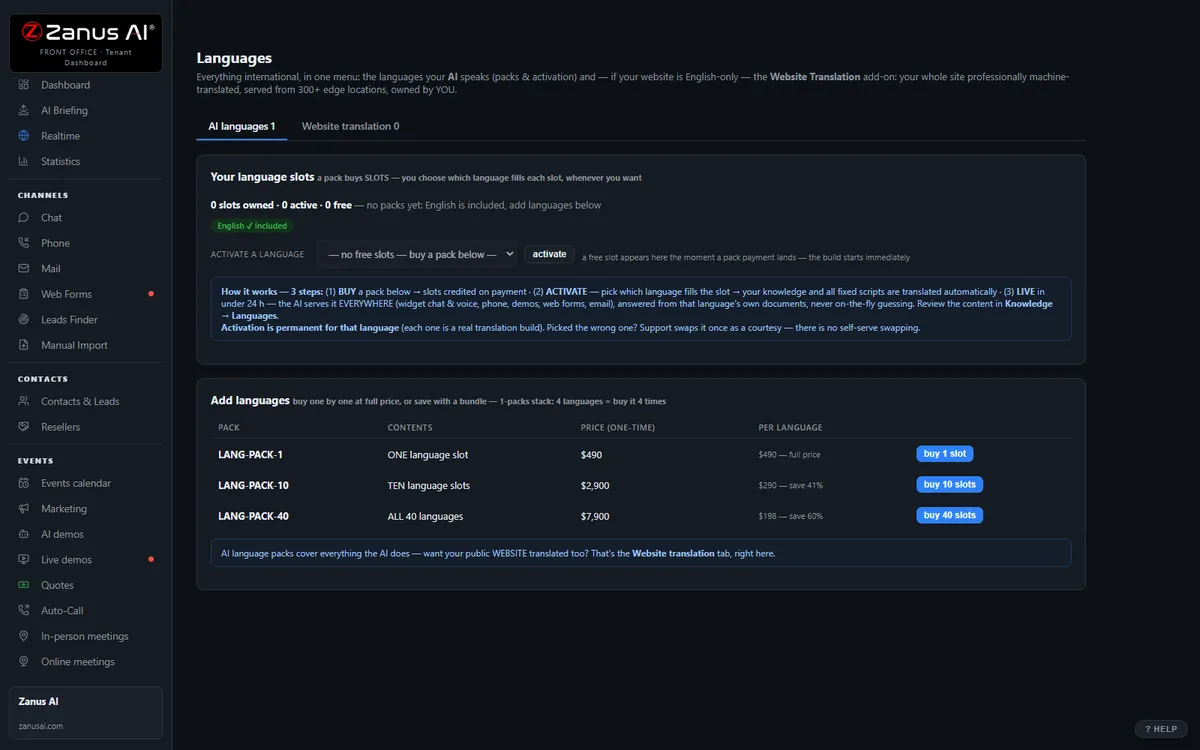
40 languages, one bill, a help drawer over every screen
Languages and website translation, billing with plans, top-ups and alerts, onboarding, users & security, and the help drawer that answers from the platform manual — the plumbing that comes with it.
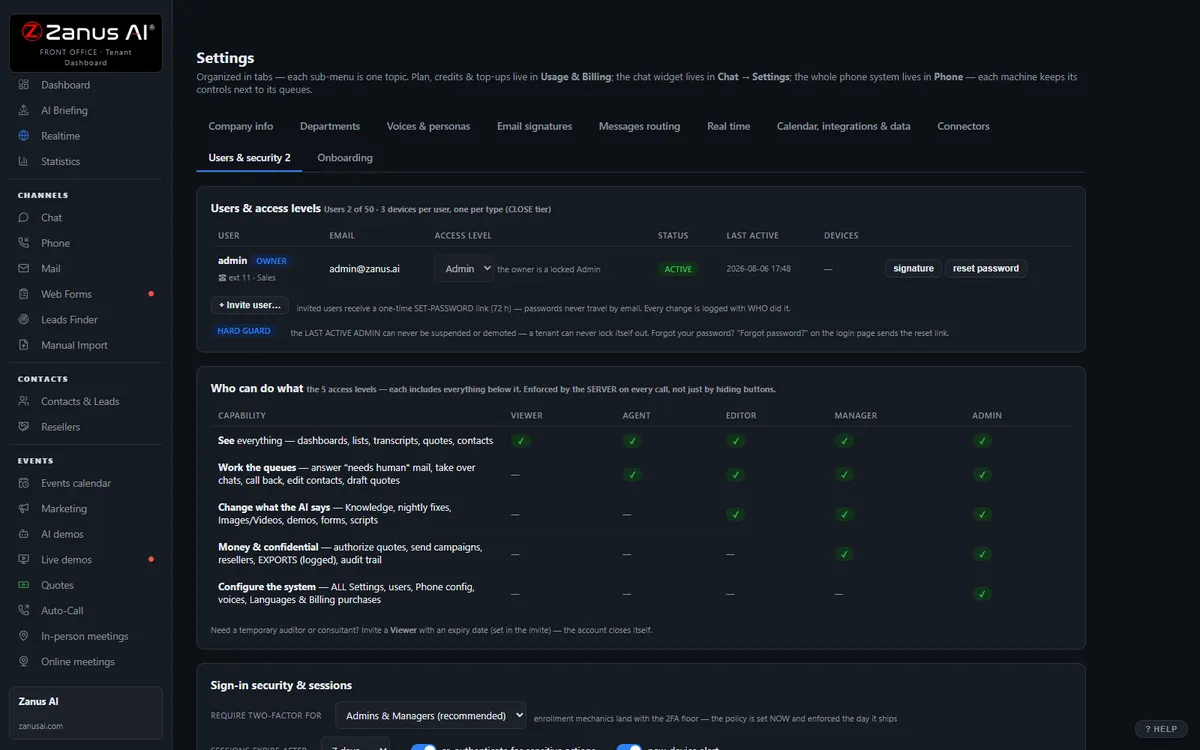
Private by architecture
Your Front Office runs in a private Cloudflare environment dedicated to your company — your own data-processing container, not a shared pool. Your knowledge stays yours: it never trains global models like GPT or Grok, and it is never shared.
- Private data-processing environment per company
- Grounded only in your knowledge
- Claim guard: no source, no claim
- Private environment option: an isolated environment with enterprise-grade security certifications, on request
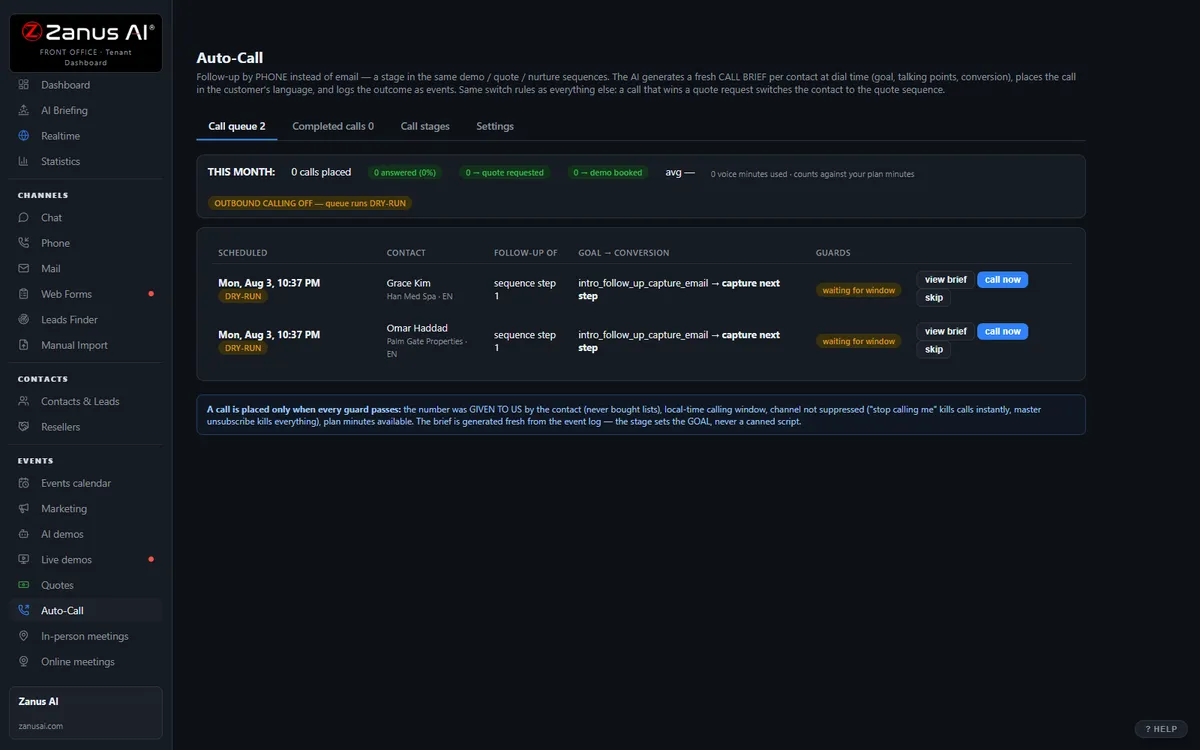
Auto-Call — the AI calls your customers
Not only answering. From an automated event (a due date, a ready order, tomorrow’s appointment), a scheduled funnel or a list, the AI calls your registered contacts and announces your message — or talks as an agent: answers the question, moves the appointment, confirms, collects the missing detail. Call window, attempts, voicemail policy and consent rules are yours; every call is transcribed.
- “Hi Kevin, this is Lakeside Motors Downtown: the part for your vehicle has arrived; the Westside location can also fit it if that is closer.”
- “Hi Anna, this is Trattoria Sole calling to confirm your reservation Friday at 7 at our Harbor location. Or would the Midtown restaurant be more convenient?”
Scheduled Auto-Call comes inside a solution — see pricing; calling back the hang-ups is part of AI Phone. How it works, in the Phone chapter ›
The same job, in the words of your industry
Businesses that name this job most often — each with its own complete Front Office set, written in its vocabulary.
Questions, answered
Can each location have its own numbers, hours and people — and still share one knowledge base?
Yes. Each site keeps its own numbers, IVR and welcome message, hours and closures, calendars, operators and local pages — on top of the group’s shared knowledge, rules and templates. Callers are answered as that site. Anything regulated or sensitive — a coverage decision at a branch, a clinical question at a clinic, a student matter at a school — is transferred to a person at that location, with the context attached. No source, no claim.
Who sees what? Our sites must not read each other’s data.
Roles and permissions decide: a site manager sees their location, a regional manager their region, head office the whole. Your Front Office runs on a private data-processing environment dedicated to your group; your information never trains public models and is never shared. Groups whose compliance requires an isolated environment with specific certifications ask for a private environment — available on request.
Does it replace our group systems — the dealer, practice, franchise or branch software each site runs?
No. It sits in front of them: the AI answers, books, files and follows up at every location, then writes the result back through Connectors — native calendar sync per site, webhooks and API, native CRM sync where the group uses one. Your systems of record stay; the twenty ways of answering the phone become one.
Try it free on your own group. 7 days. No credit card.
Give it your website. It learns your company. Then call it, chat with it, e-mail it — and decide. Nothing to install, nothing to cancel.
Sharing with a colleague? 📄 Get the PDF · ✉️ Email this page ·