ZANUS FRONT OFFICE FOR MULTI-SITE — TRAINING EVERY SITE
Every location’s new hire trained on the same knowledge — productive in days.
The knowledge base that answers customers at every site trains the people at every site: the group’s procedures, policies and scripts, plus the local pages of the location they join. A new hire at store 31 practices the same conversations as one at store 2 before their first shift, and a team assistant on their own phone answers “how do we handle this here?” mid-shift, including staff-only pages customers never see. Change a policy once; every site answers the new way the same day.
Try it free 7 days on your own business · no credit card · per company, never per seat
REAL AI - the whole Front Office is AI, not old software with an AI button. Give it your website: it learns your company, works from your approved knowledge and gets better with every answer you approve.
Live on this site right now — the assistant in the corner is the product · Award-winning AI — CES · ISE · TMCnet
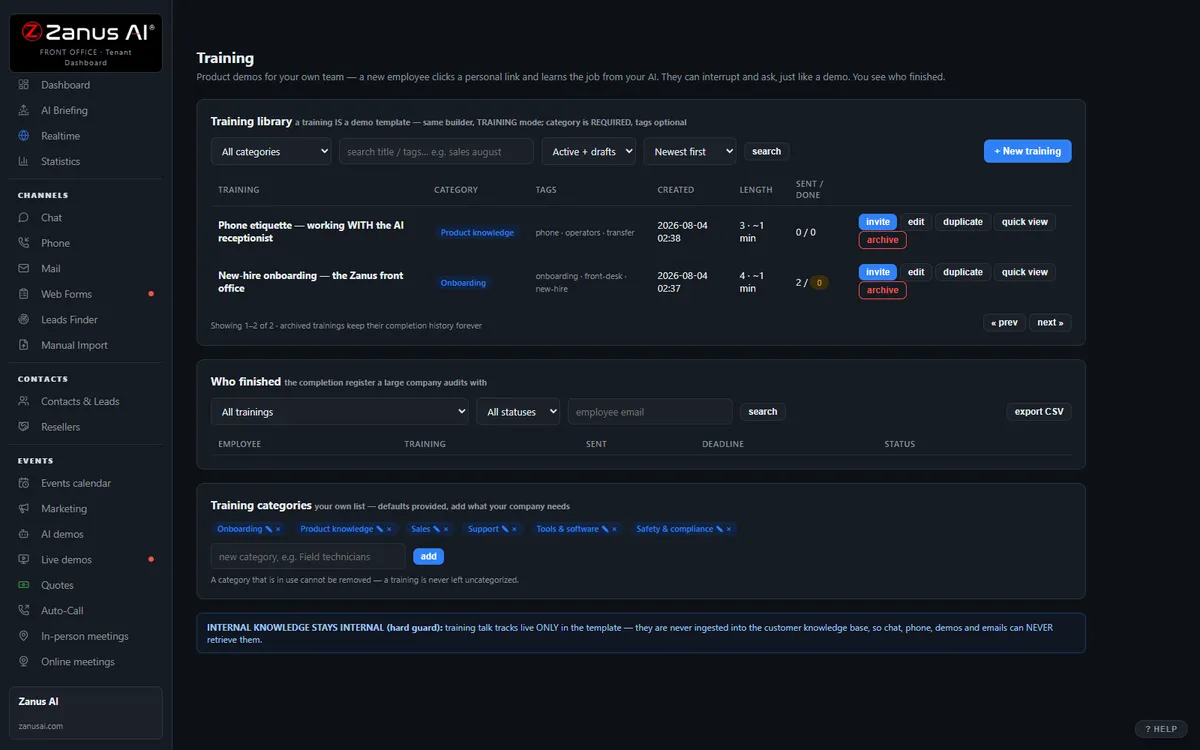
The real Training menu: your training library — built from your knowledge tree.
What it does
Manuals and procedures become lessons once; each location’s hires take them with the site’s own details added — no twenty versions of onboarding.
A personal link on any device, no dashboard login: internal procedures, escalation rules, who covers what at this site — answered instantly.
Update a policy at head office; the phone, the chat, the email and the training at every site answer the new way the same day.
Inside Team Training — the real screens
Click a tab. Every picture is the live Front Office, not a mockup — the left menu is the whole product.
Training and operations share one truth
When you update a price or a policy, the phone AI, the chat, the email AI and the training update together. No stale binders.
- Onboard new hires with AI
- Practice conversations before real customers
- Inside a solution — see pricing

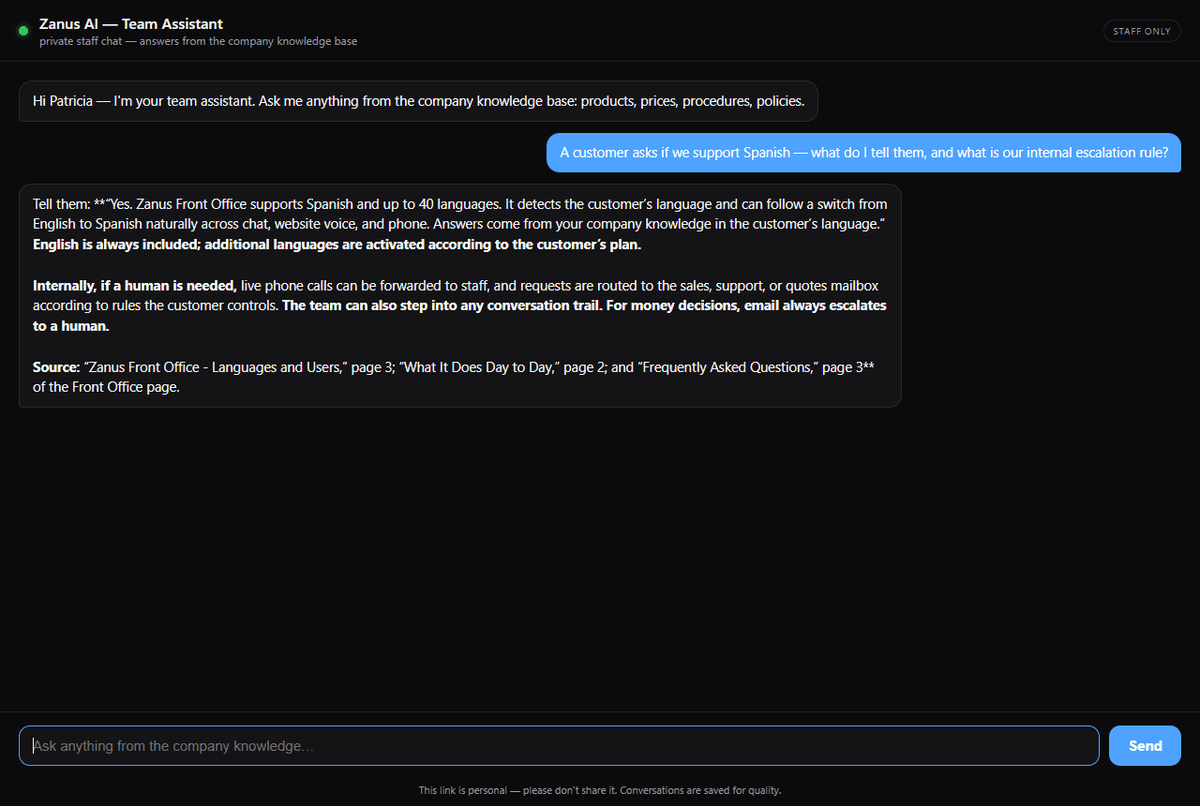
Team Assistant: every employee gets a private AI
Each team member receives a personal link by email and gets their own private staff chat — on any device, no dashboard login. It answers from YOUR knowledge base, including staff-only pages the public channels can never surface.
- Personal links, sent and revoked from the dashboard — revoking locks out instantly
- INTERNAL-marked pages: answered here, never on website chat, voice or phone
- Every conversation saved with the TEAM badge and the member’s email
- The tutor and the whisperer are the same brain — one knowledge, everywhere
On the floor, in the truck, at the counter
The Team Assistant page opens on the employee’s own phone — internal procedures, staff pricing and escalation rules answered mid-shift, without a dashboard login or an IT rollout.
- Works on any device — personal link, no install
- Personal links for every team member
- Same claim guard: grounded answers only
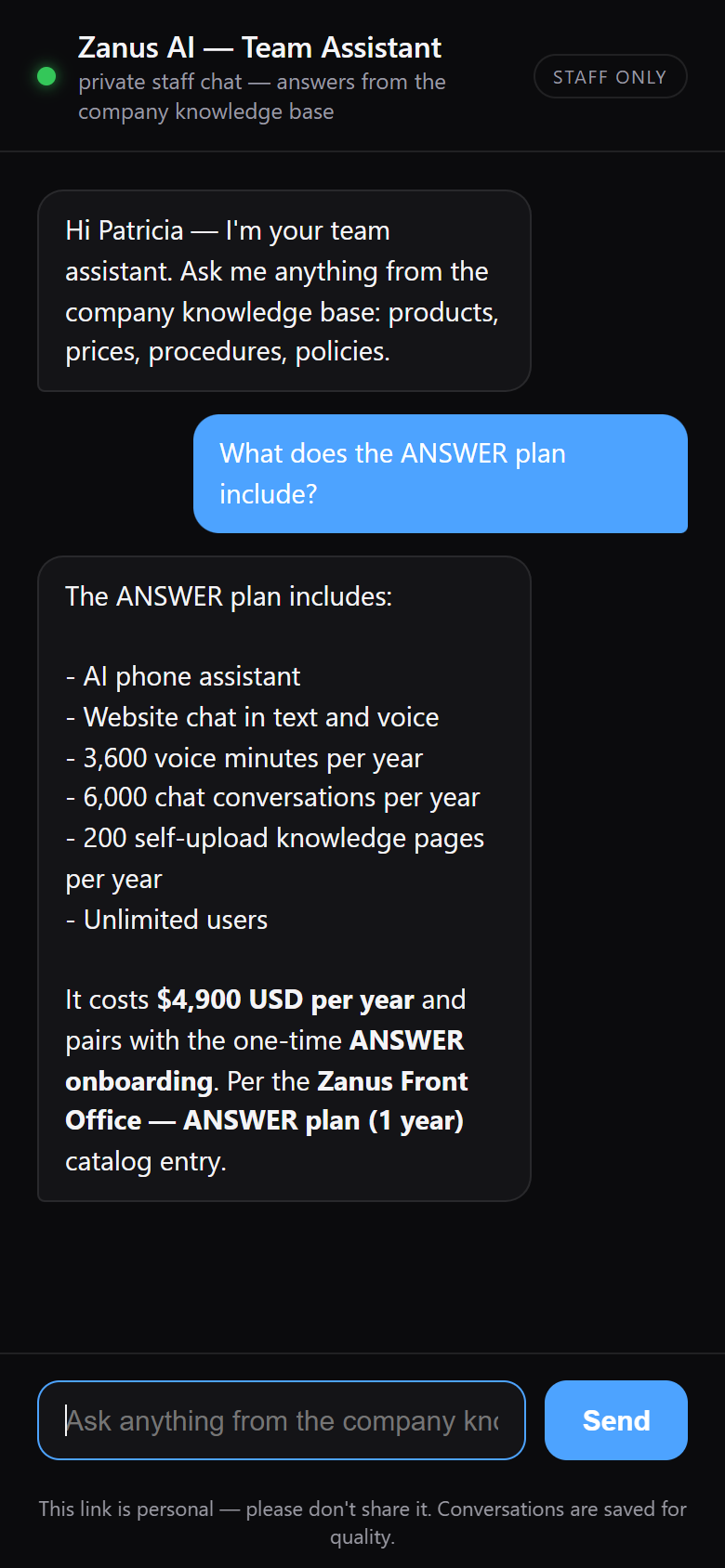
Available on its own — or inside a solution
Questions, answered
Can a location have local training content?
Yes. Group knowledge is shared; a site or region adds its own pages — local procedures, layouts, contacts — and its people are trained on both. Pages marked internal are answered only on staff channels, never on the website, voice or phone.
Which solution includes it?
Available on its own or inside a solution. Which solution includes what: see pricing.
Try it free on your own group. 7 days. No credit card.
Give it your website. It learns your company. Then call it, chat with it, e-mail it — and decide. Nothing to install, nothing to cancel.
← Previous: Forecast · Sharing with a colleague? 📄 Get the PDF · ✉️ Email this page ·