ZANUS FRONT OFFICE — TECH SUPPORT GROUNDED IN YOUR DOCS
Next-generation AI for your business. Try it free on your own business. No credit card.
Tier-1 support from your own documentation — not from the internet. ZANUS AI Front Office for Tech Support & Help Desk is the AI tier-1 desk for any business whose customers ask about a product — a software company, a device maker, a telecom, a manufacturer. It reads your manuals, release notes, FAQs and internal know-how, answers how to set it up, why it stopped, whether it is compatible and how to return it with the source shown, asks the diagnostic questions you defined, walks the customer through the fix, and when it is a real fault opens the ticket or the RMA with every detail captured. Escalations reach your engineers with the log, not with “it does not work”. Grounded only in the documentation you approve: no source, no claim.
Try it free 7 days on your own business · no credit card · per company, never per seat
REAL AI - the whole Front Office is AI, not old software with an AI button. Give it your website: it learns your company, works from your approved knowledge and gets better with every answer you approve.
Live on this site right now — the assistant in the corner is the product · Award-winning AI — CES · ISE · TMCnet
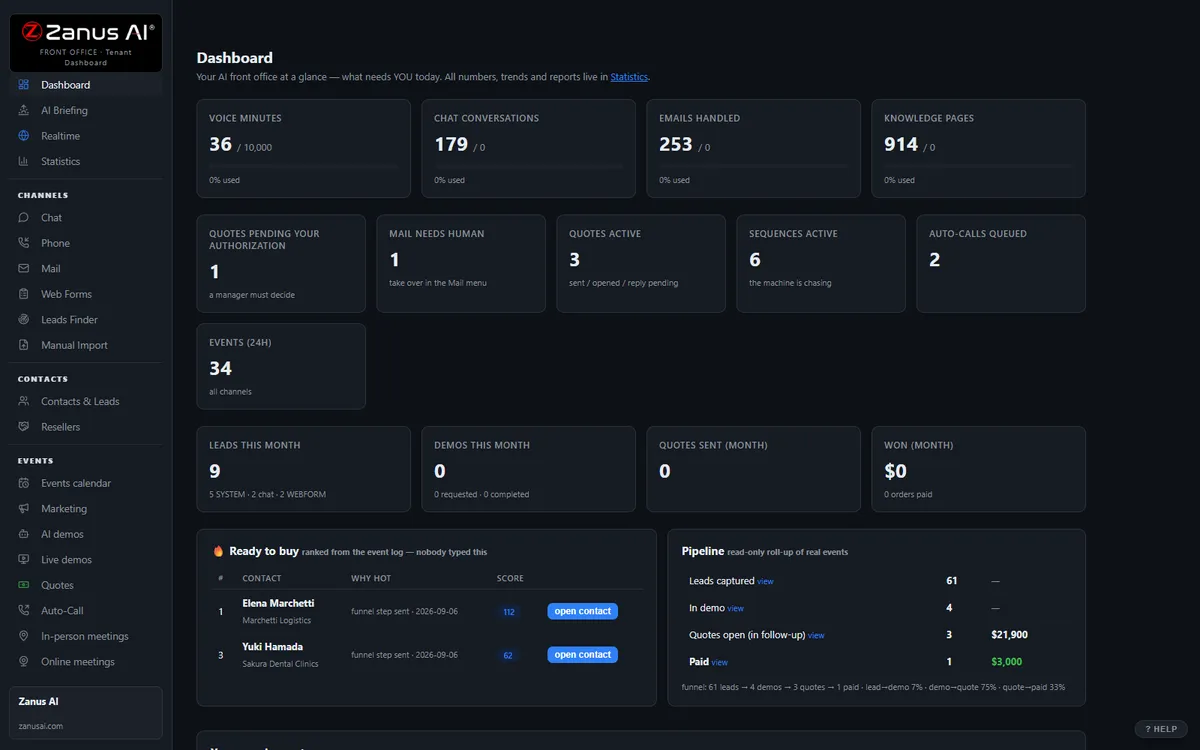
The real Front Office dashboard: today’s numbers, what needs a person, every menu on the left. In the trial it is yours, with your company in it.
FREE TRIAL · 7 DAYS · NO CREDIT CARD
Give us your website. Ten minutes later, your company answers the phone.
“Give us your website. Ten minutes later Zanus has built a private 7-day sandbox around your company: your knowledge, a phone line that answers as you, your website with Lisa on it, your dashboard with your data. Not old software with an AI button — the AI is the software.”
“No card. No setup fee. Per company, never per seat. You decide after you hear it answer as your company.” One trial per company: a working business website and an e-mail on its domain.
- 1Your website. Lisa reads it and proposes your departments and people; she asks only what the site does not say.
- 2Your sandbox, in ten minutes. A phone line in your area code that answers as you and transfers to your real phones, your website with Lisa on it, your dashboard with your data.
- 3Seven days on your business. Day 1 the first call; day 3 a mail “what your callers asked”; day 7 a report.
- 4Keep it or walk away. Buy any solution on any day and the sandbox becomes the account — same number, same knowledge, nothing redone. Walk away and nothing is charged.
How you start
Three steps, in the order you like. Most people skip straight to the second.
Two minutes. The AI presents the Front Office and answers your questions live — the demo is the product.
Your website, your phone line, your dashboard. No card, nothing to install. Start free
Any solution, on any day of the trial — the sandbox becomes your account. Per company, never per seat. See pricing →
Prefer to own your AI on your own premises? See AI Servers — a separate product. The Front Office above needs no server.
One AI Front Office. Every job your support desk does today.
The same 31 menus, read through a support manager’s eyes. Each function below is a page of its own, in the words of this job — enable what your plan includes, add more when the case load grows. No IT project. Comparing options? See the comparison →
Every morning: last night’s cases answered, tickets and RMAs opened, escalations waiting on an engineer — and the recurring question your documentation still does not answer.
Learn more →
Support LineThe support line answered on your menu, 24/7 — by product line, in 40 languages — the fix walked through, the ticket opened, the engineer reached with a summary whispered in.
Learn more →
AI Chat & VoiceSupport chat that answers from your manuals and shows its sources, step by step — and opens the ticket in the same conversation when the steps do not fix it.
Learn more →
AI AvatarA lifelike face that walks a customer through setup, pairing or a firmware update as if an agent were sitting next to them — one tap to a person.
Learn more →
Setup WalkthroughsAI-narrated setup walkthroughs and troubleshooting explainers the customer can interrupt with questions — delivered minutes after the request, any hour.
Learn more →
Support FormsSupport request, RMA request and warranty-registration forms worked in minutes; gated firmware and driver downloads; affected-customer lists contacted for a field notice.
Learn more →
Customer RecordsOne record per customer: product, serial, version, contract, every case and every conversation — written by the AI as it talks, so nobody asks the model number three times.
Learn more →
Support InboxThe support inbox read, sorted and answered from your knowledge — logs and screenshots requested, the sensitive routed to a person with a draft ready.
Learn more →
Repair & Upgrade QuotesOut-of-warranty repair, replacement-part and support-renewal quotes from your real price list — sent as a clean document, accepted with one click.
Learn more →
Case Follow-upTicket status, “did the fix work?” check-ins, firmware and end-of-support notices, support-contract renewals — on schedule, stopped the moment the customer replies.
Learn more →
Callbacks & SessionsEngineer callbacks, remote-service sessions, installation and on-site technician visits booked into real calendars — with the case history attached to the slot.
Learn more →
Agent TrainingNew agents trained on the same documentation that answers customers; every engineer with a team assistant that also knows the internal known-issue list.
Learn more →
Tickets & RMATickets and RMAs opened in the conversation with model, serial, version, error and steps tried — routed to the right queue, tracked to closure, nights and weekends included.
Learn more →
Case Load & RenewalsCase load by product and version, response and resolution times, renewals at risk because of open cases — every number with the WHY.
Learn more →
Accounts & ResellersAccounts, sites, admins and resellers mapped as organizations — whose contract covers what, which reseller supports whom, which account is drowning in open cases.
Learn more →
Add AI to what you haveYour ticketing system, CRM and device registry stay the record — the AI works the case and writes it back through webhooks, API, native CRM sync and an MCP server.
Learn more →
ProtectionDaily caps on every AI resource: a script hammering your support chat, or a viral outage thread, costs a capped, known amount — customers see courtesy.
Learn more →
What happens to every inquiry — in your business
A customer opens the chat, calls the support line or emails with a problem — a router that will not pair, a license key refused, a SIM that will not activate, a fault code on a controller. Often at 9 PM, often not in English.
From your manuals, release notes, FAQs and internal know-how only, with the source shown — step by step when the fix has steps. No source, no claim: when the documentation is silent, the AI says so and escalates.
It asks the diagnostic questions you defined, in your order: model, serial, firmware or app version, exact error, what was already tried, which contract or reseller covers the product. Anything you mark safety-critical goes to a person at once.
Solves it in the conversation, or opens the ticket or the RMA complete and routed to the right queue, books the engineer callback, transfers to a person with the log whispered in.
Sends the ticket number, every status change, the shipping label for an RMA, the firmware notice for the affected batch — and checks that the fix worked. A reply stops the sequence and alerts a person.
Every case on the customer’s record with the transcript. Every morning a briefing: what was resolved overnight, what waits on an engineer, and the recurring question that should become one paragraph in the knowledge base.
AI-driven end to end. A person wherever your rules require it. Anything you mark safety-critical, anything without a source in your documentation and anything a customer asks to escalate waits for your engineers; the tier-1 routine, the AI handles and reports.
One knowledge base feeds every channel
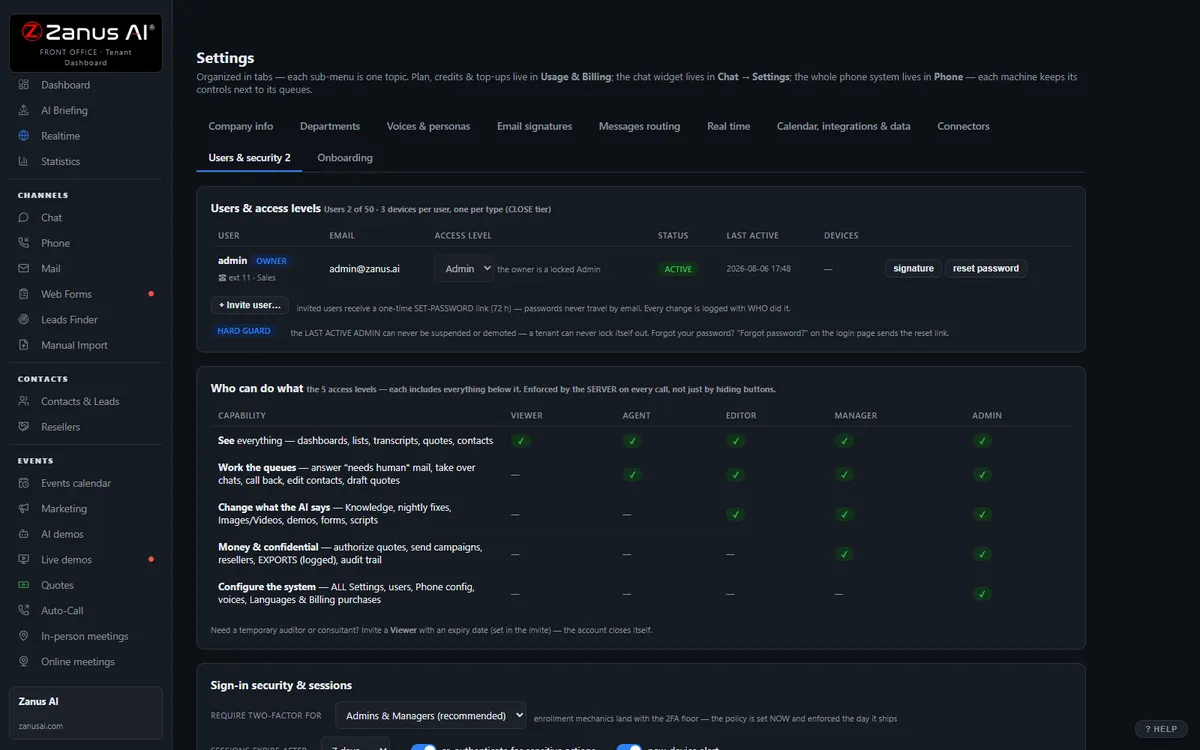
Websites, uploads, pages and articles, Q&A, battle cards, images and videos — you approve it once, and phone, chat, email, demos and quotes all answer from the same verified source. No source, no claim.
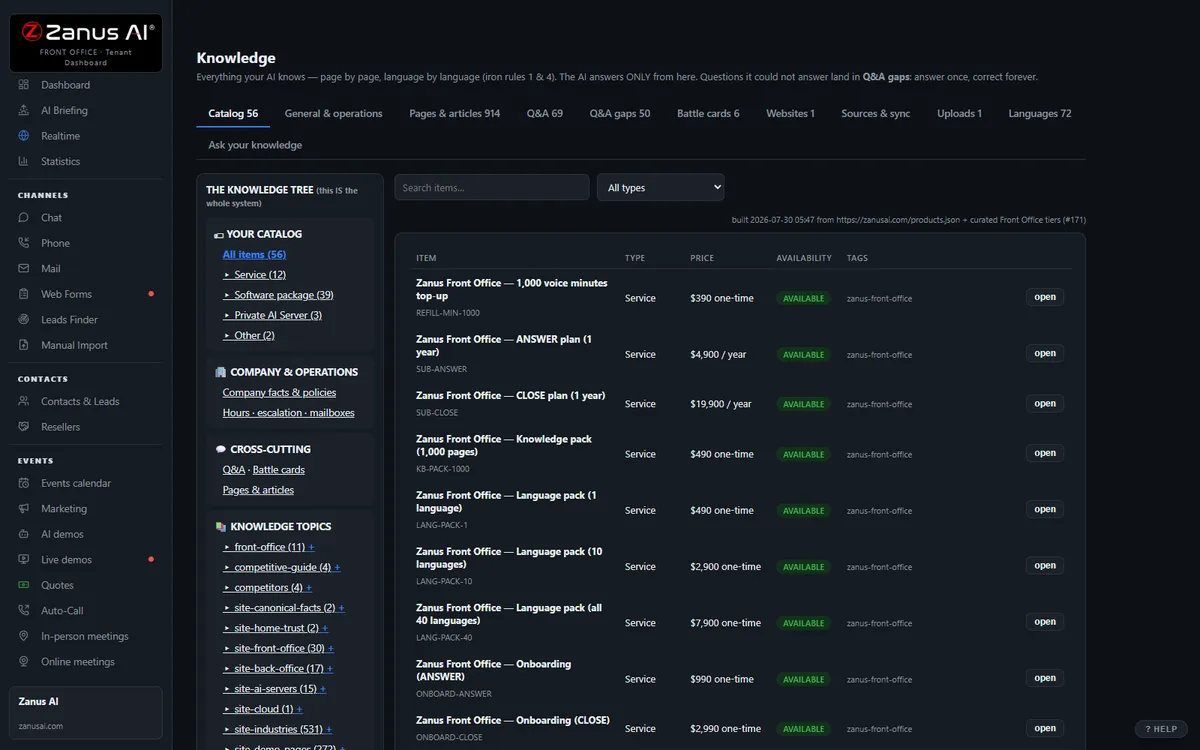
40 languages, one bill, a help drawer over every screen
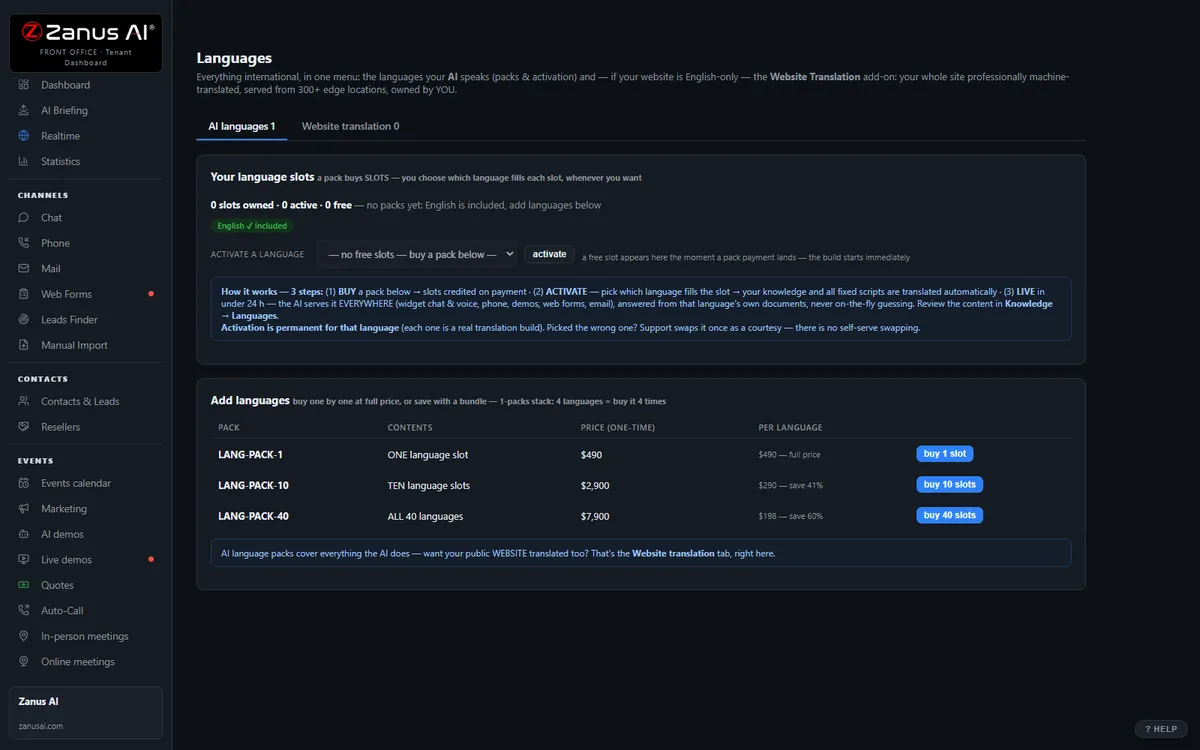
Languages and website translation, billing with plans, top-ups and alerts, onboarding, users & security, and the help drawer that answers from the platform manual — the plumbing that comes with it.
Private by architecture
Your Front Office runs in a private Cloudflare environment dedicated to your company — your own data-processing container, not a shared pool. Your knowledge stays yours: it never trains global models like GPT or Grok, and it is never shared.
- Private data-processing environment per company
- Grounded only in your knowledge
- Claim guard: no source, no claim
- Private environment option: an isolated environment with enterprise-grade security certifications, on request
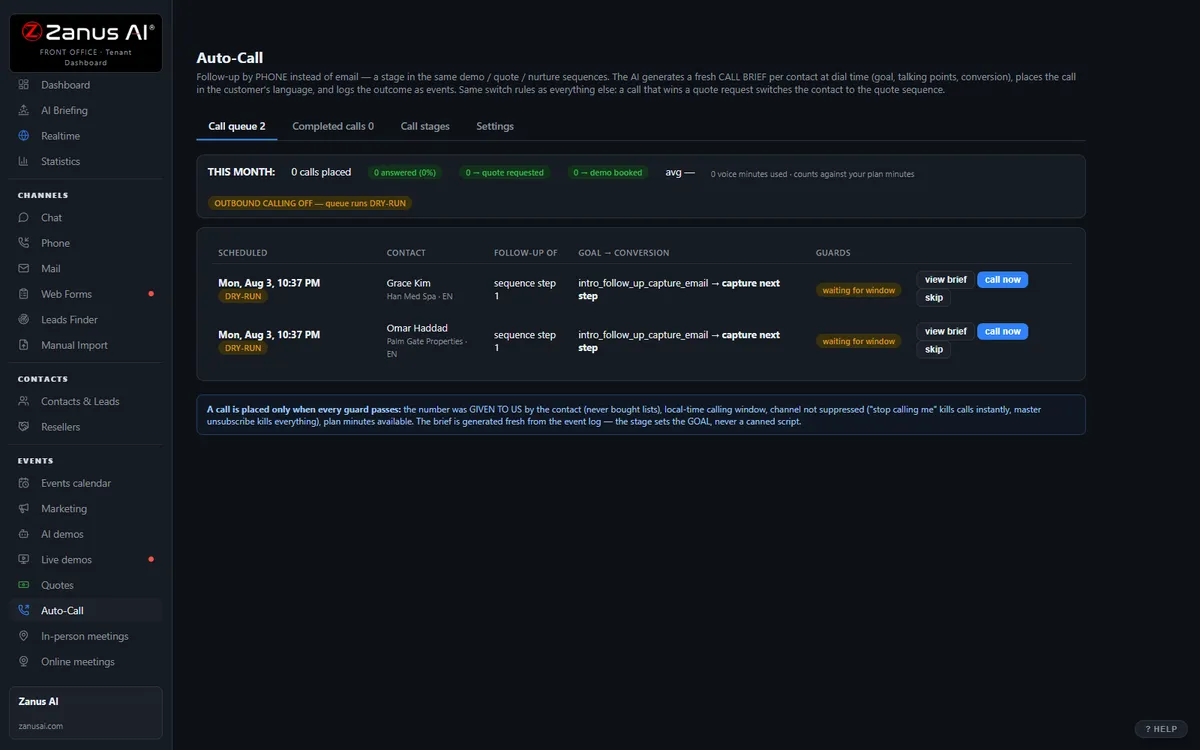
Auto-Call — the AI calls your customers
Not only answering. From an automated event (a due date, a ready order, tomorrow’s appointment), a scheduled funnel or a list, the AI calls your registered contacts and announces your message — or talks as an agent: answers the question, moves the appointment, confirms, collects the missing detail. Call window, attempts, voicemail policy and consent rules are yours; every call is transcribed.
- “Hi Alex, this is Corebyte Devices: the firmware update that fixes your issue is available; the instructions are in your inbox.”
- “Hi Wei, this is Corebyte Support checking on ticket 4821: did the reset resolve the pairing issue, or shall we send a replacement unit?”
Scheduled Auto-Call comes inside a solution — see pricing; calling back the hang-ups is part of AI Phone. How it works, in the Phone chapter ›
The same job, in the words of your industry
Businesses that name this job most often — each with its own complete Front Office set, written in its vocabulary.
Questions, answered
Can it give wrong technical advice?
It answers only from your approved documentation — manuals, release notes, FAQs, the internal fixes you load — and shows where each answer comes from. When there is no source it says so and escalates instead of guessing; the claim guard blocks any statement without one. Topics you mark safety-critical — a medical device alarm, a gas appliance, mains wiring, a vehicle system — are transferred to a person every time, with the context attached.
What happens to our documentation and our customers’ data?
Your Front Office runs on a private data-processing environment dedicated to your business; your manuals, internal know-how, logs and customer records never train public models and are never shared. Pages you mark INTERNAL are answered to your team only, never on the website, chat or phone. Businesses whose security review requires an isolated environment with specific certifications ask for a private environment — available on request.
Does it replace our ticketing system?
No. It fills it properly. Cases and RMAs live in the Front Office or flow through Connectors — webhooks, API, native CRM sync — into the system your engineers already use, complete: customer, product, serial, version, error, steps tried, transcript. Your engineers keep their tools and receive cases they can work on the first read.
Try it free on your own business. 7 days. No credit card.
Give it your website. It learns your company. Then call it, chat with it, e-mail it — and decide. Nothing to install, nothing to cancel.
Sharing with a colleague? 📄 Get the PDF · ✉️ Email this page ·