ZANUS FRONT OFFICE FOR TECH SUPPORT — AI CHAT & VOICE
Support chat that shows its sources — not a deflection bot.
Customers ask the website what they would ask an agent: how do I pair it, is it compatible with my system, why does the light blink red, what changed in the last release, how do I return it. The AI answers from your documentation with the source shown, step by step, by text or real voice, in 40 languages — and when the steps do not fix it, opens the ticket right there with everything already captured.
Try it free 7 days on your own business · no credit card · per company, never per seat
REAL AI - the whole Front Office is AI, not old software with an AI button. Give it your website: it learns your company, works from your approved knowledge and gets better with every answer you approve.
Live on this site right now — the assistant in the corner is the product · Award-winning AI — CES · ISE · TMCnet
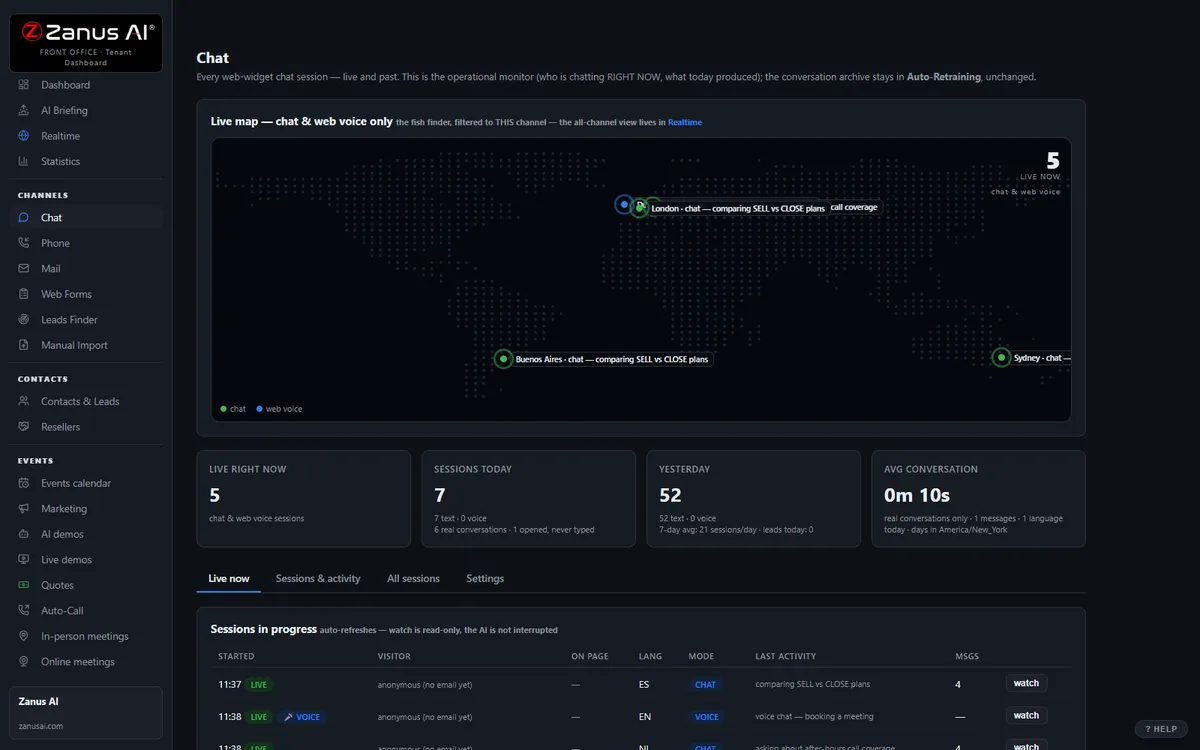
The real Chat menu: every conversation lands in the same dashboard as calls and emails.
What it does
“Hold reset for ten seconds — user manual, page 14.” Every step points to the manual, the release note or the FAQ it came from.
Model, version, error, what was tried — asked once, the way your engineers defined it, before any fix is proposed.
Not solved? The ticket opens in the chat and a person receives the full transcript. The customer never repeats the story.
Inside AI Chat — the real screens
Click a tab. Every picture is the live Front Office, not a mockup — the left menu is the whole product.
It closes, then hands over clean
The chat gives product answers, runs the demo, builds the quote and books the meeting. Your staff only handles the "needs human" queue.
- Full funnel in the chat window
- Instant handover with full transcript
- Auto dark / light theme, your branding

Available on its own — or inside a solution
Questions, answered
What does it do when the documentation has no answer?
It says so. The claim guard blocks any statement without a source in your knowledge, so the AI does not improvise a fix from the internet: it opens the ticket, escalates, and the question is logged as a knowledge gap for your team to answer once. Topics you mark safety-critical are handed to a person immediately.
How long to install and which plan?
One script tag on your site or support portal; most businesses are live the same day their documentation is loaded. Available on its own or inside a solution — see pricing.
Try it free on your own business. 7 days. No credit card.
Give it your website. It learns your company. Then call it, chat with it, e-mail it — and decide. Nothing to install, nothing to cancel.
← Previous: AI Phone · Sharing with a colleague? 📄 Get the PDF · ✉️ Email this page ·