AI Webchat for Utilities. The AI chatbot for utilities on every page
AI Webchat is an AI chatbot for utilities that answers customers on your website by text or voice, in their language, from your own pages only. It explains bills and due dates, walks movers through start and stop steps, repeats the outage notice you posted and hands a request for a person to your team with the whole conversation.
TRY AI WEBCHAT FREENo credit card · Ready in 2 minutesReady to buy? See plans & pricing ›
7 days free · per company, never per seat · nothing to install
The right page
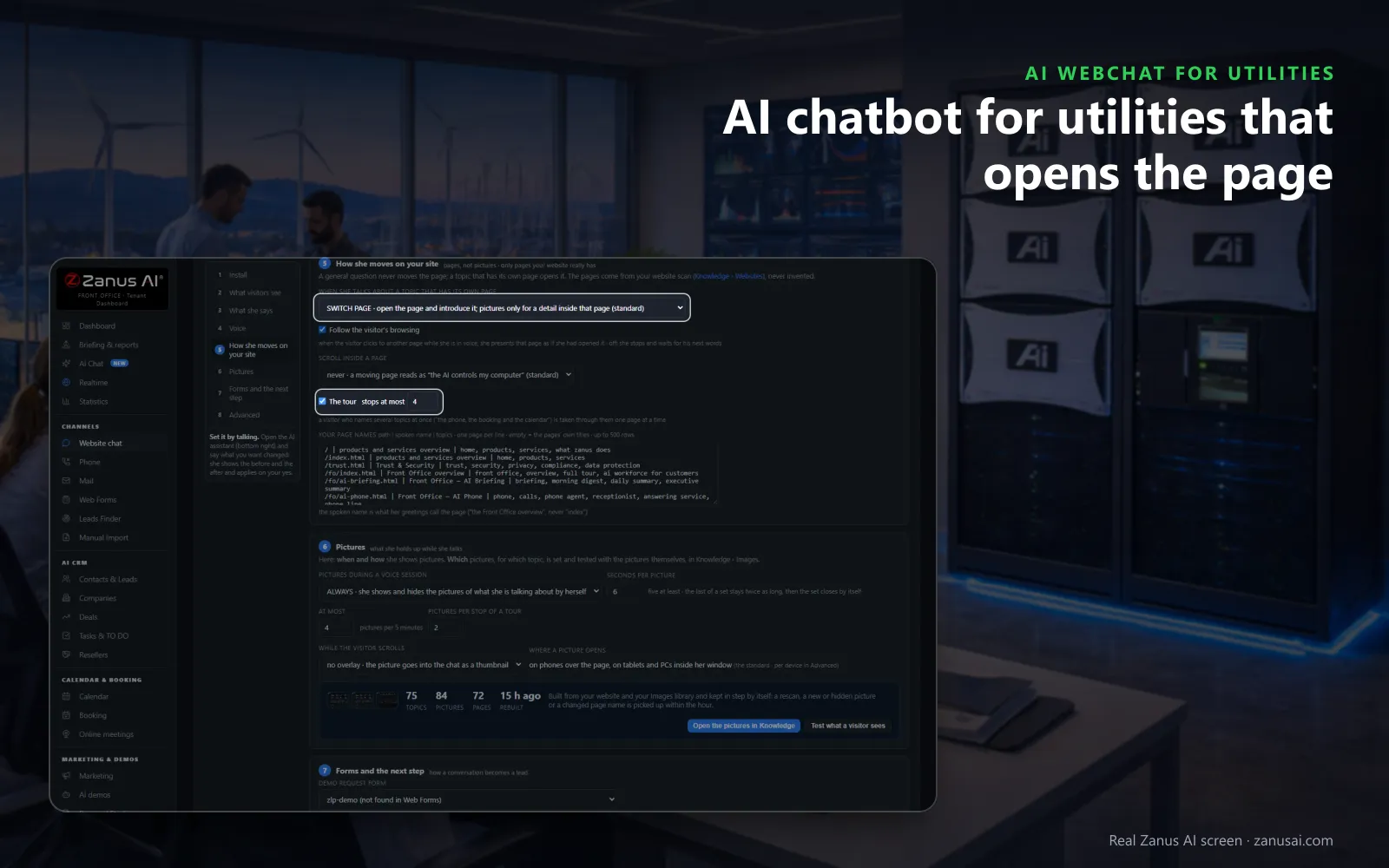
Asked about starting service or reading the bill, the chat opens the page that explains it, so movers find your steps without searching.
 Easy setupSet up everything just by talking to Lisa AISee how ›
You“Every outage answer links our outage map and never guesses a restoration time.”
Lisa“Outage answers: a button to your outage map page under each one, and nothing said beyond your posted notice. Apply?”
You talk. Lisa sets it up. Applied only on your yes.
How Utilities use it
A tenant asks the chat at 11 PM how to start water at a new apartment and leaves with your start-service page opened beside the answer.
A visitor types that a power line is down across the road; the chat gives your emergency number at once and tells her to call it.
A Spanish-speaking customer asks by voice why the summer bill rose and hears your seasonal-use explanation in Spanish.
REAL AI - the whole Front Office is AI, not old software with an AI button.
What’s included
- Text and voice in one widget on your site, the visitor types or talks; the AI answers in their language
- Knows the page the visitor is on and answers from your pages, files, prices and rules
- Shows pictures and product screens while it talks; opens the right page of your site and continues there
- Captures the lead with a verified e-mail; books appointments from your live calendar; offers your AI Demo
- Your people take over any chat live in one click, with the context, not a transcript to read
- Instant barge-in: the visitor interrupts and the AI stops; echo and background noise filtered
- Optional AI Avatar: the same assistant with a face that talks
- Every conversation on the customer's record; chat analytics per page and topic; sessions exportable
- Installs with one line on any site, Shopify, WordPress, custom; the widget is yours to brand
Available on its own or inside a solution · See pricing › · Per company, never per seat.
Everything AI Webchat does, for every business ›
Works withAI BookingAI AvatarAI DemoAI QuotingAI TicketsAI Returns & WarrantyAI CRM
On your website
AI chatbots for utility customer support, day and night
Bills explained
Due dates, autopay, ways to pay and why a winter bill rose, answered in the visitor's words from your billing pages, with the right page opened beside the answer.
Movers guided
Start, stop and transfer steps from your pages, then the request collected and filed for your service desk, with the visitor's e-mail read back once.
Outages, as posted
The chat repeats the outage notice you published and links your outage page. It adds no restoration time of its own, even late at night.
A person when asked
A visitor who asks for a human lands in the queue your team works from, or becomes a ticket, with the conversation attached so nobody asks twice.
Set-up
Put the utility website chat live in 2 minutes
Lisa reads your site
Lisa reads your billing, outage, start-stop and program pages and finds the pictures she can hold up for visitors.
Paste one line
Paste the script once in your site theme and every page has the chat, on phones, tablets and computers alike.
Your greeting and colors
Tell Lisa the button label, the colors and how visitors are greeted. She shows before and after and applies on your yes.
Read the sessions
Run it free for 7 days and read each session with what it produced: an answer, a ticket or a request for a person.
Questions & answers
AI Webchat for Utilities: questions & answers
What can an AI chatbot for utilities answer?
Whatever your pages and approved answers cover: how to read the bill, due dates and ways to pay, start, stop and move steps, the outage notice you posted, rebate rules and office hours. When it does not know, it does not guess; the question goes to your team.
Can the chat take a start, stop or move request?
Yes, as a request for your team. The chat collects the addresses and dates, reads the e-mail back once, and the request reaches your service desk as mail or a ticket with the whole conversation attached.
What does the chat do if a visitor reports a gas smell or a downed line?
It never treats it as a chat question. Your rule makes it give your emergency number at once and tell the visitor to call it, and the conversation is passed to your team. The chat does not judge the danger or promise a crew.
Can it answer by voice and in other languages?
Yes. A tap on her picture starts a voice conversation the visitor can interrupt, and every voice speaks every language. The AI chatbot for utility customer service answers in 40 languages from the pages your office wrote once.
How is the chat installed on a utility website?
Your webmaster pastes one line of code into the site theme once, and every page shows the chat in your colors. The status strip reads installed as soon as a visitor opens a page; no developer is needed after that.
Does a chatbot for water utilities differ from one for power or gas?
Only in what it reads. The chat answers from the pages you approved, so a water department's chat explains its own bills, start steps and notices, and a power co-op's explains its own. Every rule, such as giving your emergency number at once for a main break, is set by your team.
Keep exploring
Where next?
Start with the one thing you need. Add more anytime by asking Lisa.
AI Front Office for Utilities ›
Easy setup
Answers & books
Sells
Helps your team
Included
Award-winning AI
Winner at CES 2026, ISE 2026 and TMCnet Enterprise AI Product of the Year.
REAL AI - the whole Front Office is AI, not old software with an AI button.
Awards & trade shows ›


Give Lisa your website.
She sets up your business in 2 minutes.
Other software makes you learn it. Zanus AI learns your business.
Try it free on your own business — no credit card, per company, never per seat.
Ready to buy? See plans & pricing ›
Or call +1 (954) 736-3939 — the AI answers.