AI CRM for Utilities. A CRM for utilities that fills itself
AI CRM is a CRM for utilities that fills itself: every customer, builder, contractor and property manager who calls, chats, writes or sends a form becomes a contact, with the whole story on one record. Your billing and work-order systems keep the accounts; the CRM keeps every conversation around them, so a rep reads what was said before answering.
TRY AI CRM FREENo credit card · Ready in 2 minutesReady to buy? See plans & pricing ›
7 days free · per company, never per seat · nothing to install
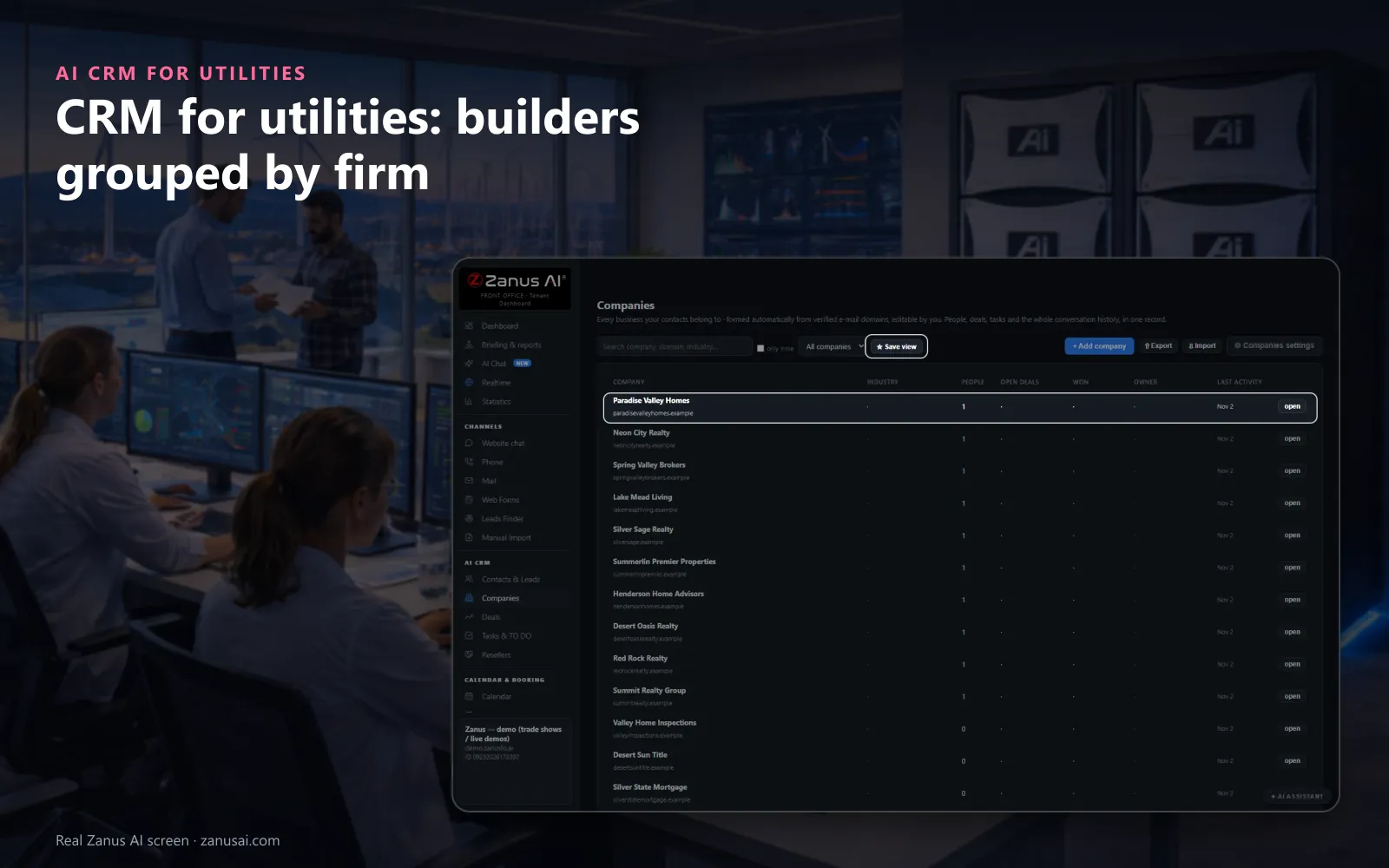
Companies
People writing from one verified business domain become one company, so a developer's site managers share one record and one timeline.
 Easy setupSet up everything just by talking to Lisa AISee how ›
You“Add kinds of contact: residential customer, commercial account, builder, contractor.”
Lisa“Four kinds of contact added: residential customer, commercial account, builder and contractor; one person can carry more than one. Apply?”
You talk. Lisa sets it up. Applied only on your yes.
How Utilities use it
Account management for utility customer service starts from one record: a property manager who called twice and e-mailed about six move-ins is one contact.
Site managers writing from the same builder's domain are grouped into one company record, with the new-service requests of each person.
Before calling back a customer who disputed a bill, the rep asks Lisa for a one-page brief of what was said and sent.
REAL AI - the whole Front Office is AI, not old software with an AI button.
What’s included
- Every person and company qualified from the conversations, health score with its WHY, gauges, photo, LinkedIn; nothing typed by your staff
- Deals with stages, probability and expected close, created and moved by the events themselves: lead qualified → demo → quote → won
- Tasks and to-dos assigned to your people, from the AI or by hand, with reminders; calls, meetings and notes logged on the record
- Your own fields on contacts, companies and deals; saved views; tags and segments; record ownership
- Pipeline forecast weighted by probability; win / loss review; "ask your pipeline" in plain language
- Basic contacts and companies stay in every Front Office, this item adds the qualification, the pipeline and the forecast
Add it to any contact channel — AI Phone, AI Webchat, AI E-mail or AI Web Forms — or get it inside a solution · See pricing › · Per company, never per seat.
Everything AI CRM does, for every business ›
Works withAI PhoneAI WebchatAI Web FormsAI DemoAI QuotingAI BookingAI Follow-upAI TicketsAI Returns & WarrantyAI Calls TranscriptsAI Marketing
One record
Utility customer relationship management on one record
Every channel, one timeline
Calls, chats, e-mails and forms appear on the contact's timeline with their channel, newest first, so the story of a move or a complaint reads in order.
Kinds of your own
Residential customer, commercial account, builder, contractor or property manager: the kinds you name, with one person allowed in several.
Companies by domain
People writing from the same verified business domain become one company record, with every person, request and task of that developer or firm.
Brief me before a callback
One press on Brief me and Lisa writes a page from the story: who the customer is, what they asked, what was sent and what to say next.
Set-up
Set up a CRM for municipal utilities in 2 minutes
Nothing to migrate
The CRM fills from the first call, chat, form or e-mail; a spreadsheet of contacts waits in Import review until you accept it.
Your kinds of contact
Tell Lisa the kinds of contact your utility uses; she fills the settings and shows the change before you apply it.
Fields of your own
Add fields to contacts and companies, such as a service address or a premise number, as text, number, date or choice.
A week on your own customers
Run it free for 7 days and read every contact it captured, with the story of each, when the week ends.
Questions & answers
AI CRM for Utilities: questions & answers
Does a utility need a CRM beside its billing system?
The billing system keeps the account and the meter reads; AI CRM keeps the conversations, in customer records for utility companies that fill themselves. Every call, chat, e-mail and form from a customer lands on one contact's timeline, so the next rep reads what was already said instead of asking again.
How do customers get into the CRM?
By themselves. A name with an e-mail or a phone given on a call, a chat, a form or an e-mail becomes a contact, with the source on the row. Anonymous chats stay out, and an imported list waits in Import review until accepted one by one.
Can it keep builders and contractors apart from households?
Yes. You name the kinds of contact your utility needs, such as residential customer, commercial account, builder or contractor, and one person can belong to several. People sharing a verified business e-mail domain become one company record.
Are calls kept on the customer's record?
Each call your AI answers is written onto the contact's timeline. Recording is off as shipped; switch it on and each call keeps its recording and transcript in the call register, and the AI can tell callers that the call may be recorded.
Who can export customer data?
Only Managers, and each export is logged with its author. Imported records wait in Import review and are never auto-called, so a list nobody checked never turns into phone calls.
Keep exploring
Where next?
Start with the one thing you need. Add more anytime by asking Lisa.
AI Front Office for Utilities ›
Easy setup
Answers & books
Sells
Helps your team
Included
Award-winning AI
Winner at CES 2026, ISE 2026 and TMCnet Enterprise AI Product of the Year.
REAL AI - the whole Front Office is AI, not old software with an AI button.
Awards & trade shows ›


Give Lisa your website.
She sets up your business in 2 minutes.
Other software makes you learn it. Zanus AI learns your business.
Try it free on your own business — no credit card, per company, never per seat.
Ready to buy? See plans & pricing ›
Or call +1 (954) 736-3939 — the AI answers.