ZANUS FRONT OFFICE FOR MANUFACTURING — AI CHAT & VOICE
Dealer self-service that actually answers — not a portal to log into.
Dealers, buyers and maintenance technicians ask the website what they would ask the counter: is it in stock, what is the lead time on this part number, what is my price, which seal kit fits this serial number, send me the SDS. The AI answers from your approved catalog, availability rules and documents, in text or real voice, in 40 languages — and files the RMA or books the technician right there. Suitability for an application goes to a person.
Try it free 7 days on your own business · no credit card · per company, never per seat
REAL AI - the whole Front Office is AI, not old software with an AI button. Give it your website: it learns your company, works from your approved knowledge and gets better with every answer you approve.
Live on this site right now — the assistant in the corner is the product · Award-winning AI — CES · ISE · TMCnet
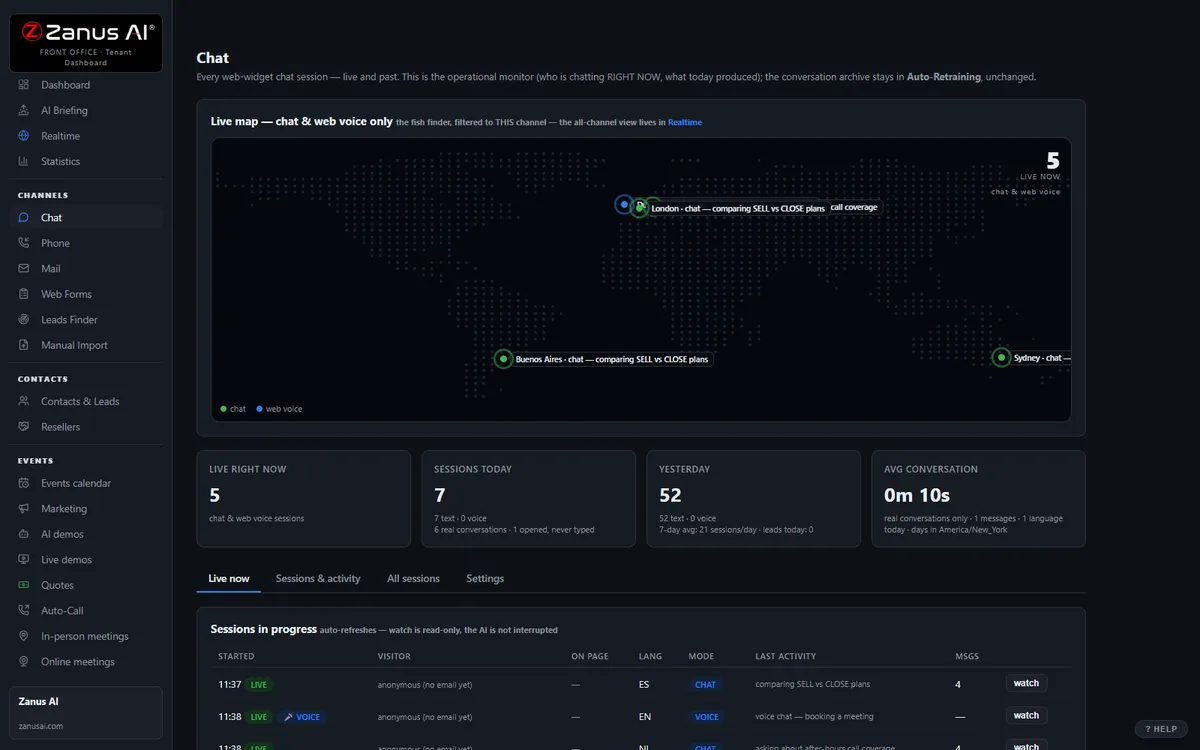
The real Chat menu: every conversation lands in the same dashboard as calls and emails.
What it does
Availability, lead time, the account’s price tier once identified, the right wear part for the serial range, the document link — from your data only.
The RMA opened with serial number and failure description, the technician visit booked, the quote requested — no “email parts@ and wait”.
The claim guard blocks any statement without a source in your knowledge. No guessing about substitutions, pressure ratings or ship dates outside your rules.
Inside AI Chat — the real screens
Click a tab. Every picture is the live Front Office, not a mockup — the left menu is the whole product.
It closes, then hands over clean
The chat gives product answers, runs the demo, builds the quote and books the meeting. Your staff only handles the "needs human" queue.
- Full funnel in the chat window
- Instant handover with full transcript
- Auto dark / light theme, your branding

Available on its own — or inside a solution
Questions, answered
Can the chat show a dealer their own prices?
Only after the dealer is identified by the rules you set — a verified business email on a known account, for example. Until then it answers from public information: list availability, lead time, documents. Special pricing agreements are not quoted by the AI; they go to the territory rep.
How does it handle a customer with a unit down?
Your rules: identify the unit by serial number, file the service request, book the on-call technician or hand the conversation to a person on duty — and read only your approved safety instructions. The AI does not troubleshoot beyond the steps you approved.
Try it free on your own plant. 7 days. No credit card.
Give it your website. It learns your company. Then call it, chat with it, e-mail it — and decide. Nothing to install, nothing to cancel.
← Previous: AI Phone · Sharing with a colleague? 📄 Get the PDF · ✉️ Email this page ·