AI Web Forms for Quote and Estimate Desks. Quote request software that answers each form on the spot.
AI Web Forms is quote request software for your website: the visitor fills the quote request form in his language, his details are checked, and the reply leaves on the spot. A draft quote opens on Orders & quotes for sales to price, and a project request opens in the Proposal Studio.
TRY AI WEB FORMS FREENo credit card · Ready in 2 minutesReady to buy? See plans & pricing ›
7 days free · per company, never per seat · nothing to install
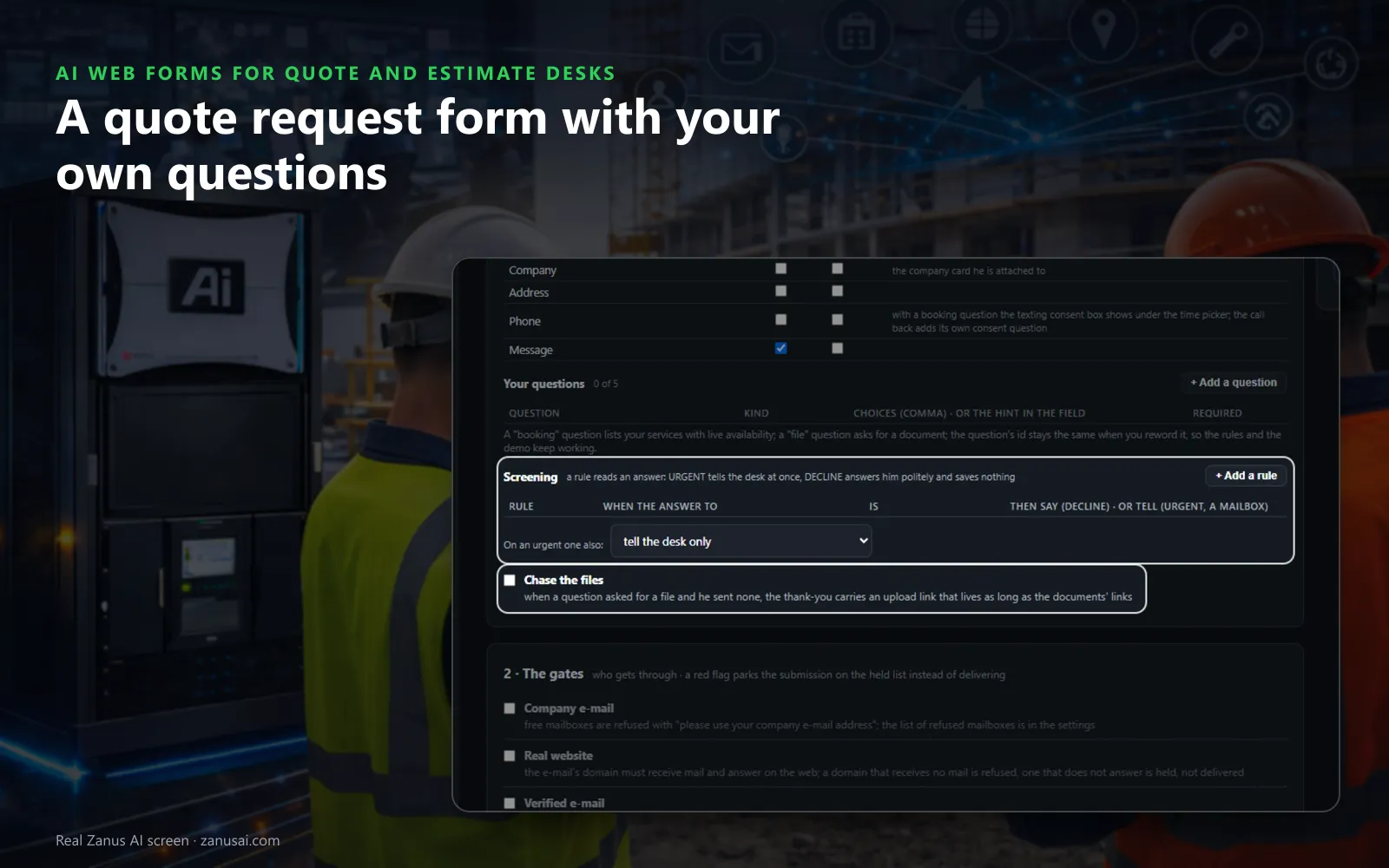
Your questions
The standard fields plus up to five questions of your own, and screening rules that flag an urgent request or decline one politely.
 Easy setupSet up everything just by talking to Lisa AISee how ›
You“Quote form: open a draft quote for sales and refuse free mailboxes.”
Lisa“Quote form now opens a draft quote on Orders & quotes and asks free-mailbox senders for a company address. Apply?”
You talk. Lisa sets it up. Applied only on your yes.
How Quote and Estimate Desks use it
A remodel request arrives at eleven at night; the reply goes out on the spot and a draft quote waits for sales in the morning.
A competitor fills your quote form from his company domain; the request is held for a person and nothing is delivered.
A form asked for a drawing and none came; the thank-you carries an upload link so the file reaches the contact.
REAL AI - the whole Front Office is AI, not old software with an AI button.
What’s included
- Any form on your site, contact, quote, demo request, application, answered in seconds, not the next morning
- The lead qualified and scored from what they wrote; the first reply sent immediately in their language
- E-mail verified (syntax, domain, deliverability) before anything is promised to it
- Contact record created; the owner alerted; the next step proposed
- Forms translated into your customers' languages; embedded on any site
- Feeds every automation you add: booking, quoting, follow-up, the AI Demo
Available on its own or inside a solution · See pricing › · Per company, never per seat.
Everything AI Web Forms does, for every business ›
Works withAI BookingAI QuotingAI Follow-upAI DemoAI TicketsAI File Cabinet
Five steps
A quote request form that does the first hour of work
Filled in his language
The visitor reads and fills the form in his own language; when it asks his phone, it also asks his consent to receive texts.
Checked in your order
Company e-mail, a real website, a verified e-mail, your approval: the checks you tick, in the order they run, before anything is sent.
A contact with its page
The contact is made with the page he came from and the product of that page, attached to his company by its domain.
The next step you chose
A draft quote for sales to price, a proposal request, a booking with live availability or a call back from your own line.
Ready in 2 minutes
Online quote request form live in 2 minutes
Pick the quote template
The five steps fill in; change the title the visitor sees and the questions your estimator needs answered.
Tick the checks
Choose which checks this form runs and what a passing request receives, or tell Lisa and she reads it back.
Paste one line
Put the line where the form should appear, or hand it to whoever edits your site; nobody needs a login.
Read a week of requests
Run your forms free for 7 days and see each request they answered, held or turned into a draft quote.
AI Web Forms for Quote and Estimate Desks, trade by trade
By industryDistributorsConstructionHome ServicesManufacturingInsurance AgenciesMarketing AgenciesLogisticsPassenger TransportationSmall BusinessLaw FirmsSoftware & SaaSTravel Agencies
Questions & answers
AI Web Forms for Quote and Estimate Desks: questions & answers
What should a quote request form ask?
What your estimator needs to price it and nothing more: the standard fields and up to five questions of your own, such as a choice of product, a date, a longer text for the details or a file to upload.
How fast does a quote request get an answer?
At once. The auto-reply leaves the moment the request passes your checks, in the visitor's language and signed by your desk, and it says only what happens next. A request held for approval is answered when a person says yes.
Can the form keep out spam and competitors?
Yes. A hidden field and a limit per network keep spam from ever showing, and a competitor's domain, an e-mail domain that is not his website or an unverified website holds the request for a person.
How do I put the quote form on my website?
Start from the quote request template, tick the checks and the next step, and paste one line where your quote form for website visitors should appear. The same line on each product page reads that page's product and pre-selects it.
Can an urgent request reach someone at once?
Yes. A screening rule reads an answer and marks the request URGENT, telling the desk at once, or declines politely and saves nothing when the request is outside what you do.
Keep exploring
Where next?
Start with the one thing you need. Add more anytime by asking Lisa.
AI Front Office for Quote and Estimate Desks ›
Easy setup
Answers & books
Sells
Helps your team
Included
Award-winning AI
Winner at CES 2026, ISE 2026 and TMCnet Enterprise AI Product of the Year.
REAL AI - the whole Front Office is AI, not old software with an AI button.
Awards & trade shows ›


Give Lisa your website.
She sets up your business in 2 minutes.
Other software makes you learn it. Zanus AI learns your business.
Try it free on your own business — no credit card, per company, never per seat.
Ready to buy? See plans & pricing ›
Or call +1 (954) 736-3939 — the AI answers.