ZANUS FRONT OFFICE FOR LEGAL — INTAKE FORMS & INQUIRIES
Every inquiry worked in minutes, not filed for Monday.
Nearly two thirds of prospective clients who contact a firm receive no follow-up at all. Contact forms, “do you handle this” emails, bar-referral introductions and referrals from other attorneys arrive around the clock. The AI acknowledges each one immediately, asks your limited intake questions, captures the parties for your conflicts check, books the consultation, thanks the referrer and keeps following up until the prospective client is on the calendar or says stop — with consent and opt-out rules built in.
Try it free 7 days on your own business · no credit card · per company, never per seat
REAL AI - the whole Front Office is AI, not old software with an AI button. Give it your website: it learns your company, works from your approved knowledge and gets better with every answer you approve.
Live on this site right now — the assistant in the corner is the product · Award-winning AI — CES · ISE · TMCnet
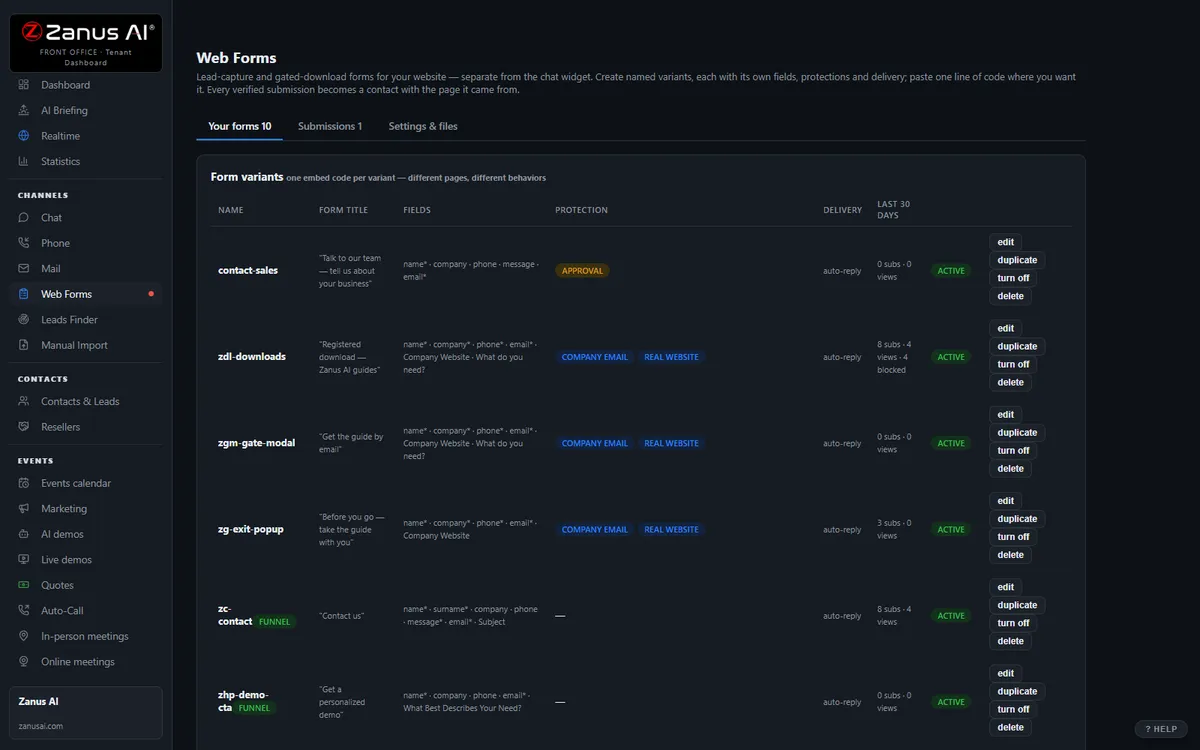
The real Web forms menu: contact, gated downloads, intake — built in the dashboard.
What it does
The form becomes a conversation in minutes: confirm the practice area, capture the parties, offer slots with the right attorney, send the intake form, confirm.
A referring attorney’s or a bar referral service’s introduction is acknowledged to both sides; the referrer sees the consultation booked.
Keep your website forms and connect them, or use the built-in limited-intake and contact forms — asking only the fields your firm approves.
Inside Web & Leads — the real screens
Click a tab. Every picture is the live Front Office, not a mockup — the left menu is the whole product.
From form fill to booked meeting, hands-free
The system itself works the leads: instant grounded reply, demo link, follow-up sequence, booking. Your staff handles only the "needs human" queue.
- Response in minutes, 24/7
- Every touch logged with transcript
- Competitor and free-mail screening built in

Available on its own — or inside a solution
Questions, answered
Can we import past clients for a check-in?
Yes — upload the list, choose the sequence (estate-plan review, annual entity maintenance, review request) and the AI contacts them by their preferred channel with your approved wording. Contacts you mark adverse are excluded; opt-outs are honored automatically.
What about confidentiality on the form itself?
The built-in intake form asks only what your firm approves for the conflicts check and the decision to take the matter, carries your consent text and a caution not to include details of the matter, and lands on the front-office record — never in a shared inbox.
Try it free on your own firm. 7 days. No credit card.
Give it your website. It learns your company. Then call it, chat with it, e-mail it — and decide. Nothing to install, nothing to cancel.
← Previous: AI Demo · Sharing with a colleague? 📄 Get the PDF · ✉️ Email this page ·