AI Tickets for Law Firms. Law firm client request tracking, from call to reply
AI Tickets is law firm client request tracking for the questions clients bring between appointments: a copy of a document, a change of address, an invoice question. Every call, chat, e-mail and form becomes a ticket with the whole conversation, answered from your approved information when the AI is sure enough, and held for your staff when it is not.
TRY AI TICKETS FREENo credit card · Ready in 2 minutesReady to buy? See plans & pricing ›
7 days free · per company, never per seat · nothing to install
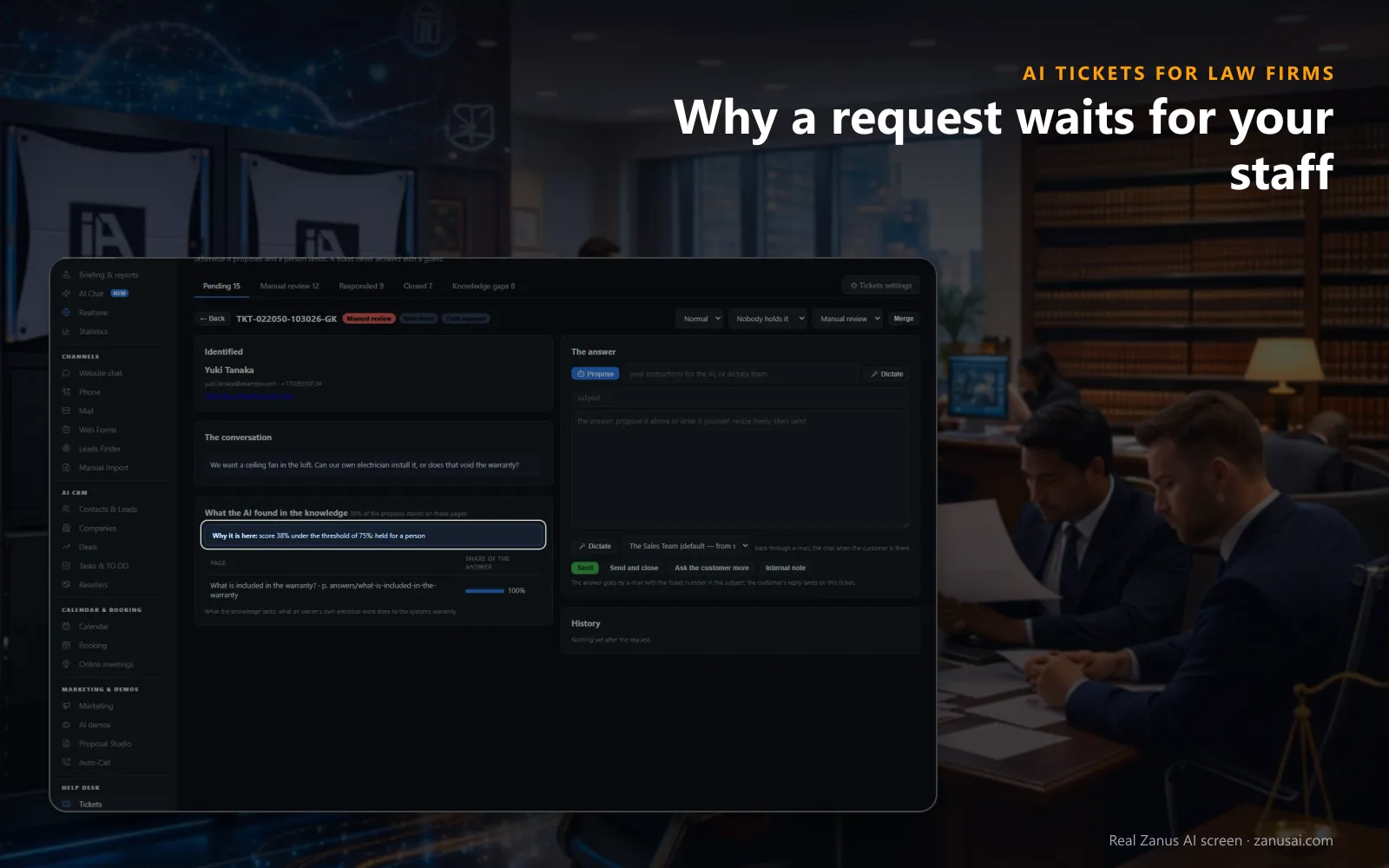
Held for a person
The ticket opens with the client identified, the conversation, what the AI found and what is missing, and the answer box beside it.
 Easy setupSet up everything just by talking to Lisa AISee how ›
You“On the matters desk, let the AI propose and a paralegal send every answer.”
Lisa“On the matters desk the AI will draft each answer and a paralegal will send it, with nothing going out alone. Apply?”
You talk. Lisa sets it up. Applied only on your yes.
How Law Firms use it
For records request tracking, a client's call for a copy of her signed settlement opens a ticket with the transcript, and the paralegal sends the file.
An invoice question by e-mail is answered from your billing policy, and the client rates the answer underneath.
On the matters desk, set so a person answers, every case question waits for the paralegal with the conversation.
REAL AI - the whole Front Office is AI, not old software with an AI button.
What’s included
- Opened from a phone call, a chat, an e-mail or a web form, with the whole conversation and the customer identified
- Nights and weekends: the customer gets a number and a promise, your team gets the ticket in the morning
- The AI answers from your knowledge when it is sure enough; otherwise it proposes the answer and a person sends it
- Pending, manual review, responded and closed; priority, who holds it, Merge and internal notes for your team
Add it to any contact channel — AI Phone, AI Webchat, AI E-mail or AI Web Forms — or get it inside a solution · See pricing › · Per company, never per seat.
Everything AI Tickets does, for every business ›
Works withAI PhoneAI WebchatAI E-mailAI Web FormsAI Returns & Warranty
Client requests
Client request management for law firms, one queue for every channel
The whole conversation
A call's transcript with Listen, a chat turn by turn, a mail or a form as the client wrote it, all on the ticket.
The client identified
The contact, the company, the reference and earlier tickets appear before anyone reads a word, so nobody asks the client to repeat.
Priority and owner
Each ticket carries Normal, High or Urgent, and a single selector passes it to a colleague, with the holder shown in the list.
Departments kept apart
Each person sees only the tickets of their own departments, so billing questions and matter questions stay with the right staff.
Set-up
A client service desk for law firms, ready in 2 minutes
Your channels
AI Phone, AI Webchat, AI E-mail or AI Web Forms: each channel you use opens tickets in the same list.
What it answers from
Your website, your documents and your policies are what the AI answers from, and nothing outside them.
Your desk rules
Set who answers per department, how sure the AI must be, the reply-time promise and the signature.
A week of requests
Start the free trial today, 7 days with no credit card, and read every ticket it opened and answered.
Questions & answers
AI Tickets for Law Firms: questions & answers
Can the AI answer client requests by itself?
Only where you allow it. Each desk chooses its rule: the AI answers alone, the AI drafts and a person sends, or a person writes. Where the AI may answer, it does so only when its score reaches the threshold you set; below it, the ticket waits in Manual review.
Where do client requests come from?
In this law firm client service software, they come from every channel the Front Office answers: a call needing follow-up, a chat, a support e-mail or a web form. A second ask from the same call, chat or thread lands on the same ticket, never a duplicate.
Can staff leave notes the client never sees?
Yes. An internal note is a line for a colleague, kept in the ticket's history and never shown to the client. Tickets can also be handed to a colleague or merged when one person asked twice.
Do clients know when to expect an answer?
Yes. Each department sets a promise, four working hours by default, and the AI tells the client when to expect the reply. A ticket past the promise is marked in the list and the person holding it is told.
Does every ticket teach the AI?
Only on your word. After a person answers, the page asks whether the answer was for this client only or for the knowledge, and an answer sent to the knowledge waits for review before it is learned.
Keep exploring
Where next?
Start with the one thing you need. Add more anytime by asking Lisa.
AI Front Office for Law Firms ›
Easy setup
Answers & books
Sells
Helps your team
Included
Award-winning AI
Winner at CES 2026, ISE 2026 and TMCnet Enterprise AI Product of the Year.
REAL AI - the whole Front Office is AI, not old software with an AI button.
Awards & trade shows ›


Give Lisa your website.
She sets up your business in 2 minutes.
Other software makes you learn it. Zanus AI learns your business.
Try it free on your own business — no credit card, per company, never per seat.
Ready to buy? See plans & pricing ›
Or call +1 (954) 736-3939 — the AI answers.