AI Tickets for Reminder Calls. Callback request tracking with the reply time promised.
AI Tickets brings callback request tracking to your reminder desk: when a customer rings back with something a person must settle, the AI opens a ticket with the transcript, tells them when to expect the answer and holds the case for the right department. One case keeps one ticket.
TRY AI TICKETS FREENo credit card · Ready in 2 minutesReady to buy? See plans & pricing ›
7 days free · per company, never per seat · nothing to install
The ticket
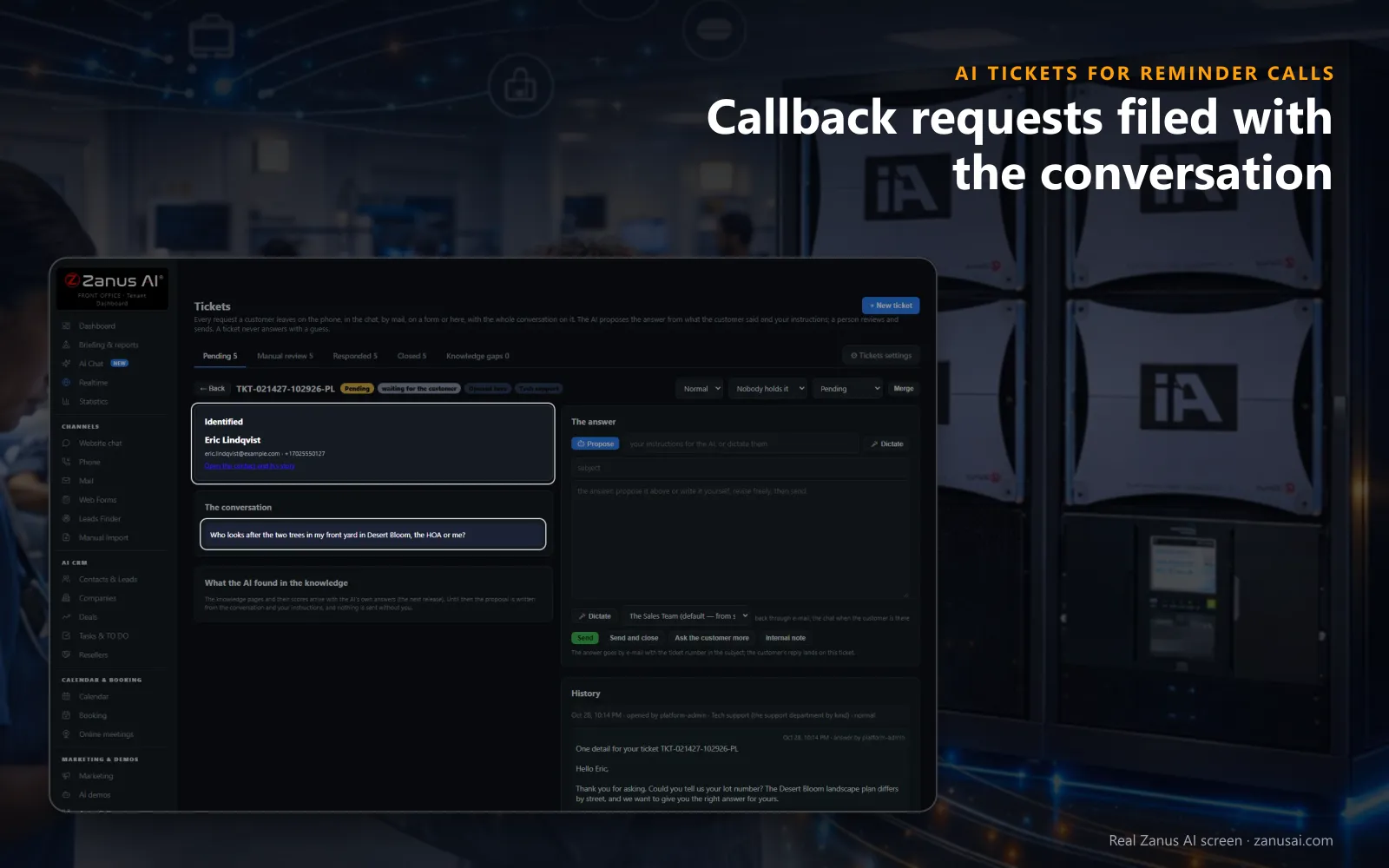
Callback requests after a reminder: the customer who rang back is identified before anyone reads, and what they said sits on the ticket in their own words.
 Easy setupSet up everything just by talking to Lisa AISee how ›
You“Promise callers an answer within four working hours on billing tickets.”
Lisa“Billing tickets now promise an answer within four working hours, and callers hear it when the ticket opens. Apply?”
You talk. Lisa sets it up. Applied only on your yes.
How Reminder Calls use it
A customer returns a pickup reminder to report a missing part; the ticket opens and the call's transcript lands on it a minute later.
A patient asks for the billing office to ring back; the ticket carries her request, and the answer goes back by phone.
A caller phones a second time about the same charge and hears the open ticket quoted instead of starting again.
REAL AI - the whole Front Office is AI, not old software with an AI button.
What’s included
- Opened from a phone call, a chat, an e-mail or a web form, with the whole conversation and the customer identified
- Nights and weekends: the customer gets a number and a promise, your team gets the ticket in the morning
- The AI answers from your knowledge when it is sure enough; otherwise it proposes the answer and a person sends it
- Pending, manual review, responded and closed; priority, who holds it, Merge and internal notes for your team
Add it to any contact channel — AI Phone, AI Webchat, AI E-mail or AI Web Forms — or get it inside a solution · See pricing › · Per company, never per seat.
Everything AI Tickets does, for every business ›
Works withAI PhoneAI WebchatAI E-mailAI Web FormsAI Returns & Warranty
When someone must call back
Customer follow-up tickets from returned reminder calls
A ticket from a phone call
When a caller needs follow-up, the AI opens the ticket; the transcript lands on it shortly after, with Listen for the recording.
The customer identified
The contact, the company, the reference and earlier tickets appear before anyone reads, so the callback starts informed.
Answered the way they asked
The reply always goes by e-mail, and also by a call back when the customer asked for one, or by a text from your line.
No second ticket
A customer ringing again about the same case hears the open ticket quoted, and two tickets of one person can be merged.
The promise
A reply-time promise every callback request keeps in view
Told when it opens
The AI tells the caller when to expect the reply, counted from the department's working hours, and the confirmation e-mail repeats it.
Past the promise
A ticket that runs over is marked in the list and the person holding it is told, before the customer has to ring a third time.
Priority and owner
Normal, High or Urgent sits beside the channel on every row, and one selector hands a ticket to the colleague who will call.
AI Tickets for Reminder Calls, trade by trade
By industryHealthcareHome ServicesRestaurantsHome & Senior CareAuto DealersHospitalityProperty ManagementSports & Live EventsLaw FirmsSoftware & SaaSAerospace & AviationAgriculture
Questions & answers
AI Tickets for Reminder Calls: questions & answers
Can a returned reminder call become a support ticket?
Yes. When a caller needs a follow-up the AI opens the ticket during the call, and the transcript arrives on it a minute later with Listen for the recording. The department and the priority are read from what the customer said.
How does the customer know when we will call back?
The AI tells them at the open, counted from the department's working hours, and the confirmation e-mail carries the same promise and the ticket number. Four working hours is the default, and you can change it.
Will the AI answer the ticket by itself?
Only when it is sure enough. Each department sets how sure the AI must be, and below that bar the ticket waits for a person in Manual review, with nothing guessed.
What if the same customer calls twice about one problem?
One case keeps one ticket: the AI quotes the open one instead of opening another, and if two tickets of the same person were opened anyway, Merge joins them with both conversations kept.
Can my team leave notes the customer never sees?
Yes. An internal note is a line for a colleague, kept in the ticket's history and never shown to the customer, so the person calling back knows what was already tried.
Keep exploring
Where next?
Start with the one thing you need. Add more anytime by asking Lisa.
AI Front Office for Reminder Calls ›
Easy setup
Answers & books
Sells
Helps your team
Included
Award-winning AI
Winner at CES 2026, ISE 2026 and TMCnet Enterprise AI Product of the Year.
REAL AI - the whole Front Office is AI, not old software with an AI button.
Awards & trade shows ›


Give Lisa your website.
She sets up your business in 2 minutes.
Other software makes you learn it. Zanus AI learns your business.
Try it free on your own business — no credit card, per company, never per seat.
Ready to buy? See plans & pricing ›
Or call +1 (954) 736-3939 — the AI answers.