ZANUS FRONT OFFICE FOR CANDIDATES — INTERVIEWS & VISITS
Booked in the conversation — even when three people must be in the room.
Five emails to find a slot that works for the hiring manager, the recruiter and the candidate: that is the ping-pong this desk is known for. The AI books the interview while the candidate is still talking — the right interviewer or counselor, the right location or video link, the right length, the panel’s calendars checked together, the working interview on the shift that suits the kitchen. Reschedules free the slot for the next applicant. Calendars stay in sync.
Try it free 7 days on your own business · no credit card · per company, never per seat
REAL AI - the whole Front Office is AI, not old software with an AI button. Give it your website: it learns your company, works from your approved knowledge and gets better with every answer you approve.
Live on this site right now — the assistant in the corner is the product · Award-winning AI — CES · ISE · TMCnet
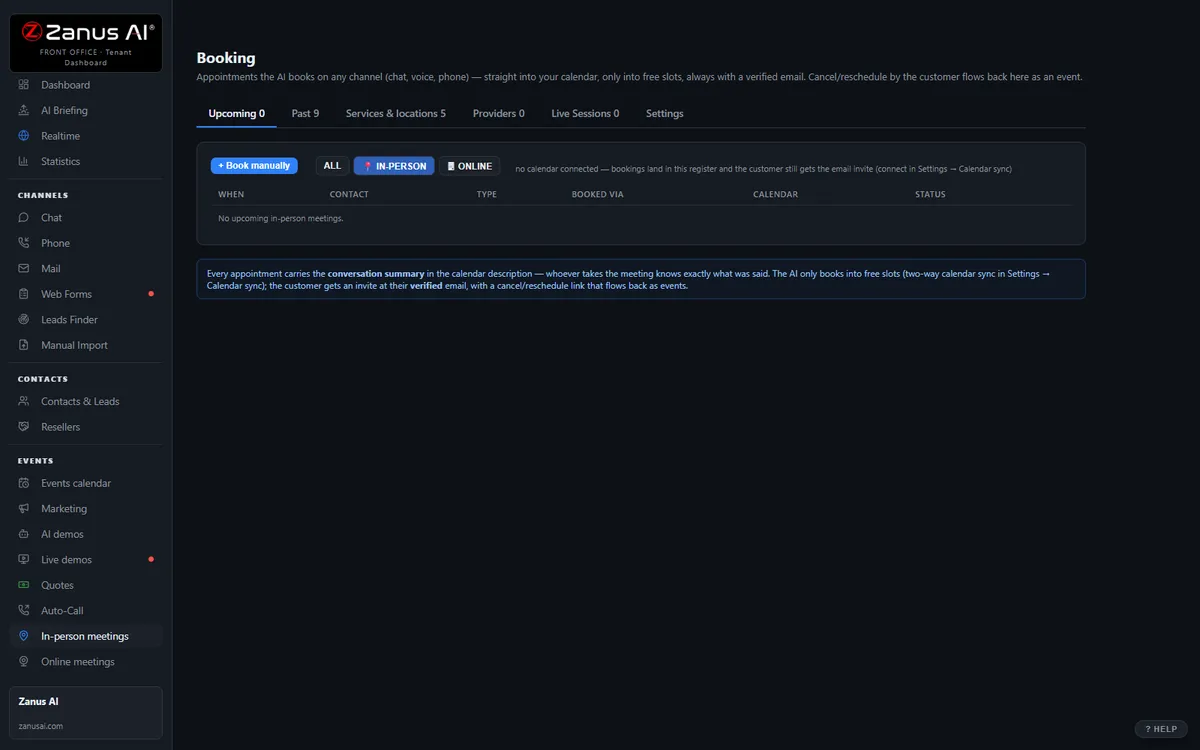
The real Meetings menu: booked by AI in the conversation, synced to your calendars.
What it does
Interview lengths, who interviews for which role, panel combinations, branch locations, video or in person, open-day capacity — encoded once, applied to every booking.
A cancellation triggers the next applicant on the list; a no-show triggers the rebooking sequence — automatically. Fewer empty interview rooms.
Every booking carries conversation history and a Brief Me summary: what the candidate asked, what was sent, what is open. Google and Microsoft calendars synced.
Inside Booking — the real screens
Click a tab. Every picture is the live Front Office, not a mockup — the left menu is the whole product.
Meetings with context attached — and Brief Me
Every booked meeting carries the full history: the chat, the call transcript, the demo watched, the quote sent. And every call task now has a Brief Me button — the same brief the AI writes for its own calls, rendered for the human: goal, history highlights, open questions, next step.
- Booking links for your website and emails
- Time-zone safe
- Brief Me — walk into every call the way the AI walks into its own: briefed
- Available on its own or inside a solution

Available on its own — or inside a solution
Questions, answered
Can it book into our applicant tracking or student system’s scheduler?
Google and Microsoft calendars sync natively. Applicant tracking, student information and HR systems connect through webhooks and API in Connectors — the AI books, your system stays the record. Available on its own or inside a solution — see pricing.
What about open days, job fairs and group sessions?
The events calendar takes registrations for group events with capacity limits; individual visits and advising sessions book as one-to-one slots. Your staff book in the same calendar with the same rules; nothing is double-booked.
Try it free on your own organization. 7 days. No credit card.
Give it your website. It learns your company. Then call it, chat with it, e-mail it — and decide. Nothing to install, nothing to cancel.
← Previous: Marketing · Sharing with a colleague? 📄 Get the PDF · ✉️ Email this page ·