AI Webchat for Recruiting and Admissions. Chatbots in recruitment that answer, then book interviews
AI Webchat brings chatbots in recruitment to your career site and admissions pages: the chat answers candidates by text or voice, in their language, from your postings and program pages, and books the interview or visit in the same window. It is a recruitment chatbot for a better candidate experience: verified before booking, a person when asked.
TRY AI WEBCHAT FREENo credit card · Ready in 2 minutesReady to buy? See plans & pricing ›
7 days free · per company, never per seat · nothing to install
Her card
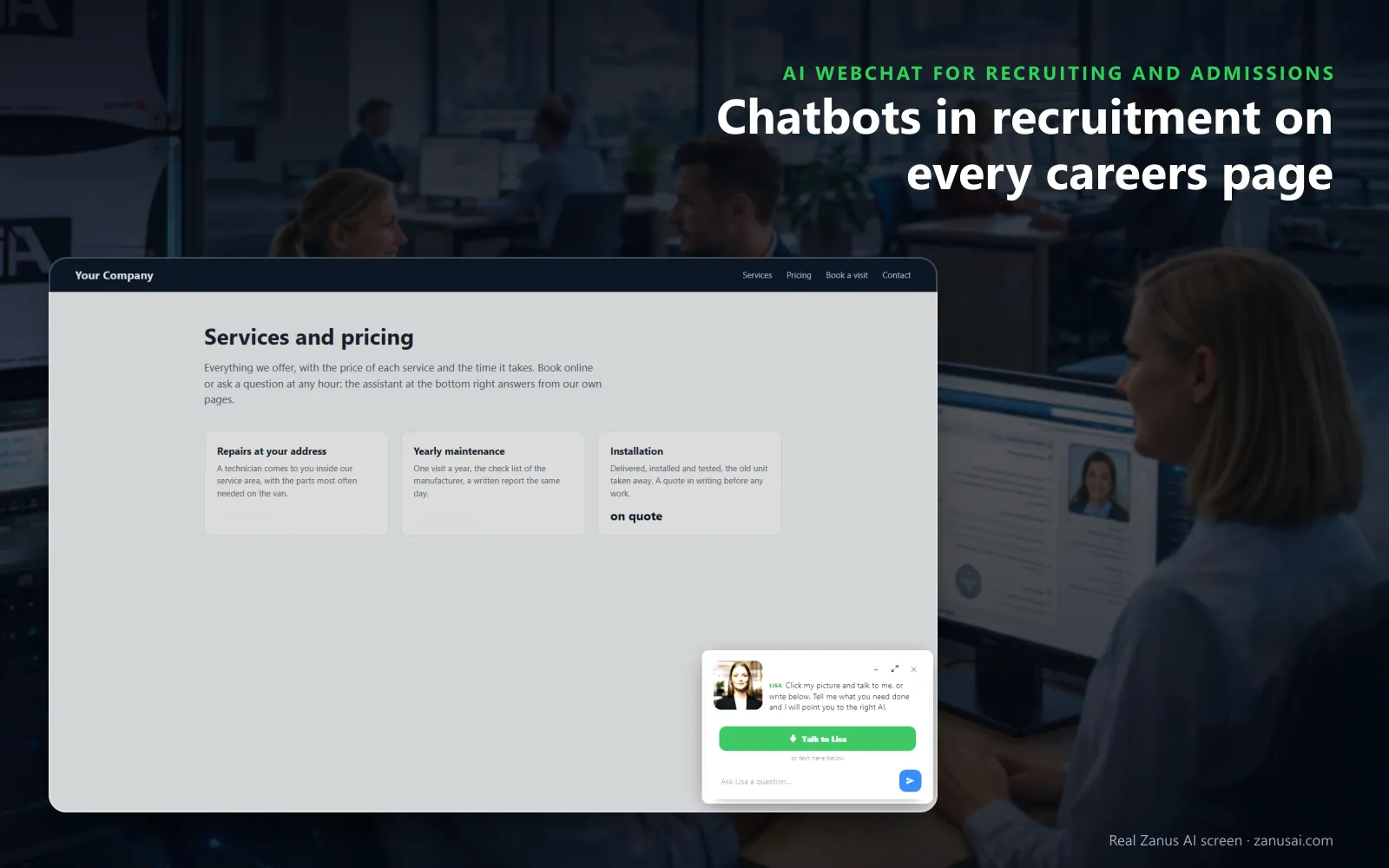
Candidates land on any page and her card waits in the corner; one tap starts a voice conversation, or they simply type.
 Easy setupSet up everything just by talking to Lisa AISee how ›
You“On the careers pages, answer from the postings and offer the next interview slots.”
Lisa“The careers chat now answers from your postings and offers the next free interview slots for the role being read. Apply?”
You talk. Lisa sets it up. Applied only on your yes.
How Recruiting and Admissions use it
A student on the nursing program page asks about the deadline and books a Friday campus visit without leaving the chat.
A warehouse applicant asks about night shifts on his phone, hears the answer from the posting and books an interview.
A visitor asks whether his chances are good; the chat says admissions decisions are made by the team and offers a counselor.
REAL AI - the whole Front Office is AI, not old software with an AI button.
What’s included
- Text and voice in one widget on your site, the visitor types or talks; the AI answers in their language
- Knows the page the visitor is on and answers from your pages, files, prices and rules
- Shows pictures and product screens while it talks; opens the right page of your site and continues there
- Captures the lead with a verified e-mail; books appointments from your live calendar; offers your AI Demo
- Your people take over any chat live in one click, with the context, not a transcript to read
- Instant barge-in: the visitor interrupts and the AI stops; echo and background noise filtered
- Optional AI Avatar: the same assistant with a face that talks
- Every conversation on the customer's record; chat analytics per page and topic; sessions exportable
- Installs with one line on any site, Shopify, WordPress, custom; the widget is yours to brand
Available on its own or inside a solution · See pricing › · Per company, never per seat.
Everything AI Webchat does, for every business ›
Works withAI BookingAI AvatarAI DemoAI QuotingAI TicketsAI Returns & WarrantyAI CRM
On your careers pages
What chatbots in recruitment do on careers and admissions pages
On career sites the chat does the first reply of a good recruiter or counselor, at any hour, from the pages you already publish, so job seekers never wait for office hours.
Answers from your postings
Shifts, requirements, deadlines and the application process are answered in natural language from your postings, program pages and approved answers only. When it does not know, it does not guess.
Text or voice
The candidate types, or taps her picture and talks; natural language processing reads the question as it was said, and every voice speaks every language, on phones, tablets and computers.
Opens the right posting
When the talk turns to a role or a program with its own page, she opens that page and introduces it; a visitor who names several gets a short tour.
Books the interview
With AI Booking, interview scheduling happens in the window: she offers free times of the right interviewer and books one, the candidate verified before it enters the book.
Hands over to a person
A candidate who asks for a person lands in your team's mail queue, or becomes a ticket, with the whole conversation attached for the recruiter or the hiring managers.
Keeps the ones who leave
A visitor who leaves without a word can receive the conversation's summary by e-mail with your application link, the address verified first.
When candidates ask
Recruiting chatbot moments, from a question to an interview
A recruiting chatbot can help at four moments of the recruiting process, each one a chance to engage candidates before they move on.
A question at midnight
“Do I need the forklift card before I apply?” is answered from the posting, with the page that explains it opened beside the answer.
Show me the campus
A student asks to see the labs; working as a chatbot for student recruitment, she holds up the real picture from your site over the page, with the program page one tap away.
A question for a person
A parent asks about financial aid; the chat says a counselor answers it and files the request with the conversation, so nobody has to repeat themselves.
The evening a posting goes live
A new posting shared on social media brings many visitors on its first evening; each gets answers and a free slot, and the Website chat page counts what every session produced.
Your words
Recruitment chatbots in your words and every language
Her words are yours, written once, so the repetitive tasks of greeting and pointing to pages never fall to a recruiter.
Her opening lines
Four lines written once: on her card, when the visitor types first, when the voice starts on a general page and on a posting, with your organization and the page filled in.
Formal or familiar
Choose the form of address for the languages that have the choice, formal for a hospital or a university, and a visitor who writes formally is answered formally.
Keyword buttons
When her reply names one of your keywords, such as apply, campus visit or benefits, a button to that page appears under it, translated for every visitor, eight at most.
Your colors and label
The button label, the tagline, the colors and a light or dark theme that follows the visitor's setting are set once and shown on every page.
Weigh the options
A chatbot for recruitment, a contact form, live chat or a script
Careers pages usually offer a contact form, a live chat when a recruiter is free, or a scripted bot; AI recruitment adds a fourth way. Here is how each treats a candidate with a question at the wrong hour.
| What you need | A contact form | Live chat with recruiters | A scripted chatbot | AI Webchat |
|---|---|---|---|---|
| A question at 11 PM | Read the next day | Offline until morning | Only the questions it was given | Answered from your postings: in the candidate's own words |
| Booking the interview | A reply with times, later | If a recruiter is online | A link to another page | Booked in the chat: into a free slot, candidate verified |
| Another language | As the candidate wrote it | If someone speaks it | Rarely | 40 languages: by text or by voice |
| Pay or a decision | Waits in the box | Answered by whoever is on | Off-script, no answer | Handed to a person: with the conversation attached |
| What candidates asked | Scattered across mail | In each recruiter's memory | Clicks counted | Every session and its outcome: searchable and exportable |
Ready in 2 minutes
Put a recruiting chatbot on your site in 2 minutes
Lisa reads the site
She reads your careers and admissions pages, names them, finds the pictures she can show and asks how candidates should be greeted at each step of your hiring process.
One line in the theme
Paste the line once in your site theme. The status strip reads installed and last seen as soon as a visitor opens a page.
Your words and look
Tell Lisa the label, the tagline, the colors and the opening lines; she shows them before and after and applies them on your yes.
Seven days free
Run it on your own careers site for 7 days with no credit card and read every session, with what it produced, when the week ends.
AI Webchat for Recruiting and Admissions, trade by trade
By industryStaffing & RecruitingHealthcareHome & Senior CareHospitalityManufacturingLogisticsHigher EducationGovernment AgenciesHardware & ElectronicsMedia CompaniesSoftware & SaaSAerospace & Aviation
Questions & answers
Chatbots in recruitment: frequently asked questions
What are chatbots in recruitment?
Chat assistants built on artificial intelligence that sit on a careers or admissions site, answer candidates' questions and move them to the next step of your hiring processes. AI Webchat answers from your own postings and pages by text or voice, opens the page it talks about and books the interview or the visit inside the conversation.
How do recruiting chatbots help candidates?
They answer at the moment of interest, at 11 PM or on a phone between two shifts, instead of a form and a wait. The job seeker gets the shift, the documents or the deadline in their own language, then a free interview time, in one conversation, which keeps candidate engagement up.
Will the chatbot answer questions about pay or an applicant's chances?
Only within the words you approved. Questions about chances, pay, aid or decisions are never guessed: the chat says a person answers them, and the request reaches your team as mail with the whole conversation attached. The decisions of your recruitment process stay with people.
Can the recruiting chatbot schedule interviews?
Yes, with AI Booking. The chat offers two or three free times of the right interviewer, holds the one the candidate picks and books it once the candidate is verified, then sends the confirmation.
Can candidates talk to the chat instead of typing?
Yes. A tap on her picture starts a voice conversation the candidate can interrupt like a person, and every voice speaks every language. With the voice off, the careers chat is text only.
Which languages does the chatbot use with applicants?
40 languages. You write her opening lines once in yours, and each visitor reads and hears them in theirs; the widget follows the page language or asks. A formal form of address can be set for the languages that have one.
How do we add the chatbot to our careers site?
Paste one line of code in your site theme, once, and every page gets the chat, careers and admissions pages included. From then on the Website chat page reads installed, with the last visit to your careers pages beside it.
Can we see what candidates asked the chat?
Yes. The Website chat page shows the live sessions, activity by hour and by country, and each session's outcome. Search every session by e-mail or message text, filter by outcome and language, and export the list as CSV for your talent acquisition team.
What happens to a candidate who leaves without applying?
The chat can send the parting gift: the summary of the conversation by e-mail with the link you choose, such as the application page, once the address is verified. The contact then reaches your team.
Does the chatbot pretend to be a recruiter?
No, the AI recruiting chatbot never pretends to be a person it is not. When a candidate asks for a human, the request reaches your team as mail or a ticket with the whole conversation, so a recruiter picks it up with the context.
How much does a chatbot for recruitment cost?
AI Webchat is priced per company, never per seat or per recruiter. The plans are on the pricing page beside the other Front Office modules, and the free trial runs 7 days on your own site with no credit card.
Keep exploring
Where next?
Start with the one thing you need. Add more anytime by asking Lisa.
AI Front Office for Recruiting and Admissions ›
Easy setup
Answers & books
Sells
Helps your team
Included
Award-winning AI
Winner at CES 2026, ISE 2026 and TMCnet Enterprise AI Product of the Year.
REAL AI - the whole Front Office is AI, not old software with an AI button.
Awards & trade shows ›


Give Lisa your website.
She sets up your business in 2 minutes.
Other software makes you learn it. Zanus AI learns your business.
Try it free on your own business — no credit card, per company, never per seat.
Ready to buy? See plans & pricing ›
Or call +1 (954) 736-3939 — the AI answers.