AI Webchat for Media Companies. The AI chatbot for media companies' readers and buyers
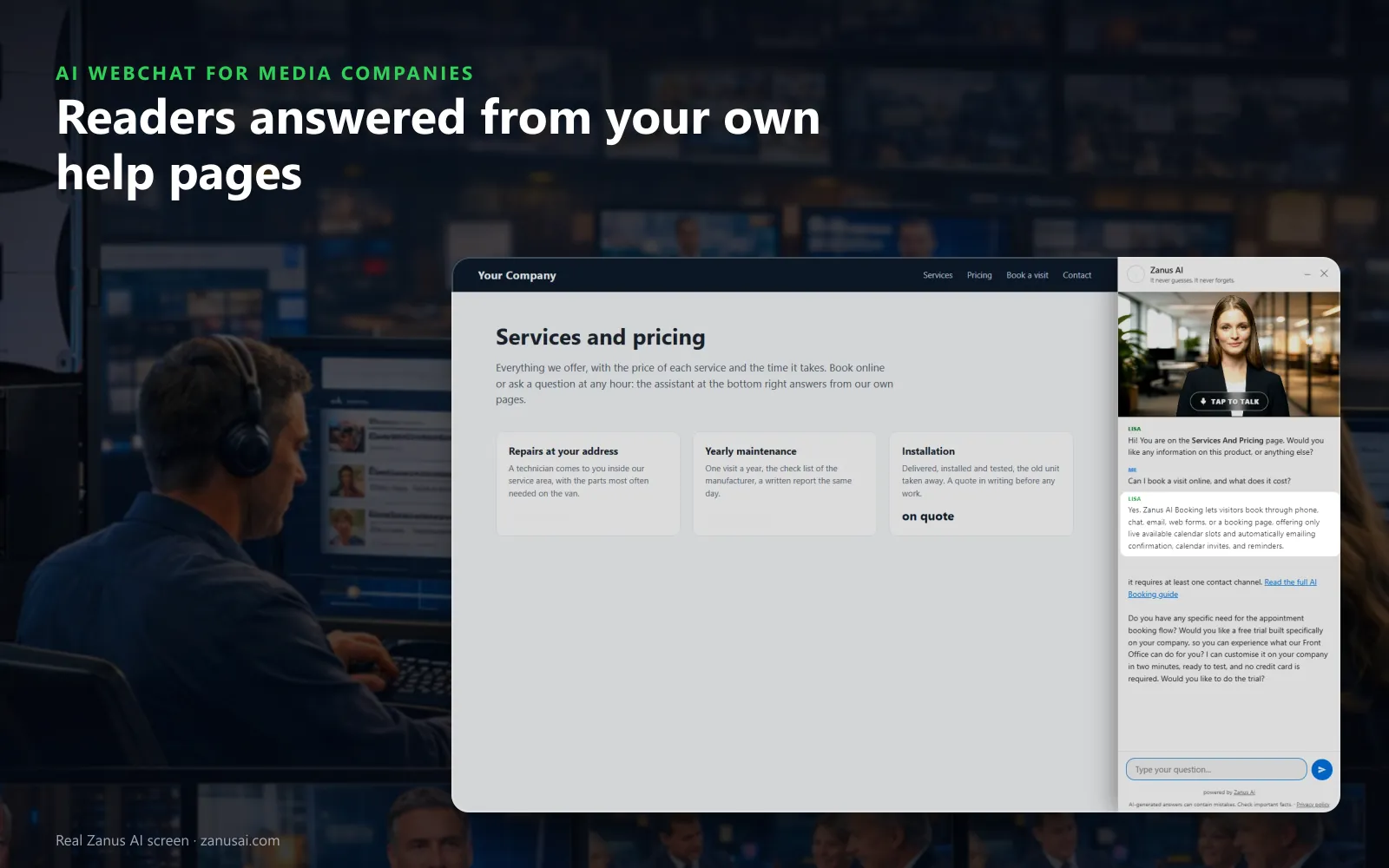
AI Webchat is an AI chatbot for media companies that answers website visitors by text or by voice, in their language, from your media kit, schedule and help pages only. It opens the page that explains the answer, shows the screen a subscriber needs, and turns an advertiser's questions into a demo, a quote request or a lead for the seller.
TRY AI WEBCHAT FREENo credit card · Ready in 2 minutesReady to buy? See plans & pricing ›
7 days free · per company, never per seat · nothing to install
Answers
She greets each visitor by the page they are reading and writes her answer from your own pages, so a subscriber hears your policy, not a guess.
 Easy setupSet up everything just by talking to Lisa AISee how ›
You“Answer login problems from the help center; content complaints get our standard statement.”
Lisa“Sign-in and access questions will be answered from your help center, and complaints about coverage will get your approved statement and a ticket. Apply?”
You talk. Lisa sets it up. Applied only on your yes.
How Media Companies use it
A print subscriber asks how to activate digital access; the chat walks through your help-page steps and shows the sign-in screen.
A clinic manager on the advertise page asks about newsletter slots; the chat answers from the media kit and offers Book a demo.
A reader upset about a headline gets your approved statement, and the conversation is filed for the standards desk as a ticket.
REAL AI - the whole Front Office is AI, not old software with an AI button.
What’s included
- Text and voice in one widget on your site, the visitor types or talks; the AI answers in their language
- Knows the page the visitor is on and answers from your pages, files, prices and rules
- Shows pictures and product screens while it talks; opens the right page of your site and continues there
- Captures the lead with a verified e-mail; books appointments from your live calendar; offers your AI Demo
- Your people take over any chat live in one click, with the context, not a transcript to read
- Instant barge-in: the visitor interrupts and the AI stops; echo and background noise filtered
- Optional AI Avatar: the same assistant with a face that talks
- Every conversation on the customer's record; chat analytics per page and topic; sessions exportable
- Installs with one line on any site, Shopify, WordPress, custom; the widget is yours to brand
Available on its own or inside a solution · See pricing › · Per company, never per seat.
Everything AI Webchat does, for every business ›
Works withAI BookingAI AvatarAI DemoAI QuotingAI TicketsAI Returns & WarrantyAI CRM
On your site
A website chatbot for publishers, broadcasters and streamers
Answers from your pages
The schedule, the media kit, the subscription options and the help pages are the only sources; a question they do not cover goes to your team, never a guess.
Shows the screen
A subscriber who asks where the e-edition button is sees the real picture held up over the page, with a button to open it.
Text or voice
A listener can tap her picture and talk instead of typing, and interrupt her like a person; every voice speaks every language your audience reads.
Sessions and outcomes
The Website chat page shows the sessions live and what each one produced, so you see which articles and section pages send readers to the chat.
Set-up
Chatbot for subscriber support, installed in 2 minutes
Lisa reads the site
She reads your section fronts, help center and advertise pages, names them and finds the pictures she can hold up for visitors.
Paste one line
Your web team pastes the script once in the site theme; the status strip turns to installed when the first reader opens a page.
Set the greeting
Tell Lisa how the chat greets a reader on an article and an advertiser on the rate page; she shows the change before saving it.
Read a week of chats
Leave it on through the 7-day free trial and read each session's outcome: answers, leads, quote requests and tickets.
Questions & answers
AI Webchat for Media Companies: questions & answers
Can a chatbot help subscribers with sign-in and streaming problems?
Yes. The chat answers from your help pages, holds up the real picture of the screen the subscriber needs and opens the page that explains the step. When the steps do not solve it, the conversation becomes a ticket for digital support with every turn attached.
Will the chatbot argue about a story with a reader?
No. It answers only from your approved knowledge, and a rule keeps it from explaining or defending editorial choices. A complaint about coverage gets your approved statement and goes to the standards desk as a ticket, with the whole chat on it.
Can the chat turn an advertiser's questions into a lead?
Yes. As an AI chat for advertiser questions, it answers from your media kit, offers your demo form inside the conversation and a Book a demo button, and a visitor who leaves without either receives a summary e-mail with the link to your packages. Each lead lands in AI CRM with the page it came from.
Does the chatbot speak Spanish or Vietnamese to our audience?
It speaks 40 languages. You write her opening lines once in your language, and each visitor reads and hears them in theirs; the widget follows the page language or asks, with a formal or familiar form of address where the language has one.
How is the chat installed on a news website?
One line of code goes once in your site theme, and the AI chatbot for news websites appears on every article, section front and advertise page in your colors. The Website chat page then shows it installed and the last time a reader opened it.
Keep exploring
Where next?
Start with the one thing you need. Add more anytime by asking Lisa.
AI Front Office for Media Companies ›
Easy setup
Answers & books
Sells
Helps your team
Included
Award-winning AI
Winner at CES 2026, ISE 2026 and TMCnet Enterprise AI Product of the Year.
REAL AI - the whole Front Office is AI, not old software with an AI button.
Awards & trade shows ›


Give Lisa your website.
She sets up your business in 2 minutes.
Other software makes you learn it. Zanus AI learns your business.
Try it free on your own business — no credit card, per company, never per seat.
Ready to buy? See plans & pricing ›
Or call +1 (954) 736-3939 — the AI answers.