AI Booking for Appointment Scheduling. An appointment booking service that offers only free slots
AI Booking is an appointment booking service that takes bookings on the phone, in the website chat, from your web forms and on your own booking page, all into one book. Each service keeps its hours, length, rest time and minimum notice, so customers are offered only what you really have, then confirmed and reminded.
TRY AI BOOKING FREENo credit card · Ready in 2 minutesReady to buy? See plans & pricing ›
7 days free · per company, never per seat · nothing to install
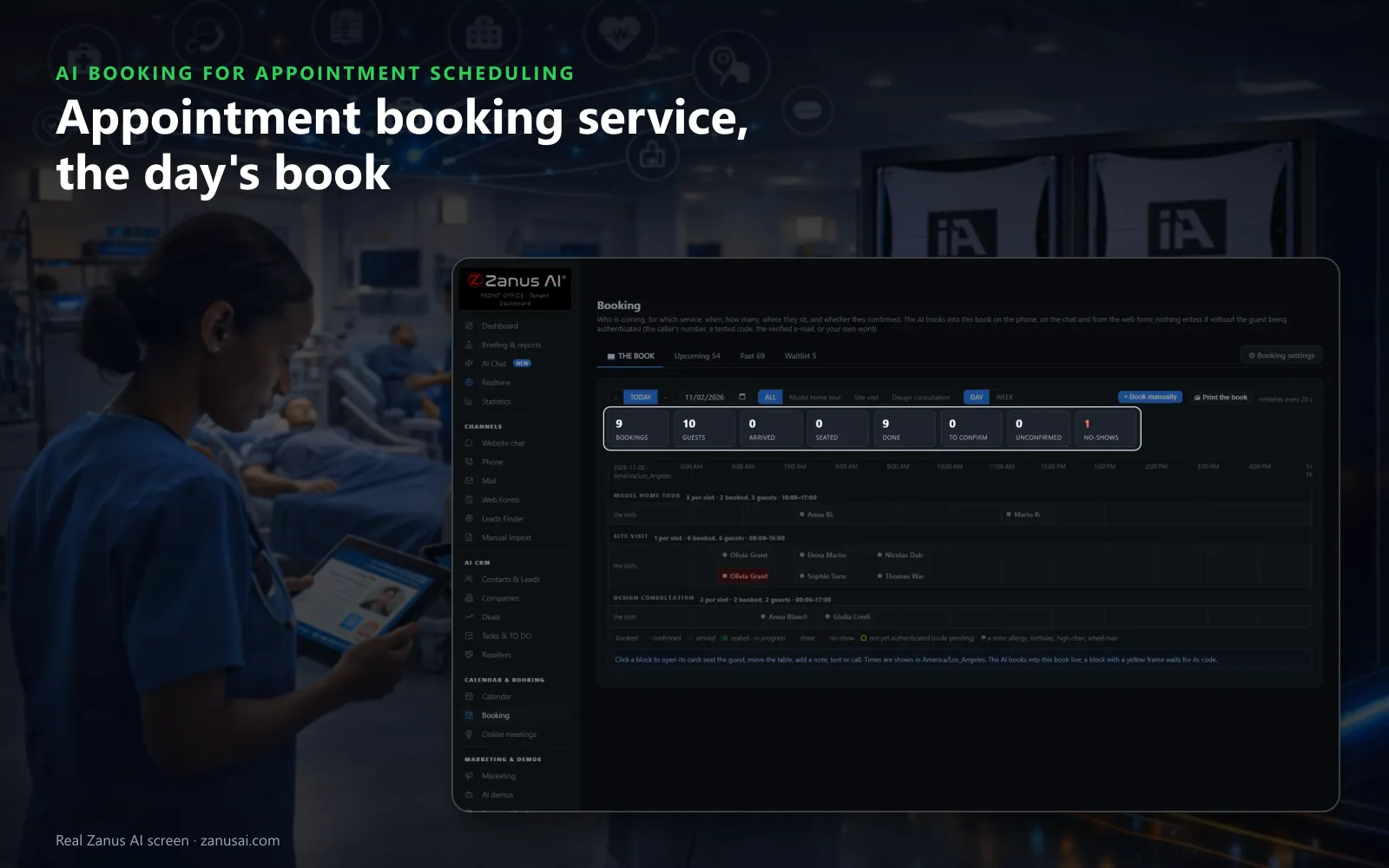
The day's book
Bookings from the phone, the chat and the website land in one book, with today's guests, arrivals and no-shows counted at the top.
 Easy setupSet up everything just by talking to Lisa AISee how ›
You“First visits take 60 minutes, follow-ups 30, with a 10-minute rest after each.”
Lisa“First visits will book as 60 minutes and follow-ups as 30, each with a 10-minute rest after. Apply?”
You talk. Lisa sets it up. Applied only on your yes.
How Appointment Scheduling use it
A physiotherapy practice books new patients into 60-minute first sessions and returning patients into 30-minute follow-ups.
A salon counts its four chairs as units, so three bookings at 10 AM still leave one chair for a walk-in.
A roofer's booking asks where the job is first; an address outside the served postal codes becomes a callback.
REAL AI - the whole Front Office is AI, not old software with an AI button.
What’s included
- Booking inside the phone call, the chat, the e-mail and the form, plus a booking page
- By service and location: the AI offers the menu, then only the free slots of your live calendar
- Google / Outlook calendar connect; availability rules; buffers
- Confirmation and calendar invite e-mailed automatically; reminders; reschedule by reply
- Field visits with travel time; several providers with their own calendars
Add it to any contact channel — AI Phone, AI Webchat, AI E-mail or AI Web Forms — or get it inside a solution · See pricing › · Per company, never per seat.
Everything AI Booking does, for every business ›
Works withAI PhoneAI WebchatAI E-mailAI Web FormsLisa, your AI assistant
One book
An appointment booking service with one book for every channel
The phone, the chat, the forms and the booking page all write into the same book, so a place taken on one channel disappears from the others.
Booked wherever they ask
On the phone, in the website chat, from a web form or on the booking page, the customer books while still there, and the booking lands in the book live.
Free slots only
Only times that are really free are offered: the service's hours and turn, the places already taken, closures, blackouts and the busy times of your connected calendar.
Every guest verified
Nothing enters the book without authentication: the caller's number, a texted code, a verified e-mail, or your own word when the desk books by hand.
Confirmed, reminded, re-booked
The confirmation leaves at once, the reminder goes by email and SMS, or either one, the hours before you choose, and a missed visit gets one polite re-book message. Together they help reduce no-shows.
Your rules
Appointment booking system rules for each service and place
Hours and length
Each service keeps its own opening hours, its arrival interval and how long a booking holds its place, beside the opening hours of the business.
Rest and notice
A rest after each visit gives the room or the chair time to be ready, and a minimum notice stops anyone booking a visit that starts in a few minutes.
Counted your way
Count by bookings, by seats or by units such as tables, rooms, chairs or vans. A slot with three places takes three bookings; a table for six takes six seats.
Several locations
Find my locations on my website fills in the addresses. Each location keeps its own timezone, and the AI asks the customer which one suits them.
Providers and their agendas
Each provider has the services they offer, where and when. The AI asks with whom only when the customer may choose, and a provider who signs in sees only their own day.
Visits at the customer's
For work at the customer's address, the AI asks where the job is before anything else, keeps the travel time between visits and turns an address outside your postal codes into a callback.
At the desk
Online appointment booking moments, handled
A full Saturday
Every Saturday place is gone when a customer asks. The AI offers the waitlist, and when a booking is cancelled on Friday the guest gets ten minutes to take the place.
A visit you approve first
A first consultation is marked subject to approval. It lands as a REQUEST, the guest hears the time is requested, and your yes sends the confirmation.
Closed for a holiday week
You close the first week of August. The guests booked inside it are listed, you move two and cancel one, and the reason you wrote is what callers hear.
Weigh the options
Appointment booking service or the usual tools
Three ways small businesses keep a book today, set against AI Booking: a paper diary, booking pages or another scheduling tool on its own, and a person at the front desk.
| What you need | A paper diary and the phone | A booking page on its own | A person at the front desk | AI Booking |
|---|---|---|---|---|
| A booking at 9 PM | Waits for the morning | Taken if the visitor clicks | Waits for opening time | Taken by phone, chat or page: into a free slot at any hour |
| A question before booking | Answered when someone picks up | Not answered at all | Answered between other tasks | Answered from your knowledge: then booked in the same conversation |
| Rest times and notice | Kept in someone's head | Set once, for clicks only | Remembered on good days | Set once per service: and kept on every channel |
| Reminders | Phoned by hand | An e-mail at best | When there is time | Text, e-mail or both: with replies logged on the booking |
| A no-show | Crossed out in pen | Left as a gap | Noticed when the chair stays empty | Marked NO-SHOW by itself: with one re-book message sent |
In 2 minutes
Open your booking page and AI booking in 2 minutes
Trained on your website
Lisa reads your pages, finds your locations and asks about your services, your hours and how a slot is counted at your place.
A preset for your trade
A practice, a salon, a restaurant or a dealership: Lisa proposes the services, turns and guest texts of that preset, and you change them by talking.
Your calendar connected
Connect the work calendar you already use so its busy times are never offered, or keep the book on its own.
A free week to judge
Let it run for 7 days on your own customers, with no credit card, and read each booking it made and every reminder it sent.
AI Booking for Appointment Scheduling, trade by trade
By industryHealthcareHome ServicesRestaurantsLaw FirmsAuto DealersHospitalityConsulting FirmsTraining CentersHome & Senior CareSmall BusinessSoftware & SaaSTravel Agencies
Questions & answers
Appointment booking service: what owners ask before switching
What is an appointment booking service?
It is the booking software customers use to reserve a time with you, and the book your team works from. AI Booking adds the AI: customers book by talking on the phone, chatting on your site, filling a form or clicking your booking page, and every booking lands in one book under the same rules.
Is AI Booking appointment scheduling software or a booking service?
Both. It is appointment scheduling software your desk works in all day, and a booking service your customers use to book appointments by phone, chat, form or an online booking page. Online scheduling and the calls share one book, so a slot taken in one place is gone everywhere.
Do customers get a booking page to book online on their own?
Yes. Online appointment booking runs on your own booking page for appointments, beside the phone and the chat, with no booking app to install, and it reads the same book: a customer who prefers to click sees the same free slots as one who calls, and both are confirmed the same way.
How does the appointment booking system know which times are free?
Each service has its own calendar: its hours, its arrival interval, how long a booking holds its place, the rest after it and the minimum notice. Closures, blackouts, bookings already taken and the busy times of your connected work calendar are taken out before any time is offered.
Does it work with the calendar my team already uses?
Yes. Connect your work calendar and its busy times are read every five minutes and never offered to a customer, while each booking is written there as an event. You can also run the book on its own.
Can I take bookings for several locations and providers?
Yes. For multi-location appointment booking, each location keeps its address and its own timezone, and each service says where it happens. With several providers the AI asks who the customer would like to see only when they may choose, and a provider's vacation blocks only that person's agenda.
What happens when every slot is taken?
The AI offers the waitlist. When a place frees, a waiting guest is texted the offer and has ten minutes to reply and take it, so a late cancellation becomes a booking instead of an empty hour.
How is each guest verified before a booking is saved?
You choose per service: the caller's number, a code sent by text, a verified e-mail or your own word when you book by hand. A booking still waiting for its code shows a yellow frame in the book and holds the place meanwhile.
Can some appointments wait for my approval?
Yes. Mark a service subject to approval and each booking for it lands as a REQUEST on Upcoming, with the guest told the time is requested. Press CONFIRM and the confirmation goes out, or DECLINE and the guest is offered the next free time.
Does the appointment booking service send reminders?
Yes, it is appointment booking with reminders: the confirmation leaves at once, and the reminder follows as a text, an automated email or both, the number of hours before the visit that you choose. The guest answers the text to confirm, cancel or ask for another time, and each answer is logged on the booking.
What happens after a no-show?
After the grace period the booking is marked NO-SHOW by itself and, with the rule on, the guest gets one polite message inviting them to book again. A guest who no-showed twice in a year is asked for a confirmation at the next booking.
Can I close a day that already has bookings in it?
Yes. Add the closure with the reason guests will hear, and the bookings already inside it are listed so you keep, move or cancel each one. A whole-day holiday is then no longer offered to anyone.
Keep exploring
Where next?
Start with the one thing you need. Add more anytime by asking Lisa.
AI Front Office for Appointment Scheduling ›
Easy setup
Answers & books
Sells
Helps your team
Included
Award-winning AI
Winner at CES 2026, ISE 2026 and TMCnet Enterprise AI Product of the Year.
REAL AI - the whole Front Office is AI, not old software with an AI button.
Awards & trade shows ›


Give Lisa your website.
She sets up your business in 2 minutes.
Other software makes you learn it. Zanus AI learns your business.
Try it free on your own business — no credit card, per company, never per seat.
Ready to buy? See plans & pricing ›
Or call +1 (954) 736-3939 — the AI answers.