AI Booking for Home Services. Field service scheduling software that books on the call.
AI Booking is field service scheduling software that books homeowners into your technicians' free time while they are still on the phone, in the chat or on your form. It asks where the job is first, offers only the windows that are really open for that trade and zip code, and sends the confirmation and the reminder.
TRY AI BOOKING FREENo credit card · Ready in 2 minutesReady to buy? See plans & pricing ›
7 days free · per company, never per seat · nothing to install
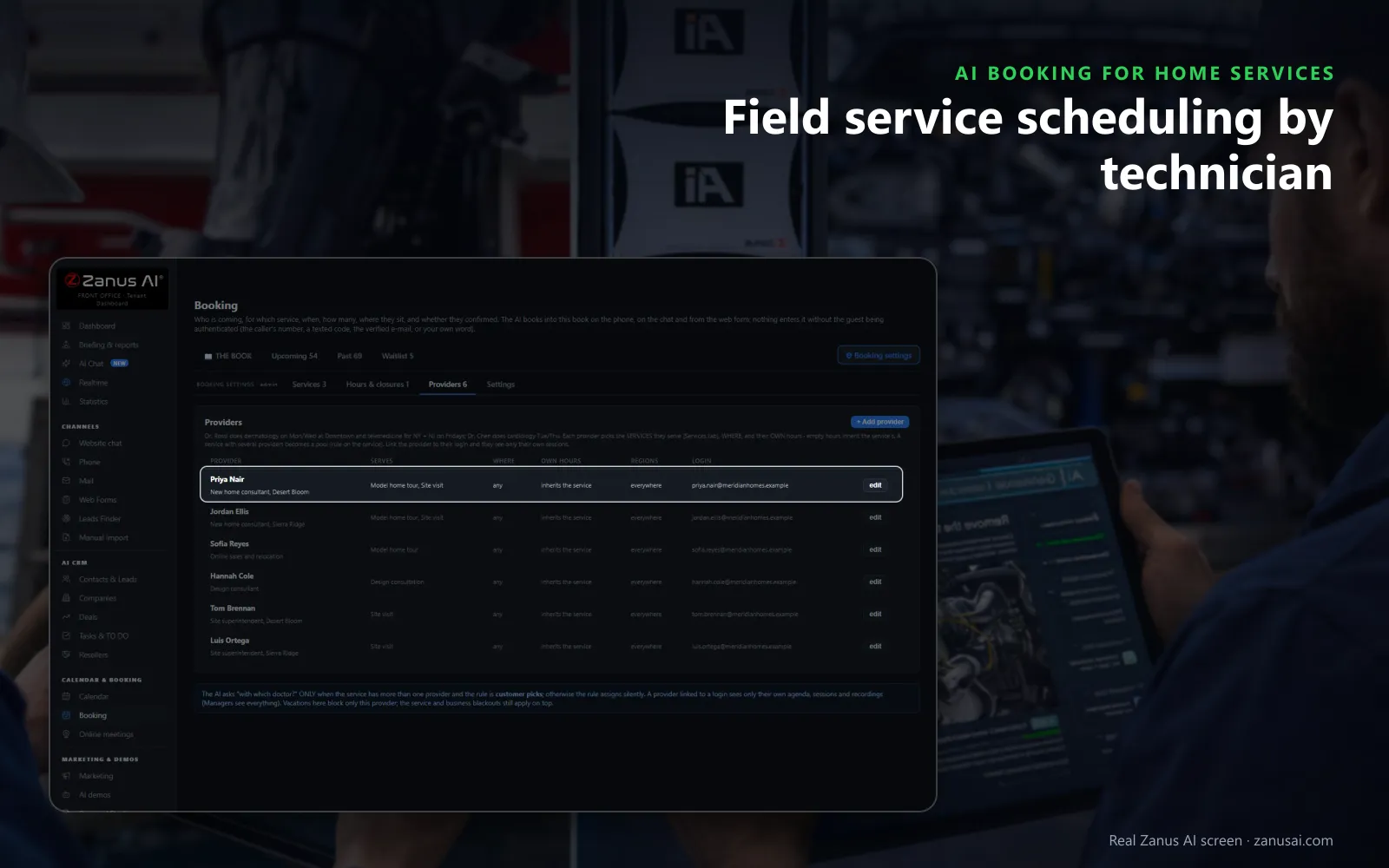
Technicians' agendas
Each technician signs in to their own day, the AI books by the services they do, and a day off blocks only that person.
 Easy setupSet up everything just by talking to Lisa AISee how ›
You“Book service visits Monday to Saturday, and only in the zip codes we cover.”
Lisa“Service visits: Monday to Saturday, your listed zip codes only, travel time kept between jobs; other addresses become callbacks. Apply?”
You talk. Lisa sets it up. Applied only on your yes.
How Home Services use it
A homeowner calls for a fall furnace tune-up and hears two free mornings of the technician who covers her zip code.
A caller outside your service area is told so kindly, and his number becomes a callback for the office instead of a booking.
A cancelled Thursday visit frees a window, and the next homeowner on the waitlist is texted the offer to take it.
REAL AI - the whole Front Office is AI, not old software with an AI button.
What’s included
- Booking inside the phone call, the chat, the e-mail and the form, plus a booking page
- By service and location: the AI offers the menu, then only the free slots of your live calendar
- Google / Outlook calendar connect; availability rules; buffers
- Confirmation and calendar invite e-mailed automatically; reminders; reschedule by reply
- Field visits with travel time; several providers with their own calendars
Add it to any contact channel — AI Phone, AI Webchat, AI E-mail or AI Web Forms — or get it inside a solution · See pricing › · Per company, never per seat.
Everything AI Booking does, for every business ›
Works withAI PhoneAI WebchatAI E-mailAI Web FormsLisa, your AI assistant
Key features, every channel
What field service scheduling software does on every call
AI Booking sits at the front of your field operations: it books the visit, and your field service management software or your dispatcher then runs it as a work order.
Where is the job?
The address comes first; a zip code you do not serve becomes a callback for the office and never a booking on a technician's day.
The right technician
Each technician has the services they do, the places they cover and their own hours; a day off blocks only that person, and field teams who sign in see only their own day.
Only real free time
The service's hours, the visits already booked, closures, holidays and the busy times of your connected calendar are all left out of the offer.
Verified before it lands
The caller's number, a code by text or a confirmed e-mail verifies the homeowner before the visit enters the book your dispatcher reads.
Each job its own rules
Scheduling software for field service: each job type its own calendar
Each service asks the questions you set, so the job details, such as the model of the unit or the reason for the visit, arrive with the booking.
Repairs
Job scheduling for a repair keeps its own length and minimum notice, so a same-day slot is offered only when the day still has room for the drive.
Estimates
A replacement estimate can be a request you approve first: the homeowner hears the time is requested, and your yes sends the confirmation.
Tune-ups
Maintenance visits run on their own calendar and hours, so a busy repair week does not swallow the plan members' appointments.
Your team's week
The book your dispatcher and service teams work from all day
The day at a glance
Visits, confirmations, arrivals and no-shows are counted at the top of the book, with each service on its own lane below.
The visit card
Open a visit to see what the homeowner said when it was booked, the texts already sent and every reply, then reschedule or cancel it.
The waitlist
When a day is full the AI offers the waitlist, and a freed window is texted to the next homeowner in line.
Lisa reads the week
Ask her what is next or to find a free hour on Thursday; she never moves a homeowner's visit without your word.
Compare
Online field service scheduling software against manual scheduling
How field service schedule software compares with a paper diary and a booking page on the jobs a dispatcher books every week.
| What the schedule needs | A paper diary and the phone | A booking page alone | AI Booking |
|---|---|---|---|
| A booking at 9 p.m. | Waits for the morning | Only if the homeowner finds the page | Booked on the call or in the chat:: free time only, confirmation sent at once |
| The service area | Checked by memory | Often not checked | Checked by zip code first:: an address outside it becomes a callback |
| Travel between homes | Guessed | Not kept | Kept between visits:: the AI leaves the drive time you set before every job |
| Customer not home | Found out at the door | No follow-up | Marked and invited back:: one polite re-book message, a confirmation asked next time |
| Your existing calendar | Copied by hand | Separate | Kept in step:: its busy times read every five minutes, visits written back as events |
2 minutes
Set up field service scheduling in 2 minutes
Start from the preset
Lisa proposes the services, their lengths and the texts of the home and field services preset, and you change them by talking.
Add your area and technicians
Give her the zip codes you serve, each technician's trades and hours, and the travel time to keep between visits.
Connect your calendar
Link the work calendar your office already uses so its busy times are never offered to a homeowner, or run the book on its own.
Watch it book
During the 7-day trial, read every service visit it booked, confirmed and re-booked before you decide.
Questions & answers
Frequently asked questions about field service scheduling software
What is the best field service scheduling software for a small home service company?
The one that books while the homeowner is still talking to you. For small service businesses, look for booking on the phone, the chat and your forms into one calendar, the zip codes you serve checked, travel time kept, each technician's own agenda and a reminder before every visit. AI Booking does each of these.
What is the best scheduling software for field technicians?
For the technician, the best one shows only their own day. In AI Booking each technician is a provider with the services they handle, the areas they cover and their own hours; a vacation blocks only them, and a technician who signs in sees only their own agenda.
Can the AI book by zip code and by trade?
Yes. Each service says where it happens and which postal codes you serve, and each technician has the services they do. A panel upgrade estimate is offered only in an electrician's calendar, and an address outside your area becomes a callback.
Does it keep travel time between visits?
Yes. For work at the customer's address, the travel time you set is kept between visits, so two homes across town are not booked back to back without the drive between them.
How do homeowners confirm or cancel a visit?
Customer communication runs by itself: the confirmation goes out at once, and the reminder by text, e-mail or both, the hours before that you choose. The homeowner answers the reminder text to confirm, cancel or ask for another time, and a freed window opens for the next caller.
What happens when the homeowner is not home for the visit?
After the grace period the visit is marked no-show by itself and, with the rule on, one polite message invites the homeowner to book again. A customer who missed twice in a year is asked to confirm the next booking.
Will the AI double-book when my dispatcher moves a job?
It books from the live book and offers only what is still free, so a visit your dispatcher reschedules frees its old time at once. Connect the work calendar your team already uses and its busy times are read every five minutes and never offered.
Can we try AI Booking on our own jobs first?
Yes. Run it for 7 days on your own calls and forms with no credit card, and read every visit it booked, confirmed and re-booked before you decide. Pricing is per company, never per seat, per user or per technician.
Is AI Booking field service management software?
No. It is field service scheduling software for the front of the job: it answers, books, confirms and reminds. The rest of your field service operations, from dispatching and work orders to job management, route optimization, GPS tracking and time tracking, stays in your field service software or with your dispatcher.
Can homeowners book a visit from our website?
Yes. The website chat books the visit in the conversation, and your booking page and web forms book into the same calendar, each homeowner verified by a code sent by text or a confirmed e-mail before the visit enters the book, so the customer experience is the same on every channel.
Can the dispatcher see the whole team's day on one screen?
Yes. The book shows every visit of the day by service, with who is booked, whether they confirmed and who arrived, and the company view shows the whole team's week with each day's visits counted per service.
What is the best field service software for HVAC scheduling?
For HVAC, the one that keeps the seasons apart: plan tune-ups on their own calendar, no-heat repairs with a short minimum notice and replacement estimates you approve first. AI Booking does this by service, by zip code and by each technician's trades.
Keep exploring
Where next?
Start with the one thing you need. Add more anytime by asking Lisa.
AI Front Office for Home Services ›
Easy setup
Answers & books
Sells
Helps your team
Included
Award-winning AI
Winner at CES 2026, ISE 2026 and TMCnet Enterprise AI Product of the Year.
REAL AI - the whole Front Office is AI, not old software with an AI button.
Awards & trade shows ›


Give Lisa your website.
She sets up your business in 2 minutes.
Other software makes you learn it. Zanus AI learns your business.
Try it free on your own business — no credit card, per company, never per seat.
Ready to buy? See plans & pricing ›
Or call +1 (954) 736-3939 — the AI answers.