AI Avatar for Home Services. A live face: the AI avatar for home service websites.
AI Avatar is an AI avatar for home service websites: a face in your chat, her lips following her voice, that answers homeowners by voice or by text in their language. She passes each visitor to the right department's person, service, installs or billing, each with its own face, voice and name.
TRY AI AVATAR FREENo credit card · Ready in 2 minutesReady to buy? See plans & pricing ›
7 days free · per company, never per seat · nothing to install
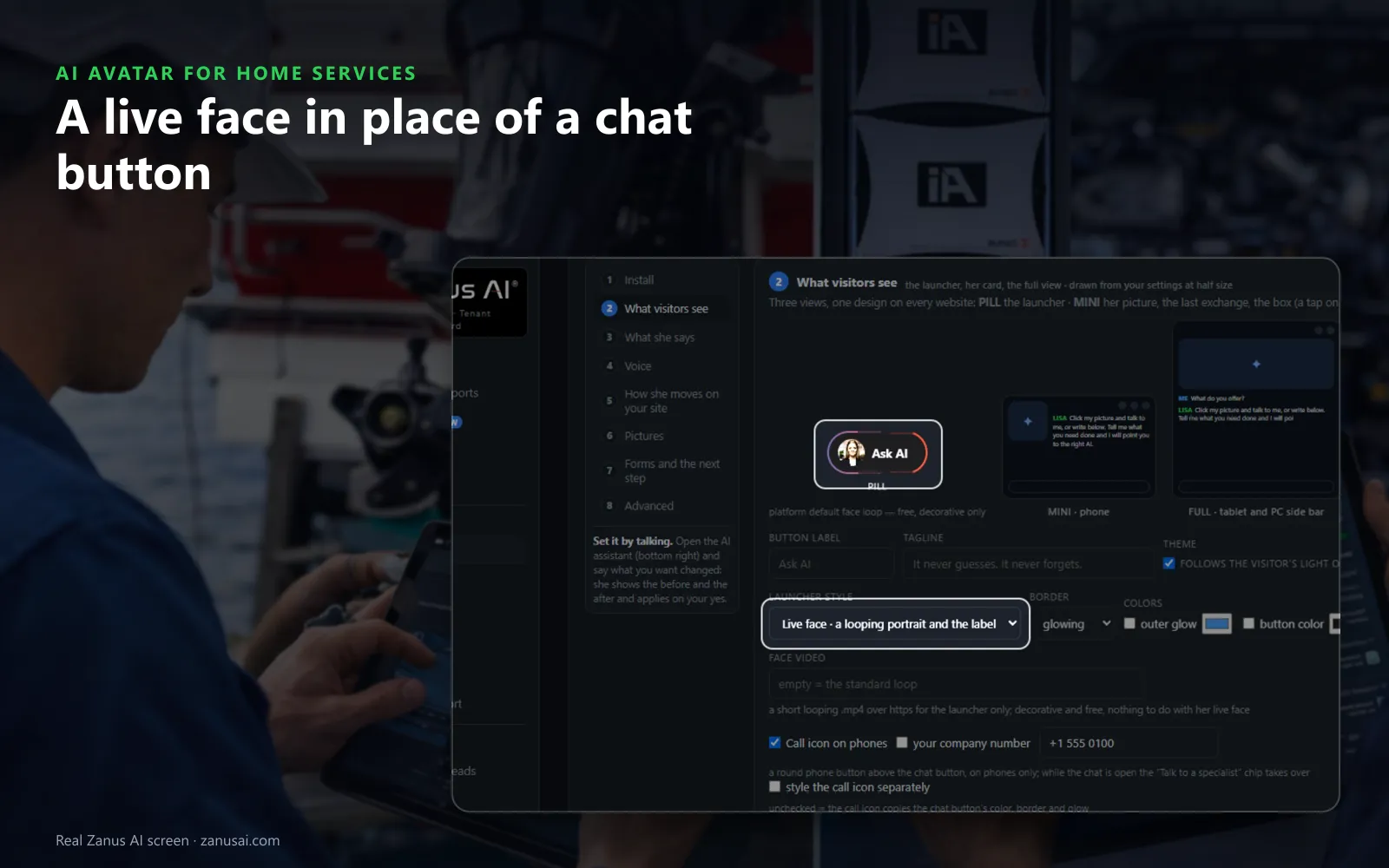
Launcher
In place of a chat button, a live face with your label, a soft glow and your colors waits for a homeowner's tap.
 Easy setupSet up everything just by talking to Lisa AISee how ›
You“Give the installs department a man's voice and a calmer pace.”
Lisa“Installs department: a male voice at a slower pace, used on the phone, the chat, the web voice and the mail signature. Apply?”
You talk. Lisa sets it up. Applied only on your yes.
How Home Services use it
A homeowner taps the face on your AC repair page and asks out loud whether you work Saturdays; she answers from your hours.
A visitor asking about a new system is passed to your installs person, with that person's face and name in the chat.
With AI Demo, the avatar presents a homeowner's replacement proposal page by page and stops for every question.
REAL AI - the whole Front Office is AI, not old software with an AI button.
What’s included
- A talking avatar in the chat widget, same knowledge, same voice, same record
- Presents your pages and pictures while it talks
- The face of your company on the site, in 40 languages
Add it to AI Webchat or get it inside a solution · See pricing › · Per company, never per seat.
Everything AI Avatar does, for every business ›
Works withAI WebchatLisa, your AI assistant
Voice or text
What an AI avatar for home service websites does
A face, not a button
A virtual receptionist with a face waits in the corner of every service page with your label and colors, and opens the chat with her live face above it.
One person per department
Service, installs and billing each get their own person, with a face, a voice and a name that match on every channel.
Talks like a person
As a voice assistant for home service websites, she lets visitors tap and speak, interrupt her mid-sentence and ask again, and answers from your pages with the pictures she describes.
2 minutes
Add a talking avatar for HVAC websites in 2 minutes
Open Who speaks
In the setup guide, Who speaks lists each place the AI talks and lets you give each one its face and voice.
Cast the voices
Play each voice reading your greeting and pick the one for each department; set the pace and the tone.
Switch on the web voice
Turn on the web voice so a tap on her picture starts a spoken conversation on your service pages.
Try it as a homeowner
Ask her about a no-cooling call or your plan from your own site, then change any line by telling Lisa.
Questions & answers
AI Avatar for Home Services: questions & answers
What does an AI avatar add to a home service website?
A face and a voice. Instead of a chat button, her live face waits in the corner of your service pages; a tap starts a spoken conversation visitors can interrupt, and every answer is written from your own pages.
Does the avatar need a separate chat tool?
No. AI Avatar runs inside AI Webchat, so the same knowledge, the same booking and the same safety wording apply. One row per department sets the face, the voice and the name everywhere the AI speaks for that department.
Which voices can we choose?
Thirteen voices, women and men, and every voice speaks every language. Hear each one read a line of your own greeting, adjust the pace and the tone, then try the chat yourself as a homeowner before visitors see it.
Can the avatar answer homeowners in Spanish?
Yes. She answers in the visitor's language by voice or text, and her first line names the page the visitor is reading, such as your water heater page or your maintenance plan.
Is AI Avatar a video assistant for plumbing websites too?
Yes. On a plumbing site her lips follow her voice as she explains a water heater swap or your drain plan, and with AI Demo she presents a homeowner's proposal face to face, page by page, answering questions on the way.
Keep exploring
Where next?
Start with the one thing you need. Add more anytime by asking Lisa.
AI Front Office for Home Services ›
Easy setup
Answers & books
Sells
Helps your team
Included
Award-winning AI
Winner at CES 2026, ISE 2026 and TMCnet Enterprise AI Product of the Year.
REAL AI - the whole Front Office is AI, not old software with an AI button.
Awards & trade shows ›


Give Lisa your website.
She sets up your business in 2 minutes.
Other software makes you learn it. Zanus AI learns your business.
Try it free on your own business — no credit card, per company, never per seat.
Ready to buy? See plans & pricing ›
Or call +1 (954) 736-3939 — the AI answers.