ZANUS FRONT OFFICE FOR INBOUND SALES — QUOTES & PROPOSALS
From “how much?” to a quote the prospect can accept — in minutes.
The prospect who asks for a price is deciding now. The AI builds the quote from your price list and rules — a software subscription, a vehicle configuration, a project estimate, a placement fee, a retainer — sends it with your one-click authorization, tracks when it is opened, and follows up on your schedule. Custom work, special discounts and anything outside the rules queue for a salesperson with the request already captured.
Try it free 7 days on your own business · no credit card · per company, never per seat
REAL AI - the whole Front Office is AI, not old software with an AI button. Give it your website: it learns your company, works from your approved knowledge and gets better with every answer you approve.
Live on this site right now — the assistant in the corner is the product · Award-winning AI — CES · ISE · TMCnet
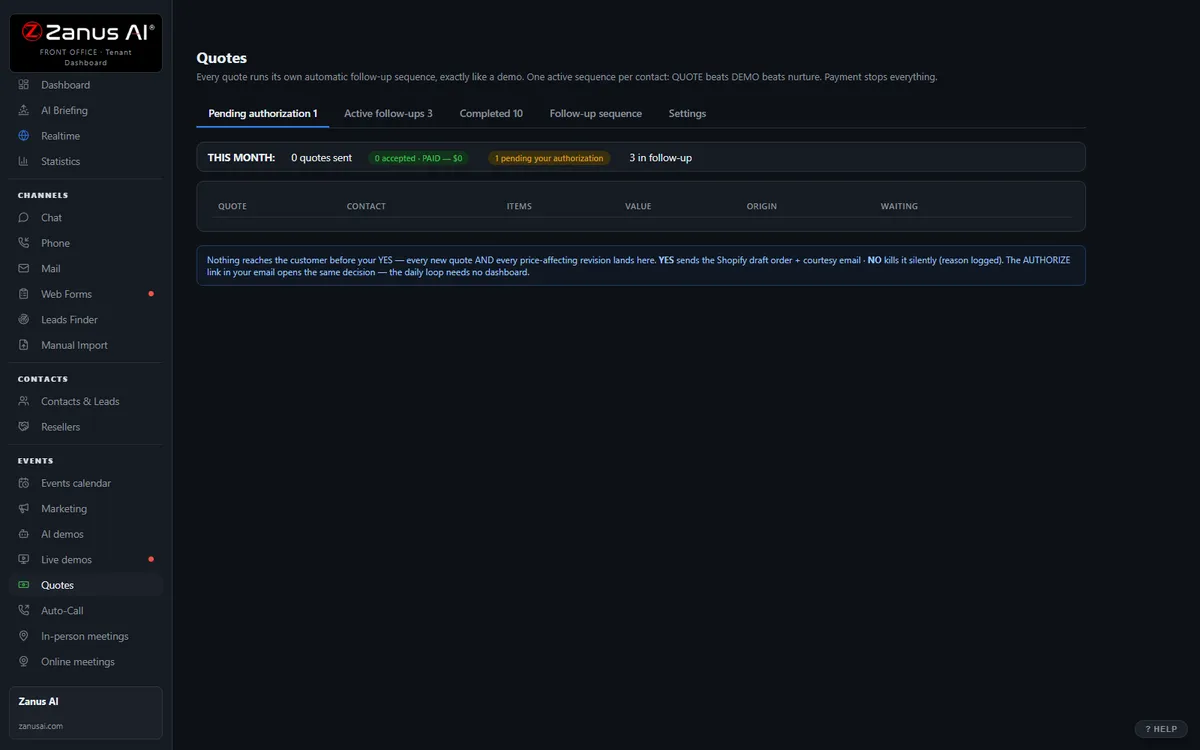
The real Quotes menu: built by AI, authorized by you with one click.
What it does
Quotes come from your catalog, packages and price rules — not from a rep’s memory and not from the AI’s imagination.
The AI prepares, a person authorizes with one click where your rules require it; a payable link where you accept payment online.
Opened twice and silent? The follow-up sequence runs on your schedule; a question in the reply hands the thread to the rep.
Inside AI Quoting — the real screens
Click a tab. Every picture is the live Front Office, not a mockup — the left menu is the whole product.
Quote-to-cash without a second system
Elsewhere, configure-price-quote is often a separate product bolted on top. Here, quoting is one included function of your integrated Front Office — connected to every conversation.
- No per-user CPQ tax
- Connected to chat, phone, demo and email history
- Quote-to-cash without a rollout project

Available on its own — or inside a solution
Questions, answered
Can it give discounts?
Only inside the discount rules and approval chain you set. Anything outside them — a bigger discount, custom terms, unusual quantities — goes to a salesperson for a one-click decision.
What if the quote needs an estimator or an engineer?
The AI captures the request complete — scope, quantities, dates, site, configuration — and routes it to your estimator; the prospect gets an acknowledgment and a date, not silence.
Try it free on your own business. 7 days. No credit card.
Give it your website. It learns your company. Then call it, chat with it, e-mail it — and decide. Nothing to install, nothing to cancel.
← Previous: Email · Sharing with a colleague? 📄 Get the PDF · ✉️ Email this page ·