AI Auto-Call for Order Desks. Order update calls placed from your own line.
AI Auto-Call places order update calls from your company's own number: a delivery day confirmed, a delay announced, a callback a customer asked for. The AI talks with each person in their language from the facts you gave it, inside their local hours, and brings every answer back. Auto-Call opens with your first paid plan.
START YOUR FREE TRIALNo credit card · Ready in 2 minutesAuto-Call opens with your first paid plan. See plans & pricing ›
7 days free · per company, never per seat · nothing to install
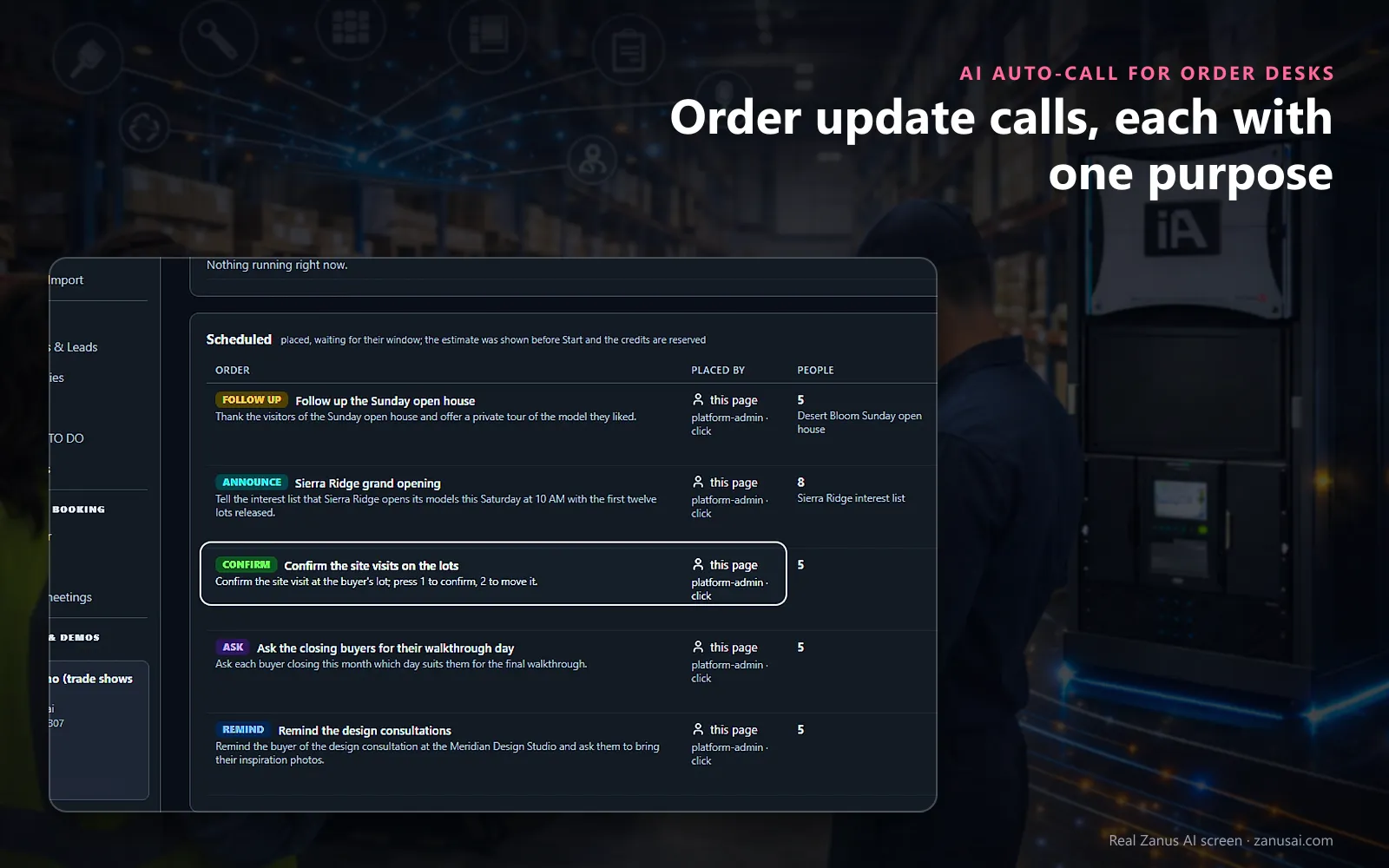
Call orders
Each call order says in one sentence what the AI must achieve: confirm a date, remind, ask a question, follow up or announce.
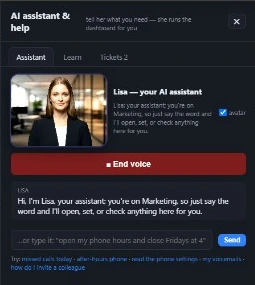 Easy setupSet up everything just by talking to Lisa AISee how ›
You“Call tomorrow's large deliveries to confirm someone can receive them.”
Lisa“Tomorrow's large deliveries: the estimate shows how many calls and who cannot be called, and why. Place the order?”
You talk. Lisa sets it up. Applied only on your yes.
How Order Desks use it
A late shipment moves forty deliveries; one ANNOUNCE order places automated order notification calls with the new day, and every answer comes back by person.
The day before a large delivery, delivery day confirmation calls ask whether someone can receive it; another day asked lands on a TO DO.
A customer says stop calling me; the AI marks it on her contact and she is never called again, from any list.
REAL AI - the whole Front Office is AI, not old software with an AI button.
What’s included
- Outbound calls by the AI: confirm, remind, ask, follow up and announce, several people at once
- Consent rules and each person’s local calling hours; retries, and a voicemail message or a message with a text to confirm
- Every answer by person on the order and on the customer’s story; a change of date transferred to your team
Add it to AI Phone or get it inside a solution · See pricing › · Per company, never per seat.
Everything AI Auto-Call does, for every business ›
Works withAI PhoneAI BookingAI Web FormsAI MarketingAI Online MeetingsAI Demo
Calls the desk owes
Delivery delay calls and other order updates, by person
Confirm the delivery day
A CONFIRM call asks whether someone can receive the order; yes, no and another day each have their own branch, and the answer sits on the row.
Announce a delay
An ANNOUNCE order tells every customer of a late shipment the new day you wrote, in their language, and keeps who was reached.
Ask before it ships
An ASK call puts up to six questions with their allowed answers, such as the receiving hours or whether a loading dock is on site.
Results person by person
Reached, confirmed, declined, another day, voicemail or no answer, with the transcript one click away and an export as a CSV file.
Ready in 2 minutes
Set up order update calls in 2 minutes
Your line
The calls go out from your company's number in AI Phone, and a customer who calls that number back reaches your AI.
Your rules
Calling hours, calls at a time, retries and the voicemail rule are set under Auto-Call settings, read in each person's local time.
Your first order
Tell Lisa who to call and why, or press New call order and fill in who, what and when; the estimate comes before Start.
Your first paid plan
Try the Front Office free for 7 days, no credit card; the calls begin once your first paid plan opens Auto-Call.
AI Auto-Call for Order Desks, trade by trade
By industryDistributorsRetail StoresConsumer BrandsManufacturingRestaurantsGrocery & Drug StoresAgricultureE-commerceHardware & ElectronicsSoftware & SaaSTravel AgenciesAerospace & Aviation
Questions & answers
AI Auto-Call for Order Desks: questions & answers
What are order update calls?
Calls your desk owes its customers about their orders: a delivery day to confirm, a delay to announce, a callback someone asked for. AI Auto-Call places these outbound calls for order desks from your own line, talks with each person and brings back every answer, in their own words, on their record.
Who can the AI call?
The AI dials a customer's number only when that customer gave it to you, or when it sits on a typed list you attest; bought lists are refused. Any call with a sales purpose to a mobile needs that person's written consent on file.
When do the calls go out?
Between 10 AM and 6 PM on weekdays in the customer's own time zone, unless your desk sets another window. People not reached are called again as many times as you set, and the AI never takes a confirmation from a voicemail.
Does the AI say it is an AI?
Yes. Whenever a customer asks, the AI answers truthfully that it is an AI and never poses as one of your clerks. The disclosure and the recording notice at the start of each call are your settings, and every call is kept with its transcript.
Is Auto-Call part of the free trial?
Your 7-day trial of the Front Office needs no credit card and lets you test the order line first. Auto-Call opens with your first paid plan and calls from your AI Phone number, so a customer who calls back reaches your AI.
Keep exploring
Where next?
Start with the one thing you need. Add more anytime by asking Lisa.
AI Front Office for Order Desks ›
Easy setup
Answers & books
Sells
Helps your team
Included
Award-winning AI
Winner at CES 2026, ISE 2026 and TMCnet Enterprise AI Product of the Year.
REAL AI - the whole Front Office is AI, not old software with an AI button.
Awards & trade shows ›


Give Lisa your website.
She sets up your business in 2 minutes.
Other software makes you learn it. Zanus AI learns your business.
Try it free on your own business — no credit card, per company, never per seat.
Ready to buy? See plans & pricing ›
Or call +1 (954) 736-3939 — the AI answers.