AI Proposal Studio for Staffing & Recruiting. Staffing RFP response software for agencies
AI Proposal Studio is staffing RFP response software: a hospital's or a manufacturer's request for proposal and every attached document are read page by page into a register of requirements, and the proposal is written from your knowledge, rate card and blocks. Every figure is a sum made by code, and only a person sends it.
TRY AI PROPOSAL STUDIO FREENo credit card · Ready in 2 minutesReady to buy? See plans & pricing ›
7 days free · per company, never per seat · nothing to install
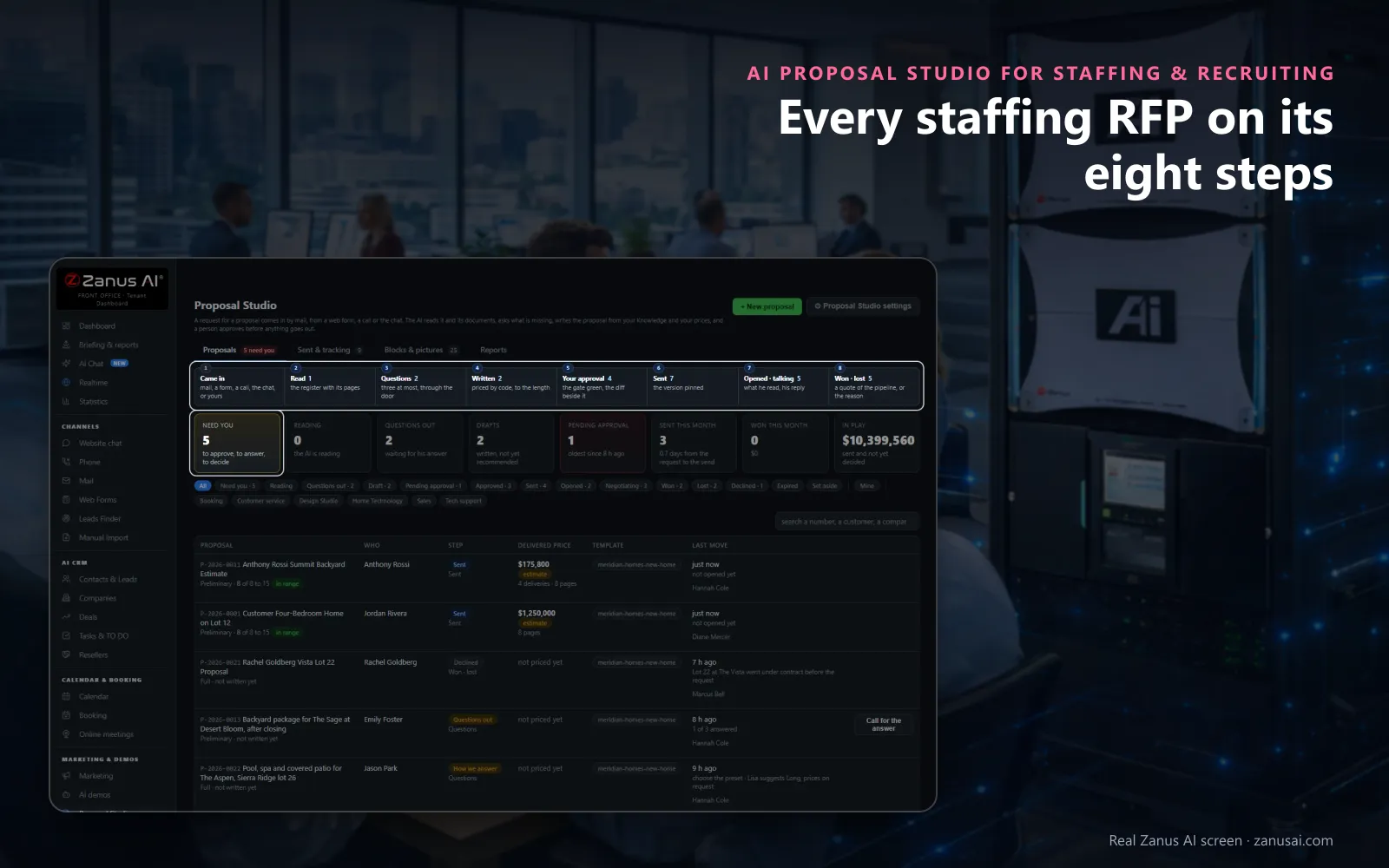
Eight steps
Each request walks the same eight steps, and the strip shows how many proposals stand at each one today.
 Easy setupSet up everything just by talking to Lisa AISee how ›
You“Let managers approve staffing proposals up to our usual contract size, and administrators above it.”
Lisa“I'm setting the approval threshold for managers to the amount you named, with administrators deciding above it. Apply?”
You talk. Lisa sets it up. Applied only on your yes.
How Staffing & Recruiting use it
A health system's staffing RFP of twenty pages is read in full, each requirement with its page and priority.
Details are missing on three points; the AI writes at most three questions, which wait for your account manager to ask.
The client accepts on its own page, and the won proposal becomes a quote with every line priced.
REAL AI - the whole Front Office is AI, not old software with an AI button.
What’s included
- Proposals: every request on its eight steps, with the one next thing to do
- New proposal: from your own words or a mail thread, in five steps on one page
- A proposal open: the request, the register, the questions, the blocks, the price and the approval
- Sent & tracking: opens, last activity, validity, state and the next step
- Blocks & pictures: the blocks a proposal is made of, and pictures from your Images library
- Reports: requested, sent, opened, won, lost, why we lose and what the checker caught
- The customer’s page: accept with his options, ask a question, decline, download the PDF
- Proposal Studio settings: who writes, who asks, who approves, the length, the prices and the doors
Available on its own or inside a solution · See pricing › · Per company, never per seat.
Everything AI Proposal Studio does, for every business ›
Works withAI E-mailAI PhoneAI Web FormsAI DemoAI QuotingAI Auto-CallAI Follow-up
RFP answers
Staffing RFP response software that answers point by point
Read in full
A statement of work of twenty pages is read whole, scans included, and every requirement lands in the register with its page.
Twenty checks first
Every requirement answered, every claim with its evidence, every total equal to its lines: Approve lights only when none is red.
Followed to the answer
Sent & tracking shows how often the client opened it, the validity date and the one next step, until won, lost or expired.
Questions & answers
RFP and proposal questions from staffing agencies
Can AI answer a staffing RFP?
Yes. As RFP software for staffing agencies, it has an RFP answer mode: the request is read into a register, each requirement with its code, page and priority, and answered line by line as Kept, Option, Allowance, Not offered or Open; a person decides every open MUST before the approval.
Does the AI set our bill rates in a proposal?
No. Each bill rate and total in the proposal is added up by code from the rate card you keep; the AI never writes a figure. Under your margin floor an administrator decides, and the cost and the margin never reach the client.
Who approves and sends a proposal?
In the staffing proposal software, your branch manager approves up to the threshold you set, an administrator above it, and a person on your team presses Send to the customer. Any edit after the approval makes a new version that must be approved again.
Can a proposal leave rates for the conversation?
Yes. A staffing services proposal on a prices-on-request preset prints no figure on any page, and the client's own page offers a button to talk instead of Accept.
Keep exploring
Where next?
Start with the one thing you need. Add more anytime by asking Lisa.
AI Front Office for Staffing & Recruiting ›
Easy setup
Answers & books
Sells
Helps your team
Included
Award-winning AI
Winner at CES 2026, ISE 2026 and TMCnet Enterprise AI Product of the Year.
REAL AI - the whole Front Office is AI, not old software with an AI button.
Awards & trade shows ›


Give Lisa your website.
She sets up your business in 2 minutes.
Other software makes you learn it. Zanus AI learns your business.
Try it free on your own business — no credit card, per company, never per seat.
Ready to buy? See plans & pricing ›
Or call +1 (954) 736-3939 — the AI answers.