ZANUS FRONT OFFICE FOR PUBLIC SAFETY — FEE SCHEDULES
Fees from your published schedule, in minutes — not from memory at the counter.
A resident asks what an accident report costs, what a records request with staff time and a video will run, what an alarm permit costs, what fingerprinting costs and how to pay. The AI builds the fee statement from your published fee schedule — never a number improvised at the counter — sends it as a clean document with the payment window or link you use, and follows up until the resident acts or the request is closed.
Try it free 7 days on your own business · no credit card · per company, never per seat
REAL AI - the whole Front Office is AI, not old software with an AI button. Give it your website: it learns your company, works from your approved knowledge and gets better with every answer you approve.
Live on this site right now — the assistant in the corner is the product · Award-winning AI — CES · ISE · TMCnet
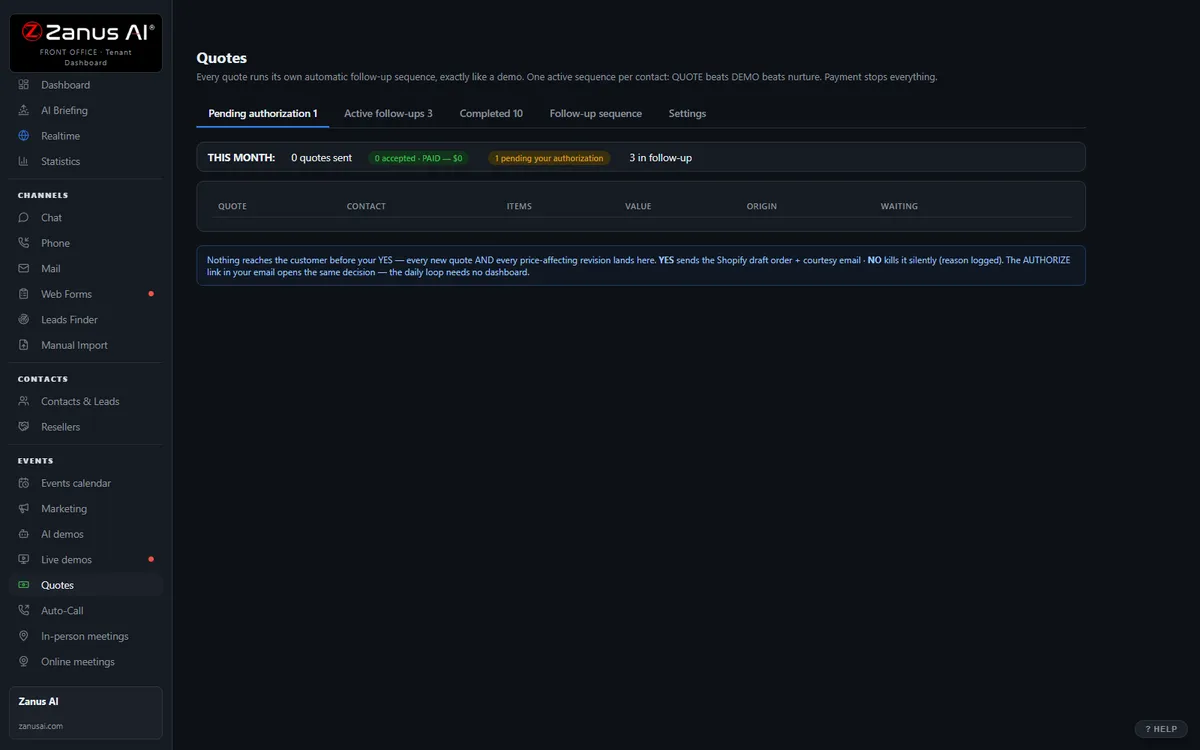
The real Quotes menu: built by AI, authorized by you with one click.
What it does
Fee statements come from your adopted schedule — report copies, per-page and media fees, permits, fingerprinting, certified copies — never from memory.
The resident confirms and books or files in the same click; a payment link if your agency accepts online payment, the window if not.
The fee statement left open is followed up on your schedule — and a reply or a waiver question alerts a person.
Inside AI Quoting — the real screens
Click a tab. Every picture is the live Front Office, not a mockup — the left menu is the whole product.
Quote-to-cash without a second system
Elsewhere, configure-price-quote is often a separate product bolted on top. Here, quoting is one included function of your integrated Front Office — connected to every conversation.
- No per-user CPQ tax
- Connected to chat, phone, demo and email history
- Quote-to-cash without a rollout project

Available on its own — or inside a solution
Questions, answered
Can it quote fines, bail or court costs?
It states fees from the schedule you publish and points to the payment window as published. It does not state or calculate a specific person’s fine, bail, court costs or restitution, and does not decide fee waivers — those route to the clerk’s office or the records desk with the resident’s request already on the record.
Who approves a fee statement, and which plan?
Your rules: automatic for standard items on the schedule, one click from staff for anything estimated, such as a large records request. Every statement is logged on the resident’s record.
Try it free on your own agency. 7 days. No credit card.
Give it your website. It learns your company. Then call it, chat with it, e-mail it — and decide. Nothing to install, nothing to cancel.
← Previous: Email · Sharing with a colleague? 📄 Get the PDF · ✉️ Email this page ·