AI CRM for Local Government. A CRM for local government that fills itself
AI CRM is a CRM for local government that fills itself: every resident, business or contractor who calls, chats, writes or fills a form becomes one record, with the source and every conversation on a timeline. The clerk who answers next reads the story first, and anonymous chats stay out of the list.
TRY AI CRM FREENo credit card · Ready in 2 minutesReady to buy? See plans & pricing ›
7 days free · per company, never per seat · nothing to install
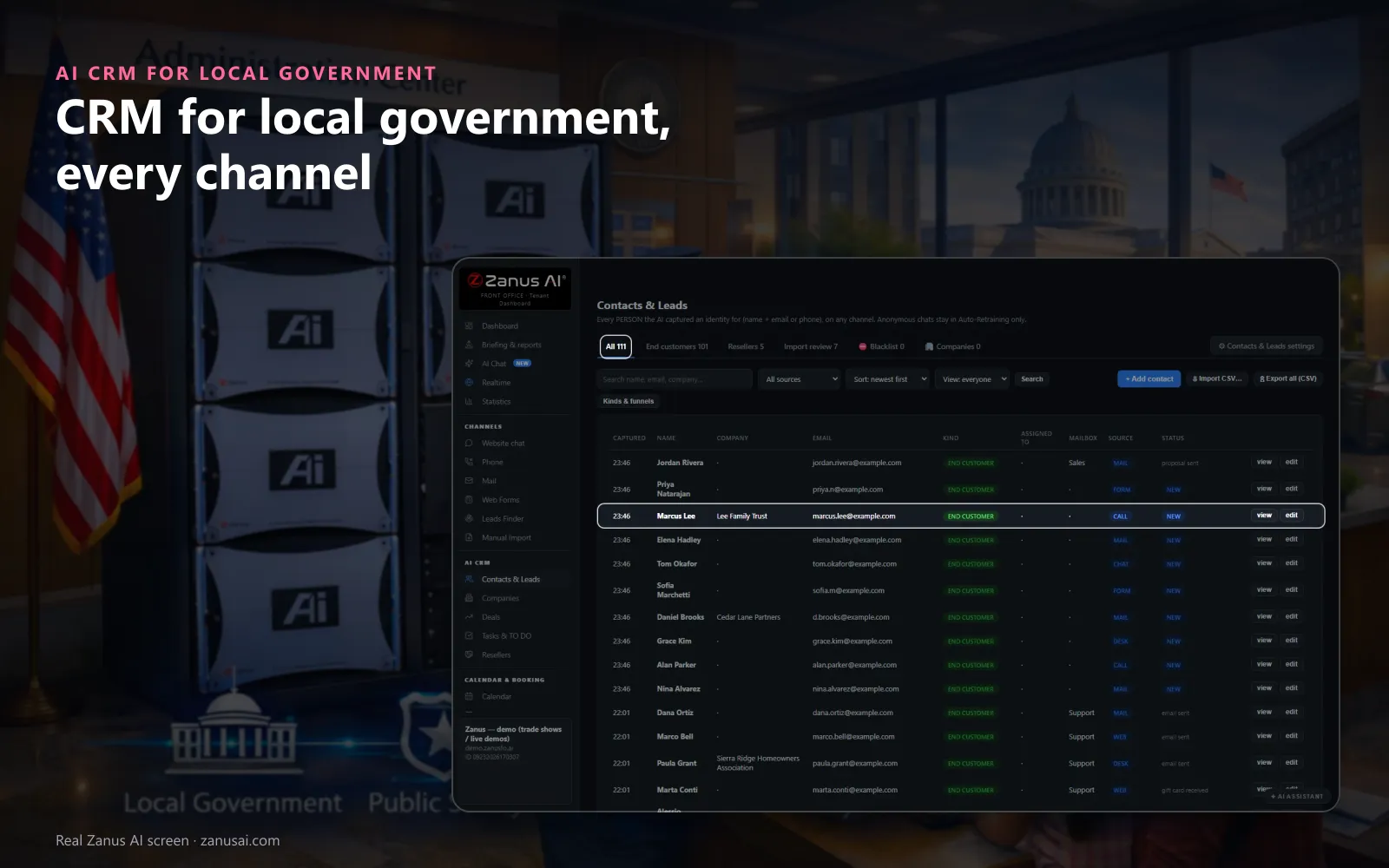
Contacts
Every resident who leaves a name with an e-mail or a phone, on any channel, lands in one list with where they came from.
 Easy setupSet up everything just by talking to Lisa AISee how ›
You“Add the kinds of contact we use: resident, business, contractor and vendor.”
Lisa“Kinds of contact: Resident, Business, Contractor and Vendor, one per line, shown before and after. Apply?”
You talk. Lisa sets it up. Applied only on your yes.
How Local Government use it
A resident who called about a water leak writes the next week; the clerk sees the call, the ticket and the reply on one record.
Before calling back a contractor about a stalled permit question, the permits clerk presses Brief me and reads one page.
A resident asks to stop the newsletter; one sentence to Lisa pauses every scheduled mail to that person.
REAL AI - the whole Front Office is AI, not old software with an AI button.
What’s included
- Every person and company qualified from the conversations, health score with its WHY, gauges, photo, LinkedIn; nothing typed by your staff
- Deals with stages, probability and expected close, created and moved by the events themselves: lead qualified → demo → quote → won
- Tasks and to-dos assigned to your people, from the AI or by hand, with reminders; calls, meetings and notes logged on the record
- Your own fields on contacts, companies and deals; saved views; tags and segments; record ownership
- Pipeline forecast weighted by probability; win / loss review; "ask your pipeline" in plain language
- Basic contacts and companies stay in every Front Office, this item adds the qualification, the pipeline and the forecast
Add it to any contact channel — AI Phone, AI Webchat, AI E-mail or AI Web Forms — or get it inside a solution · See pricing › · Per company, never per seat.
Everything AI CRM does, for every business ›
Works withAI PhoneAI WebchatAI Web FormsAI DemoAI QuotingAI BookingAI Follow-upAI TicketsAI Returns & WarrantyAI Calls TranscriptsAI Marketing
One record
Resident records for cities, filled by every channel
Every channel writes
A call, a chat, a mail or a form that gives a name and an e-mail or a phone makes the contact, with where it came from on the row.
The whole story
Every call, mail, chat, form and ticket sits on one timeline, newest first, so the next clerk starts where the last one stopped.
Brief me
One press and Lisa writes a one-page brief: who the resident is, what they asked, what was sent and what to say next.
Stop means stop
Tell Lisa to pause every mail to one resident; each scheduled step holds until you resume, and a reply typed by hand still goes out.
Set-up
Set up a CRM for local government in 2 minutes
Nothing to migrate
Records fill from the first call, chat, form or mail; an old list waits in Import review, accepted one by one.
Your kinds of contact
Tell Lisa the kinds of contact the city uses; she fills the settings and shows the change before applying it.
Your own fields
Add a parcel number, a district or a ward as a field of your own, as text, a number, a date or a choice.
Free for seven days
Run it on the city's own calls and mail for 7 days, no credit card, and read every record it made.
Questions & answers
AI CRM for Local Government: questions & answers
What does a CRM do for local government?
As constituent relationship management, it keeps one record per resident, business or contractor who contacts the city, fed by the calls, chats, mails and forms themselves. The clerk who answers next reads every earlier conversation, so a resident never has to tell the story again from the start.
Does staff have to type the records?
No. With resident contact management that runs by itself, anyone who gives a name with an e-mail or a phone on a call, a chat, a form or a mail becomes a contact, with the source on the row. An imported list waits in Import review until each contact is accepted.
Who may export resident data?
Only Managers. Every export of contact data is logged with the name of the person who made it, and imported contacts are never auto-called, so a list brought in from an older system stays under the city's control.
Can we name our own kinds of contact and fields?
Yes. In this municipal CRM software, you name the kinds of contact the city needs, such as resident, business owner, contractor or vendor, one per line, and add fields of your own, such as a parcel number or a ward, as text, number, date or choice.
Does the CRM keep a record of calls?
With AI Phone, every call lands on the resident's timeline. Switch call recording on and each call keeps its recording and transcript in the call register; recording is off as shipped, and the AI can tell callers the call may be recorded.
Keep exploring
Where next?
Start with the one thing you need. Add more anytime by asking Lisa.
AI Front Office for Local Government ›
Easy setup
Answers & books
Sells
Helps your team
Included
Award-winning AI
Winner at CES 2026, ISE 2026 and TMCnet Enterprise AI Product of the Year.
REAL AI - the whole Front Office is AI, not old software with an AI button.
Awards & trade shows ›


Give Lisa your website.
She sets up your business in 2 minutes.
Other software makes you learn it. Zanus AI learns your business.
Try it free on your own business — no credit card, per company, never per seat.
Ready to buy? See plans & pricing ›
Or call +1 (954) 736-3939 — the AI answers.