AI CRM for Churches. Contact management for church offices that fills itself
AI CRM is contact management for church offices that fills itself: every guest who leaves a name with a phone or an e-mail on a call, a chat, a card or an e-mail becomes a contact, with the whole story on one record. It is not church management software: membership, giving and attendance stay where they are.
TRY AI CRM FREENo credit card · Ready in 2 minutesReady to buy? See plans & pricing ›
7 days free · per company, never per seat · nothing to install
Where they came from
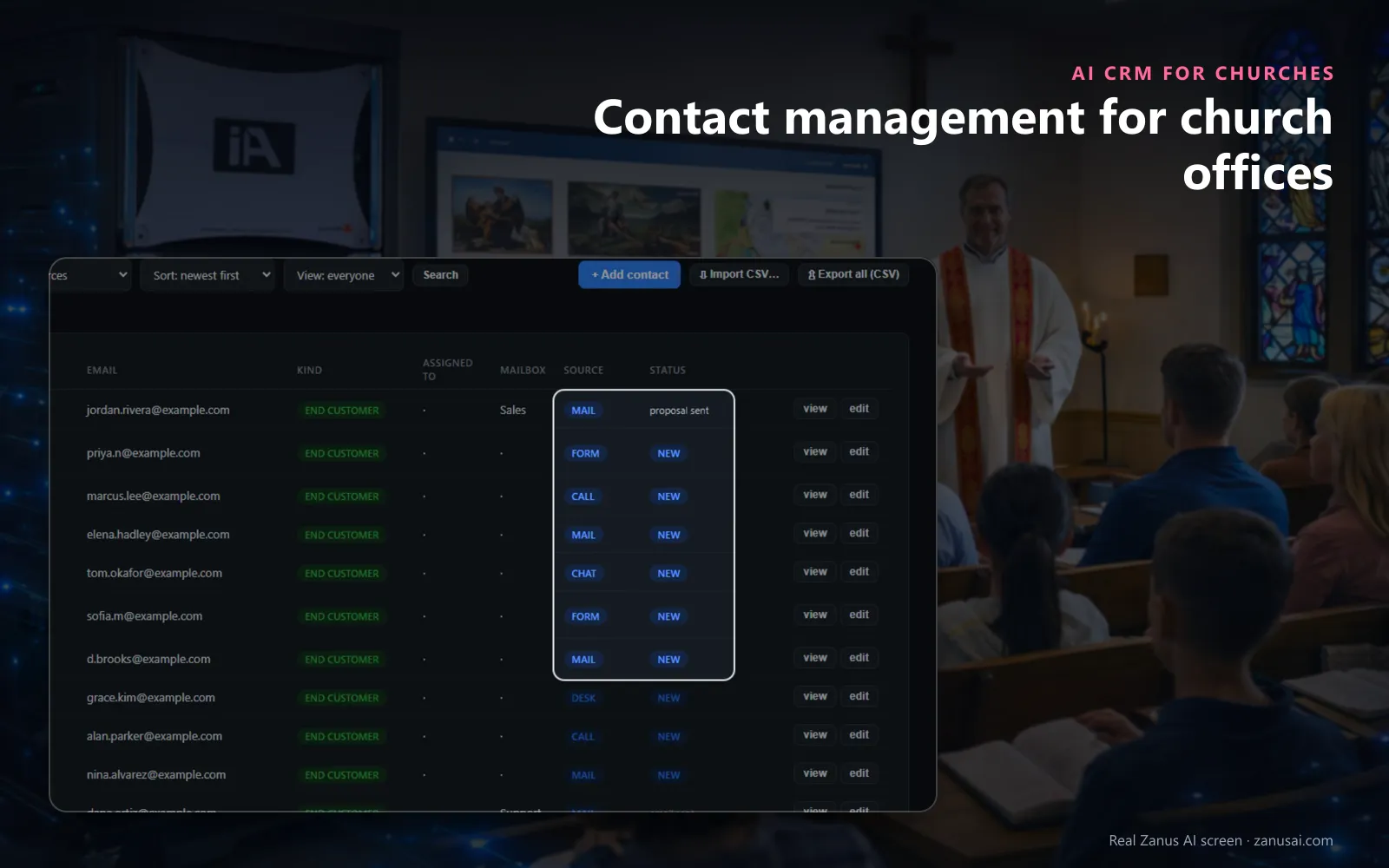
Each contact shows how they first reached the church, by e-mail, form, call, chat or the front desk, and where things stand.
 Easy setupSet up everything just by talking to Lisa AISee how ›
You“Add a kind of contact called First-time guest and a field for the service attended.”
Lisa“I'm adding the kind First-time guest and a choice field, Service attended, to every contact. Apply?”
You talk. Lisa sets it up. Applied only on your yes.
How Churches use it
A family who called about the nursery and later sent the connect card appears once, with both conversations on one timeline.
Before calling a newcomer, the welcome pastor presses Brief me and reads one page on what she asked and what was sent.
The administrator asks Lisa which guests who wrote in December have had no contact since, and reads the list with each one's health.
REAL AI - the whole Front Office is AI, not old software with an AI button.
What’s included
- Every person and company qualified from the conversations, health score with its WHY, gauges, photo, LinkedIn; nothing typed by your staff
- Deals with stages, probability and expected close, created and moved by the events themselves: lead qualified → demo → quote → won
- Tasks and to-dos assigned to your people, from the AI or by hand, with reminders; calls, meetings and notes logged on the record
- Your own fields on contacts, companies and deals; saved views; tags and segments; record ownership
- Pipeline forecast weighted by probability; win / loss review; "ask your pipeline" in plain language
- Basic contacts and companies stay in every Front Office, this item adds the qualification, the pipeline and the forecast
Add it to any contact channel — AI Phone, AI Webchat, AI E-mail or AI Web Forms — or get it inside a solution · See pricing › · Per company, never per seat.
Everything AI CRM does, for every business ›
Works withAI PhoneAI WebchatAI Web FormsAI DemoAI QuotingAI BookingAI Follow-upAI TicketsAI Returns & WarrantyAI Calls TranscriptsAI Marketing
One record
Church visitor records written by every channel
Where each guest came from
The row shows the source, a call, a chat, a form or an e-mail, and the status, so the office sees how each guest first reached the church.
The whole story
On the church contact timeline, calls, chats, e-mails and forms sit newest first, with the tasks and files that belong to that family.
Your own kinds and fields
Name the kinds of contact a parish needs, such as first-time guest, member or funeral home, and add fields like the service attended.
Notes the AI reads
A note on a contact, such as prefers Spanish, is read before the AI writes any e-mail to that person on behalf of the church.
Set-up
A church office contact list ready in 2 minutes
Nothing to type
From the first call or card, every guest who gives a name with a phone or an e-mail is on the church's list.
Tell Lisa your kinds
Say which kinds of contact the church uses; she shows the settings before and after and applies them on your yes.
Bring last year's list
Import last year's visitor spreadsheet as a CSV file; each row waits in Import review until someone on staff accepts it.
Open the records
On the free week, with no card asked, open the records your channels wrote and see which guests still need a reply.
Questions & answers
AI CRM for Churches: questions & answers
Is this church management software?
No. AI CRM is the front-office record beside your church management software: the calls, chats, e-mails and forms of everyone who contacted the church office. Membership rolls, giving, child check-in and attendance stay in the system you use today.
Does the record hold anyone's giving or faith?
No. It holds what people asked, booked and requested on your channels, with no giving history. Each contact's health score carries a tooltip that says why it moved, so nobody on staff has to guess what it means.
Do we have to type Sunday's connect cards into it?
No. The first-time guest records for churches fill themselves: a card sent on your website form, a call, a chat or an e-mail that gives a name with a phone or an e-mail becomes a contact by itself, with its source on the row. Paper cards can come in as a CSV file, reviewed one by one.
Can each pastor see who to call first?
Tasks sit in one list with the person's local time on each line, and Brief me writes a one-page brief before any call: who the guest is, what they asked, what the church sent and what to say next.
Who can export the church's contacts?
Only Managers, and every export of contact data is logged with its author. Imported lists wait in Import review until someone accepts each row, and an imported list is never called automatically.
Keep exploring
Where next?
Start with the one thing you need. Add more anytime by asking Lisa.
AI Front Office for Churches ›
Easy setup
Answers & books
Sells
Helps your team
Included
Award-winning AI
Winner at CES 2026, ISE 2026 and TMCnet Enterprise AI Product of the Year.
REAL AI - the whole Front Office is AI, not old software with an AI button.
Awards & trade shows ›


Give Lisa your website.
She sets up your business in 2 minutes.
Other software makes you learn it. Zanus AI learns your business.
Try it free on your own business — no credit card, per company, never per seat.
Ready to buy? See plans & pricing ›
Or call +1 (954) 736-3939 — the AI answers.