AI Team Assistant for Churches. An internal AI assistant for churches, cited answers
AI Team Assistant is an internal AI assistant for churches that answers your staff from the church's own documents and the records each person may see, never from the internet. Ask who is on call this weekend or how to set up the hall for a funeral luncheon, and each answer names the document it came from.
TRY AI TEAM ASSISTANT FREENo credit card · Ready in 2 minutesReady to buy? See plans & pricing ›
7 days free · per company, never per seat · nothing to install
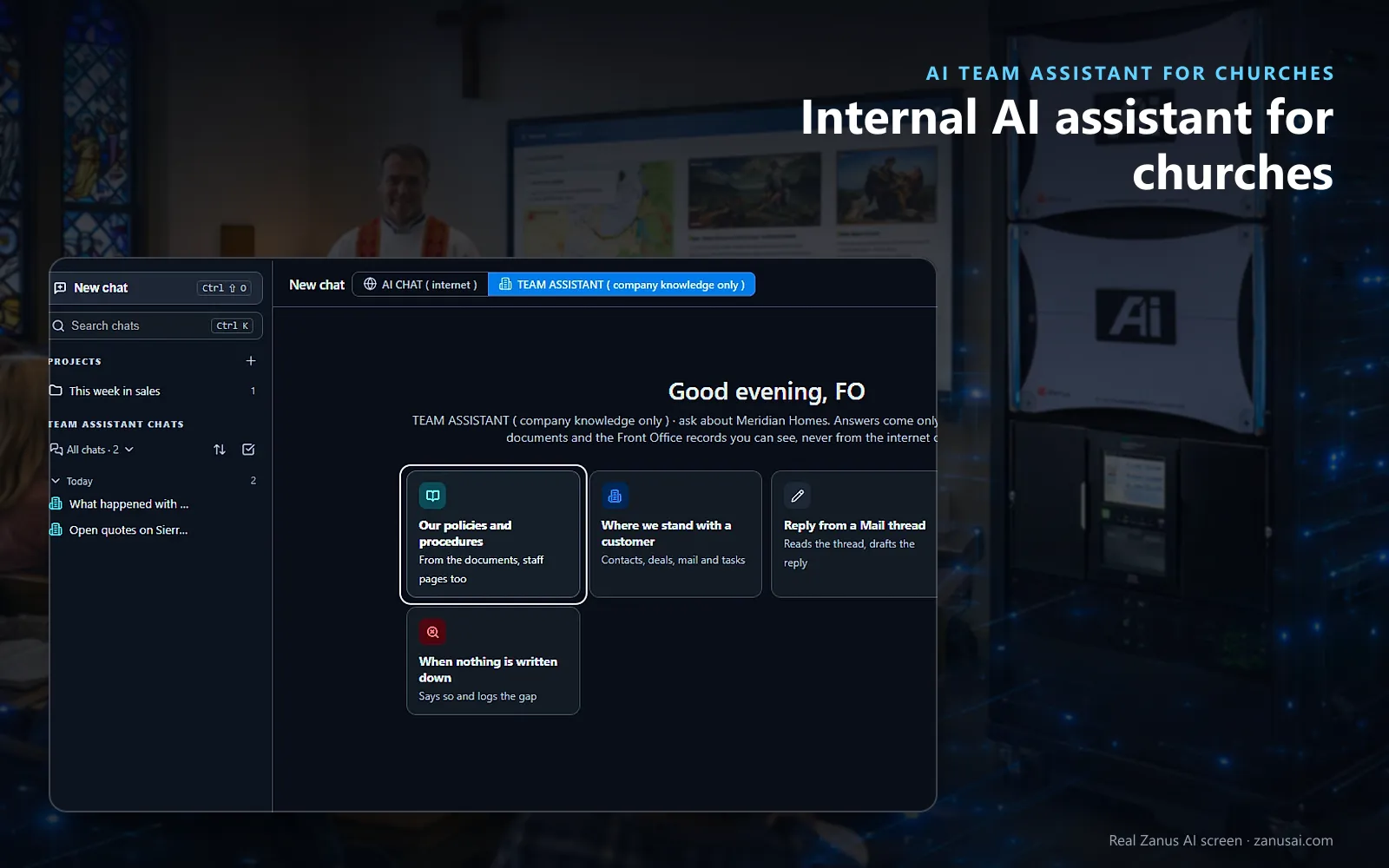
Procedures
Start from a tile or ask in your own words; answers come from your documents and staff-only pages that visitors never see.
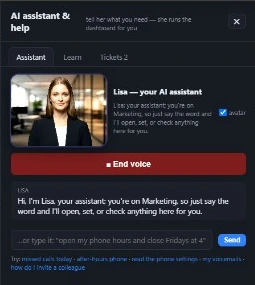 Easy setupSet up everything just by talking to Lisa AISee how ›
You“Give the greeter team chat links that end Sunday at 1 PM.”
Lisa“The greeter team gets personal chat links ending Sunday at 1 PM, answering from your staff-only pages. Apply?”
You talk. Lisa sets it up. Applied only on your yes.
How Churches use it
A new youth leader asks how many adults must attend an overnight event, and gets the paragraph of your safeguarding procedure, cited.
A Sunday volunteer with no login opens her personal chat link and asks how to unlock the side door.
The weekday receptionist asks what to set up for a funeral luncheon and reads the hall checklist with its page.
REAL AI - the whole Front Office is AI, not old software with an AI button.
What’s included
- An internal assistant for your staff, procedures, prices, policies
- Internal-only knowledge, kept out of everything customers see
- Answers with the source, so people learn where things are
Available on its own or inside a solution · See pricing › · Per company, never per seat.
Everything AI Team Assistant does, for every business ›
Works withAI File CabinetLisa, your AI assistant
For your staff
Church procedures assistant for staff and volunteers
The rota and the building
Who is on call, where the keys are kept, which groups may use the kitchen: church policy questions answered from the documents you loaded, with the page.
Cited, then opened
Each answer names its document or record and opens it where it lives, so a volunteer checks the source instead of trusting a summary.
Staff pages stay inside
The on-call rota and the building procedures sit on internal pages that visitors to the church website never reach.
Sensitive numbers removed
A card or bank number typed by a volunteer, or an identity number, is stripped from the message before any AI reads it.
Set-up
A staff knowledge assistant for churches in 2 minutes
Upload the documents
Drop in the rota, the building procedures and the safeguarding policy as PDF, Word or text files.
Mark what is internal
Tell Lisa which knowledge pages are for staff only; she shows the change before and after it applies.
Choose who uses it
Managers and Admins have it on as shipped; open it to ministry leaders by level or by department.
Send the links
Give volunteers personal chat links during the free week, no card asked, and read what they ask.
Questions & answers
AI Team Assistant for Churches: questions & answers
Can volunteers ask the assistant without a staff login?
Yes. Each volunteer gets a personal chat link that lasts until revoked, until a set date and time, or for a single use. Its AI answers for church volunteers come from your church procedures and staff-only pages, and one click revokes it.
Is internal church information kept away from the public chat?
Yes. Pages you mark internal, such as the on-call rota, reach only staff through the Team Assistant and their chat links; the website chat and the phone never read them to a visitor.
What happens when a church procedure is not written down?
The assistant says so plainly and logs the gap, so the missing procedure gets written once instead of being guessed by each volunteer who asks.
Who can see which church documents?
Each person sees only what their level opens. Access is set per level and department, and each drawer of the File Cabinet has its own rights, from no access to manage.
Does the assistant search the internet?
No. It answers only from the church's documents, the File Cabinet and the records the person may see. When a volunteer's question needs the internet, the assistant offers to pass it to AI Chat, already typed.
Keep exploring
Where next?
Start with the one thing you need. Add more anytime by asking Lisa.
AI Front Office for Churches ›
Easy setup
Answers & books
Sells
Helps your team
Included
Award-winning AI
Winner at CES 2026, ISE 2026 and TMCnet Enterprise AI Product of the Year.
REAL AI - the whole Front Office is AI, not old software with an AI button.
Awards & trade shows ›


Give Lisa your website.
She sets up your business in 2 minutes.
Other software makes you learn it. Zanus AI learns your business.
Try it free on your own business — no credit card, per company, never per seat.
Ready to buy? See plans & pricing ›
Or call +1 (954) 736-3939 — the AI answers.